<?xml version="1.0" encoding="utf-8"?><feed xmlns="http://www.w3.org/2005/Atom" ><generator uri="https://jekyllrb.com/" version="4.3.4">Jekyll</generator><link href="https://www.beekeeperstudio.io/feed.xml" rel="self" type="application/atom+xml" /><link href="https://www.beekeeperstudio.io/" rel="alternate" type="text/html" /><updated>2026-10-19T23:03:53+00:00</updated><id>https://www.beekeeperstudio.io/feed.xml</id><title type="html">Beekeeper Studio</title><subtitle>Free &amp; Open Source SQL editor and database manager for MySQL, Postgres, SQLite, SQL Server, and more. Available for Windows, Mac, and Linux.
</subtitle><entry><title type="html">Best PostgreSQL GUI Clients for 2026: Free and Paid Options Compared</title><link href="https://www.beekeeperstudio.io/blog/free-postgresql-guis" rel="alternate" type="text/html" title="Best PostgreSQL GUI Clients for 2026: Free and Paid Options Compared" /><published>2026-10-14T00:00:00+00:00</published><updated>2026-10-14T00:00:00+00:00</updated><id>https://www.beekeeperstudio.io/blog/free-postgresql-guis</id><content type="html" xml:base="https://www.beekeeperstudio.io/blog/free-postgresql-guis"><![CDATA[<p>You’ve probably tried pgAdmin for PostgreSQL. If you’re looking for something more streamlined, here are seven GUIs that can make daily work easier. Five are free and open source, and two, DataGrip and TablePlus, are commercial tools with limited free options. We make Beekeeper Studio, so it’s first on the list, but we’ve tried to be fair about where the others are a better fit.</p>

<h2 id="beekeeper-studio"><a href="/get">Beekeeper Studio</a></h2>
<p class="small"><strong>Available for Windows, MacOS, and Linux</strong> - <a href="/get">download here</a></p>

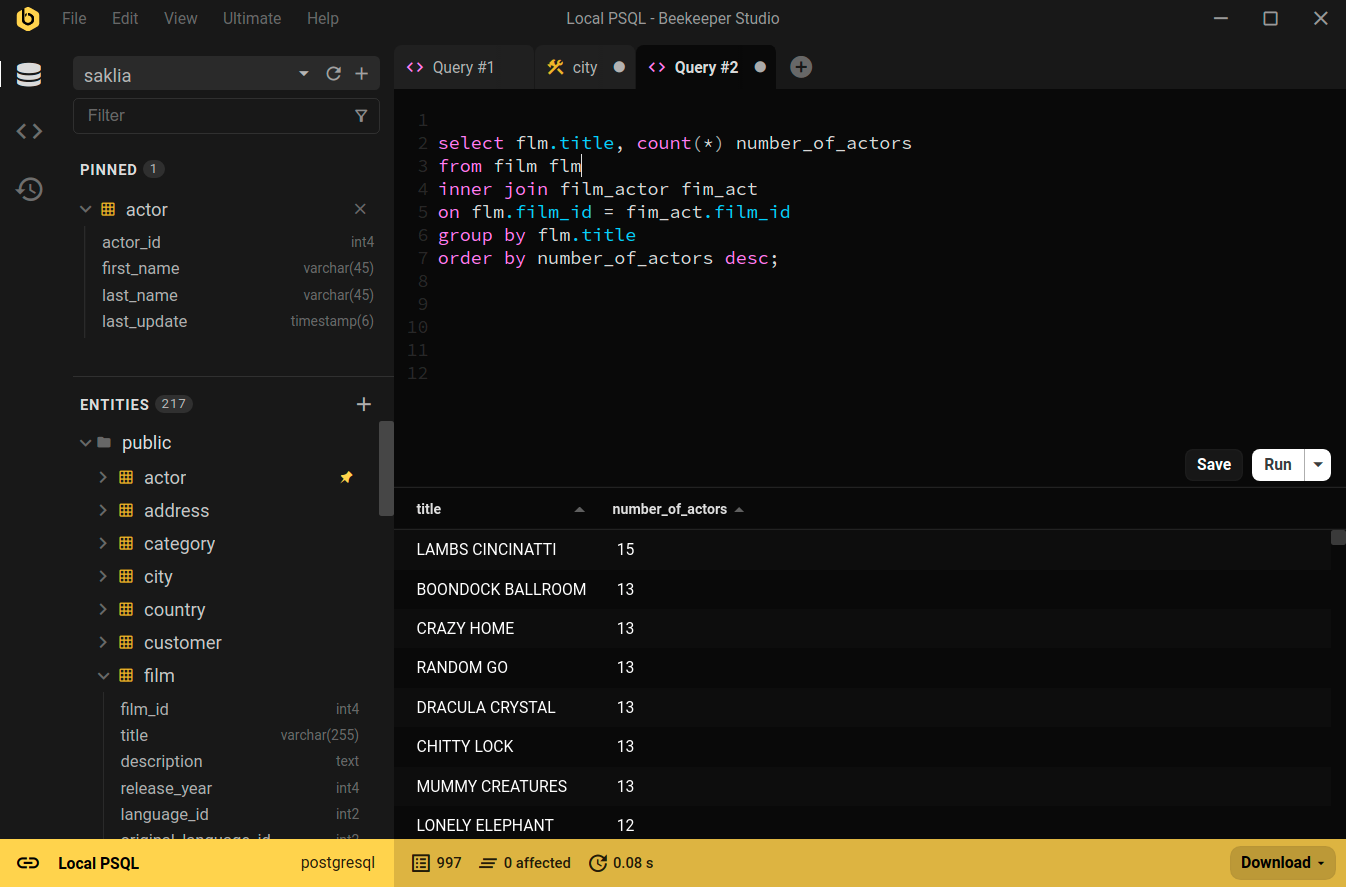
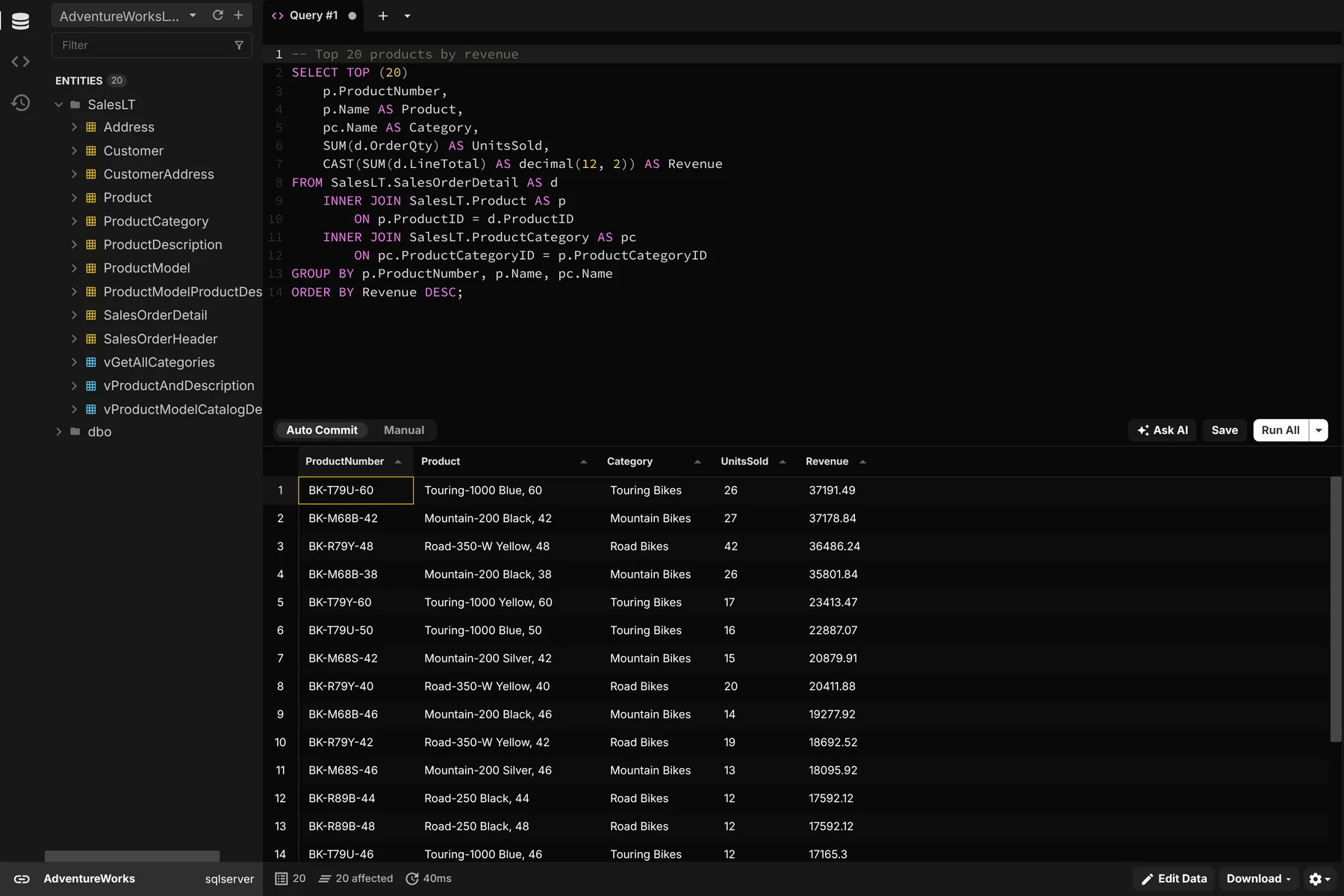
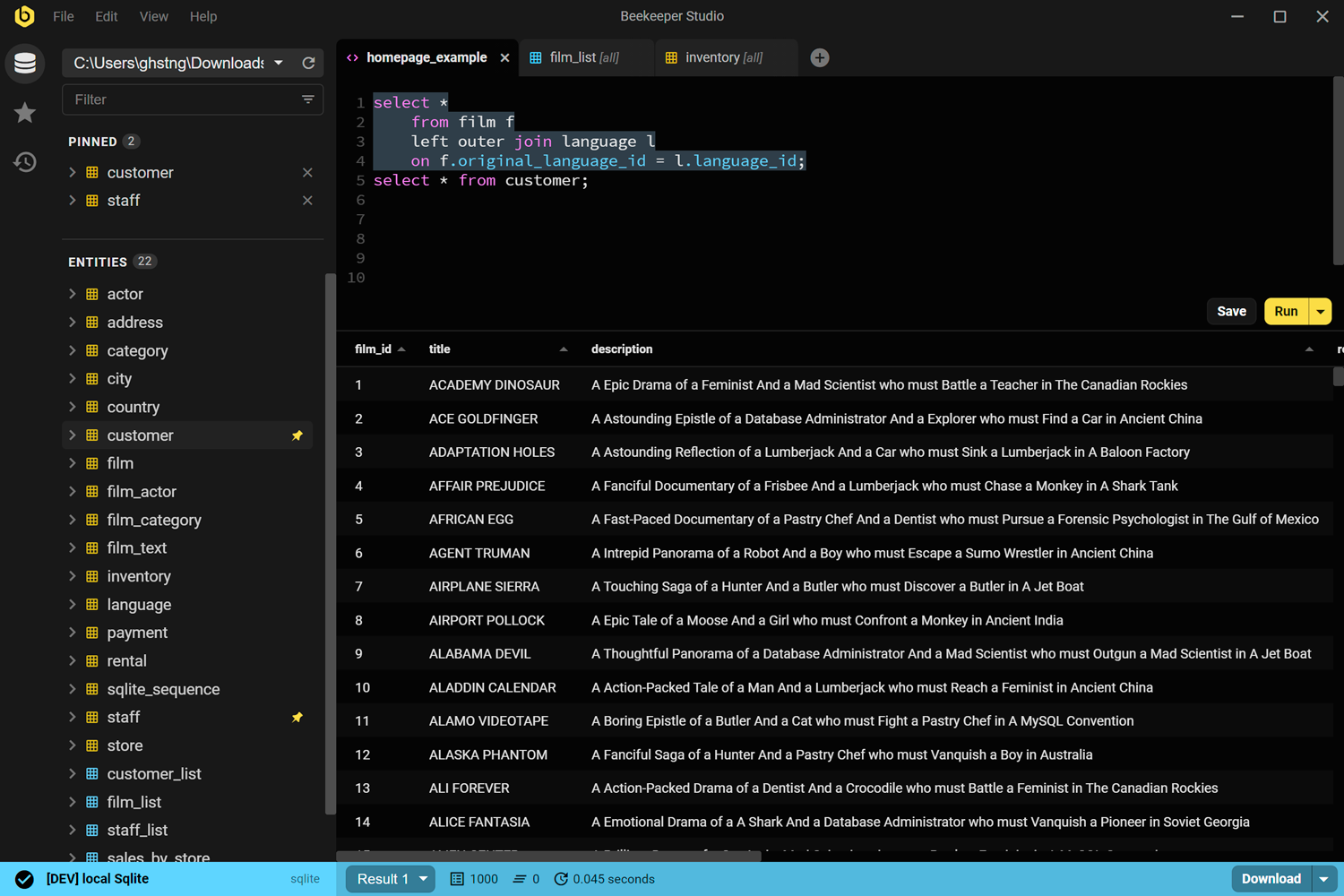
<p><a href="/get"><img alt="Query editor in Beekeeper Studio" integrity="sha512-5Nbd9AciPfmTFsZ9mB4zHEWFnrHaq6JUeKT/Q86i/PwNCVdlJZd5ZDFbFEV36WS9383rndsXglrwObC3GzeXlA==" crossorigin="anonymous" src="/assets/img/screenshots/f-query-editor-e4d6ddf407223df99316c67d981e331c45859eb1daaba25478a4ff43cea2fcfc0d09576525977964315b144577e964bddfcdeb9ddb17825af039b0b71b379794.png" /></a></p>

<p><a href="/get">Beekeeper Studio</a> is a cross-platform, open source SQL editor and database manager with a strong focus on PostgreSQL. It offers a clean, intuitive interface that feels instantly familiar: no cryptic icons, no “tabs within tabs,” and no learning curve. And you can also connect your favorite LLM to get a conversational interface to your database.</p>

<p>If you’ve struggled with slow or clunky Postgres GUIs, Beekeeper Studio is fast, focused, and built around the way you as a developer actually work: quick queries, tabbed results, easy edits, and none of the clutter that slows you down.</p>

<h3 id="free-features-for-working-with-postgresql">Free features for working with PostgreSQL</h3>

<p>For PostgreSQL, Beekeeper Studio’s core features are completely free, including:</p>

<ul>
  <li><strong><a href="https://docs.beekeeperstudio.io/user_guide/sql_editor/editor/">SQL editor</a>:</strong> Fast, clean editor with autocomplete, flexible execution (script, current query, or selection), query parameters, saved queries, history, CSV export, and optional Vim mode.</li>
  <li><strong><a href="https://docs.beekeeperstudio.io/user_guide/editing-data/">Spreadsheet-style table view</a>:</strong> Browse tables in an Excel-like grid. Filter using the GUI or SQL, stage edits in transactions, copy/paste to Sheets or Excel, and edit large values (like JSON) in a dedicated editor.</li>
  <li><strong><a href="https://docs.beekeeperstudio.io/user_guide/query-magics/">Rich result formatting</a>:</strong> Display query results as links, images, checkmarks, ratings, progress bars, currency, and more.</li>
  <li><strong>Schema editor:</strong> View and edit table schemas — columns, data types, indexes, and foreign keys — without writing SQL.</li>
  <li><strong>Saved queries:</strong> Store and organize frequently used SQL snippets to reuse across sessions.</li>
  <li><strong><a href="https://docs.beekeeperstudio.io/user_guide/data-export/">Data export</a>:</strong> Export tables or filtered views to CSV, Excel, or JSON in a couple of clicks.</li>
  <li><strong>Multiple connections:</strong> Manage databases with tabs, pinned tables, and color-coded connections.</li>
  <li><strong>Secure connections:</strong> Connect with SSL or SSH tunnels, including to remote servers.</li>
  <li><strong>Cross-platform and open source:</strong> Same features and performance across Windows, macOS, and Linux. The code is on <a href="https://github.com/beekeeper-studio/beekeeper-studio">GitHub</a>, mostly under the GPLv3.</li>
</ul>

<p>And it’s not just for PostgreSQL. The free version also supports MySQL, MariaDB, SQLite, SQL Server, Amazon Redshift, Google BigQuery, Redis, and <a href="/databases">more</a>.</p>

<h3 id="beekeeper-studio-features-in-paid-plans">Beekeeper Studio features in paid plans</h3>

<p>You can also unlock even more functionality to accelerate your data workflows, including:</p>

<ul>
  <li><strong><a href="https://docs.beekeeperstudio.io/user_guide/sql-ai-shell/">AI Shell</a>:</strong> Ask questions in plain English and get runnable SQL from GPT-5, Claude, Gemini, or local models. It understands your Postgres schema to produce accurate queries, while you stay in control reviewing every statement and keeping your data private.</li>
  <li><strong><a href="https://docs.beekeeperstudio.io/user_guide/importing-data-csv-json-etc/">CSV import</a>:</strong> Bring external datasets straight into your tables without manual scripting.</li>
  <li><strong>Multi-table export:</strong> Export multiple related tables in a single step for easier sharing.</li>
  <li><strong><a href="https://docs.beekeeperstudio.io/user_guide/backup-restore/">Backup and restore</a>:</strong> Safely snapshot your database and restore it later from the UI.</li>
  <li><strong><a href="https://docs.beekeeperstudio.io/user_guide/cloud-storage-team-workspaces/">Cloud sync</a>:</strong> Keep your connections, queries, and settings consistent across devices.</li>
  <li><strong>Additional database support:</strong> Work with databases beyond PostgreSQL, including MongoDB, Oracle, Cassandra, and ClickHouse.</li>
</ul>

<h3 id="where-beekeeper-studio-falls-short">Where Beekeeper Studio falls short</h3>

<p>Beekeeper Studio is built for developers rather than database administrators. It doesn’t have pgAdmin’s server monitoring dashboards or deep admin tooling, and it doesn’t try to be an enterprise suite with every bell and whistle. If Postgres administration is your day job, pgAdmin (below) is the better fit.</p>

<div class="include-blockquote flex card card-flat padding">
  <i class="material-icons" aria-hidden="true">format_quote</i>
  <blockquote>
    <p>Beekeeper Studio is a fantastic SQL client that doesn’t overwhelm you with complex features. It’s sleek, fast, and just works - whether you’re using MySQL, PostgreSQL, or SQLite. <strong>Animesh, Technical Lead</strong></p>

    
  </blockquote>
</div>

<p><a href="/features">Read more about how Beekeeper Studio</a> makes it easier to work with real-world data in PostgreSQL and the rest of your database stack.</p>

<p><a href="/get" class="btn btn-primary btn-lg">Download Beekeeper Studio</a></p>

<p><strong>Beekeeper Studio Links</strong></p>
<ul>
  <li><a href="/get">Download Beekeeper Studio</a></li>
  <li><a href="/db/postgres-client">Beekeeper Studio for PostgreSQL</a></li>
  <li><a href="https://docs.beekeeperstudio.io/">Beekeeper Studio Documentation</a></li>
  <li><a href="https://github.com/beekeeper-studio/beekeeper-studio">GitHub Repository</a></li>
</ul>

<h2 id="what-makes-a-great-postgres-gui">What makes a great Postgres GUI?</h2>

<p>What makes the best PostgreSQL GUI? It really comes down to how smoothly it fits into the way you actually work with data.</p>

<p>Whether you’re debugging a production issue at 2 AM, prototyping queries for a new feature, or exploring a database you’ve just inherited on a new project, you want a tool that helps you think through the problem rather than fighting with the interface.</p>

<ul>
  <li><strong>Querying experience:</strong> Fast, keyboard-friendly SQL editor with autocomplete, history, and saved queries.</li>
  <li><strong>Data editing and browsing:</strong> Clean tabular views with inline editing, filtering, and support for common Postgres data types.</li>
  <li><strong>Schema and table management:</strong> UI controls for adding or editing columns, indexes, and relationships — when you don’t feel like writing <code class="language-plaintext highlighter-rouge">ALTER TABLE</code>.</li>
  <li><strong>Workflow and usability:</strong> Multi-tab support, pinned tables, color-coded connections to help you stay in the flow.</li>
  <li><strong>Cross-platform consistency:</strong> Same experience on macOS, Windows, and Linux, so you can move between machines or work with your team.</li>
  <li><strong>Open source and pricing:</strong> Transparent, developer-friendly licensing. Ideally, open source or reasonably priced for solo and team use.</li>
</ul>

<p>With those criteria in mind, here’s how PostgreSQL GUI clients other than <a href="/get">Beekeeper Studio</a> stack up. The free and open source tools come first, then the paid ones.</p>

<h2 id="pgadmin">pgAdmin</h2>
<p class="small"><strong>Available for Windows, macOS, and Linux</strong> – <a href="https://www.pgadmin.org/download/">Download pgAdmin</a></p>

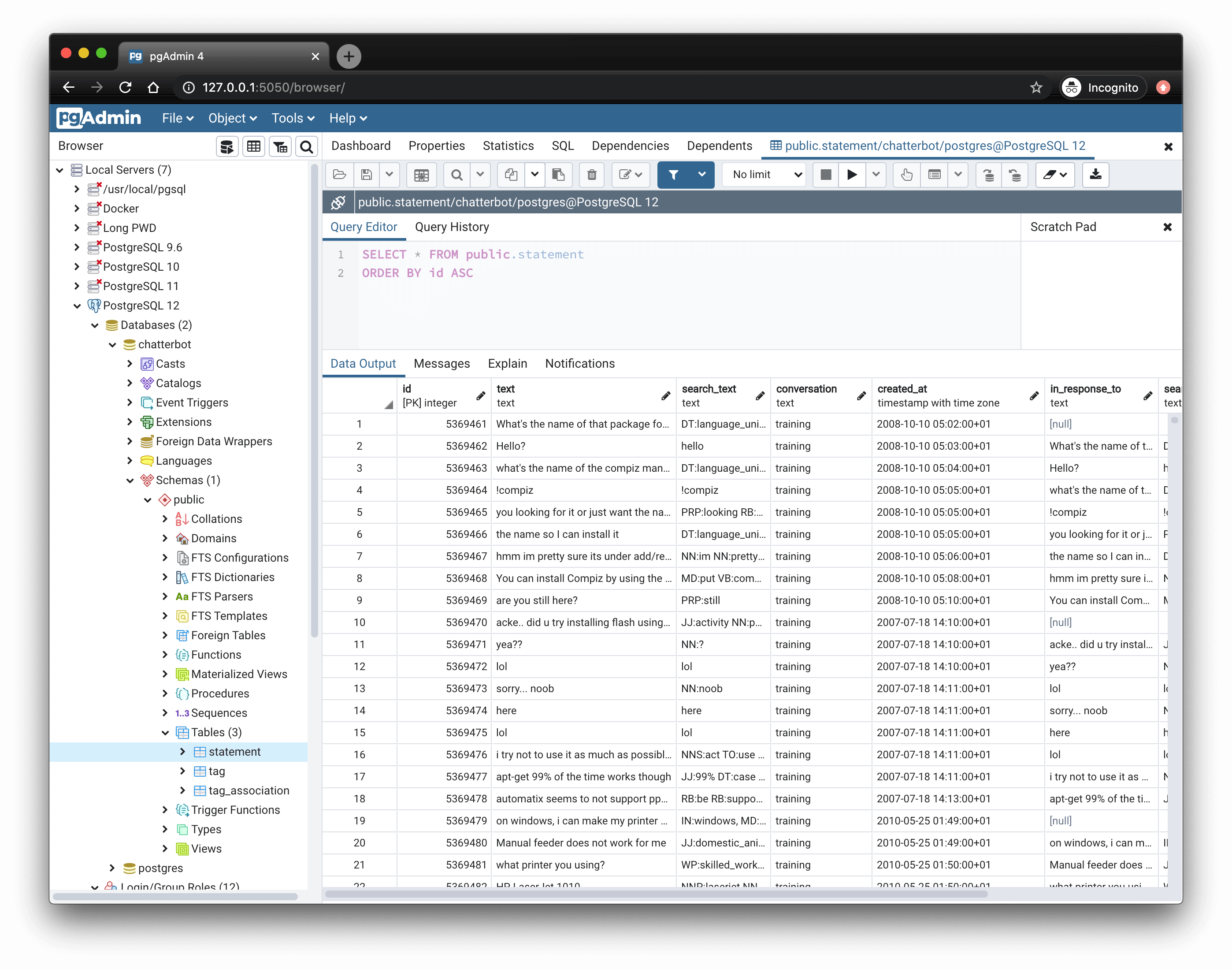
<p><a href="https://www.pgadmin.org/"><img alt="pgAdmin screenshot" integrity="sha512-FcRZOVNWhkD/04i6dKKNLjM4LZymZIIg2KKLj0UfG+g4Gi5BZMSzEGCYgwAcr0PZHAjxPgp3L/bJpG5F+/0HqQ==" crossorigin="anonymous" src="/assets/img/competitors/pgadmin-15c4593953568640ffd388ba74a28d2e33382d9ca6648220d8a28b8f451f1be8381a2e4164c4b310609883001caf43d91c08f13e0a772ff6c9a46e45fbfd07a9.png" /></a></p>

<p><a href="https://www.pgadmin.org/">pgAdmin</a> is the official PostgreSQL GUI, maintained by the PostgreSQL Global Development Group. It’s often the first GUI people encounter and it can be a useful starting point.</p>

<p>It offers a comprehensive feature list, with tooling for everything from user roles and backups to live server stats. But it’s also opinionated, admin-oriented, and noticeably slower than some modern GUIs. For developer workflows, it can feel cluttered or overly complex. It also only supports PostgreSQL, so if you work with other databases too you’ll need a second tool.</p>

<h3 id="key-features-for-working-with-postgresql">Key features for working with PostgreSQL</h3>

<ul>
  <li><strong>SQL editor</strong> with autocomplete, syntax highlighting, and visual explain plans.</li>
  <li><strong>Visual query builder</strong> for building <code class="language-plaintext highlighter-rouge">SELECT</code> statements without typing SQL.</li>
  <li><strong>Role and permission management</strong>, server monitoring, and config editing.</li>
  <li><strong>Schema and table editing</strong>, including constraints, indexes, and triggers.</li>
  <li><strong>Dashboard and monitoring tools</strong> for real-time activity tracking.</li>
  <li><strong>Cross-platform and open source</strong>, with regular updates.</li>
</ul>

<h3 id="pros">Pros</h3>

<ul>
  <li><strong>Official tool:</strong> maintained by a dedicated team within the PostgreSQL project.</li>
  <li><strong>Open source:</strong> Released under the PostgreSQL Licence.</li>
  <li><strong>Feature-complete for admins:</strong> Roles, replication, performance, configuration.</li>
  <li><strong>Strong schema tools:</strong> Visual editing of tables, constraints, indexes, and more.</li>
</ul>

<h3 id="cons">Cons</h3>

<ul>
  <li><strong>Performance overhead:</strong> The desktop version wraps a web application in Electron, which can feel sluggish on startup and with large datasets.</li>
  <li><strong>Cluttered UI:</strong> Lots of nested menus, modals, and inconsistent UX patterns.</li>
  <li><strong>Developer ergonomics lag behind:</strong> Keyboard navigation, query workflow, and tab handling can feel clunky.</li>
  <li><strong>Heavy for simple tasks:</strong> Feels like overkill if all you want to do is run a few queries or inspect some data.</li>
  <li><strong>PostgreSQL only:</strong> No support for other databases.</li>
</ul>

<p><strong>pgAdmin Links</strong></p>
<ul>
  <li><a href="https://www.pgadmin.org/download/">Download pgAdmin</a></li>
  <li><a href="https://www.pgadmin.org/docs/">Documentation</a></li>
  <li><a href="https://github.com/pgadmin-org/pgadmin4">GitHub Repository</a></li>
</ul>

<h2 id="dbeaver">DBeaver</h2>
<p class="small"><strong>Available for Windows, macOS, and Linux</strong> – <a href="https://dbeaver.io/download/">Download DBeaver</a></p>

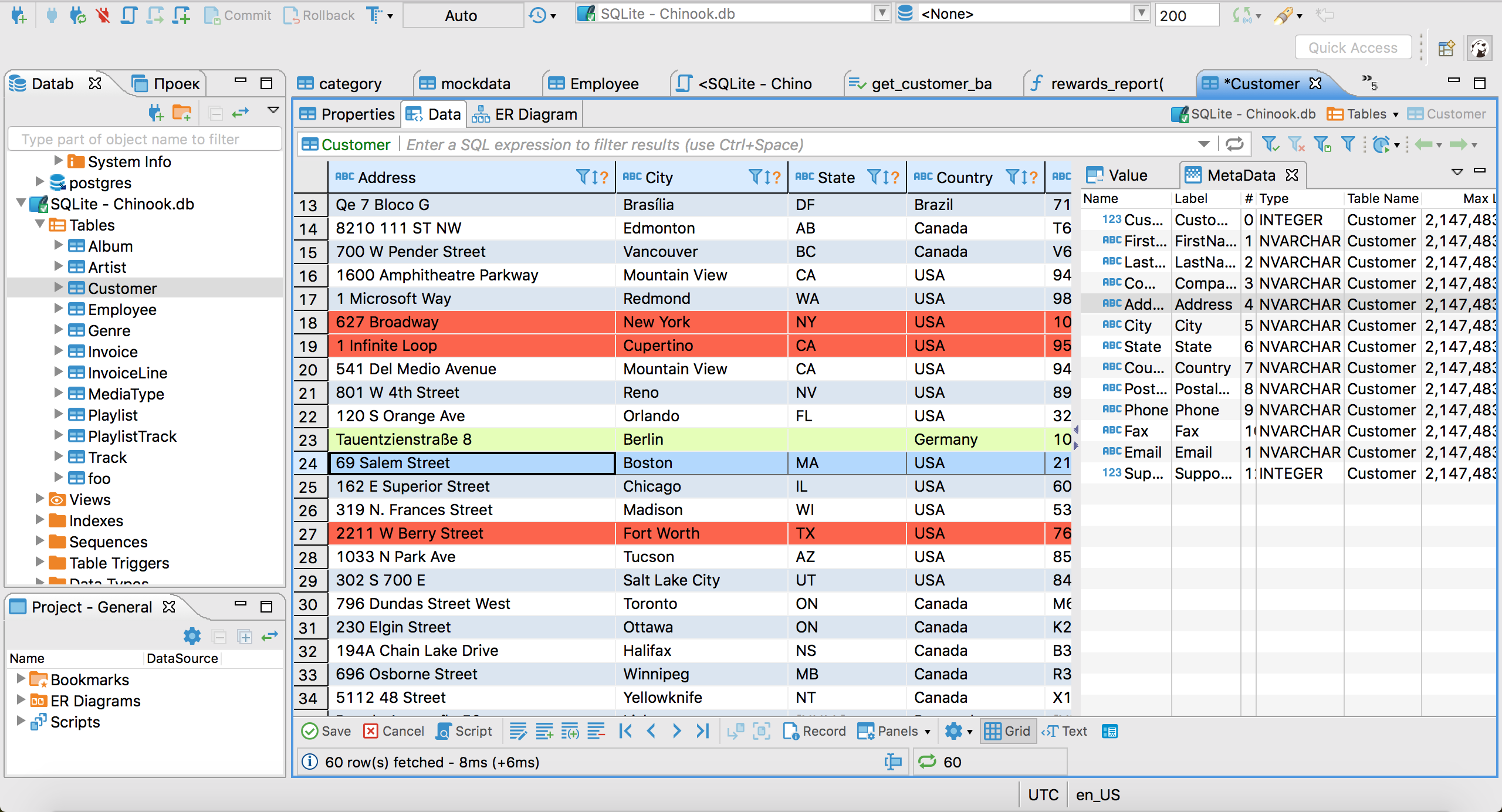
<p><a href="https://dbeaver.io/"><img alt="DBeaver screenshot" integrity="sha512-Y2aEi8FbLeHvPsNk4nz9sl9RpXiSEnQadnu/2RJj79aEftoYs7pB3ixEGM1otaCBC0qnS6WPt8WvzR/19KQcRQ==" crossorigin="anonymous" src="/assets/img/competitors/dbeaver-6366848bc15b2de1ef3ec364e27cfdb25f51a5789212741a767bbfd91263efd6847eda18b3ba41de2c4418cd68b5a0810b4aa74ba58fb7c5afcd1ff5f4a41c45.png" /></a></p>

<p><a href="https://dbeaver.io/">DBeaver</a> is a popular, general-purpose database client that supports dozens of systems, including PostgreSQL. It offers a wide feature set and sees regular updates.</p>

<p>The Community Edition is free and open source, while paid versions add support for cloud services, NoSQL databases, and advanced ER diagrams. It’s a go-to for developers who need one tool for many databases.</p>

<p>That said, the interface can feel busy. For Postgres-specific tasks, it’s capable but not always the smoothest experience.</p>

<h3 id="key-features-for-working-with-postgresql-1">Key features for working with PostgreSQL</h3>

<ul>
  <li><strong>SQL editor</strong> with autocomplete, saved queries, and query execution plans.</li>
  <li><strong>Data browser</strong> with table filtering, inline editing, and result exports.</li>
  <li><strong>ER diagrams</strong>, schema visualization, and metadata browsing.</li>
  <li><strong>Schema editing</strong> via GUI — modify columns, keys, constraints, etc.</li>
  <li><strong>Multi-database support</strong> for dozens of engines (SQL, NoSQL, cloud, embedded).</li>
  <li><strong>Plugin architecture</strong> and extensive customization options.</li>
  <li><strong>Cross-platform</strong> with open source and paid editions.</li>
</ul>

<h3 id="pros-1">Pros</h3>

<ul>
  <li><strong>Highly versatile:</strong> Works with many different database systems, not just Postgres.</li>
  <li><strong>Strong schema tools:</strong> Good support for Postgres metadata, table structure, and ER diagrams, depending on the version you use.</li>
  <li><strong>Extensible:</strong> Plugin system and Enterprise Edition add more features.</li>
  <li><strong>Active development:</strong> Regular updates and strong community.</li>
</ul>

<h3 id="cons-1">Cons</h3>

<ul>
  <li><strong>Interface can feel cluttered:</strong> Many panels, buttons, and context menus competing for space.</li>
  <li><strong>Steeper learning curve:</strong> Not always intuitive for new users or simple workflows.</li>
  <li><strong>Memory usage:</strong> As a Java app, it can be heavy with large projects or many connections.</li>
</ul>

<p><strong>DBeaver Links</strong></p>
<ul>
  <li><a href="https://dbeaver.io/download/">Download DBeaver</a></li>
  <li><a href="https://dbeaver.com/docs/">Documentation</a></li>
  <li><a href="https://github.com/dbeaver/dbeaver">GitHub Repository</a></li>
  <li><a href="/alternatives/dbeaver">Beekeeper Studio vs DBeaver</a></li>
</ul>

<h2 id="heidisql">HeidiSQL</h2>
<p class="small"><strong>Available for Windows, Linux, and macOS (Apple silicon)</strong> – <a href="https://www.heidisql.com/download.php">Download HeidiSQL</a></p>

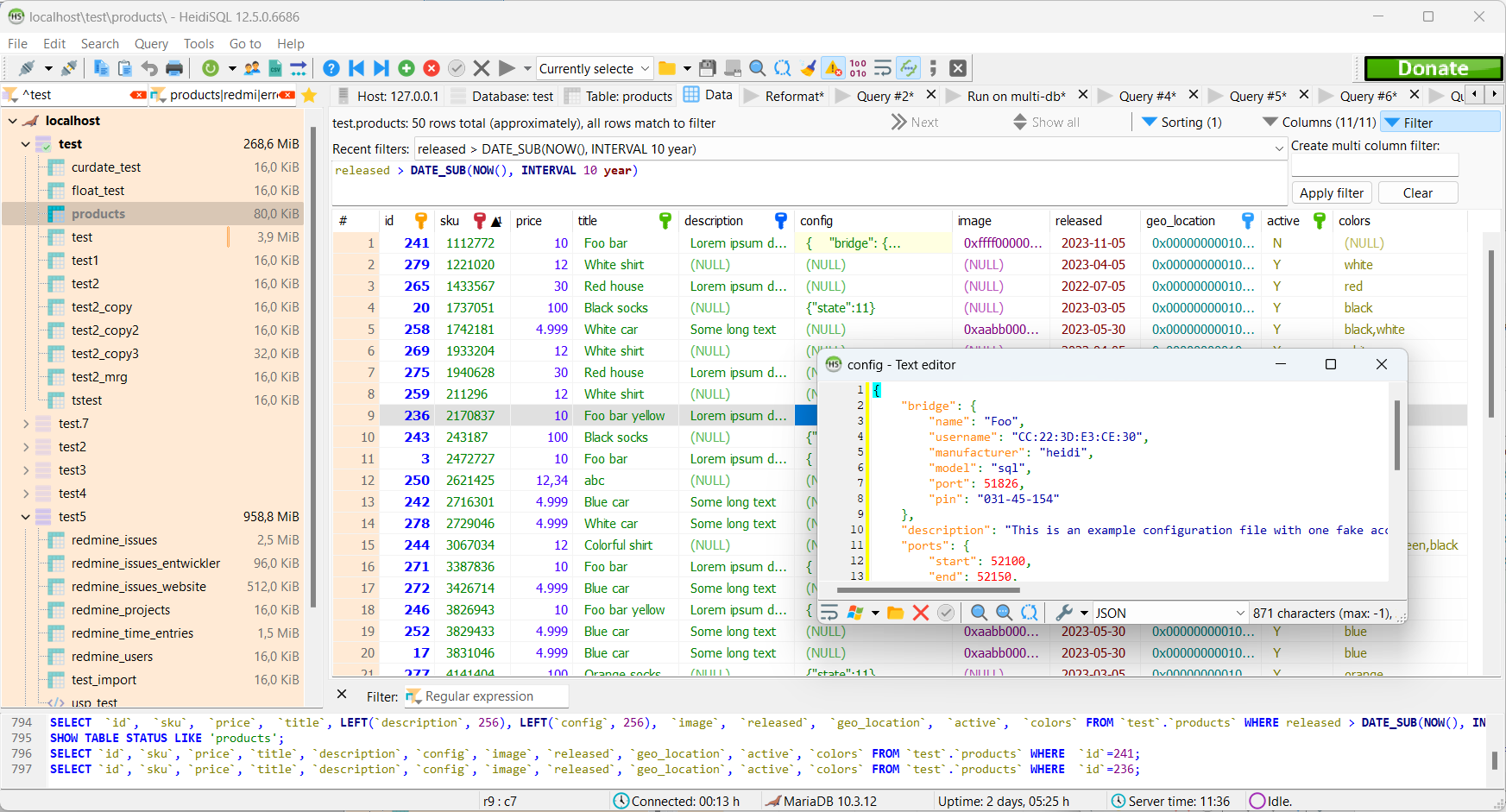
<p><a href="https://www.heidisql.com/"><img alt="HeidiSQL screenshot" integrity="sha512-GwCNy8uHJY3anDrvTQGvSs3RBEowZXAbazr7B79j2fzmiV6yy6H+8KjO6bdv7MwZVk2Be1N1DhMNEMr16mTghA==" crossorigin="anonymous" src="/assets/img/competitors/heidi-1b008dcbcb87258dda9c3aef4d01af4acdd1044a3065701b6b3afb07bf63d9fce6895eb2cba1fef0a8cee9b76feccc19564d817b53750e130d10caf5ea64e084.png" /></a></p>

<p><a href="https://www.heidisql.com/">HeidiSQL</a> has been around since 2002 and is a mature, free and open source client for MySQL, MariaDB, SQL Server, and PostgreSQL. It’s a compact native app that starts quickly and handles everyday browsing, editing, and querying well.</p>

<p>For most of its life HeidiSQL was Windows only. Native Linux packages and an Apple silicon macOS build, made with Lazarus and Free Pascal, are now on its download page, but Windows is still where it’s most at home. It’s also a MySQL tool first: its PostgreSQL support covers the basics, while MySQL and MariaDB get the most attention.</p>

<h3 id="pros-2">Pros</h3>

<ul>
  <li><strong>Free and open source:</strong> GPL licensed, with no paid tier.</li>
  <li><strong>Lightweight:</strong> A small native app that’s quick to start.</li>
  <li><strong>Mature:</strong> More than two decades of development behind it.</li>
</ul>

<h3 id="cons-2">Cons</h3>

<ul>
  <li><strong>Windows first:</strong> The Linux and macOS builds are much newer than the Windows version.</li>
  <li><strong>MySQL first:</strong> Postgres-specific features get less attention than MySQL and MariaDB.</li>
  <li><strong>Dated interface:</strong> Functional, but it shows its age next to newer GUIs.</li>
</ul>

<p><strong>HeidiSQL Links</strong></p>
<ul>
  <li><a href="https://www.heidisql.com/download.php">Download HeidiSQL</a></li>
  <li><a href="https://github.com/HeidiSQL/HeidiSQL">GitHub Repository</a></li>
</ul>

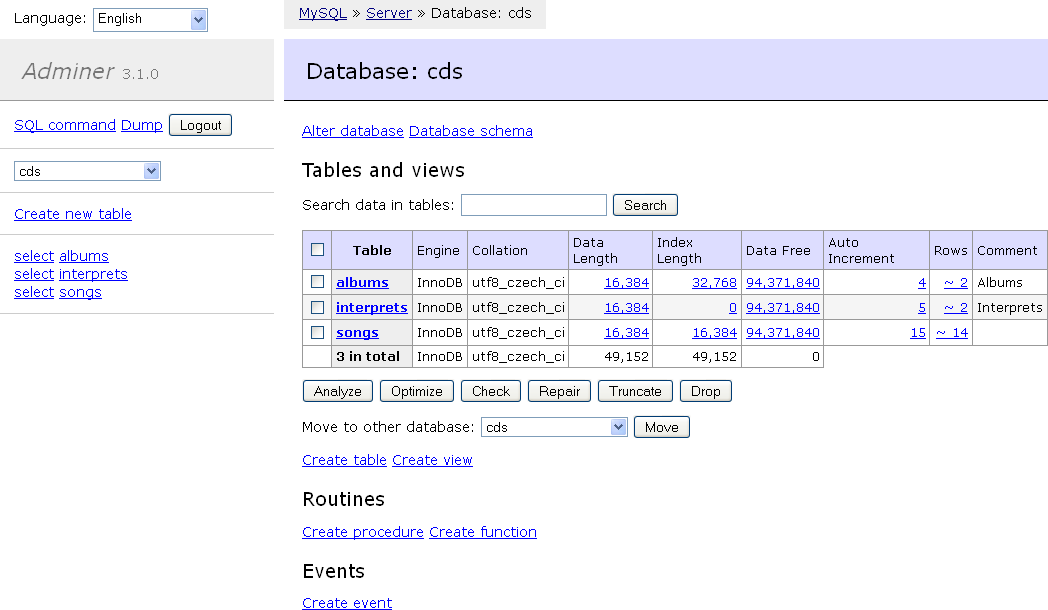
<h2 id="adminer">Adminer</h2>
<p class="small"><strong>Web based (PHP)</strong> – <a href="https://www.adminer.org/">Download Adminer</a></p>

<p><a href="https://www.adminer.org/"><img alt="Adminer screenshot" integrity="sha512-wThswX9O4ToPxthxsQO7L+TsFzC4OJR5pJDZLrbykO8skud9r9skUev+WM5F+AxkvaaJSmybFIbPjJUTEZtzXA==" crossorigin="anonymous" src="/assets/img/competitors/adminer-c1386cc17f4ee13a0fc6d871b103bb2fe4ec1730b8389479a490d92eb6f290ef2c92e77dafdb2451ebfe58ce45f80c64bda6894a6c9b1486cf8c9513119b735c.png" /></a></p>

<p><a href="https://www.adminer.org/">Adminer</a> is different from everything else on this list: it’s a single PHP file that you drop onto a web server and open in a browser. That makes it handy on servers or shared hosting where you can’t install desktop software.</p>

<p>It’s simple to deploy if you already run PHP, and it covers the basics of browsing tables, editing rows, and running SQL. It isn’t as feature rich as a desktop GUI, and as a web app it’s slower than a native client. You also need to think about who can reach it: a database tool on a public web server should sit behind authentication or a VPN.</p>

<h3 id="pros-3">Pros</h3>

<ul>
  <li><strong>Nothing to install locally:</strong> One PHP file, used from any browser.</li>
  <li><strong>Free and open source:</strong> Licensed under Apache 2.0 or GPL 2.</li>
  <li><strong>Multi-database:</strong> Works with MySQL, MariaDB, PostgreSQL, SQLite, SQL Server, and more.</li>
</ul>

<h3 id="cons-3">Cons</h3>

<ul>
  <li><strong>Needs a PHP web server</strong> to run.</li>
  <li><strong>Basic feature set</strong> compared with desktop GUIs.</li>
  <li><strong>Security exposure</strong> if it’s reachable from the internet.</li>
</ul>

<p><strong>Adminer Links</strong></p>
<ul>
  <li><a href="https://www.adminer.org/">Download Adminer</a></li>
  <li><a href="https://github.com/vrana/adminer/">GitHub Repository</a></li>
</ul>

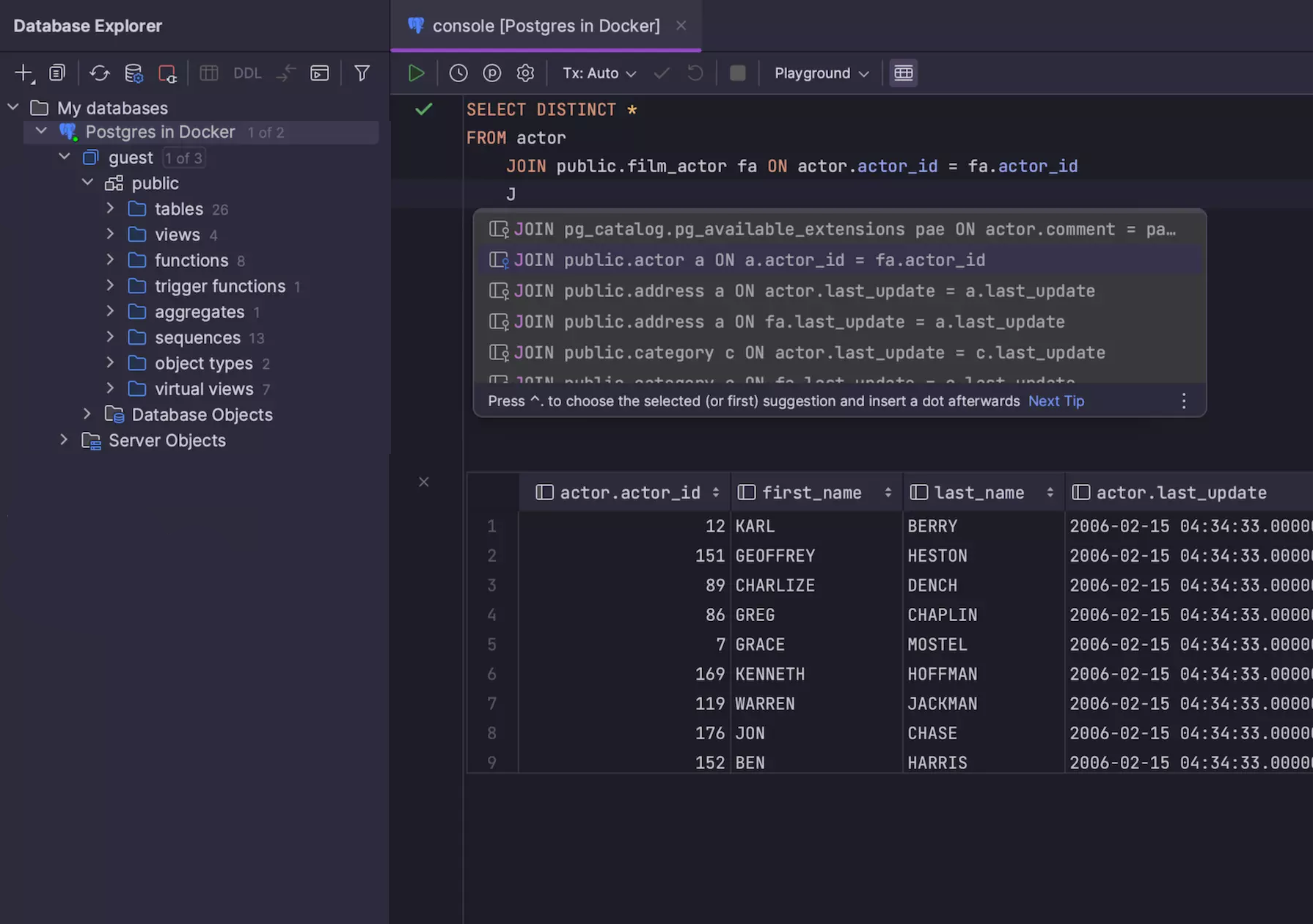
<h2 id="datagrip">DataGrip</h2>
<p class="small"><strong>Available for Windows, macOS, and Linux</strong> – <a href="https://www.jetbrains.com/datagrip/download/">Download DataGrip</a></p>

<p><a href="https://www.jetbrains.com/datagrip/"><img alt="DataGrip screenshot" integrity="sha512-2oA0QWQXew1fn/o9tv5tMJi4AqyasbyPoxnTps2tS7DpBUUKyqPq9L6TlETAvMR4DyYU8voc+2heDu13NptgRA==" crossorigin="anonymous" src="/assets/img/competitors/datagrip-da80344164177b0d5f9ffa3db6fe6d3098b802ac9ab1bc8fa319d3a6cdad4bb0e905450acaa3eaf4be939444c0bcc4780f2614f2fa1cfb685e0eed77369b6044.png" /></a></p>

<p><a href="https://www.jetbrains.com/datagrip/">DataGrip</a> is JetBrains’ SQL IDE aimed at developers who spend a lot of time writing and maintaining queries. It’ll be familiar to anyone who has worked previously with JetBrains tools, featuring good language tooling, support for multiple databases, and customization options.</p>

<p>What sets it apart is how deeply it treats SQL as code, with features like usage search, safe refactoring, and schema diffs that are rare in other GUIs. But it comes with the trade-offs of an IDE: more setup, higher resource usage, fewer admin tools, and no built-in dashboards or query visualization.</p>

<p>DataGrip has been <a href="https://blog.jetbrains.com/datagrip/2025/10/01/datagrip-is-now-free-for-non-commercial-use/">free for non-commercial use</a> (learning, hobby projects, and open source) since October 2025. Commercial work still needs a paid subscription.</p>

<h3 id="key-features-for-working-with-postgresql-2">Key features for working with PostgreSQL</h3>

<ul>
  <li><strong>Smart SQL editor</strong> with context-aware autocompletion, refactoring, and usage search.</li>
  <li><strong>Code navigation and inspections</strong> to help catch errors and improve query quality.</li>
  <li><strong>Schema diff and migration tools</strong> for comparing structure and generating migration scripts.</li>
  <li><strong>Data editing and filtering</strong> in spreadsheet-style views with support for complex types.</li>
  <li><strong>VCS integration</strong>, task tracking, and local history.</li>
  <li><strong>Support for multiple databases</strong>, including PostgreSQL, MySQL, SQL Server, Oracle, and MongoDB.</li>
  <li><strong>Cross-platform</strong> and integrates well with other JetBrains tools.</li>
</ul>

<h3 id="pros-4">Pros</h3>

<ul>
  <li><strong>Powerful SQL tooling:</strong> Autocomplete, refactoring, and inspection features are some of the best available.</li>
  <li><strong>Great for large projects:</strong> Helpful when working with lots of schemas, complex queries, and multiple environments.</li>
  <li><strong>Postgres-specific support:</strong> Includes explain plans, function definitions, and extension awareness.</li>
</ul>

<h3 id="cons-4">Cons</h3>

<ul>
  <li><strong>Not lightweight:</strong> Slower to launch and heavier on resources than most GUIs.</li>
  <li><strong>Paid for commercial use:</strong> The free license only covers non-commercial work.</li>
  <li><strong>Less admin-focused:</strong> Prioritizes query development over database maintenance tasks.</li>
  <li><strong>Takes time to learn:</strong> IDE-style complexity can be overkill for quick edits or ad hoc querying.</li>
</ul>

<p><strong>DataGrip Links</strong></p>
<ul>
  <li><a href="https://www.jetbrains.com/datagrip/download/">Download DataGrip</a></li>
  <li><a href="https://www.jetbrains.com/help/datagrip/">Documentation</a></li>
  <li><a href="/alternatives/datagrip">Beekeeper Studio vs DataGrip</a></li>
</ul>

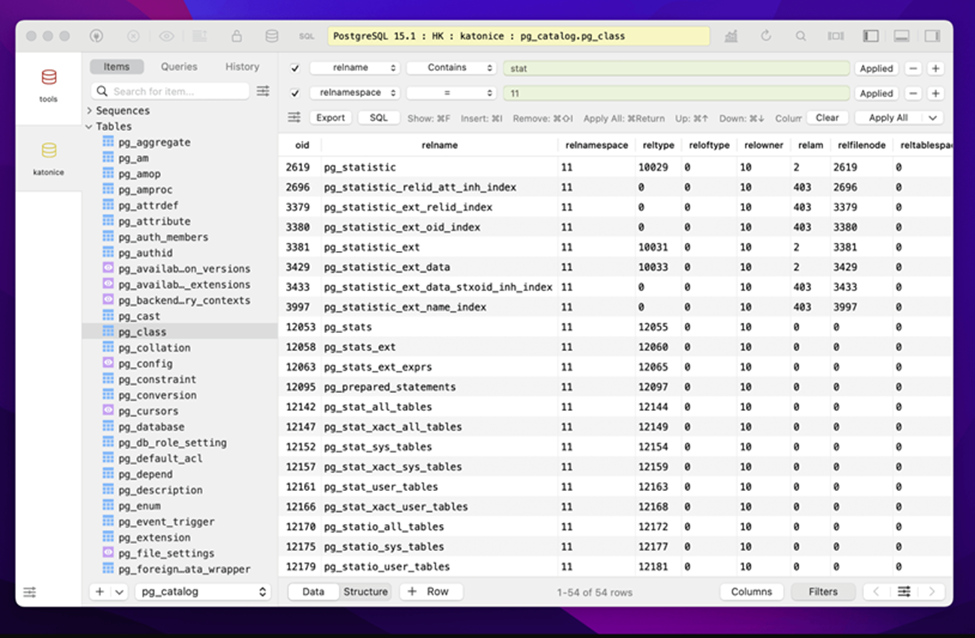
<h2 id="tableplus">TablePlus</h2>
<p class="small"><strong>Available for macOS, Windows, and Linux</strong> – <a href="https://tableplus.com/">Download TablePlus</a></p>

<p><a href="https://tableplus.com/"><img alt="TablePlus screenshot" integrity="sha512-TpCpUNQbl2FOeTKKwiMhxqHp/tvXrpoPjUTzdy7nGJYSqoWU8HYqAJyx/V+N1wsBk5q6tQFLH/JYakt+Lc+MuQ==" crossorigin="anonymous" src="/assets/img/competitors/tableplus-4e90a950d41b97614e79328ac22321c6a1e9fedbd7ae9a0f8d44f3772ee7189612aa8594f0762a009cb1fd5f8dd70b01939abab5014b1ff2586a4b7e2dcf8cb9.png" /></a></p>

<p><a href="https://tableplus.com/">TablePlus</a> is a lightweight, native GUI client that began as a macOS-first product and now offers varying levels of support for other platforms. It has a clean, minimal interface and prioritizes speed and simplicity over depth.</p>

<p>TablePlus covers the basics of PostgreSQL well (querying, browsing tables, editing rows) but skips advanced features like role management, dashboards, or visual explain plans. While the macOS version is the most polished, the Windows build is functional and regularly updated. Linux support remains limited, with development ongoing.</p>

<h3 id="key-features-for-working-with-postgresql-3">Key features for working with PostgreSQL</h3>

<ul>
  <li><strong>Native SQL editor</strong> with autocomplete, syntax highlighting, and result history.</li>
  <li><strong>Spreadsheet-style data view</strong> with inline editing, filtering, and quick export.</li>
  <li><strong>Table and schema browsing</strong> with editing support for columns, indexes, and constraints.</li>
  <li><strong>Multiple connections</strong> with tabbed UI, session restore, and saved queries.</li>
  <li><strong>Cross-database support</strong>, including MySQL, SQLite, SQL Server, Redis, and more.</li>
</ul>

<h3 id="pros-5">Pros</h3>

<ul>
  <li><strong>Fast and lightweight:</strong> Quick to launch and smooth to use, especially on macOS.</li>
  <li><strong>Clean, minimal UI:</strong> Prioritizes simplicity over clutter.</li>
  <li><strong>Modern UX:</strong> Feels like a native app on macOS.</li>
</ul>

<h3 id="cons-5">Cons</h3>

<ul>
  <li><strong>Limited PostgreSQL depth:</strong> No support for roles, extensions, or server-level features.</li>
  <li><strong>No visual query tools:</strong> Lacks dashboards, visual EXPLAIN plans, or a query builder.</li>
  <li><strong>Linux version is underdeveloped:</strong> Linux version is functional but less mature than macOS and Windows, with some features still in progress.</li>
  <li><strong>Closed source and paid:</strong> The free trial is limited to two open tabs, two windows, and two advanced filters, and a license costs $99 per device.</li>
</ul>

<p><strong>TablePlus Links</strong></p>
<ul>
  <li><a href="https://tableplus.com/">Download TablePlus</a></li>
  <li><a href="https://docs.tableplus.com/">Documentation</a></li>
  <li><a href="/alternatives/tableplus">Beekeeper Studio vs TablePlus</a></li>
</ul>

<h2 id="choosing-the-right-postgresql-gui">Choosing the right PostgreSQL GUI</h2>

<p>The best Postgres GUI is the one that fits how you actually work.</p>

<p>If you’re switching between databases, writing a lot of SQL, or just want something that feels fast and intuitive then <strong>Beekeeper Studio</strong> gives you a clean, focused interface without getting in your way. It’s cross-platform, open source, and supports multiple databases, so it fits right into most real-world dev environments.</p>

<p>Tools like <strong>pgAdmin</strong>, <strong>DBeaver</strong>, or <strong>DataGrip</strong> have their place, especially if you’re deep into Postgres admin, working in a JetBrains IDE, or juggling legacy systems. <strong>Adminer</strong> is handy when you can only reach a database from a web server, and <strong>HeidiSQL</strong> suits Windows users who mostly work with MySQL. But if you want a modern GUI that is built for developers, get started with <strong><a href="/get">Beekeeper Studio</a></strong> today.</p>

<p><a href="/get" class="btn btn-primary btn-lg">Download Beekeeper Studio</a></p>]]></content><author><name>Matthew Revell</name></author><category term="Reviews" /><summary type="html"><![CDATA[Compare seven PostgreSQL GUIs, from free and open source tools like pgAdmin, DBeaver and Adminer to paid ones like DataGrip, with pros and cons for each.]]></summary></entry><entry><title type="html">Working Safely in a Production Database</title><link href="https://www.beekeeperstudio.io/blog/safely-work-in-production-database" rel="alternate" type="text/html" title="Working Safely in a Production Database" /><published>2026-10-08T00:00:00+00:00</published><updated>2026-10-08T00:00:00+00:00</updated><id>https://www.beekeeperstudio.io/blog/safely-work-in-production-database</id><content type="html" xml:base="https://www.beekeeperstudio.io/blog/safely-work-in-production-database"><![CDATA[<div class="cloudflare-video">
  <iframe src="https://customer-9e8rhpcybmkrnvce.cloudflarestream.com/ad8f8a61a24848ce5eee131ee4aaccaa/iframe?poster=https%3A%2F%2Fwww.beekeeperstudio.io%2Fassets%2F94d28198d4c7-4f6b0216f9799a599324deb102599117f72d80a4965bbed51efae46376a328a71c9d327df4309bd01ff863f14c8600ca3c561a59ce0fd61d1106e4782528397f.jpg&amp;primaryColor=%23fad83b" loading="lazy" allow="accelerometer; gyroscope; autoplay; encrypted-media; picture-in-picture;" allowfullscreen="true"></iframe>
</div>

<h2 id="make-production-visually-distinct">Make production visually distinct</h2>

<p>Have you ever run a command in production thinking you were connected to staging or dev? I have, and I had to spend the rest of the day manually reassembling a dataset for some very annoyed customers.</p>

<p>The solution is to make it <strong>crystal clear</strong> when you’re connected to production.</p>

<figure class="autoplay-video">
  <video data-controller="autoplay-video" src="/assets/img/blog/safely-work-in-production-database/connection-colors-6a7bb46cfa8426e2f58d4d5ab9431db3502d9e65e48f46ebed35202ed5e1c1a09479cb8d9220773fd41344794bab83256687d67a9a0aa7b6744839e1568024cb.mp4" poster="/assets/img/blog/safely-work-in-production-database/connection-colors-9eb9dbaa243e62ca3ad213b07c04b6f80b1d514225ba091dd849993c206446eb09213dae3fd99f304f79542cab49fd5bff22ebe0e7c0e7bc5bae0b28e82ceffa.jpg" aria-label="Make your production database a different color, red in this example" muted="" loop="" playsinline="" controls="" preload="none">Make your production database a different color, red in this example</video>
</figure>

<p>An easy way to do this is by creating a different visual identity for your produciton database.</p>

<p>With Beekeeper Studio I like to make my production database <code class="language-plaintext highlighter-rouge">red</code> and staging database <code class="language-plaintext highlighter-rouge">yellow</code>. The Beekeeper statusbar adapts to the color choice, so it’s always clear when I’m connected to production.</p>

<h2 id="review-changes-before-applying-them">Review changes before applying them</h2>

<p>If you have two customers named <code class="language-plaintext highlighter-rouge">Adam Smith</code> it’s easy to give the wrong Adam a free subscription upgrade. Ask me how I know.</p>

<figure class="autoplay-video">
  <video data-controller="autoplay-video" src="/assets/img/blog/safely-work-in-production-database/staged-edits-68f4017473c7339f0e2c613139268c9eca8ab3ec60d4fb49f5c749ad0cffd10ec7ba14bf751eb83cf66f73d91e8f41384fb037b9b947a55932ed3987bb8b57b1.mp4" poster="/assets/img/blog/safely-work-in-production-database/staged-edits-3b7a1a51f98fbcb7a97983dc8226065a069226dd2b73acbb3f4352aea6e80809a06b3b766f77a31661b7a1f8c03cc3150ea7bf50b23cc47e6f65af258373da24.jpg" aria-label="Beekeeper Studio stages changes for review before applying them" muted="" loop="" playsinline="" controls="" preload="none">Beekeeper Studio stages changes for review before applying them</video>
</figure>

<p>I’ve made this mistake a few times - sometimes through my own fault, but sometimes due to a confusing database GUI that auto-applied changes and made it hard to figure out what happened.</p>

<p>I’ve designed Beekeeper Studio to explicitly lay out pending changes, so you can see what’s going to happen before you click <code class="language-plaintext highlighter-rouge">apply</code>. Personally I like to use the <code class="language-plaintext highlighter-rouge">Copy to SQL</code> button so that I can run the SQL directly and check the result in a transaction before applying it (see below), another workflow built into Beekeeper Studio.</p>

<h2 id="run-risky-sql-in-a-transaction">Run risky SQL in a transaction</h2>

<p>I love database transactions. It’s like being given a big <code class="language-plaintext highlighter-rouge">undo</code> button to click whenever I make a mistake.</p>

<figure class="autoplay-video">
  <video data-controller="autoplay-video" src="/assets/img/blog/safely-work-in-production-database/manual-commit-rollback-2b5b7737976d7b1db72cdbf40f30bdc7a876887fae0e9baeabf914c7b5a9aef2b448cd4011fc51150e5f5c488772a1912d1d9b8046484b700c53521743a7bb78.mp4" poster="/assets/img/blog/safely-work-in-production-database/manual-commit-rollback-692256d8cd5925398949cf915897f99b0d841484f836bce26cd71abed6696bf86c4ba5624bdde35afef5ec926e22e397b157f63a2469b32a86bf3a9b1f034241.jpg" aria-label="Beekeeper&#39;s streamlined transaction UI for easy undos" muted="" loop="" playsinline="" controls="" preload="none">Beekeeper&#39;s streamlined transaction UI for easy undos</video>
</figure>

<p>The weird thing is that I didn’t use transactions in database GUIs for YEARS. While I understood them, and used them frequently in my Ruby on Rails apps, I never found a UI that made it clear what state of a transaction I was in. I always felt like I was more likely to make a mistake, so I avoided them entirely.</p>

<p>This fear of the unknown is why we spent an obscene amount of time tweaking Beekeeper Studio’s transaction UI to make transactions clear, transparent, and easy to use. You can see from the video that it’s clear when you’re in manual transaction mode, and also what actions you can take to enter and leave it.</p>

<h2 id="dont-leave-transactions-open">Don’t leave transactions open</h2>

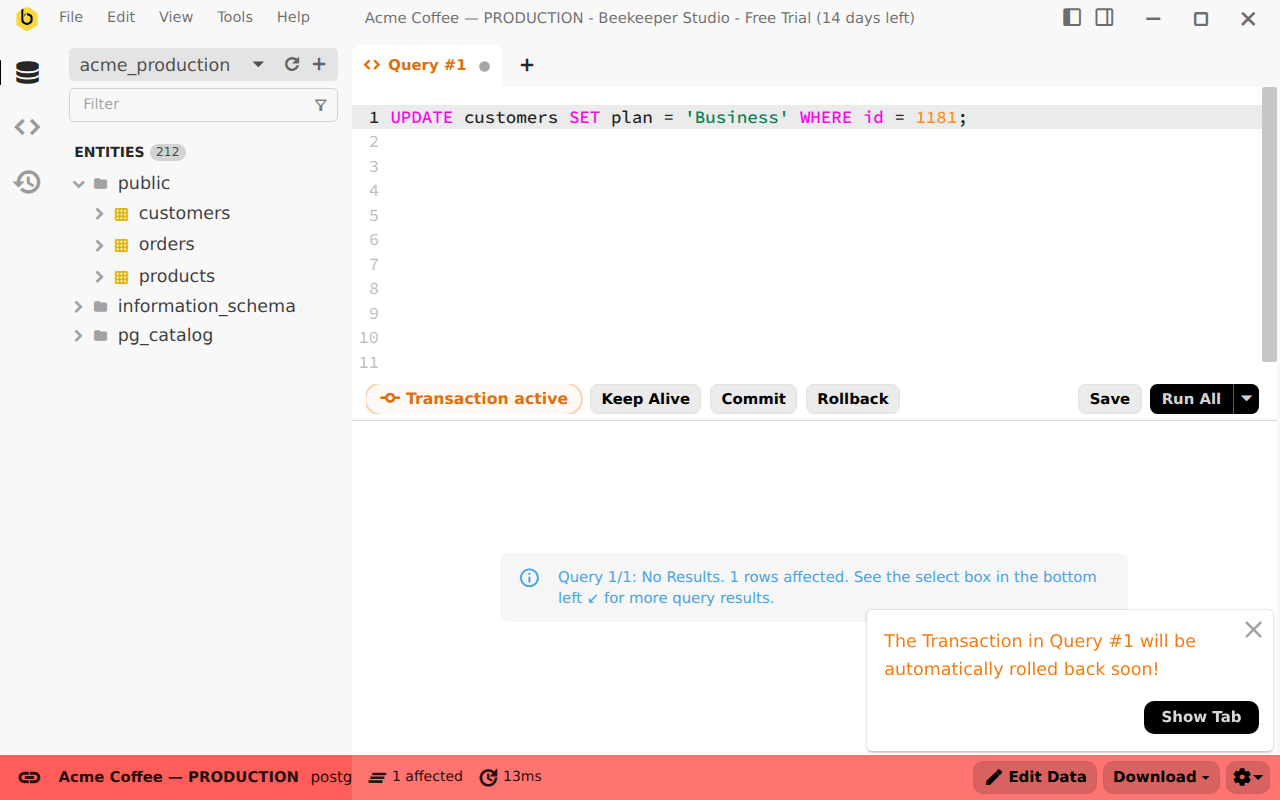
<p>Surprise! Didn’t I just tell you how great transactions are? Turns out they can be bad too. If you leave a transaction open it can lock up the whole database for everyone else. Opening a transaction then going home for the weekend is a not a good idea.</p>

<p><img alt="Beekeeper Studio auto rollback of transactions after 10 minutes" loading="lazy" integrity="sha512-JRVtcVc20vW5P7nOOI36G0qllTxAAvA4dXhJdi3+0Qr44Yc1Tp2ELFrbuPcUxUAjQnoahYk5OH7mtTnxrxG/0A==" crossorigin="anonymous" src="/assets/img/blog/safely-work-in-production-database/transaction-timeout-warning-25156d715736d2f5b93fb9ce388dfa1b4aa5953c4002f038757849762dfed10af8e187354e9d842c5adbb8f714c54023427a1a858939387ee6b539f1af11bfd0.png" /></p>

<p>Let’s say you do use transactions, you make a change, then you go to lunch. Did you leave the transaction open? Hope not – you might have locked everyone out of the database while you finish your soup dumplings.</p>

<p>While leaving a transaction open doesn’t usually lock the whole database, it can still cause an outage if it blocks other production transactions.</p>

<p>I’ve seen the damage of this first hand, which is why Beekeeper Studio automatically rolls back transactions after a timeout, typically 10 minutes. You lose your changes, but you don’t cause an outage.</p>

<!-- ## Be careful with database-wide destructive queries

REINTRODUCE THIS ONCE WE HAVE THE CONFIRMATION BOX FOR UNSCOPED desctructive queries.

<figure class="autoplay-video">
  <video data-controller="autoplay-video" src="/assets/img/blog/safely-work-in-production-database/drop-truncate-confirmation-67deaea168fc11d79822e90177c5d7335f6426467051e637324981c94ff00a482b2ba503abfe83bedbe79b3ee5a00e76a04b313956a0a30154e8e7647eb44696.mp4" poster="/assets/img/blog/safely-work-in-production-database/drop-truncate-confirmation-55139e8ddc8e4f8750cdc9fb9bc528bc88f1e6715412a737a11feab607488f6f53353fd00de5740abb41c26228e65a549b8608b5198a30af8d00a92b3ddf3124.jpg" aria-label="Truncating the orders table from the Beekeeper Studio sidebar opens a confirmation dialog with Cancel selected" muted loop playsinline controls preload="none">Truncating the orders table from the Beekeeper Studio sidebar opens a confirmation dialog with Cancel selected</video>
</figure>


If you try to drop or truncate


- `DROP` and `TRUNCATE` are one right-click away in most database GUIs
- They're hard or impossible to undo, so a misclick can mean restoring from a backup
- Habit: make schema changes through reviewed migrations, not by hand in production
- Habit: know where your backups are, and test a restore before you need one
- In Beekeeper Studio: Drop and Truncate from the sidebar always ask first ("This change cannot be undone"), with **Cancel** as the default button
- Tip: the production user you work with day to day shouldn't have `DROP` or `TRUNCATE` rights at all
- Link: [How to drop a table in MySQL](/blog/drop-table-mysql)
 -->
<h2 id="use-read-only-mode-to-prevent-mistakes">Use read-only mode to prevent mistakes</h2>

<p>Sometimes oopsies are unavoidable. That’s why Beekeeper provides a <code class="language-plaintext highlighter-rouge">Read Only</code> mode - so even if your credentials have full access, Beekeeper will stop you from making changes.</p>

<figure class="autoplay-video">
  <video data-controller="autoplay-video" src="/assets/img/blog/safely-work-in-production-database/read-only-mode-ade57c794904349deb85c92d0848c6debc121e4d70a53da0e0484c19912342fe3904c7bed95c30d7e254b98d6a5ce5ff0f93fa90153837f51be6bb8d62b88456.mp4" poster="/assets/img/blog/safely-work-in-production-database/read-only-mode-4b26ebfce7e0e8e782e1e818c193fa0680fcd012095ad2f7ee722dae4a92bc06d91caf5a6cba3abaa735e74b8c50b012411caf6e4407566d5d44ce4e1ce2cceb.jpg" aria-label="Beekeeper Studio saves the day with the read only connection mode" muted="" loop="" playsinline="" controls="" preload="none">Beekeeper Studio saves the day with the read only connection mode</video>
</figure>

<p>This is straightforward - mark a connection as Read Only to prevent yourself from accidentally running a destructive query, dropping a table, or changing the name of every user to <code class="language-plaintext highlighter-rouge">Test User</code>.</p>

<p>If you want to make changes you have to <strong>explicitly exit read only mode</strong>.</p>

<h2 id="sensible-safeguards-for-your-production-database">Sensible safeguards for your production database</h2>

<p>Even if you do everything correctly and de-risk your production work by using Beekeeper Studio it’s still sensible to have the following system level safeguards in place:</p>

<ul>
  <li>Routine backups should be available in case you need to restore one</li>
  <li>You should practice backup restores routinely</li>
  <li>Standby secondary nodes should be available in case the primary node goes down</li>
  <li>Don’t share credentials across multiple people</li>
  <li>Scope database credentials aggressively</li>
  <li>Be organized and have a ticket process for making production changes</li>
  <li>Test all changes in Dev and Staging before running on Production (if possible)</li>
</ul>

<h2 id="beekeeper-is-built-for-production">Beekeeper is built for production</h2>

<p>I hope this guide helps you to work more confidently in production.</p>

<p>Beekeeper’s hyper focus on usability extends beyond it’s good looks, we built our workflows to to give you confidence when you’re working in production and to help you avoid unprompted mistakes.</p>

<p>Please enjoy <strong>not</strong> accidentally dropping production as much as we do :-).</p>]]></content><author><name>Matthew Rathbone</name></author><category term="Tutorial" /><summary type="html"><![CDATA[Here's how I poke around in production with confidence that I'm not going to drop a table, delete all users, wipe a column, or make other mistakes.]]></summary><media:thumbnail xmlns:media="http://search.yahoo.com/mrss/" url="https://www.beekeeperstudio.io/assets/img/blog/safely-work-in-production-database/video-poster-7317931be3501b4299fe3e2f94cbdd613c445938c271709cbf7930403459e4ab6316e8ea61b8fed5257d2fa251809225b81b21f0b52d31b749dc6792e638723f.png" /><media:content medium="image" url="https://www.beekeeperstudio.io/assets/img/blog/safely-work-in-production-database/video-poster-7317931be3501b4299fe3e2f94cbdd613c445938c271709cbf7930403459e4ab6316e8ea61b8fed5257d2fa251809225b81b21f0b52d31b749dc6792e638723f.png" xmlns:media="http://search.yahoo.com/mrss/" /></entry><entry><title type="html">Beekeeper Studio 6.1.5 - Spreadsheet interaction fixes</title><link href="https://www.beekeeperstudio.io/blog/release-6.1.5-fixing-spreadsheet-interaction-details" rel="alternate" type="text/html" title="Beekeeper Studio 6.1.5 - Spreadsheet interaction fixes" /><published>2026-10-05T00:00:00+00:00</published><updated>2026-10-05T00:00:00+00:00</updated><id>https://www.beekeeperstudio.io/blog/release-6.1.5-fixing-spreadsheet-interaction-details</id><content type="html" xml:base="https://www.beekeeperstudio.io/blog/release-6.1.5-fixing-spreadsheet-interaction-details"><![CDATA[<p>I don’t usually make release posts for minor bug fix releases, but this one is near to my heart as a former Excel-developer (miss you VBA).</p>

<p>One of the goals for Beekeeper Studio is to be ‘intuitive’. That’s nice, but what does “intuitive” actually mean?</p>

<p>For data tables it means that they <code class="language-plaintext highlighter-rouge">should behave like Google Sheets and Excel</code>. Spreadsheet apps are so widespread and ingrained into our day to day lives that the memorized keyboard shortcuts and behaviors are just second nature to a lot of people, myself included.</p>

<p>Turns out in the 6.1 release we’d broken a few of these, so we spent some time really focusing on how our data tables work and ironing out the spreadsheet kinks, especially around multi-cell copying and pasting.</p>

<p>If you want the full list you can see <a href="https://github.com/beekeeper-studio/beekeeper-studio/issues/4783">this GitHub issue</a>, or just watch the video below for a quick walkthrough.</p>

<div class="cloudflare-video">
  <iframe src="https://customer-9e8rhpcybmkrnvce.cloudflarestream.com/ad51f45f74bb16a95b50eee066055ae6/iframe?primaryColor=%23fad83b" loading="lazy" allow="accelerometer; gyroscope; autoplay; encrypted-media; picture-in-picture;" allowfullscreen="true"></iframe>
</div>]]></content><author><name>Matthew Rathbone</name></author><category term="Release" /><summary type="html"><![CDATA[Data tables should behave exactly like Excel and Google Sheets. This release gets us a little closer.]]></summary></entry><entry><title type="html">SSMS for Mac Doesn’t Exist: The Best SQL Server Management Studio Alternatives</title><link href="https://www.beekeeperstudio.io/blog/ssms-for-mac" rel="alternate" type="text/html" title="SSMS for Mac Doesn’t Exist: The Best SQL Server Management Studio Alternatives" /><published>2026-09-29T00:00:00+00:00</published><updated>2026-09-29T00:00:00+00:00</updated><id>https://www.beekeeperstudio.io/blog/ssms-for-mac</id><content type="html" xml:base="https://www.beekeeperstudio.io/blog/ssms-for-mac"><![CDATA[<p>SQL Server Management Studio is Windows only, which means if you run MacOS you’re out of luck. You cannot install SSMS on MacOS, period.</p>

<p>For a while Microsoft was pushing users to Azure Data Studio (another tool that they built and owned), but in early 2026 they decided to <a href="https://learn.microsoft.com/en-us/sql/tools/whats-happening-azure-data-studio?view=sql-server-ver17&amp;tabs=dev">retire ADS entirely</a>.</p>

<p>So, now what?</p>

<h2 id="recommended-alternatives-to-ssms-for-macos">Recommended alternatives to SSMS for MacOS</h2>

<p>Fear not, there are a number of <a href="/blog/sql-server-management-studio-alternatives-free">other tools you can use instead of SSMS</a>. Many of them free to use. Most of them better than SSMS in some meaningful ways.</p>

<h3 id="beekeeper-studio">Beekeeper Studio</h3>

<p>MacOS, Windows, and Linux - <a href="/get">Download for free</a></p>

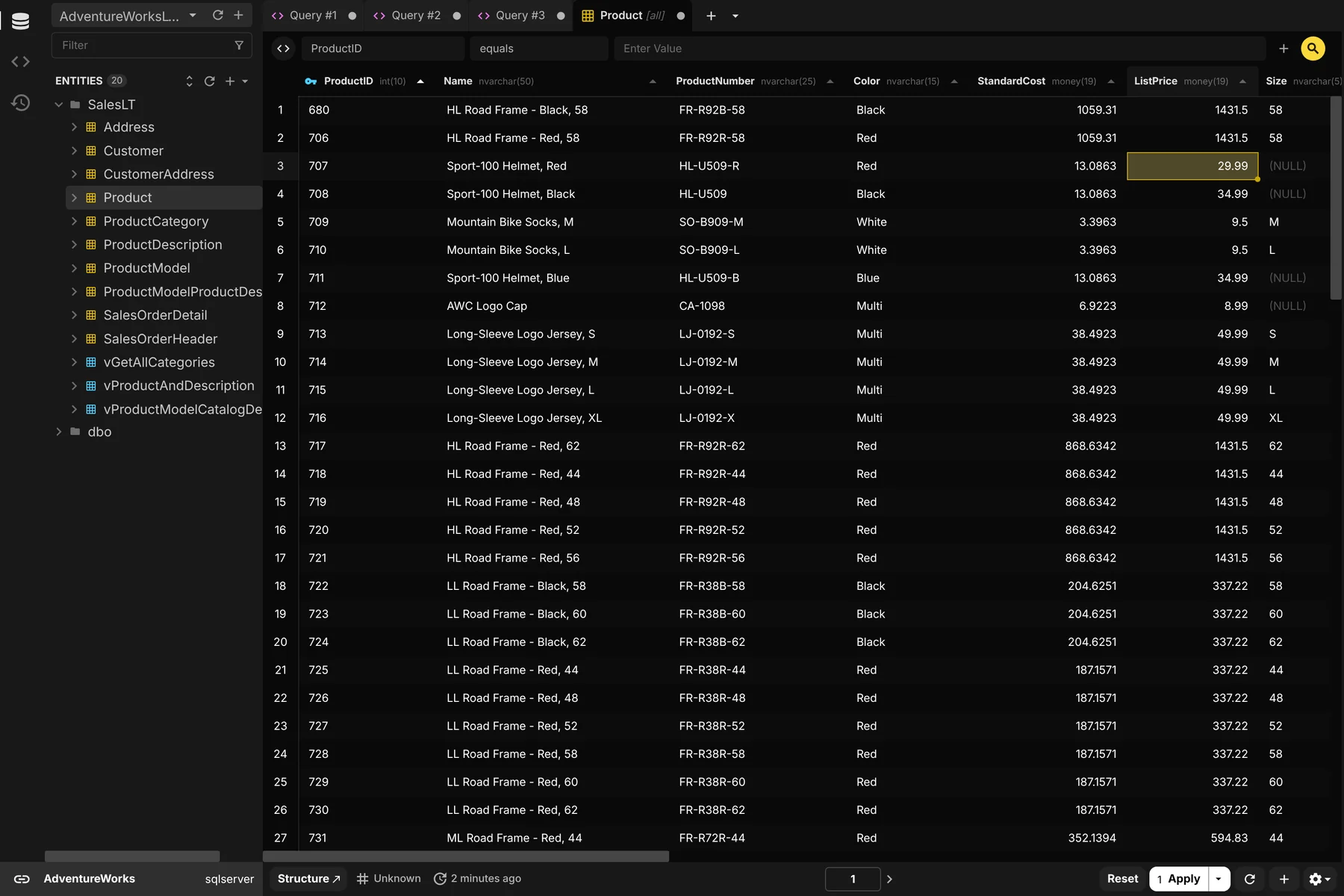
<p><a href="/get"><img alt="Beekeeper Studio running a T-SQL query against SQL Server, an SSMS alternative for Mac" integrity="sha512-XQnycRWTMlCkUrHFYEDVhULi8P7b4tAe3GwhujDlA6JocAlx46Y/UN8+k83cp8a+4OEVDRGyKqHmOCUM+puW9g==" crossorigin="anonymous" src="/assets/img/screenshots/sql-server/query-editor-5d09f27115933250a452b1c56040d58542e2f0fedbe2d01edc6c21ba30e503a268700971e3a63f50df3e93cddca7c6bee0e1150d11b22aa1e638250cfa9b96f6.webp" /></a></p>

<p>Beekeeper Studio is an open source database manager that is modern, fast, and easy to use. Beekeeper’s <a href="/db/sql-server-client/">SQL Server integration</a> is mature and supports Azure SQL, Entra ID, Windows auth, and Azure CLI based connections. Many Windows users even use Beekeeper Studio full time instead of SSMS, so you know it must be good. The best news is you can use the SQL Server integration for free.</p>

<div class="include-blockquote flex card card-flat padding">
  <i class="material-icons" aria-hidden="true">format_quote</i>
  <blockquote>
    <p>I’ve upgraded from SQL Server and it was a smooth change — <strong>Beekeeper Studio enhanced my own workstream</strong>, offering a cleaner experience and better performance, as well as flexibility. - <strong>Aman Bhattarai, Technical Lead, Amnil Technologies</strong></p>

    
  </blockquote>
</div>

<p>We’re obviously biased, but we built Beekeeper Studio because we were working with databases like SQL Server on MacOS and Linux and there wasn’t a desktop app that we liked and enjoyed using, so we built one. That was back in 2019, as I write this in 2026 we have over 3,000,000 downloads and a large and active user community.</p>

<p>Some key features include</p>
<ul>
  <li>Top tier SQL editor with autocomplete.</li>
  <li>Excel-like table editing and navigation.</li>
  <li>JSON-view for large complex tables and embedded json data.</li>
  <li>AI integration if you need it (you can also turn it off entirely).</li>
  <li>Support for enterprise connection types for on-prem, Azure, and AWS deployments.</li>
  <li>Top tier support - reach a real product expert (no bots) whenever you need help. We respond fast and fix bugs even faster.</li>
  <li>Support for 20+ other databases including Redis and Postgres.</li>
  <li>Feature parity on MacOS, Linux, and Windows</li>
</ul>

<p><a href="/get"><img alt="Editing SQL Server table data in Beekeeper Studio's spreadsheet view" integrity="sha512-mzmj95EO86cyo+tq8W3Dva3dcVmV2gvNn/Rt5VdoDoFxkcw/1JwlHJwuCY39tcMbwhk4x27Hdw1dYhlYUBHYZQ==" crossorigin="anonymous" src="/assets/img/screenshots/sql-server/table-data-9b39a3f7910ef3a732a3eb6af16dc3bdaddd715995da0bcd9ff46de557680e817191cc3fd49c251c9c2e098dfdb5c31bc21938c76ec7770d5d6219585011d865.webp" /></a></p>

<p><a href="/get">Download Beekeeper Studio for free</a></p>

<h3 id="dbeaver">DBeaver</h3>

<p>Windows, MacOS and Linux</p>

<p><a href="https://dbeaver.io/"><img alt="DBeaver screenshot" integrity="sha512-Y2aEi8FbLeHvPsNk4nz9sl9RpXiSEnQadnu/2RJj79aEftoYs7pB3ixEGM1otaCBC0qnS6WPt8WvzR/19KQcRQ==" crossorigin="anonymous" src="/assets/img/competitors/dbeaver-6366848bc15b2de1ef3ec364e27cfdb25f51a5789212741a767bbfd91263efd6847eda18b3ba41de2c4418cd68b5a0810b4aa74ba58fb7c5afcd1ff5f4a41c45.png" /></a></p>

<p>DBeaver is a fully open source database management app built on the Eclipse platform (if you remember Eclipse). It’s a tried and tested database client, and 100% free. Well sort-of, they also have a <a href="https://dbeaver.com">paid enterprise version</a> that also has a free lite version, which is also free, but has different features from the open source free version. I dunno, it’s complicated.</p>

<p>DBeaver’s biggest positive is that it’s built in Java and so supports LOTS of databases thanks to JDBC. The negative is that it’s built on Java and <strong>looks and runs like</strong> an early 2000s Java app. That means it’s heavy on resources and heavy on the eyes, but if you can get over the UX it has a lot to offer (so long as you download the correct version).</p>

<p>If you really need something 100% free and open source then download the community edition. Just be prepared for a learning curve.</p>

<p><a href="https://dbeaver.io">Download DBeaver Community Edition</a><br />
<a href="https://dbeaver.com">Download DBeaver….other? edition</a></p>

<h3 id="datagrip">DataGrip</h3>

<p>Windows, MacOS, and Linux</p>

<p><a href="https://www.jetbrains.com/datagrip/"><img alt="DataGrip screenshot" integrity="sha512-2oA0QWQXew1fn/o9tv5tMJi4AqyasbyPoxnTps2tS7DpBUUKyqPq9L6TlETAvMR4DyYU8voc+2heDu13NptgRA==" crossorigin="anonymous" src="/assets/img/competitors/datagrip-da80344164177b0d5f9ffa3db6fe6d3098b802ac9ab1bc8fa319d3a6cdad4bb0e905450acaa3eaf4be939444c0bcc4780f2614f2fa1cfb685e0eed77369b6044.png" /></a></p>

<p>DataGrip is like DBeaver’s bigger and more expensive brother. Created by <a href="https://jetbrains.com">JetBrains</a>, who also make <a href="https://www.jetbrains.com/idea/">IntelliJ IDEA</a>, it’s possible you’re familiar with their style of app already.</p>

<p>Like DBeaver, DataGrip is a Java app, unlike DBeaver DataGrip has no free version and is built on JetBrains’ custom Java app platform.</p>

<p>Not going to lie - DataGrip is the most powerful product on this list, but the power comes with a trade-off. Like other expansive IDEs (IntelliJ, Visual Studio, Xcode) there are a lot of power features, but also a lot of buttons, and a lot of keyboard shortcuts. If you don’t need an IDE it can be a bit much.</p>

<p>JetBrains also seems to be a bit AI-pilled and their site is filled with non-stop marketing for their AI agent (I think called Air?), so I’d expect a fairly aggressive integration.</p>

<p><a href="https://www.jetbrains.com/datagrip/">Download DataGrip</a><br />
<a href="https://www.jetbrains.com/datagrip/buy/">DataGrip pricing</a></p>

<h3 id="microsoft-vscode-mssql-extension">Microsoft VSCode MSSQL Extension</h3>

<p>Windows, MacOS, and Linux</p>

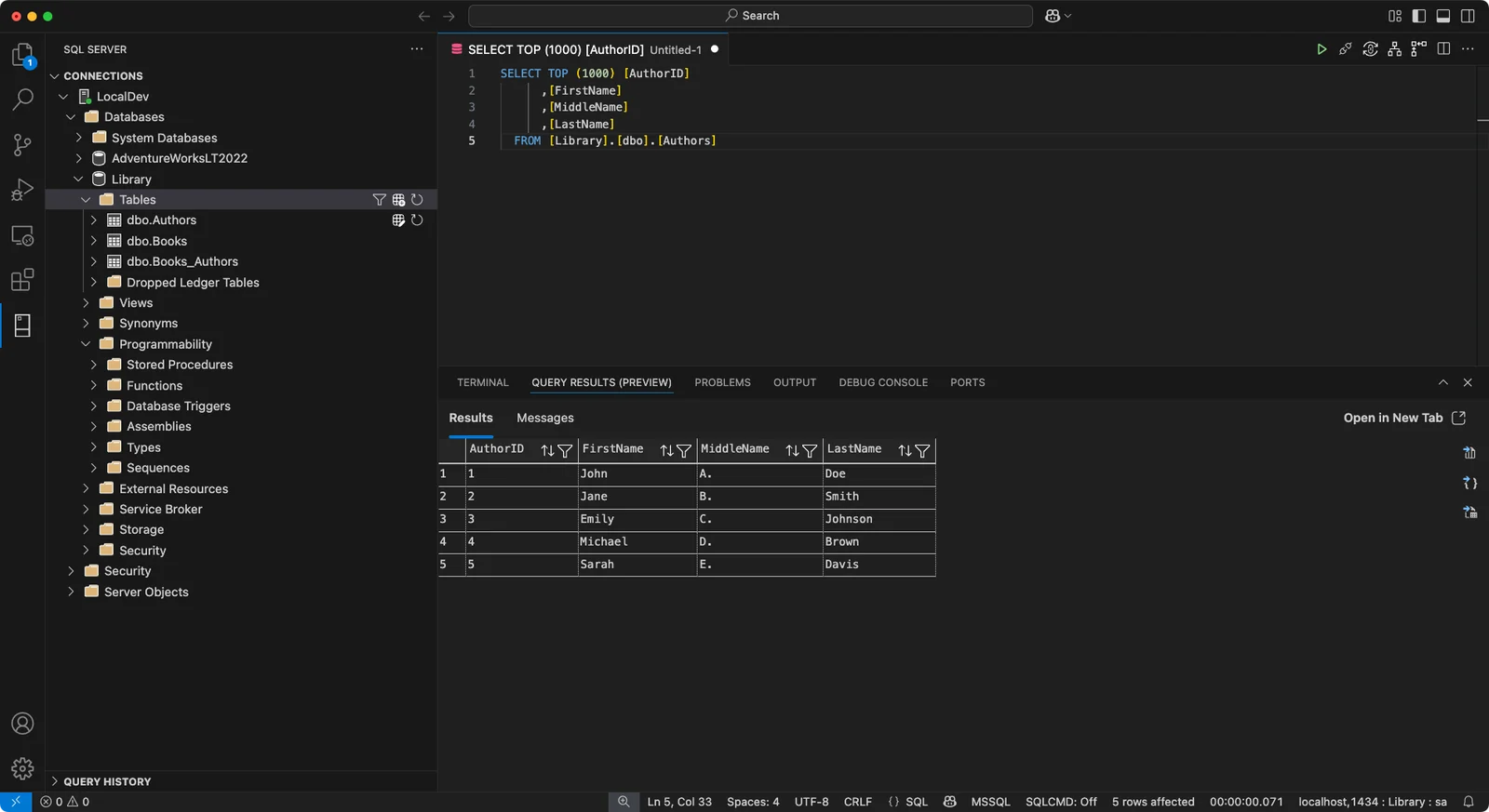
<p><a href="https://marketplace.visualstudio.com/items?itemName=ms-mssql.mssql"><img alt="The MSSQL extension for VSCode running a query against SQL Server on a Mac" integrity="sha512-M/OXu4Sc2EG46hylTaepXJfxOuNhtcwprH5x/hTig6V483U8KEV9Yqt9PYCeDOzb9l5vRzddVyF1zMU/RerZuA==" crossorigin="anonymous" src="/assets/img/competitors/vscode-mssql-33f397bb849cd841b8ea1ca54da7a95c97f13ae361b5cc29ac7e71fe14e283a578f3753c28457d62ab7d3d809e0cecdbf65e6f47375d572175ccc53f45ead9b8.webp" /></a><br />
<small>Screenshot: <a href="https://learn.microsoft.com/en-us/sql/tools/visual-studio-code-extensions/mssql/mssql-extension-visual-studio-code">Microsoft Learn</a>, <a href="https://creativecommons.org/licenses/by/4.0/">CC BY 4.0</a>, annotations removed.</small></p>

<p>With Azure Data Studio gone, the <a href="https://marketplace.visualstudio.com/items?itemName=ms-mssql.mssql">MSSQL extension for VSCode</a> is now the closest thing to an official SSMS for Mac. It’s free, it’s open source, and it’s built by Microsoft, so it covers the SQL Server basics: an object explorer, a query editor with a results grid, a table designer, and inline data editing.</p>

<p>The problem is that it’s still VSCode. VSCode is a great code editor, but it makes a pretty bad interface for a database app. Your query results live in the same bottom panel as your terminal and your debug console, and everything else is a sidebar, a command palette entry, or a right-click menu. If you already spend all day in VSCode that might be fine, but if you just want to browse some tables and write a few queries, it’s a lot of editor to wade through.</p>

<p>It’s also stuffed with Copilot. There’s an <code class="language-plaintext highlighter-rouge">@mssql</code> chat participant, a “Chat with this database” option when you right-click a database, and an MSSQL Copilot menu in the query editor to explain, rewrite, or analyze your queries. Microsoft’s docs for the extension list <a href="https://learn.microsoft.com/en-us/sql/tools/visual-studio-code-extensions/github-copilot/overview">17 separate Copilot features</a>, and all of them need a paid GitHub Copilot subscription.</p>

<p>Don’t expect much help from Microsoft if something goes wrong, either. According to the extension’s own README, <a href="https://github.com/microsoft/vscode-mssql#support">“support for this extension is provided via GitHub issues”</a>. So you’ll be filing a ticket on a public repo and hoping somebody picks it up.</p>

<p>Finally, hope you trust the other VSCode extensions you have installed. Extensions aren’t isolated from each other. In Microsoft’s words, <a href="https://code.visualstudio.com/docs/configure/extensions/extension-runtime-security">“the extension host has the same permissions as VS Code itself”</a>, so any extension can read your files, make network requests, and run other programs. Your saved SQL Server connections (servers, usernames, and databases) live in VSCode’s <code class="language-plaintext highlighter-rouge">settings.json</code>, with passwords in your OS keychain. And the extension marketplace has had a rough couple of years:</p>

<ul>
  <li>In May 2026 a poisoned update to the popular Nx Console extension <a href="https://github.com/nrwl/nx-console/security/advisories/GHSA-c9j4-9m59-847w">harvested tokens, SSH keys, and connection strings</a> from developers’ machines, and <a href="https://github.blog/security/investigating-unauthorized-access-to-githubs-internal-repositories/">led to a breach of GitHub’s own internal repositories</a>.</li>
  <li>In January 2026, two fake AI coding assistants with 1.5 million combined installs were caught <a href="https://thehackernews.com/2026/01/malicious-vs-code-ai-extensions-with-15.html">sending every file their users opened to servers in China</a>.</li>
  <li>In October 2025, Wiz found <a href="https://www.wiz.io/blog/supply-chain-risk-in-vscode-extension-marketplaces">over 100 leaked marketplace publishing tokens</a>, which would have let an attacker push malware to every user of the affected extensions through an automatic update.</li>
</ul>

<p>None of this is the MSSQL extension’s fault, but it’s the neighborhood it lives in.</p>

<p><a href="https://marketplace.visualstudio.com/items?itemName=ms-mssql.mssql">Install the MSSQL extension</a><br />
<a href="https://learn.microsoft.com/en-us/sql/tools/visual-studio-code-extensions/mssql/mssql-extension-visual-studio-code">MSSQL extension docs</a></p>

<h3 id="sqlpro-for-mssql">SQLPro for MSSQL</h3>

<p>MacOS, Windows, iOS, and Android</p>

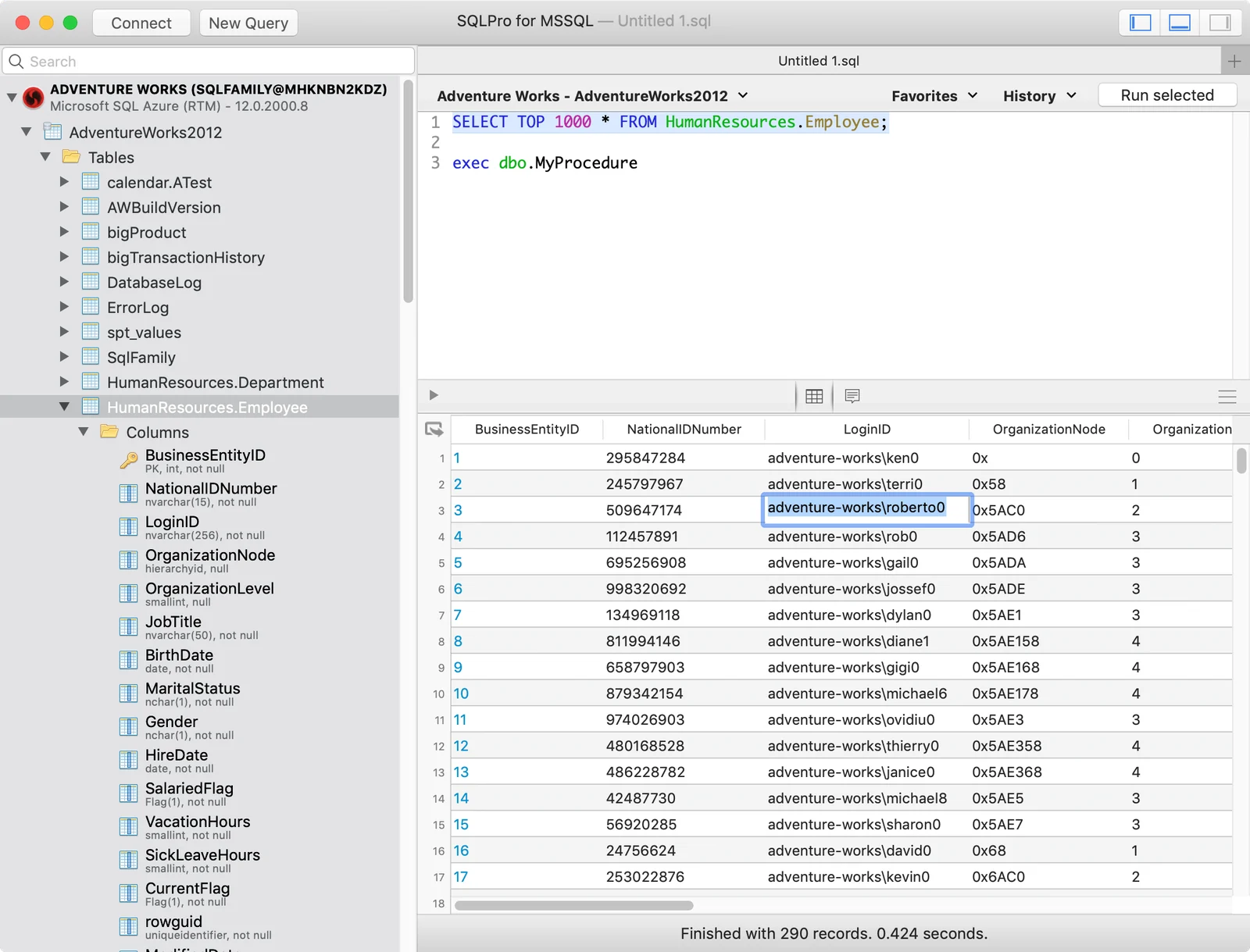
<p><a href="https://www.macsqlclient.com/"><img alt="SQLPro for MSSQL running a query on a Mac" integrity="sha512-BJ90ROTOoXrpfYi65An93ml6hoKuA4iwhqplvSNkjjQoBH9kYTMlVADJkFqRiQr964coGYS0odOGiJUaKy5JjA==" crossorigin="anonymous" src="/assets/img/competitors/sqlpro-mssql-049f7444e4cea17ae97d88bae409fdde697a8682ae0388b086aa65bd23648e3428047f646133255400c9905a91890afdeb87281984b4a1d38688951a2b2e498c.webp" /></a><br />
<small>Screenshot: SQLPro for MSSQL’s Mac App Store listing.</small></p>

<p>SQLPro for MSSQL is one of the longest-running native SQL Server clients for the Mac. It’s made by Hankinsoft, a small shop whose founder is also its sole developer, and these days it’s also available for Windows, iOS, and Android.</p>

<p>The big limitation is right there in the name: it only works with SQL Server. The App Store listing puts it bluntly: “This SQL Client does NOT work with MySQL or Postgres.” If you also work with other databases, you’ll need a second app (Hankinsoft sells a separate one called SQLPro Studio for that).</p>

<p>It’s also pretty old school. It’s a classic-looking Mac app, and the screenshots on its App Store listing still show macOS Mojave, which came out in 2018. It covers the fundamentals (a query editor, a table designer, Windows authentication, Azure SQL, and as of September 2026 Entra ID sign-in), but by the vendor’s <a href="https://www.macsqlclient.com/compare/ssms">own comparison with SSMS</a> it doesn’t have an execution plan viewer or database diagrams.</p>

<p>Finally, the free download is really a trial. You need a Premium upgrade before you can interact with your query results, and that’s $10.99/month, $79.99/year, or $179.99 for a lifetime license on one platform.</p>

<p><a href="https://www.macsqlclient.com/">Download SQLPro for MSSQL</a><br />
<a href="https://www.macsqlclient.com/store">SQLPro pricing</a></p>

<h2 id="official-suggestions-and-semi-official-workarounds">Official suggestions and semi-official workarounds</h2>

<h3 id="what-microsoft-recommends-instead">What Microsoft recommends instead</h3>

<p>Microsoft doesn’t really have a recommendation for SSMS users looking to work on MacOS. Their latest recommendation (in a forum post) was for Azure Data Studio, but as mentioned earlier they’ve <a href="https://learn.microsoft.com/en-us/sql/tools/whats-happening-azure-data-studio?view=sql-server-ver17&amp;tabs=dev">retired that product entirely</a>.</p>

<p>The other SQL product that Microsoft builds is the <a href="https://learn.microsoft.com/en-us/sql/tools/visual-studio-code-extensions/mssql/mssql-extension-visual-studio-code?view=sql-server-ver17">SQL Server Add-in for VSCode</a>. It’s a pale substitute for SSMS and VSCode makes an underwhelming interface for a SQL client, but that’s the most official thing available. There’s not even a real marketing page for the plugin, only the plugin marketplace page and a docs page on Microsoft’s learning portal.</p>

<h3 id="run-the-real-ssms-in-a-virtual-machine">Run the real SSMS in a virtual machine</h3>

<p>Technically I lied. It is technically possible to run the real SSMS on MacOS, but you’ll need to use a virtual machine like <a href="https://www.parallels.com/">Parallels</a>, but should you? Personally I hate using a VM to run a single piece of software and I avoid it whenever possible. There are just too many tradeoffs.</p>

<p>For SSMS, the first trade off is that Microsoft’s support for Windows ARM (the type of CPU used in a modern Mac) was only introduced with <a href="https://techcommunity.microsoft.com/blog/sqlserver/announcing-the-release-of-sql-server-management-studio-22-preview-3/4461548">SSMS version 22+</a>, so if you need an older version for any reason you’re out of luck.</p>

<p>The biggest drawback is that you’ll be running a <strong>full version of Windows</strong> inside your Mac alongside MacOS. That has a number of consequences:</p>
<ul>
  <li>Lots of used disk space, usually 20-30GB just for installation.</li>
  <li>8GB+ of memory usage dedicated to Windows.</li>
  <li>The need to purchase a real Windows license key. A Pro license starts at <a href="https://www.microsoft.com/en-us/d/windows-11-pro/dg7gmgf0d8h4">$200 USD</a>.</li>
  <li>Having to deal with Windows updates, Windows drivers, and other annoying Windows-things.</li>
  <li>Needing to navigate network integration for a virtual operating system on your network - will your corporate IT support this? Probably not.</li>
  <li>If something breaks - is it MacOS or Windows having issues?</li>
</ul>

<h2 id="comparison-table">Comparison Table</h2>

<table>
  <thead>
    <tr>
      <th>Tool</th>
      <th>Price</th>
      <th>Open source</th>
      <th>Platforms</th>
      <th>Other databases</th>
    </tr>
  </thead>
  <tbody>
    <tr>
      <td><a href="/get">Beekeeper Studio</a></td>
      <td>Free, paid plans for extra features</td>
      <td>Yes</td>
      <td>MacOS, Windows, Linux</td>
      <td>20+</td>
    </tr>
    <tr>
      <td><a href="https://dbeaver.io">DBeaver Community</a></td>
      <td>Free</td>
      <td>Yes</td>
      <td>MacOS, Windows, Linux</td>
      <td>100+ drivers</td>
    </tr>
    <tr>
      <td><a href="https://www.jetbrains.com/datagrip/">DataGrip</a></td>
      <td>From $109/year, free for non-commercial use</td>
      <td>No</td>
      <td>MacOS, Windows, Linux</td>
      <td>Yes</td>
    </tr>
    <tr>
      <td><a href="https://marketplace.visualstudio.com/items?itemName=ms-mssql.mssql">VSCode MSSQL extension</a></td>
      <td>Free (Copilot features need a subscription)</td>
      <td>Yes</td>
      <td>MacOS, Windows, Linux</td>
      <td>No</td>
    </tr>
    <tr>
      <td><a href="https://www.macsqlclient.com/">SQLPro for MSSQL</a></td>
      <td>$79.99/year, or $179.99 lifetime for one platform</td>
      <td>No</td>
      <td>MacOS, Windows, iOS, Android</td>
      <td>No</td>
    </tr>
    <tr>
      <td>SSMS (for reference)</td>
      <td>Free</td>
      <td>No</td>
      <td>Windows only</td>
      <td>No</td>
    </tr>
  </tbody>
</table>

<h2 id="wrap-up">Wrap up</h2>

<p>There are a lot of good choices for an SSMS alternative on MacOS. We recommend <a href="/get">Beekeeper Studio</a> because it’s fast and easy to use, but you can’t go wrong with <a href="https://dbeaver.io">DBeaver</a> if you need something 100% open source.</p>]]></content><author><name>Matthew Rathbone</name></author><category term="Reviews" /><summary type="html"><![CDATA[SQL Server Management Studio (SSMS) doesn't run on macOS. Here are the best alternatives, both free and paid.]]></summary></entry><entry><title type="html">Azure Data Studio is Dead</title><link href="https://www.beekeeperstudio.io/blog/azure-data-studio-is-dead" rel="alternate" type="text/html" title="Azure Data Studio is Dead" /><published>2026-09-24T00:00:00+00:00</published><updated>2026-09-24T00:00:00+00:00</updated><id>https://www.beekeeperstudio.io/blog/azure-data-studio-is-dead</id><content type="html" xml:base="https://www.beekeeperstudio.io/blog/azure-data-studio-is-dead"><![CDATA[<p>Azure Data Studio (ADS) was Microsoft’s version of the VSCode codebase tailored to the needs of a SQL developer, particularly a SQL developer who pays for and uses Azure SQL.</p>

<p>Unfortunately in February 2026, <a href="https://learn.microsoft.com/en-us/sql/tools/whats-happening-azure-data-studio?view=sql-server-ver17&amp;tabs=dev">Microsoft pulled the plug</a> and abandoned tens of thousands of daily users.</p>

<h2 id="corporate-open-source-is-different">Corporate open source is different</h2>

<p>Reading between the lines, ADS wasn’t providing Microsoft enough opportunities to advertise their premium developer products in the same way that VSCode does.</p>

<p>Their solution was simple - kill ADS and move all the developers over to VSCode with some new SQL extensions. Everyone’s happy right?</p>

<p>Well not quite. Let’s be honest, VSCode isn’t a very good database GUI, otherwise they wouldn’t have made ADS in the first place!</p>

<p>Making ADS and VSCode open source succeeded as a way to get in front of developers for cheap. It worked for a while, but I don’t see it working this time - database users are not going to move to VSCode.</p>

<p>Sorry to the folks at Microsoft who were working on ADS, it was a great app!</p>

<h2 id="try-beekeeper-studio-instead">Try Beekeeper Studio instead</h2>

<p>Our app, <a href="/">Beekeeper Studio</a> isn’t from the marketing department of a big company. It’s not from a big tech company at all, it’s from a team of 5 people trying to make the best open source database tool that they can.</p>

<p>If you’re using Azure, Beekeeper lets you to connect to cloud resources using the Azure Cli, EntraID, SSO, Kerberos, or even with a token. It’s all pretty smooth sailing.</p>

<p><img integrity="sha512-Sp1VPvwoVtA5Z+8ZptphoDC/Gzu6WExPr3INACYq1f0cQFgh5i3CIMyiV5+V1/VqEEjKAmkKUqrEQxLkS2a3+A==" crossorigin="anonymous" src="/assets/img/screenshots/main-dark-4a9d553efc2856d03967ef19a6da61a030bf1b3bba584c4faf720d00262ad5fd1c405821e62dc220cca2579f95d7f56a1048ca02690a52aac44312e44b66b7f8.png" /></p>

<p>Beekeeper Studio is <a href="/github">open source</a>, and we have a generously spec’d <a href="/community">free Community Edition</a>. We make money by <a href="/pricing">charging for some power features</a>. We’re stable, profitable and funded entirely by customer purchases. You can find our <a href="/alternatives/azure-data-studio">full comparison here</a>, or a list of <a href="/blog/azure-data-studio-alternatives-free">other free tools to try</a> (yes we tell you about our competitors).</p>

<p>Many paying and non-paying users came from ADS and are very happy. We hope you try Beekeeper Studio and enjoy using it as much as we enjoy making it.</p>

<div class="include-blockquote flex card card-flat padding">
  <i class="material-icons" aria-hidden="true">format_quote</i>
  <blockquote>
    <p>Great lightweight SQL editor / studio! Been looking into a lot of alternatives for Azure Data Studio, and <strong>with Beekeeper I have found it</strong>. Clear overview, no unnecessary features, clean UI, super fast to launch, and it <strong>just works</strong> smoothly across different databases. Doesn’t feel bloated at all – perfect for quickly writing queries and exploring data without distractions. Highly recommended!</p>

    <p class="quote-author">Lester Morales (AI/ML Developer)</p>
  </blockquote>
</div>]]></content><author><name>Matthew Rathbone</name></author><category term="News" /><summary type="html"><![CDATA[Microsoft killed it on Feb 28 2026. Here's what to use instead]]></summary></entry><entry><title type="html">Beekeeper Studio 6.1 - Folders and read-only mode are now free</title><link href="https://www.beekeeperstudio.io/blog/release-6.1-free-folders-readonly" rel="alternate" type="text/html" title="Beekeeper Studio 6.1 - Folders and read-only mode are now free" /><published>2026-09-14T00:00:00+00:00</published><updated>2026-09-14T00:00:00+00:00</updated><id>https://www.beekeeperstudio.io/blog/release-6.1-free-folders-readonly</id><content type="html" xml:base="https://www.beekeeperstudio.io/blog/release-6.1-free-folders-readonly"><![CDATA[<p>We’re making some paid features free as part of v6.1 which you can <a href="/get">Download from our website right now</a>.</p>

<p>We routinely move features from the paid tiers to the free tier as a way to make our community edition <a href="//thoughts/community-edition-too-good/">really, genuinely good</a>.</p>

<p>Strangly, this is also a benefit to our paid users, as we tend to release most new features to our paid users first, so they get the benefit of first access, even if we eventually make a feature free.</p>

<p>Remember, that if a community member (like you) contributes a major feature and we merge it, we’ll make it free for everyone, just like we did with <a href="/blog/redis-trino-surrealdb-and-more#redis">Redis and Valkey support</a>.</p>

<h2 id="highlights">Highlights</h2>

<ul>
  <li>
    <p><strong>Folders are free.</strong> Organize saved connections and queries into nested folders on the free tier, drag-and-drop included. This works in local workspaces, so you don’t need any sort of Beekeeper account to use it.</p>
  </li>
  <li>
    <p><strong>Read-only mode is free.</strong> Mark a connection as read-only and Beekeeper Studio stops you running ‘destructive’ SQL - like <code class="language-plaintext highlighter-rouge">UPDATE,DELETE,ALTER,etc</code>. This means you can poke around production without worrying about a stray click. This used to be a paid feature, now everyone gets it.</p>
  </li>
  <li>
    <p><strong>Create things from a folder.</strong> Right-click a folder in the sidebar to create a new query or a new connection directly inside it. Seems simple, but man was it frustrating not to have this button where we expected it.</p>
  </li>
</ul>

<div style="max-width: 600px; margin: 1em auto; text-align: center;">
    <video width="600" style="max-width: 100%; height: auto;" muted="" controls="" autoplay="">
        <source src="https://assets.beekeeperstudio.io/folders-no-sound.mp4" type="video/mp4" />
        Your browser does not support the video tag.
    </video>
</div>

<h2 id="other-improvements">Other Improvements</h2>

<ul>
  <li>
    <p><strong>Vim mode improvements.</strong> Ex commands go where they should, the editor stops stealing focus from the save dialog, the Vim status line respects dark themes, and <code class="language-plaintext highlighter-rouge">.beekeeper.vimrc</code> parsing is more reliable.</p>
  </li>
  <li>
    <p><strong>Table Properties tab tidy-up.</strong> A more compact, more sensible layout for the table properties view.</p>
  </li>
  <li>
    <p><strong>Active line highlighting.</strong> The query editor now highlights the line you’re on and its line number. Thanks @Srijal-SS!</p>
  </li>
  <li>
    <p><strong>JSON sidebar indent guides.</strong> Indentation markers make deeply nested JSON easier to follow.</p>
  </li>
  <li>
    <p><strong>Disable autocomplete pieces individually.</strong> Turn off schema completion or keyword completion on their own instead of all or nothing.</p>
  </li>
  <li>
    <p><strong>“Updated by” in the query editor.</strong> In a cloud workspace you can see who last edited a saved query.</p>
  </li>
  <li>
    <p><strong>MySQL cleartext auth.</strong> New <em>Enable Cleartext Plugin</em> option on MySQL connections, for servers that use <code class="language-plaintext highlighter-rouge">mysql_clear_password</code> (e.g. some proxy and LDAP setups). This was previously enabled by default, but was disabled as a default by the driver maintainers, so that’s why we needed the option to turn it on.</p>
  </li>
  <li>
    <p><strong>Copy SQL respects hidden columns.</strong> Generating <code class="language-plaintext highlighter-rouge">SELECT</code> or other queries from a table now only includes the columns you have visible.</p>
  </li>
</ul>

<h2 id="everything-else">Everything Else</h2>

<p>A big thanks to everyone who contributed, including five first-time contributors this release!</p>

<ul>
  <li>Fixed “phantom tabs” caused by recently used connections clashing with saved ones (#4675)</li>
  <li>Tabs on an unsaved connection can be switched between properly (#4807)</li>
  <li>SQLite and LibSQL stability fixes (#4679)</li>
  <li>Add Row is reachable via right-click when the table is full. Thanks @Fraianni! (#4667)</li>
  <li>Quick switcher shows an empty state when nothing matches. Thanks @ChihebBENCHEIKH1! (#4155)</li>
  <li>SSH agent errors are non-fatal, so public key auth can still go ahead. Thanks @stephaneminisini-fps! (#4681)</li>
  <li>Fixed the tab switching shortcut on macOS. Thanks @gruberlu! (#4226)</li>
  <li>PostgreSQL drop errors include the details from the server. Thanks @bnquon! (#4650)</li>
  <li>Tables use the Command key on macOS instead of Ctrl (#4789)</li>
  <li>Data grid upgraded to Tabulator 6.6, with fixes for pasting via keyboard shortcut, range fill marking cells as edited, edited cell styles inside a range selection, result column resizing, and copy highlights that now persist (#4820, #4822, #4826, #4817, #4829, #4803, #4831)</li>
  <li>Fixed a trigger that prevented some saved queries from being deleted (#4760)</li>
  <li>ER diagram menu item is pinned, and plugin menu items are disabled when disconnected (#4747)</li>
  <li>Plugin shortcuts fixed, and plugin themes now follow the system theme (#4700, #4705)</li>
  <li>Simpler keyboard hints and a fixed shortcuts modal (#4685)</li>
  <li>Global shortcut binding fixed (#4836)</li>
  <li>A cleaner, calmer upgrade dialog (#4692)</li>
  <li>Missing build dependencies added for ARM builds (#4751)</li>
  <li>AI Shell updated to v3.3.4 (#4726, #4727)</li>
  <li>Dependency updates including mysql2, qs, fast-uri, and @xmldom/xmldom</li>
</ul>]]></content><author><name>Matthew Rathbone</name></author><category term="Release" /><summary type="html"><![CDATA[Folders and read-only mode move to the free tier, plus connection import from JSON, Vim mode fixes, editor polish, and a long list of bug fixes.]]></summary></entry><entry><title type="html">Our approach to sustainable open source</title><link href="https://www.beekeeperstudio.io/blog/building-a-sustainable-open-source-project" rel="alternate" type="text/html" title="Our approach to sustainable open source" /><published>2026-09-10T00:00:00+00:00</published><updated>2026-09-10T00:00:00+00:00</updated><id>https://www.beekeeperstudio.io/blog/building-a-sustainable-open-source-project</id><content type="html" xml:base="https://www.beekeeperstudio.io/blog/building-a-sustainable-open-source-project"><![CDATA[<p>Beekeeper Studio was released in 2020 as a 100% free and open source project.</p>

<p>We spent 8 months of evenings and weekends making that initial version. We’d released other apps before that no-one used, but Beekeeper was different - as soon as we released it and started to share it, people were interested and started downloading and using it.</p>

<p>The interest was so great that we ended up on the front page of <a href="https://news.ycombinator.com">Hacker News</a>, we’d posted earlier that day but hadn’t really paid much attention to it, within a couple of hours we had thousands of early users.</p>

<p>But then came the hard part - maintaining and improving a real app, used by real people….for how long? Years? Decades?</p>

<h2 id="the-open-source-graveyard">The open source graveyard</h2>

<p>Most projects/apps/businesses are ultimately unsuccessful and die. This isn’t really unique to open source projects, but it’s more pronounced in open source. After all, from the start most open source projects <strong>are meant to be free</strong>. That’s quite a hurdle to making a project sustainable.</p>

<p>In fact, we made Beekeeper Studio because a much beloved tool, <a href="https://github.com/sequelpro/sequelpro">Sequel Pro</a> become abandonware, even though it was <strong>the best database app I’d ever used</strong>.</p>

<p>Who wanted SequelPro to die? Certainly not me. Certainly not the thousands of other people who used it every day. I wanted the opposite - I wanted to use it on Linux, and with PostgreSQL.</p>

<p>I would have happily paid for it. What an incredible app, but alas it is no more.</p>

<p>This fate has met <a href="https://github.com/ragnar-lodbrok/meow-sql">many</a>, <a href="https://github.com/sqlectron/sqlectron">many</a>, <a href="https://github.com/priyank-purohit/PostGUI">other</a>, <a href="https://github.com/antares-sql/antares">similar</a> <a href="https://github.com/paxa/postbird">apps</a>.</p>

<h2 id="why-good-projects-die">Why good projects die</h2>

<p>Why did the other tools die, but Beekeeper Studio has soldiered on? The simple answer is money and time.</p>

<p>By money I mostly mean time, but you know, time is money (cue eye rolls). So the answer is time and more time or money and more money, however you want to look at it.</p>

<p>Building software is hard. Building <em>good</em> software is harder. It’s also slow. It takes a lot of time and effort, even with an LLM to help. Like really - a LOT of time. I cannot overstate how much time it requires. Did I meantion it takes a lot of time?</p>

<p>It’s simply not possible to sustain a popular and active open source project by yourself, on evenings and weekends with no funding for years upon years. Even managing issues and pull requests is a full time job.</p>

<h2 id="approaches-to-open-source-sustainability">Approaches to Open Source Sustainability</h2>

<p>There are several ways to make an open source project sustainable. Large linchpin projects like <a href="https://github.com/vuejs/core">Vue.js</a> are visible enough to be sustained by donations. Other large projects like <a href="https://github.com/react/react">React</a> are funded entirely by a corporate sponsor who pays the developers directly.</p>

<p>On the commercial side, large infrastructure software like <a href="https://github.com/apache/kafka">Kafka</a> and <a href="https://github.com/trinodb/trino">Trino</a> dominate as ‘open source core’ projects; where the central part of the system is open, but they sell a whole load of extras to make it useful to enterprises. Doing this path usually requires <a href="https://www.confluent.io/press-release/confluent-closes-24m-series-b-funding/">raising a lot of money</a> and shooting for the moon to become a unicorn startup. Unfortunately this approach only works if your project has already succeeded in becoming an industry standard and adopted wholesale by millions of developers first.</p>

<p>Kafka was funded and maintained by an internal LinkedIn team for years before breaking off and becoming it’s own business.</p>

<p>This approach can also work for component libraries like <a href="https://github.com/ag-grid/ag-grid">AG-Grid</a>, albeit at a smaller scale. Even then it requires the library to become somewhat of a standard.</p>

<p>Smaller apps like Beekeeper Studio have fewer choices. Our donation revenue maxxed out at $30/month, despite crossing a million downloads. We’re also not an ‘industry standard’ anything, we’re an app used by people, not a server deployed event processing engine.</p>

<h2 id="our-model-is-to-sell-software-that-people-want">Our model is to sell software that people want</h2>

<p>Selling something that is useful and people are willing to pay for is a simple revenue model, and it’s the model we’ve embraced for Beekeeper Studio.</p>

<p>I think this provides the cleanest and simplest way of sustaining the project while also staying user-centric - selling extra features for those who are willing to pay for them.</p>

<p>That said, it’s impossible to ignore the irony that the best way to keep our app free and open is to lock some parts down and charge money for them. It is genuinely a hard balance. On the one hand we need to not short change the open source community, while also making the paid version good enough to pay the bills.</p>

<p>It’s slow too (did I mention that making good software takes a lot of time?), we launched our first paid features in 2022, yet I wasn’t able to go full time on the project until 2026, a full 4 years later.</p>

<p>Thankfully this approach is not without prescedent, excellent open source software like <a href="https://sidekiq.org/">Sidekiq from Mike Perham</a> uses this model to great success without alienating the community.</p>

<h2 id="we-keep-it-real">We keep it real</h2>

<p>So far our approach is working. We’re a profitable business, but we’re also still an open source community project that attracts real community engagement and contributions. We even <a href="https://github.com/beekeeper-studio/beekeeper-studio/tree/master/apps/studio/src-commercial">make our commercial features source available</a>, even if they’re not fully open source.</p>

<p>We’re sincere about keeping Beekeeper Studio as open and accessible as possible. For example, we try to routinely turn paid features into free features, we never take away free features once launched, and we <a href="https://www.beekeeperstudio.io/blog/redis-trino-surrealdb-and-more#redis">make all community contributed features free and open</a>, even when we’d rather charge for them.</p>

<h2 id="the-best-of-the-bunch">The best of the bunch</h2>

<p>I think our approach to project sustainability is the right balance for us, and gives us some super powers like having <a href="/thoughts/community-edition-too-good/">an unreasonably powerful community edition</a>.</p>

<p>We’re here for the long term. In the meantime, I hope you enjoy using our software as much as we enjoy making it.</p>]]></content><author><name>Matthew Rathbone</name></author><category term="Thoughts" /><summary type="html"><![CDATA[Building good software takes time and money. What is an open source project to do?]]></summary></entry><entry><title type="html">Why Our Free Version Is So Good</title><link href="https://www.beekeeperstudio.io/thoughts/community-edition-too-good/" rel="alternate" type="text/html" title="Why Our Free Version Is So Good" /><published>2026-09-10T00:00:00+00:00</published><updated>2026-09-10T00:00:00+00:00</updated><id>https://www.beekeeperstudio.io/thoughts/community-edition-too-good</id><content type="html" xml:base="https://www.beekeeperstudio.io/thoughts/community-edition-too-good/"><![CDATA[<p><em>“You should really consider getting rid of the free version”</em> I was told by a business advisor in 2024. I needed to decide, he said - do I want a fun open source side project, or do I want a real business?</p>

<p>The advice from him (and others) was clear: A real business would “take things seriously” and get rid of this open source nonsense.</p>

<p>Money isn’t everything, if it were I certainly wouldn’t start open source projects or work at small businesses, I’d work for big tech and min-max my performance reviews, or become an investment banker.</p>

<h2 id="believe-in-what-you-do">Believe in what you do</h2>

<p>I started Beekeeper Studio in 2019 because I wanted an easy to use database app for Linux.</p>

<p>Beekeeper grew beyond this initial dream and became something more - initially an active and exciting open source project, and eventually a business.</p>

<p>Beekeeper isn’t an ordinary business, we’re community driven, sustainably focused, and user centric. We’re not looking to profit-maximize above all else, and I think that’s why we’ve been successful, and why I’m still excited to be working on Beekeeper after 7 years.</p>

<h2 id="community-is-not-an-afterthought">Community is not an afterthought</h2>

<p>Competitors see their free version as an on-ramp, a free trial, an extended preview. The free version was forced upon them by market forces, by competitor matrixes. It exists to push users onto enterprise plans and sales calls. It’s not central to what they do, it’s something they resent.</p>

<p>For Beekeeper Studio, our community, and thus our community edition, are central to the whole organization. They are the foundation upon which the rest of the organization stands, and a central part of what we do.</p>

<p>Our community edition is designed so that you can use it productively for 8 hours a day and never pay us a cent. We’ve never taken away a free feature, and any feature contributed by a community member is free, even if we don’t want it to be (<em>cough redis support cough</em>).</p>

<p>This isn’t a weakness, it’s why the app is so good, why so many bugs get fixed, why it stays user-centric, why you can use it productively without paying us, and why people <a href="/testimonials">literally email us to tell us</a> how much they love Beekeeper Studio.</p>

<h2 id="thanks-for-keeping-us-in-business">Thanks for keeping us in business</h2>

<p>For the many thousands of you who have upgraded to paid editions of Beekeeper Studio - thank you. You help to keep us in business.</p>

<p>If you’re reading this and love Beekeeper Studio and our way of doing things, but haven’t yet bought a license, well <a href="/pricing">maybe now is a good time :-)</a>.</p>

<p>Thanks for using <del>my</del> our app,</p>

<p>Matthew &amp; the whole Beekeeper Studio team</p>

<p><em>PS I just published a <a href="/community/">new community edition page</a> to tell people how amazing our community edition is.</em></p>]]></content><author><name>Matthew Rathbone</name></author><category term="Thoughts" /><summary type="html"><![CDATA[Big tech hates this one weird trick]]></summary></entry><entry><title type="html">Top 5 Cassandra GUI Clients for 2026</title><link href="https://www.beekeeperstudio.io/blog/free-cassandra-guis" rel="alternate" type="text/html" title="Top 5 Cassandra GUI Clients for 2026" /><published>2026-08-17T00:00:00+00:00</published><updated>2026-08-17T00:00:00+00:00</updated><id>https://www.beekeeperstudio.io/blog/free-cassandra-guis</id><content type="html" xml:base="https://www.beekeeperstudio.io/blog/free-cassandra-guis"><![CDATA[<p>Cassandra doesn’t get the GUI love that Postgres or MySQL do. Part of that is cqlsh being genuinely fine for a lot of workflows, and part of it is that Cassandra just isn’t as common a target for general-purpose database tools. When you do go looking for a GUI, the landscape is thinner than you’d expect, and more of it is paywalled than you’d expect too.</p>

<p>We went looking for what actually supports Cassandra in 2026, verified against each project’s own docs rather than marketing copy. Here’s the honest rundown, including which of these are free and which aren’t, because that part of the picture matters more than most “best of” lists let on.</p>

<h2 id="beekeeper-studio">Beekeeper Studio</h2>
<p class="small"><strong>Available for Windows, macOS, and Linux</strong> - <a href="/get">download here</a></p>

<p><a href="/get"><img alt="Beekeeper Studio SQL editor" integrity="sha512-Sp1VPvwoVtA5Z+8ZptphoDC/Gzu6WExPr3INACYq1f0cQFgh5i3CIMyiV5+V1/VqEEjKAmkKUqrEQxLkS2a3+A==" crossorigin="anonymous" src="/assets/img/screenshots/main-dark-4a9d553efc2856d03967ef19a6da61a030bf1b3bba584c4faf720d00262ad5fd1c405821e62dc220cca2579f95d7f56a1048ca02690a52aac44312e44b66b7f8.png" /></a></p>

<p>Full disclosure: we make Beekeeper Studio, so weigh this accordingly. Unlike some of our other database integrations, Cassandra support isn’t in the free Community edition. It requires an Indie plan or higher. We think it’s a good deal, but you should know that going in rather than getting excited about a free option that turns out not to be one.</p>

<p>What you get for that: a proper query editor for CQL with autocomplete and saved history, a spreadsheet-style browser for stepping through keyspaces and tables, and a GUI for creating and editing tables and columns without hand-writing CQL DDL. Data editing is inline, so you can fix a row without composing an UPDATE statement. It’s the same app you’d use for Postgres, MySQL, or whatever else you’re running, which is the actual selling point if you’re not a Cassandra-only shop: one tool instead of five.</p>

<p><a href="/get" class="btn btn-primary btn-lg">Download Beekeeper Studio</a></p>

<div class="include-blockquote flex card card-flat padding">
  <i class="material-icons" aria-hidden="true">format_quote</i>
  <blockquote>
    <p>I have to use multiple databases (MySql, Postgre and MS SQL) and Beekeper has been an absolute joy! The UI is clean and has exactly what I need. <strong>Svetlin Panayotov, Senior Developer</strong></p>

    
  </blockquote>
</div>

<p><a href="/db/cassandra-client/">Read more about Beekeeper Studio’s Cassandra support</a>.</p>

<p><strong>Beekeeper Studio links</strong></p>
<ul>
  <li><a href="/get">Download Beekeeper Studio</a></li>
  <li><a href="/db/cassandra-client/">Cassandra GUI details</a></li>
  <li><a href="/pricing">Pricing</a></li>
  <li><a href="https://github.com/beekeeper-studio/beekeeper-studio">Source code on GitHub</a></li>
</ul>

<h2 id="cassandra-web">cassandra-web</h2>
<p class="small"><strong>Self-hosted web app (Docker)</strong> - <a href="https://github.com/orzhaha/cassandra-web">github.com/orzhaha/cassandra-web</a></p>

<p>This is the one genuinely free and open-source option on this list that’s built specifically for Cassandra. It’s MIT-licensed, ships as a Docker image, and gives you a browser-based UI for exploring keyspaces and tables, editing data, and running raw CQL.</p>

<p>Two caveats worth knowing before you reach for it. First, its own README targets Cassandra 2.1.x through 3.x.x, and it’s not clear from the project whether it’s been tested against the CQL surface of Cassandra 4.x or 5.x, so test it against your actual cluster before relying on it. Second, the project’s last commit was in mid-2024, so treat it as lightly maintained rather than actively developed. It still works and it’s still the best free dedicated option we found, but don’t expect fast turnaround if you file a bug.</p>

<p><strong>cassandra-web links</strong></p>
<ul>
  <li><a href="https://github.com/orzhaha/cassandra-web">GitHub Repository</a></li>
  <li><a href="https://hub.docker.com/r/ipushc/cassandra-web">Docker image</a></li>
</ul>

<h2 id="tableplus">TablePlus</h2>
<p class="small"><strong>Available for Windows, macOS, and Linux</strong> - <a href="https://tableplus.com/">tableplus.com</a></p>

<p><a href="https://tableplus.com/"><img alt="TablePlus screenshot" integrity="sha512-TpCpUNQbl2FOeTKKwiMhxqHp/tvXrpoPjUTzdy7nGJYSqoWU8HYqAJyx/V+N1wsBk5q6tQFLH/JYakt+Lc+MuQ==" crossorigin="anonymous" src="/assets/img/competitors/tableplus-4e90a950d41b97614e79328ac22321c6a1e9fedbd7ae9a0f8d44f3772ee7189612aa8594f0762a009cb1fd5f8dd70b01939abab5014b1ff2586a4b7e2dcf8cb9.png" /></a></p>

<p>TablePlus has supported Cassandra since 2018, which makes it one of the longer-standing options here. It’s a fast, native app with a clean query editor and a spreadsheet-style data browser, and if you’re already using it for Postgres or MySQL, adding a Cassandra connection costs nothing extra to learn.</p>

<p>The catch is the same one that shows up in every TablePlus review: it’s not free and it’s not open source. The trial mode caps you at 2 open tabs, 2 open windows, and 2 advanced filters at a time, with no time limit but real friction once you’re doing more than casual browsing. A license starts at $99 for one device, which includes a year of updates.</p>

<p><strong>TablePlus links</strong></p>
<ul>
  <li><a href="https://tableplus.com/">Download TablePlus</a></li>
  <li><a href="https://tableplus.com/pricing">Pricing</a></li>
</ul>

<h2 id="dbeaver-paid-editions-only">DBeaver (paid editions only)</h2>
<p class="small"><strong>Available for Windows, macOS, and Linux</strong> - <a href="https://dbeaver.io/">dbeaver.io</a></p>

<p><a href="https://dbeaver.io/"><img alt="DBeaver screenshot" integrity="sha512-Y2aEi8FbLeHvPsNk4nz9sl9RpXiSEnQadnu/2RJj79aEftoYs7pB3ixEGM1otaCBC0qnS6WPt8WvzR/19KQcRQ==" crossorigin="anonymous" src="/assets/img/competitors/dbeaver-6366848bc15b2de1ef3ec364e27cfdb25f51a5789212741a767bbfd91263efd6847eda18b3ba41de2c4418cd68b5a0810b4aa74ba58fb7c5afcd1ff5f4a41c45.png" /></a></p>

<p>This one trips people up, so it’s worth calling out directly: DBeaver Community Edition, the free and open-source version most people mean when they say “DBeaver,” does not support Cassandra. DBeaver’s own docs list the Cassandra driver as available only in the paid Lite, Enterprise, and Ultimate editions, which run from roughly $113 to $510+ per year depending on tier.</p>

<p>If you already have a paid DBeaver license for other databases, Cassandra support comes along with it and works about as well as DBeaver’s other database integrations: solid schema browsing, a capable SQL editor, and data transfer tools. But if you were hoping to add Cassandra to a free DBeaver CE install, that’s not on the table without a manual, unsupported JDBC driver workaround.</p>

<p><strong>DBeaver links</strong></p>
<ul>
  <li><a href="https://dbeaver.com/docs/dbeaver/Cassandra/">Cassandra driver docs</a></li>
  <li><a href="https://dbeaver.com/edition/">Edition comparison and pricing</a></li>
</ul>

<h2 id="datastax-astra-db-cql-console">DataStax Astra DB CQL Console</h2>
<p class="small"><strong>Web-based, Astra-hosted databases only</strong> - <a href="https://astra.datastax.com/">astra.datastax.com</a></p>

<p>If you’re running Cassandra on DataStax’s managed Astra DB rather than self-hosting it, there’s a genuinely free, zero-install option: Astra gives every Serverless database an embedded CQL console right in the browser, essentially a hosted cqlsh you can reach without opening a terminal.</p>

<p>The obvious limitation is in the name: this only works against Astra-hosted databases. If you’re running your own cluster on your own hardware or a generic cloud VM, it’s not an option. DataStax’s older desktop tool, DevCenter, is worth mentioning only so you don’t waste time on it: it’s been formally archived and marked “not supported” by DataStax, with no direct successor.</p>

<p><strong>Astra DB links</strong></p>
<ul>
  <li><a href="https://docs.datastax.com/en/astra-db-serverless/cql/develop-with-cql.html">Astra DB CQL console docs</a></li>
</ul>

<h2 id="a-few-honorable-mentions">A few honorable mentions</h2>

<p><strong>cqlsh</strong> is the CLI that ships with every Cassandra install, and it’s genuinely where most Cassandra work happens even for people who’d rather have a GUI. It’s not graphical, but it’s free, it’s always there, and it’s worth knowing before you go install anything else.</p>

<p><strong><a href="https://github.com/IBM/cassandra-admin">IBM’s cassandra-admin</a></strong> is a small, actively maintained, MIT-licensed web tool, but it’s read-only by design: no data editing, no search or filtering, and it’s built for a single node rather than a cluster. Useful for a quick look at what’s in a keyspace, not a daily driver.</p>

<p>If you’re running <strong>ScyllaDB</strong> instead of Cassandra, the good news is that it speaks the same CQL wire protocol, so tools built for Cassandra generally work against it too. We haven’t verified every tool on this page against a live ScyllaDB cluster, so test your specific setup, but it’s a reasonable starting assumption rather than a stretch.</p>

<h2 id="which-cassandra-gui-should-you-use">Which Cassandra GUI should you use?</h2>

<p>If you want one tool that handles Cassandra alongside your other databases and you don’t mind paying for it, <strong><a href="/get">Beekeeper Studio</a></strong> or <strong><a href="https://tableplus.com/">TablePlus</a></strong> are both solid, polished options. If you already pay for DBeaver’s higher tiers, Cassandra support is there too.</p>

<p>If you want something free and dedicated to Cassandra specifically, <strong><a href="https://github.com/orzhaha/cassandra-web">cassandra-web</a></strong> is the most complete open-source option, with the caveat that it’s not actively maintained and you should confirm it works against your Cassandra version first. And if you’re on DataStax Astra, the built-in CQL console costs nothing and needs no install.</p>

<p>Realistically, a lot of Cassandra work still happens in cqlsh, and there’s no shame in that. But if you’re doing enough of it to want a GUI, now you know what your actual options are, and what each one costs.</p>

<p><a href="/get" class="btn btn-primary btn-lg">Download Beekeeper Studio</a></p>

<p><strong>Related posts</strong></p>
<ul>
  <li><a href="/blog/free-redis-guis">Free Redis GUI Clients</a></li>
  <li><a href="/blog/clickhouse-guis-for-developers">ClickHouse GUIs for Developers</a></li>
  <li><a href="/db/cassandra-client/">Cassandra GUI client details</a></li>
</ul>]]></content><author><name>Matthew Rathbone</name></author><category term="Reviews" /><summary type="html"><![CDATA[cqlsh gets the job done, but not everyone wants to live in a terminal. Here's what's actually good for querying and browsing Cassandra in 2026, free and paid.]]></summary><media:thumbnail xmlns:media="http://search.yahoo.com/mrss/" url="https://www.beekeeperstudio.io/assets/img/screenshots/main-dark-4a9d553efc2856d03967ef19a6da61a030bf1b3bba584c4faf720d00262ad5fd1c405821e62dc220cca2579f95d7f56a1048ca02690a52aac44312e44b66b7f8.png" /><media:content medium="image" url="https://www.beekeeperstudio.io/assets/img/screenshots/main-dark-4a9d553efc2856d03967ef19a6da61a030bf1b3bba584c4faf720d00262ad5fd1c405821e62dc220cca2579f95d7f56a1048ca02690a52aac44312e44b66b7f8.png" xmlns:media="http://search.yahoo.com/mrss/" /></entry><entry><title type="html">Beekeeper Studio 6.0 - Supercharged team collaboration</title><link href="https://www.beekeeperstudio.io/blog/release-6.0" rel="alternate" type="text/html" title="Beekeeper Studio 6.0 - Supercharged team collaboration" /><published>2026-08-12T00:00:00+00:00</published><updated>2026-08-12T00:00:00+00:00</updated><id>https://www.beekeeperstudio.io/blog/release-6.0</id><content type="html" xml:base="https://www.beekeeperstudio.io/blog/release-6.0"><![CDATA[<p>The standout feature for v6 is team collaboration v2! Full infinite depth folder trees, plus per-file and per-folder share settings make this the best Beekeeper Studio ever if you work on a team.</p>

<p><img integrity="sha512-i7EuZGpooLq4FUpfpurXdAI/4VaiZobocsOQRlasi/nv9nTM0UzYQEJde5ko0J7pfq08e/wG4w0eevVseEKSiA==" crossorigin="anonymous" src="/assets/img/features/workspace-share-modal-8bb12e646a68a0bab8154a5fa6ead774023fe156a26686e872c3904656ac8bf9eff674ccd14cd840425d7b9928d09ee97ead3c7bfc06e30d1e7af56c78429288.png" /></p>

<p>Hmm, what was that? Oh yes we are a little late releasing v6, it was due at the end of July, but you know what they say - good things come to those who wait.</p>

<h2 id="highlights">Highlights</h2>

<ul>
  <li>
    <p><strong>Sharing and permissions for queries, connections, and folders.</strong> In a cloud workspace you can now decide who can view and who can edit each individual item, instead of a single team folder that everyone can edit. Set a general team access level (no access / can view / can edit), then add per-member grants on top. Access is inherited down the folder tree, owners always keep full access to their own items, and only owners (or workspace admins) can change sharing. Existing team items keep their old behavior and are upgraded seamlessly as you start using the new features.</p>
  </li>
  <li>
    <p><strong>Folders infinite depth.</strong> Connections and saved queries use a new tree component with properly nested folders and simple drag-and-drop to move and reorder items. This combines with Beekeeper’s new sharing &amp; permissions system to make a Google-Drive like experience, but for SQL. There’s nothing else like it available.</p>
  </li>
  <li>
    <p><strong>StarRocks support.</strong> New StarRocks driver, so you can browse schemas and run queries against StarRocks the same way you do everywhere else.</p>
  </li>
</ul>

<h2 id="other-improvements">Other Improvements</h2>

<ul>
  <li>
    <p><strong>Query edit history in local workspaces.</strong> Saved query version history — previously cloud-only — now works for local workspaces, so you can see past edits and restore an earlier version of a query.</p>
  </li>
  <li>
    <p><strong>Import a directory of SQL files.</strong> The SQL import modal can now walk a whole directory recursively and recreate its folder structure as saved query folders, with an option to preserve or skip the root directory.</p>
  </li>
  <li>
    <p><strong>Add a row from the grid itself.</strong> Right-click the empty space below the last row to add a new row, instead of hunting for the <code class="language-plaintext highlighter-rouge">+</code> button in the bottom corner.</p>
  </li>
  <li>
    <p><strong>Kerberos (GSSAPI) authentication for MongoDB.</strong> Configured through the connection URL with <code class="language-plaintext highlighter-rouge">authMechanism=GSSAPI</code>, with friendlier errors when the ticket or SPN isn’t right. Requires a Business license and a working krb5 client.</p>
  </li>
  <li>
    <p><strong>SSH config <code class="language-plaintext highlighter-rouge">Include</code> support.</strong> <code class="language-plaintext highlighter-rouge">Include</code> directives in <code class="language-plaintext highlighter-rouge">~/.ssh/config</code> are now read in place, including glob patterns and paths relative to the config file. Thanks @Squidysquid1!</p>
  </li>
  <li>
    <p><strong>“Select Top 100 Rows” in the table context menu.</strong> Right-click a table in the sidebar to drop a <code class="language-plaintext highlighter-rouge">select top 100</code> query straight into the editor. Thanks @manos02!</p>
  </li>
  <li>
    <p><strong>Plugin API: <code class="language-plaintext highlighter-rouge">disabledFeatures</code> on <code class="language-plaintext highlighter-rouge">getConnectionInfo</code>.</strong> Plugins (the ERD plugin especially) can now tell which features the connected database actually supports.</p>
  </li>
  <li>
    <p><strong>Nicer tooltips.</strong> Keyboard shortcuts in tooltips are formatted properly, and connection and query tooltips show who created the item.</p>
  </li>
</ul>

<h2 id="everything-else">Everything Else</h2>

<p>Another big thanks to the dozens of contributors who helped to make Beekeeper Studio better this month.</p>

<ul>
  <li>Trino query errors are no longer swallowed and reported as empty results (#4499)</li>
  <li>Ctrl+Z no longer undoes several steps at once in the query editor (#4498)</li>
  <li>Postgres: <code class="language-plaintext highlighter-rouge">SQL: Create</code> now uses the selected overload for overloaded functions (#4551)</li>
  <li>Postgres dollar-quoted blocks are split correctly (sql-query-identifier 3.2.0) (#4592)</li>
  <li>Jump-to-last-page uses the filtered row count instead of the total (#4599)</li>
  <li>Manual table refresh re-fetches columns, so renames show up (#4590)</li>
  <li>SQL → SQL exports preserve the table’s column order (#4560)</li>
  <li>Row delete shortcuts work again on macOS (#4556)</li>
  <li>Grab/grabbing cursor on the column reorder handle (#4506)</li>
  <li>AND/OR operators repositioned in table filters (#4559)</li>
  <li>Fixed overlapping context menus in the data grid (#4539)</li>
  <li>Database dropdown hides the selected text while searching, and its icons no longer overlap on resize (#4532, #4507)</li>
  <li>Editor font size now applies to modal editors (#4510)</li>
  <li>Query elapsed timer shows the hours field at exactly one hour (#4612)</li>
  <li>JSON viewer escapes regex metacharacters when locating keys by path (#4613)</li>
  <li>Long error messages no longer make the status bar unusable (#4543)</li>
  <li>Delete confirmation shows the favorite’s title (#4547)</li>
  <li>Alert shown when folder creation is disabled (#4535)</li>
  <li>Folders that fail to load show an error instead of an empty “no items” state (#4610)</li>
  <li>Fixed sidebar overflow caused by tree item tooltips (#4619)</li>
  <li>Cloud sync fixes: only poll modules that are actually on screen, poll correctly on mount, don’t clear a new folder mid-poll, and handle remotely deleted items and merges (#4584, #4617)</li>
  <li>Fixed the import-from-local-workspace modals, and skip <code class="language-plaintext highlighter-rouge">.git</code> folders when importing (#4609, #4615)</li>
  <li>Fixed the last-used workspace not being restored (#4578)</li>
  <li>Azure CLI discovery and launch fixed on Windows (#4538). Thanks @jasonnutter!</li>
  <li>Improved AppImageLauncher detection (#4562)</li>
  <li>Swahili README translation (#4555). Thanks @cleven12!</li>
  <li>Docs: paste-as-new-rows, plugin view types, <code class="language-plaintext highlighter-rouge">setDebugComms</code>, plugin prerequisites, Snowflake moved to full support, SAP HANA listed as coming soon</li>
  <li>Dependency updates including Electron 39.8.10, dompurify, nanoid, js-yaml, axios, typeorm, tar, protobufjs, and undici</li>
</ul>]]></content><author><name>Matthew Rathbone</name></author><category term="Release" /><summary type="html"><![CDATA[Use our new per-item permissions system to easily share queries with different teams.]]></summary></entry></feed>