Easy To Use & Open Source DBeaver Alternative
If DBeaver feels overcrowded and slow, you'll like Beekeeper Studio, an open source SQL GUI that gets out of your way.

I migrated from dBeaver, and I haven’t opened that app since. Its interface is overcrowded, and there’s a lot of junk that you don’t need. - John Nwankwo
Like DBeaver, Beekeeper Studio is open source, cross-platform, and supports a wide range of databases. Unlike DBeaver, it isn’t a Java/Eclipse IDE with a thousand buttons fighting for your attention.
The result: you can open Beekeeper, connect, and start running queries without learning the tool first.
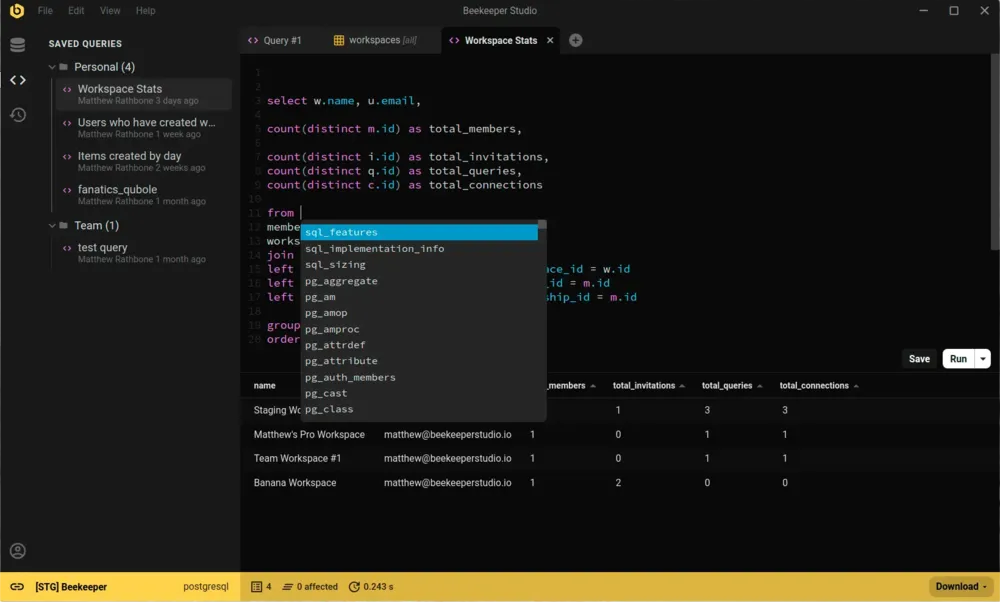
DBeaver packs an enormous amount of functionality into an Eclipse-based interface. If you have the patience to learn its workflows, it can do nearly anything. The trade-off is exactly what John says above: it’s overcrowded, and a lot of what’s there is junk you’ll never touch.
Beekeeper Studio takes the opposite bet: cover the 80% of database work most developers actually do (write SQL, edit data, browse schemas, save queries, switch between connections), and make that 80% feel fast and uncluttered.
Use DBeaver if you need feature density above all (obscure JDBC drivers, deep ER modeling, every export format under the sun) and you don’t mind the learning curve.
Use Beekeeper Studio if you’d rather your database tool got out of the way so you can focus on the work.
I switched to Beekeeper Studio when DBeaver and SQuirrel SQL became overloaded with features and got slow and clunky. - Vijay Mariadassou
I built Beekeeper Studio because I got fed up with overly complex database apps that I had to re-learn every time I used them. I wanted something fast and light that felt like VSCode or Sublime Text, but for SQL.
Spoiler: I couldn't find a good app that fit my criteria, so I built one. That's why Beekeeper Studio exists today.
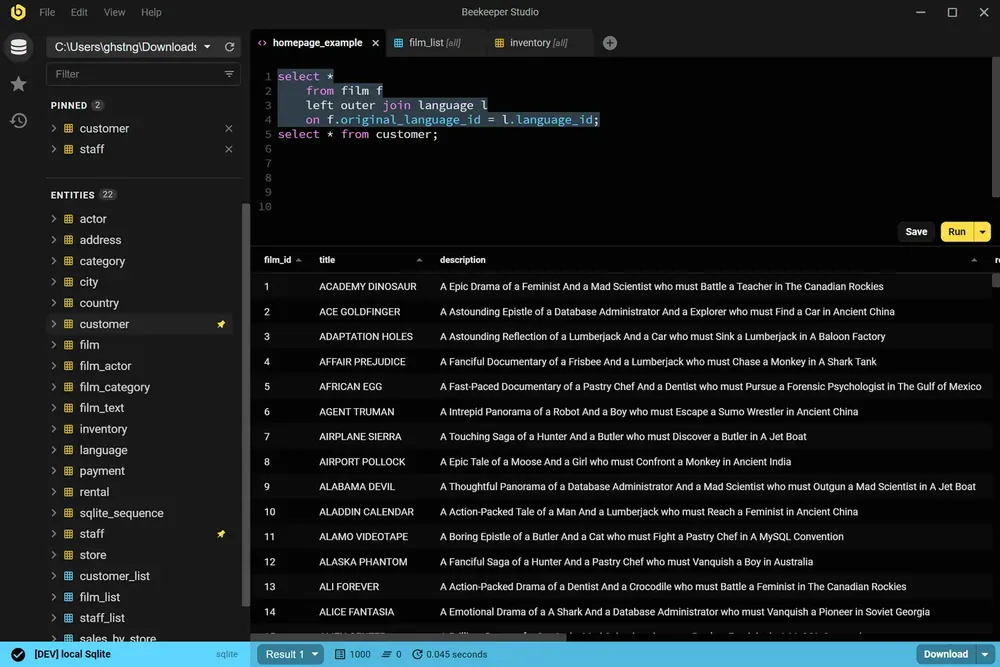
Beekeeper Studio has a fast, modern UI that feels like it was built this century. Open it, connect, and start running queries. No tutorial required.
Beekeeper Studio fits right in. I didn’t have to take hours to figure out how to properly use it, and it was a seamless addition to my toolkit. - CS (research)
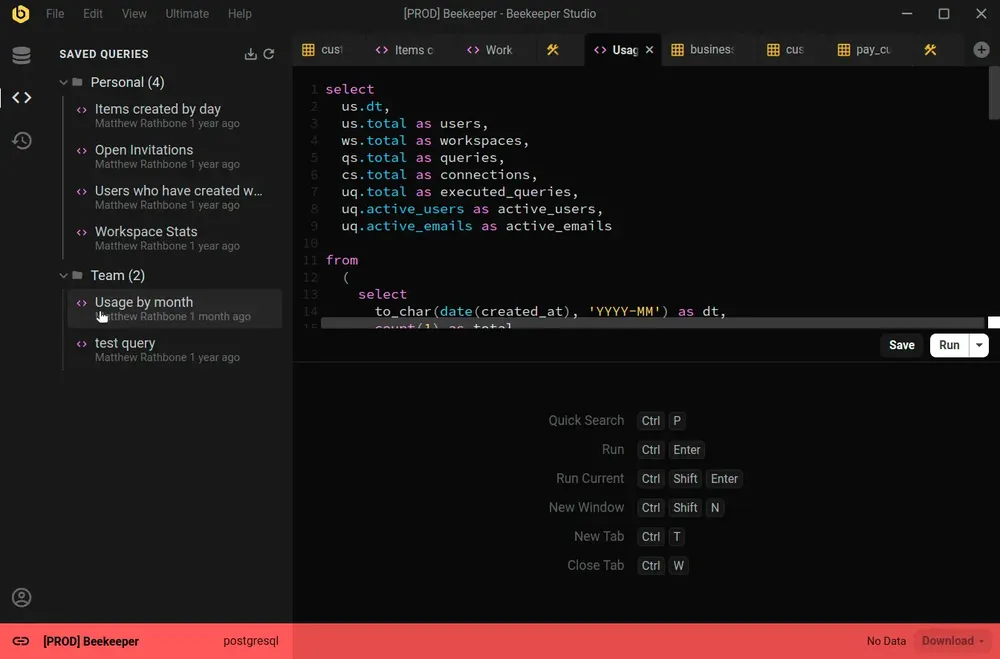
Beekeeper Studio supports a wide range of databases, such as SQLite, Postgres, and even Oracle. Easily identify different environments by color coding each connection, and the whole app will change to match when you connect.
Nice support for multiple environments (I label prod red, dev yellow, localhost green). - Chander, Motion
Beekeeper Studio works the same on MacOS, Windows, and Linux. Like you, we tinker with all types of computers, so we want our software to be top-notch, even especially on Linux.
I work on a combination of Mac and Linux and the ability to have feature parity and the same application on both platforms is outstanding. - Brian Loomis, Principal Engineer, Nikola Motor
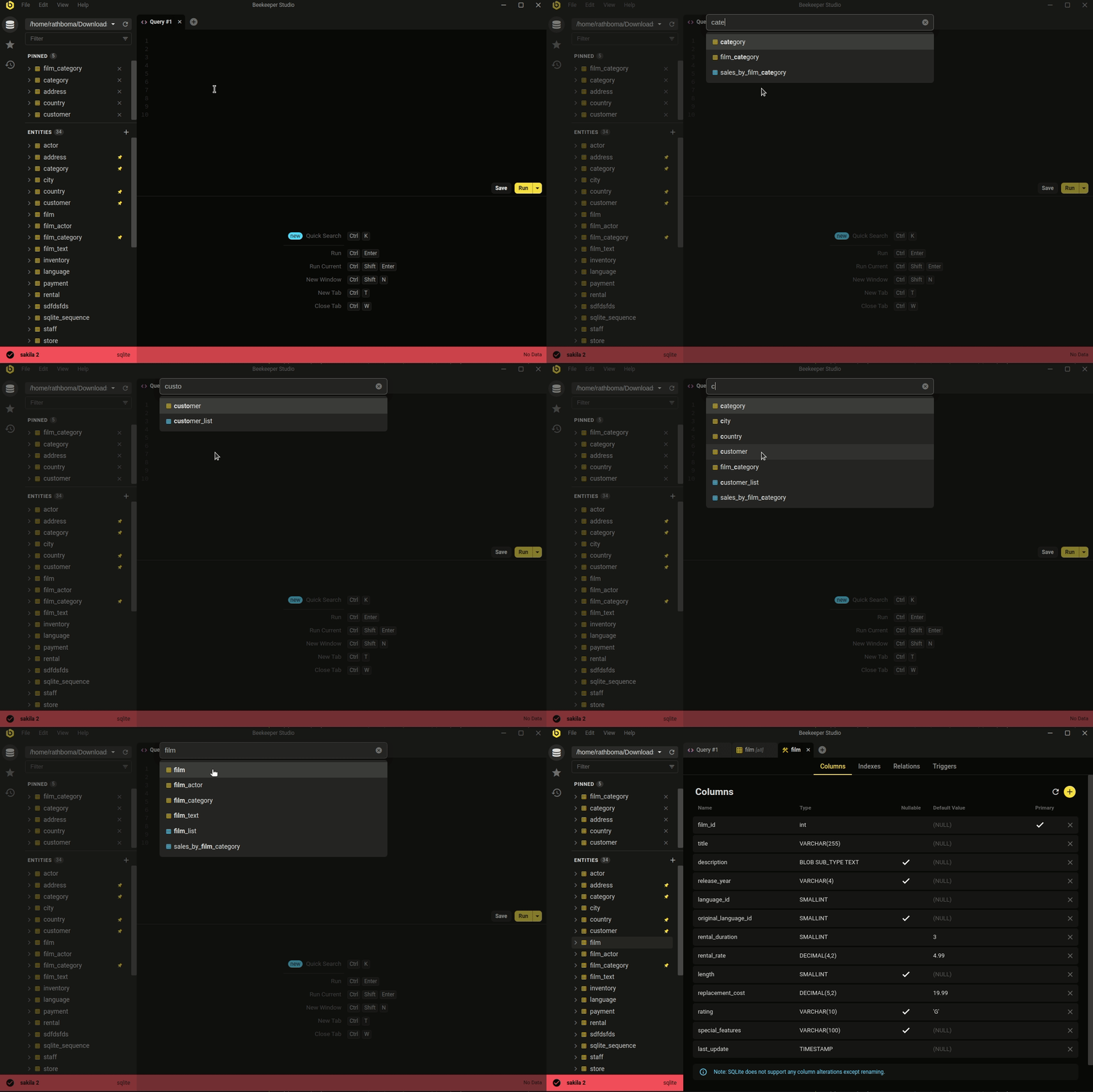 Ctrl/Cmd+P - quicksearch your database and saved queries
The minimal, modern aesthetic isn't the whole story. Beekeeper covers the day-to-day database work most developers actually do.
Whether you're looking to quickly and easily edit data, write SQL like a pro, create & modify tables, or even share queries with coworkers, Beekeeper Studio has you covered.
Beekeeper Studio’s attention to design (both visual and functionalities) helps ease the work. - Long
Free to download, no signup or credit card required.