Alternativa ligera a DataGrip
Beekeeper Studio es una alternativa a DataGrip rápida e intuitiva. Como DataGrip, pero sin tener que instalar IntelliJ para usarlo.

DataGrip es engorroso de usar: aunque tiene muchísimas funciones, las tareas comunes son molestas de hacer. - Jeff Hertzler
Beekeeper Studio es como se sentiría DataGrip si no tuvieras que instalar IntelliJ para usarlo. Igual que DataGrip, es multiplataforma y es compatible con muchas bases de datos. A diferencia de DataGrip, no es un IDE al estilo JetBrains. Nada de 293 atajos de teclado que aprender, nada de preferencias dentro de preferencias, nada de interfaces de Java Swing con mil botones.
Descarga Beekeeper Studio aquí.
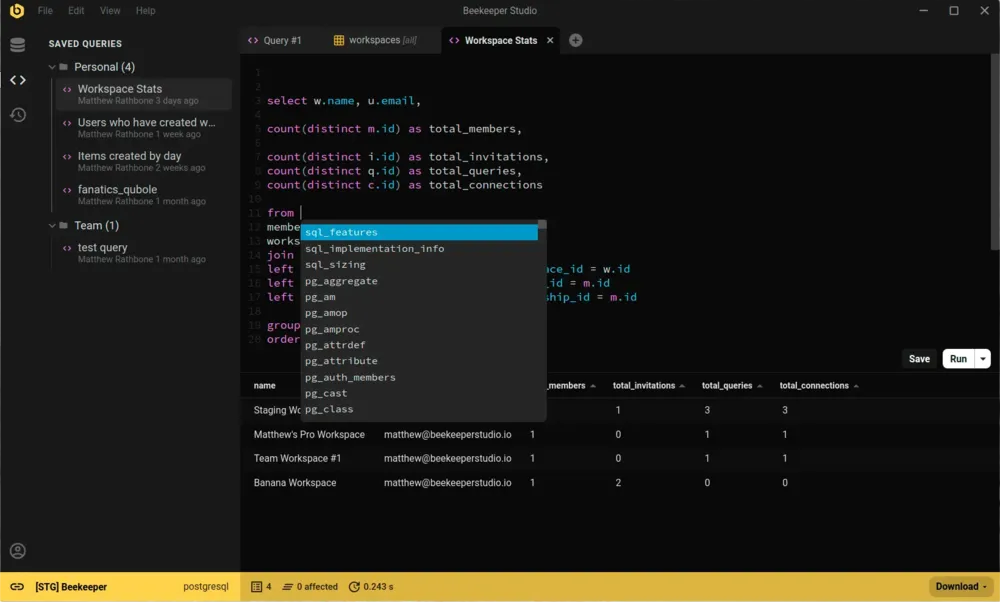
DataGrip es realmente completo. Si vives dentro de los productos de JetBrains y quieres una herramienta de bases de datos que iguale a IntelliJ función por función, es la opción correcta.
La mayoría de los desarrolladores no necesita eso. Quieren conectarse, escribir una consulta, ver resultados, editar una fila y guardar la consulta para después. Beekeeper hace eso rápido y bien, en Mac, Linux y Windows, con gran compatibilidad con las bases de datos que de verdad usas.
Casi compro Jetbrains Datagrip, pero no me gustan los productos de Jetbrains porque todos son muy pesados: es como correr un IDE de Eclipse o Intellij. - David
Usa DataGrip si ya estás metido de lleno en el mundo JetBrains o necesitas una herramienta de bases de datos que funcione como un IDE de SQL completo, con depuración y refactorización integradas.
Usa Beekeeper Studio si prefieres que tu herramienta de bases de datos abra en un segundo y no te estorbe para que puedas ejecutar tus consultas.
Abrí la app y no era fea. - Matthew Wojtowicz
Creé Beekeeper Studio porque me harté de apps de bases de datos demasiado complejas que tenía que volver a aprender cada vez que las usaba. Quería algo rápido y ligero que se sintiera como VSCode o Sublime Text, pero para SQL.
Spoiler: no encontré una buena app que cumpliera mis criterios, así que hice una. Por eso existe hoy Beekeeper Studio.
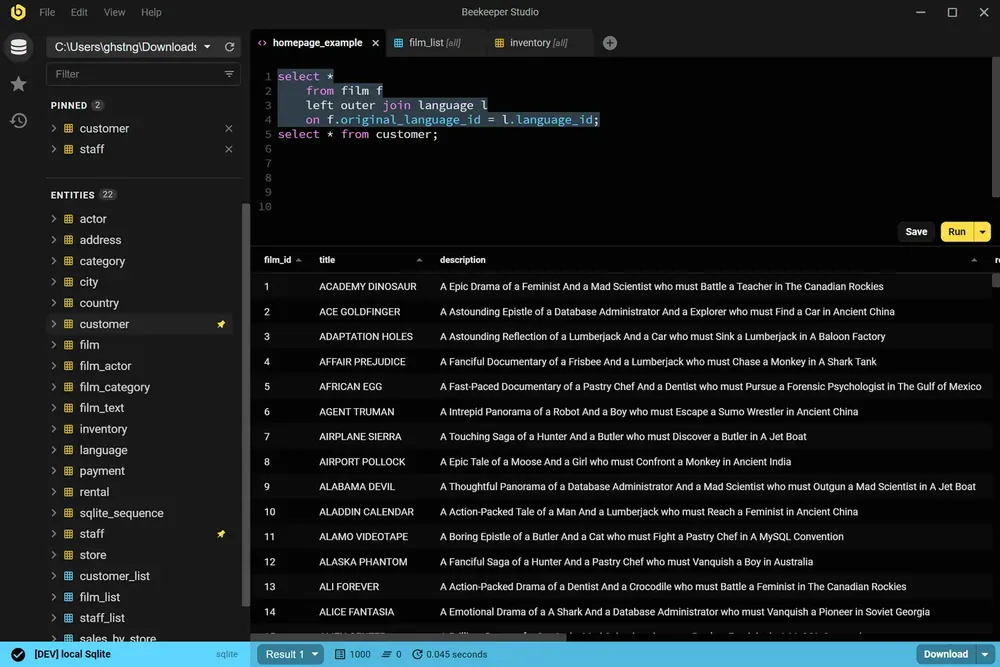
Beekeeper Studio tiene una interfaz rápida y moderna que se siente hecha en este siglo. Ábrelo, conéctate y empieza a ejecutar consultas. Sin tutoriales.
Beekeeper Studio encaja perfecto. No tuve que pasar horas averiguando cómo usarlo bien, y se integró sin problemas a mis herramientas. - CS (investigación)
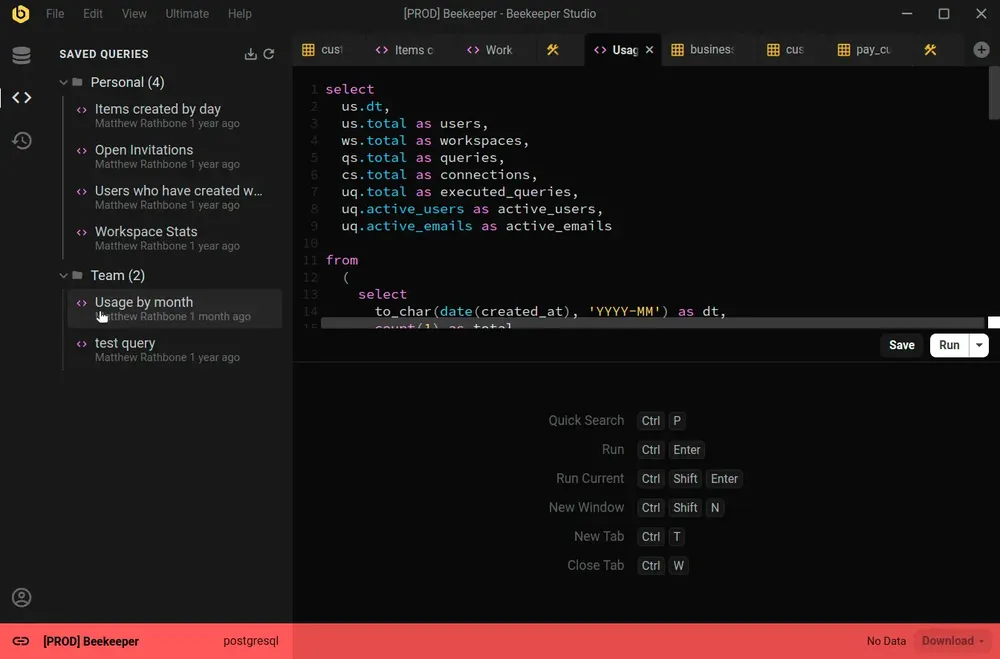
Beekeeper Studio es compatible con una amplia variedad de bases de datos, como SQLite, Postgres e incluso Oracle. Identifica fácilmente distintos entornos asignando un color a cada conexión, y toda la app cambiará para combinar cuando te conectes.
Buen soporte para múltiples entornos (marco prod en rojo, dev en amarillo y localhost en verde). - Chander, Motion
Beekeeper Studio funciona igual en MacOS, Windows y Linux. Como tú, usamos todo tipo de computadoras, así que queremos que nuestro software sea de primera, incluso sobre todo en Linux.
Trabajo con Mac y Linux, y poder tener las mismas funciones y la misma aplicación en ambas plataformas es excelente. - Brian Loomis, Principal Engineer, Nikola Motor
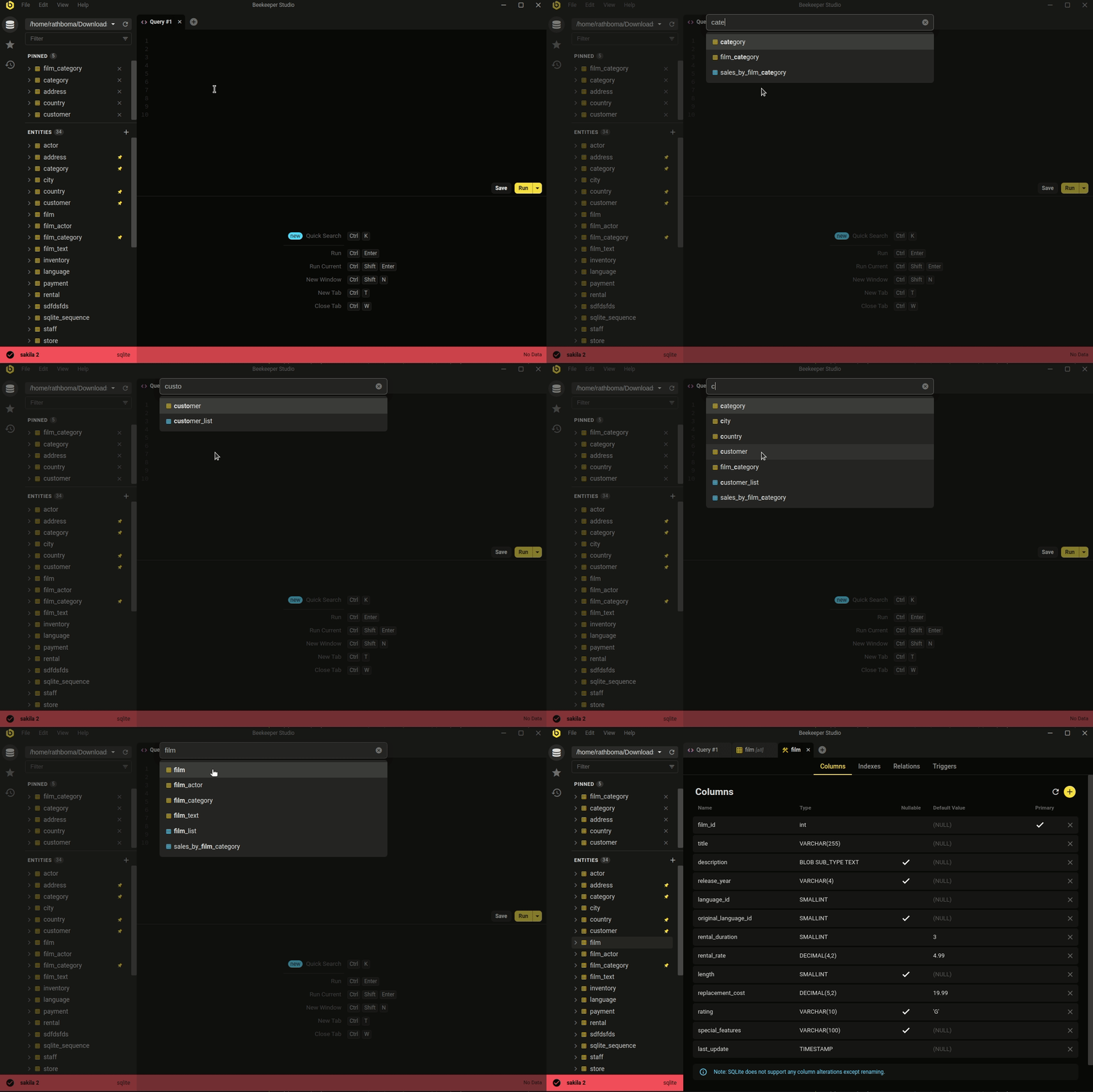 Ctrl/Cmd+P - búsqueda rápida en tu base de datos y consultas guardadas
La estética minimalista y moderna no lo es todo. Beekeeper cubre el trabajo diario con bases de datos que la mayoría de los desarrolladores realmente hace.
Ya sea que quieras editar datos de forma rápida y sencilla, escribir SQL como un pro, crear y modificar tablas o incluso compartir consultas con tus compañeros, Beekeeper Studio te tiene cubierto.
La atención de Beekeeper Studio al diseño (tanto visual como funcional) facilita el trabajo. - Long
Descarga gratis, sin registro ni tarjeta de crédito.