
A CONSTRAINT is a rule that is used to limit the type of data that can be inserted into a table. In PostgreSQL, constraints are used to specify rules for the data in a table.
To add a CONSTRAINT to a table in PostgreSQL, follow these steps:
First, use the ALTER TABLE statement to specify the table that you want to add the constraint to.
ALTER TABLE table_name
Then use the ADD keyword to specify that you want to add a new constraint.
ADD CONSTRAINT constraint_name
Specify the type of constraint that you want to add. There are several types of constraints available in PostgreSQL, including:
-
UNIQUE: This constraint ensures that all values in a column are unique. -
NOT NULL: This constraint ensures that a column cannot have aNULLvalue. -
CHECK: This constraint allows you to specify a condition that must be met by the data in a column. -
FOREIGN KEY: This constraint is used to enforce a link between the data in two tables.
Finally provide any additional details or options for the constraint, as needed. For example, if you are adding a UNIQUE constraint, you may need to specify the columns that the constraint applies to.
ADD CONSTRAINT constraint_name UNIQUE (column1, column2)
Foreign key constraints
Use the ADD keyword and the FOREIGN KEY constraint to specify the link between the two tables.
ADD CONSTRAINT constraint_name FOREIGN KEY (column1) REFERENCES other_table (column2)
Check constraints
Use the CHECK constraint to specify a condition that the data in a column must meet.
ADD CONSTRAINT constraint_name CHECK (column1 > 0)
Null check constraints
Use the NOT NULL constraint to specify that a column cannot have a NULL value.
ADD CONSTRAINT constraint_name NOT NULL
Unique constraint
Use the ALTER TABLE statement to add the constraint to the table.
ALTER TABLE table_name ADD CONSTRAINT constraint_name UNIQUE (column1, column2);
In this example, we are adding a UNIQUE constraint to the table_name table, on the column1 and column2 columns.
After you have added the constraint, you can use the \d command in the psql terminal to view the details of the table and see the constraints that have been added.
\d table_name
This will display the structure of the table, including the constraints that have been added.
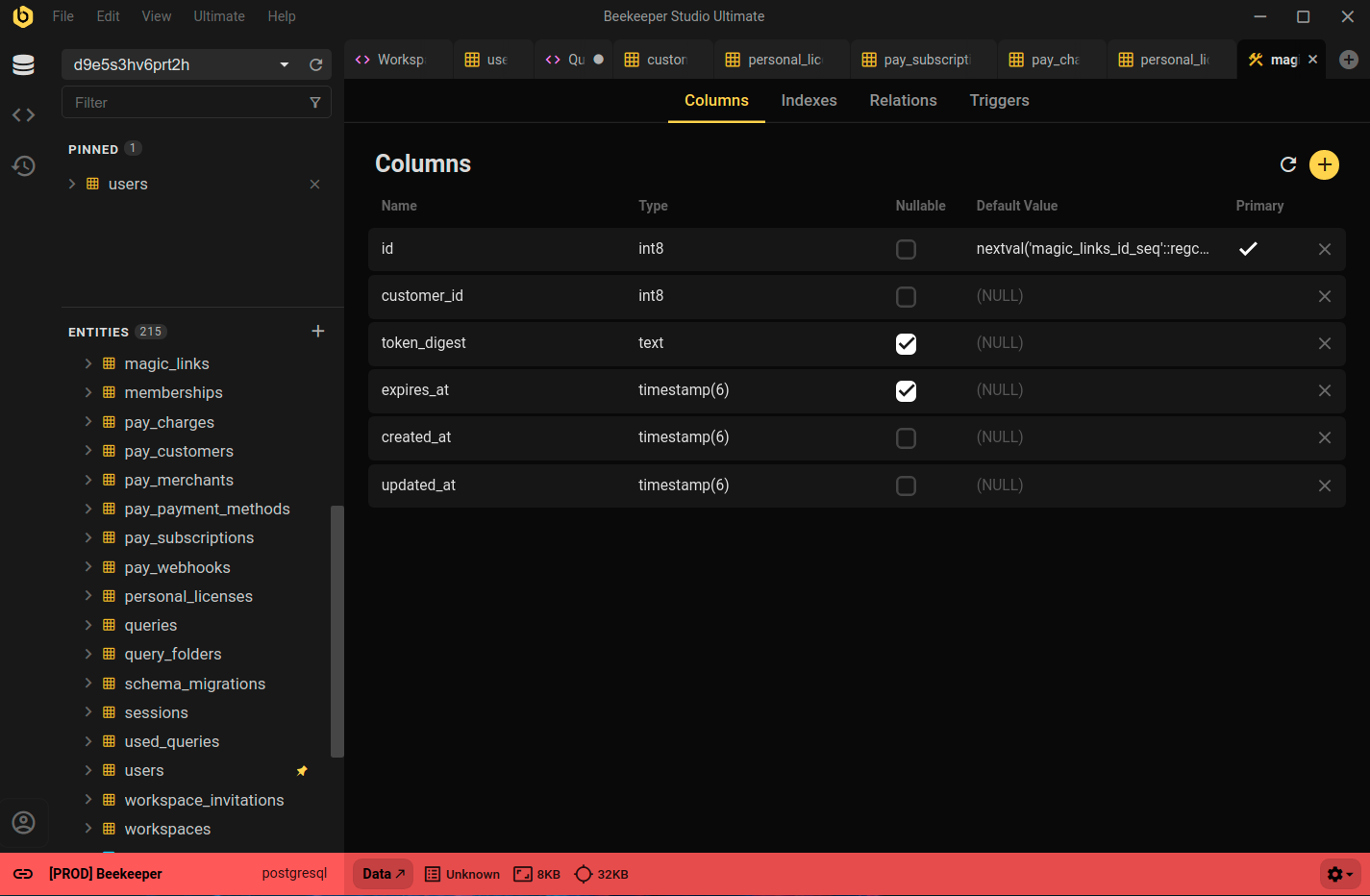
Constraints are Easy in Beekeeper Studio
You can easily view, crate, and modify constraints using Beekeeper Studio, by right clicking a table and selecting View Structure.
Summary
In summary, to add a CONSTRAINT to a table in PostgreSQL, use the ALTER TABLE statement, followed by the ADD keyword and the CONSTRAINT keyword. Then specify the type of constraint that you want to add, and provide any additional details or options.
 Beekeeper Studio È Una GUI per Database Gratuita e Open Source
Il miglior strumento per query SQL ed editor che abbia mai usato. Fornisce tutto ciò di cui ho bisogno per gestire il mio database. - ⭐⭐⭐⭐⭐ Mit
Beekeeper Studio è veloce, intuitivo e facile da usare. Beekeeper supporta molti database e funziona benissimo su Windows, Mac e Linux.
Cosa Dicono Gli Utenti Di Beekeeper Studio
"Beekeeper Studio ha completamente sostituito il mio vecchio workflow con PostgreSQL. È veloce, intuitivo e rende di nuovo piacevole lavorare con i database."
"Ho provato molte GUI per database, ma Beekeeper trova il perfetto equilibrio tra funzionalità e semplicità. Funziona e basta."