
As a database administrator, you may have come across a situation where you need to perform a certain task repeatedly and want to encapsulate that logic into a function. In PostgreSQL, functions are an essential tool that allow you to create custom logic in the form of stored procedures. In this blog post, we’ll learn how to create custom functions in PostgreSQL.
What is a PostgreSQL Function?
A function in PostgreSQL is a named block of code that accepts arguments, performs a set of operations, and returns a result. Functions are similar to procedures in other relational database management systems, but they have some unique features in PostgreSQL. Functions can return either a single value or multiple values, they can be used in SQL statements and they can be nested, which means you can call one function from within another function.
How to Create a Function in PostgreSQL
To create a function in PostgreSQL, you need to use the CREATE FUNCTION statement. Here’s the basic syntax for creating a function:
CREATE FUNCTION function_name(argument_1 data_type, argument_2 data_type, ...)
RETURNS return_data_type AS $$
BEGIN
    -- function body
END; $$
LANGUAGE language;
Let’s create a simple function that takes two numbers as input and returns the sum of those numbers. Here’s the code:
CREATE FUNCTION add_numbers(a integer, b integer)
RETURNS integer AS $$
BEGIN
    RETURN a + b;
END; $$
LANGUAGE plpgsql;
Here’s what’s happening in the code:
-
CREATE FUNCTION add_numbers(a integer, b integer)declares the function name and the arguments it accepts. -
RETURNS integerspecifies the data type of the returned value. In this case, it’s an integer. -
AS $$is the start of the function body. The function body is enclosed in two$$markers. -
BEGINandEND;define the start and end of the function body. -
RETURN a + b;is the logic of the function, which returns the sum of the two input arguments. -
LANGUAGE plpgsql;specifies the language in which the function is written. In this case, it’splpgsql.
How to Use a Function in PostgreSQL
Once you have created a function, you can use it in a SQL statement. Here’s how to use the add_numbers function we created above:
SELECT add_numbers(5, 7);
The output will be:
 add_numbers
-------------
           12
(1 row)
And that’s it! You have successfully created and used a custom function in PostgreSQL.
Custom Functions in Beekeeper Studio
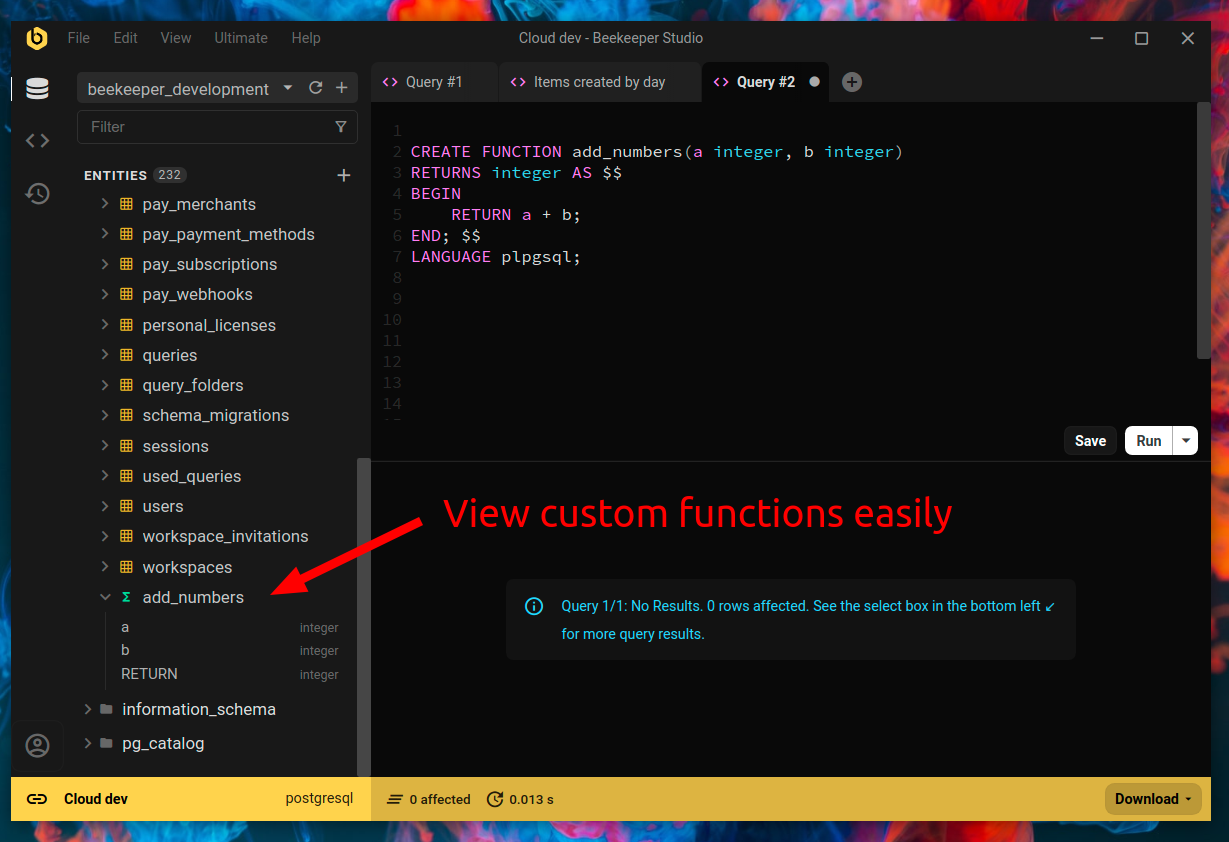
If you are using Beekeeper Studio you can see your custom functions in the left sidebar alongside all of your other entity data.
Conclusion
In this blog post, we learned how to create custom functions in PostgreSQL and how to use them in SQL statements. Functions are a powerful tool that can help you encapsulate complex logic and reuse it multiple times. By using functions, you can make your database code more organized and maintainable. So, go ahead and start creating your own functions in PostgreSQL today!
 Beekeeper Studioは無料でオープンソースのデータベースGUIです
今まで使った中で最高のSQLクエリ&エディタツールです。データベース管理に必要なすべてが揃っています。 - ⭐⭐⭐⭐⭐ Mit
Beekeeper Studioは高速で直感的、使いやすいです。Beekeeperは多くのデータベースをサポートし、Windows、Mac、Linuxで快適に動作します。
Beekeeper Studioについてユーザーの声
"Beekeeper Studioは私の古いSQLワークフローを完全に置き換えました。高速で直感的で、データベース作業を再び楽しくしてくれます。"
"多くのデータベースGUIを試しましたが、Beekeeperは機能とシンプルさの完璧なバランスを実現しています。とにかく動きます。"