
JSON_EXTRACT is a function in SQL that allows you to extract a value from a JSON string. It is often used with the SELECT statement to retrieve specific values from a table.
Tip: When you’re exploring JSON data in SQL, context is everything. Beekeeper Studio is a fast, cross-platform SQL editor that lets you browse tables, preview query results, and inspect structured data visually.
Simple JSON_EXTRACT example
Here is an example of how to use the JSON_EXTRACT function in a SELECT statement:
SELECT JSON_EXTRACT(json_column, '$.key1.key2')
FROM mytable
WHERE json_column IS NOT NULL;
In this example, the JSON_EXTRACT function is used to extract the value associated with the keys key1 and key2 from the json_column in the mytable table.
The function takes two arguments: the JSON string and the path to the value you want to extract. The path is specified using the $ sign to indicate the root of the JSON object, followed by a series of keys separated by dots (.).
If the JSON string in the json_column is structured like this:
{
  "key1": {
    "key2": "value"
  }
}
Then the JSON_EXTRACT function would return the string "value".
Using JSON_EXTRACT on nested data
You can also use the JSON_EXTRACT function to extract values from nested JSON objects. For example, if the JSON string in the json_column is structured like this:
{
  "key1": {
    "key2": {
      "key3": "value"
    }
  }
}
Then you can use the JSON_EXTRACT function with a path like this: $.key1.key2.key3 to extract the value "value".
Pro tip: If you often work with complex or nested JSON data, Beekeeper Studio’s JSON Sidebar makes it even easier — you can expand objects, search by key, and view deeply nested properties without running extra queries.
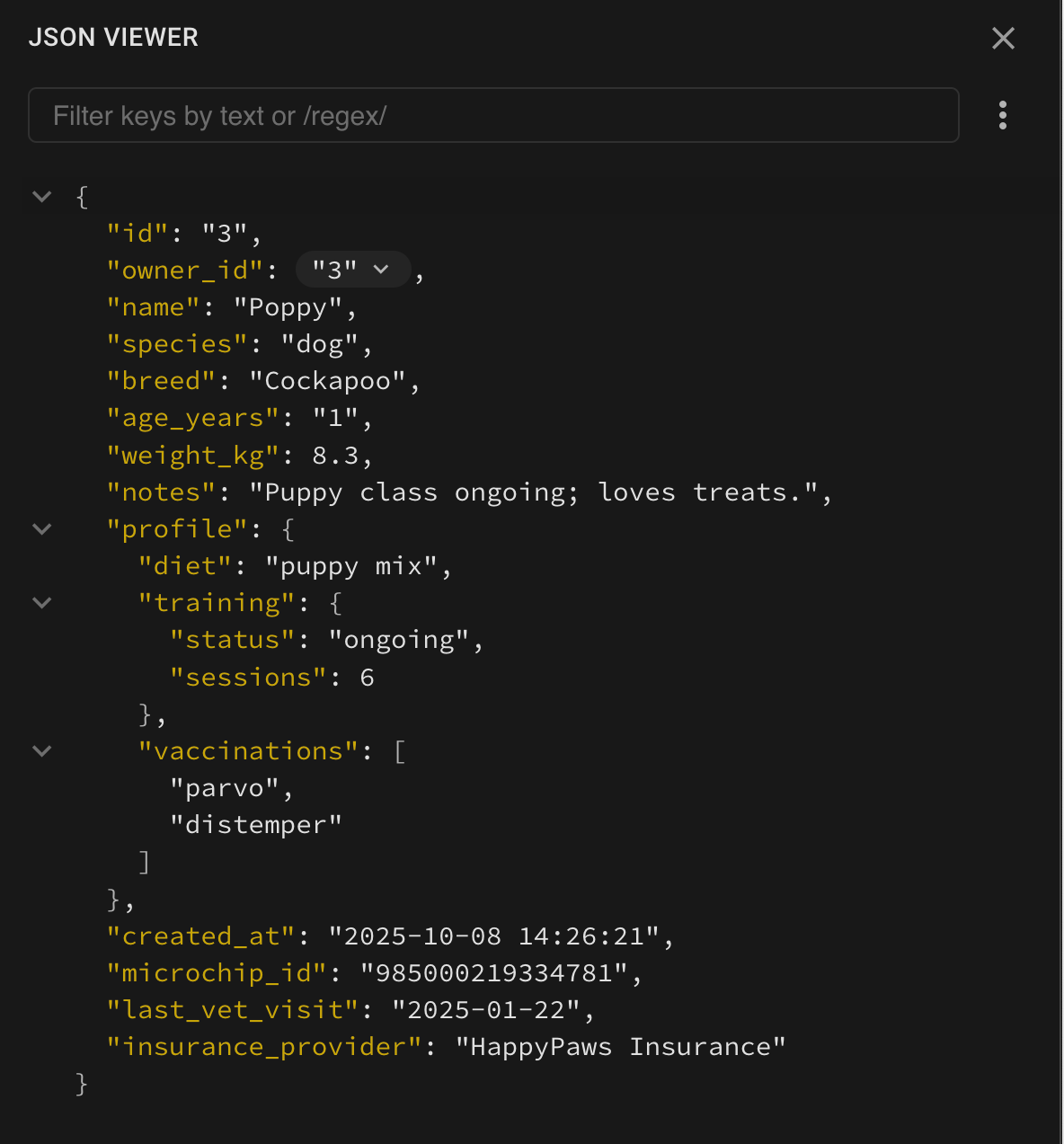 Beekeeper Studio’s JSON Sidebar showing structured JSON data with searchable keys and collapsible objects.
Using JSON_EXTRACT on arrays
Another useful feature of the JSON_EXTRACT function is that you can use it to extract values from JSON arrays. For example, if the JSON string in the json_column is structured like this:
{
  "key1": [
    {
      "key2": "value1"
    },
    {
      "key2": "value2"
    }
  ]
}
You can use the JSON_EXTRACT function with a path like this: $.key1[*].key2 to extract an array of values: ["value1", "value2"]. The [*] syntax indicates that you want to extract all values in the array, rather than just a specific index.
Using JSON_EXTRACT in other statements
In addition to the SELECT statement, you can also use the JSON_EXTRACT function in other SQL statements, such as INSERT, UPDATE, and DELETE, to manipulate JSON data in your database.
JSON_EXTRACT summary
Overall, the JSON_EXTRACT function is a powerful tool for working with JSON data in SQL. It allows you to easily extract specific values from JSON strings, even if the JSON is nested or contains arrays.
Need to convert JSON data to SQL INSERT statements? Try our free JSON to SQL Converter tool.
Try it in Beekeeper Studio
Whether you’re debugging API payloads or exploring event data, tools like Beekeeper Studio help you work faster. It’s the modern, cross-platform SQL editor for more than 20 databases, with powerful extras like the JSON Sidebar and an AI pair programmer to accelerate your database workflows.
 Beekeeper Studio는 무료 & 오픈 소스 데이터베이스 GUI입니다
제가 사용해 본 최고의 SQL 쿼리 & 편집기 도구입니다. 데이터베이스 관리에 필요한 모든 것을 제공합니다. - ⭐⭐⭐⭐⭐ Mit
Beekeeper Studio는 빠르고 직관적이며 사용하기 쉽습니다. Beekeeper는 많은 데이터베이스를 지원하며 Windows, Mac, Linux에서 훌륭하게 작동합니다.
사용자들이 Beekeeper Studio에 대해 말하는 것
"Beekeeper Studio는 제 예전 SQL 워크플로를 완전히 대체했습니다. 빠르고 직관적이며 데이터베이스 작업을 다시 즐겁게 만들어 줍니다."
"많은 데이터베이스 GUI를 사용해 봤지만, Beekeeper는 기능과 단순함 사이의 완벽한 균형을 찾았습니다. 그냥 작동합니다."