
Personne ne va prétendre que pgAdmin n’est pas performant. C’est le client graphique officiel de Postgres, il est gratuit, open source, et il sait faire à peu près tout ce dont tu as besoin pour administrer PostgreSQL. Le souci que rencontrent la plupart des développeurs, ce n’est pas la liste des fonctionnalités, c’est l’expérience d’utilisation au quotidien.
L’interface web, le processus serveur à garder en marche, les menus imbriqués, le mot de passe maître demandé à chaque redémarrage. Si tu utilises Postgres surtout pour du développement plutôt que pour de l’administration DBA complète, tu t’es sûrement demandé s’il existait quelque chose de plus léger.
Oui, ça existe. Voici cinq alternatives gratuites qui valent le coup d’œil.
Beekeeper Studio
Disponible sur Windows, MacOS et Linux - télécharger ici
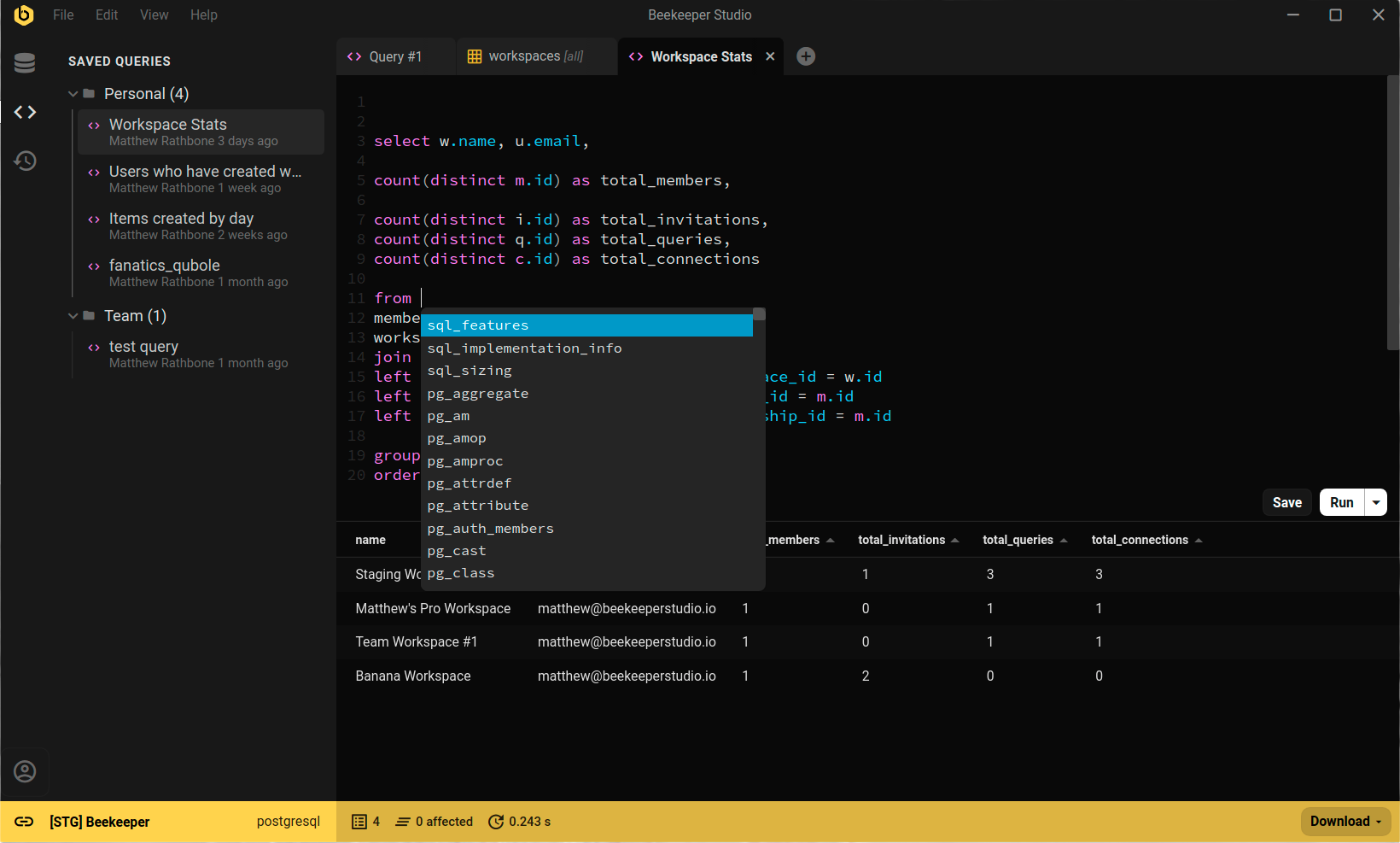
On met notre propre outil en premier, et on l’assume. Beekeeper Studio est l’alternative à pgAdmin qu’on a créée justement parce qu’on en avait assez de se battre avec ce genre d’outils. C’est une app de bureau native (pas de processus serveur, pas de navigateur), qui s’ouvre vite et se concentre sur l’écriture de requêtes plutôt que sur l’administration de serveur.
Passer de pgAdmin à Beekeeper, c’était comme passer de Teams à Slack. - Zhanna
Contrairement à pgAdmin, Beekeeper Studio prend en charge bien plus que Postgres. Tu as MySQL, SQLite, SQL Server et bien d’autres dans la même app, ce qui compte quand tu ne travailles pas avec Postgres 100 % du temps. L’éditeur propose l’autocomplétion, les requêtes en onglets, les requêtes enregistrées et l’édition des tableaux en ligne. Zéro télémétrie, code source sur GitHub sous GPLv3.
La Community Edition gratuite couvre ce dont la plupart des développeurs ont besoin au quotidien. Les offres payantes ajoutent l’import/export complet, la sauvegarde & restauration, les workspaces d’équipe et d’autres bases de données comme Oracle et Cassandra.
Évidemment, on n’est pas objectifs. Essaie-le et fais-toi ton propre avis.
Liens Beekeeper Studio
- Comparer Beekeeper Studio et pgAdmin
- Guide des clients Postgres
- Télécharger Beekeeper Studio (gratuit, sans inscription)
- Tarifs
- Code source sur GitHub
DBeaver Community
Disponible sur Windows, MacOS et Linux
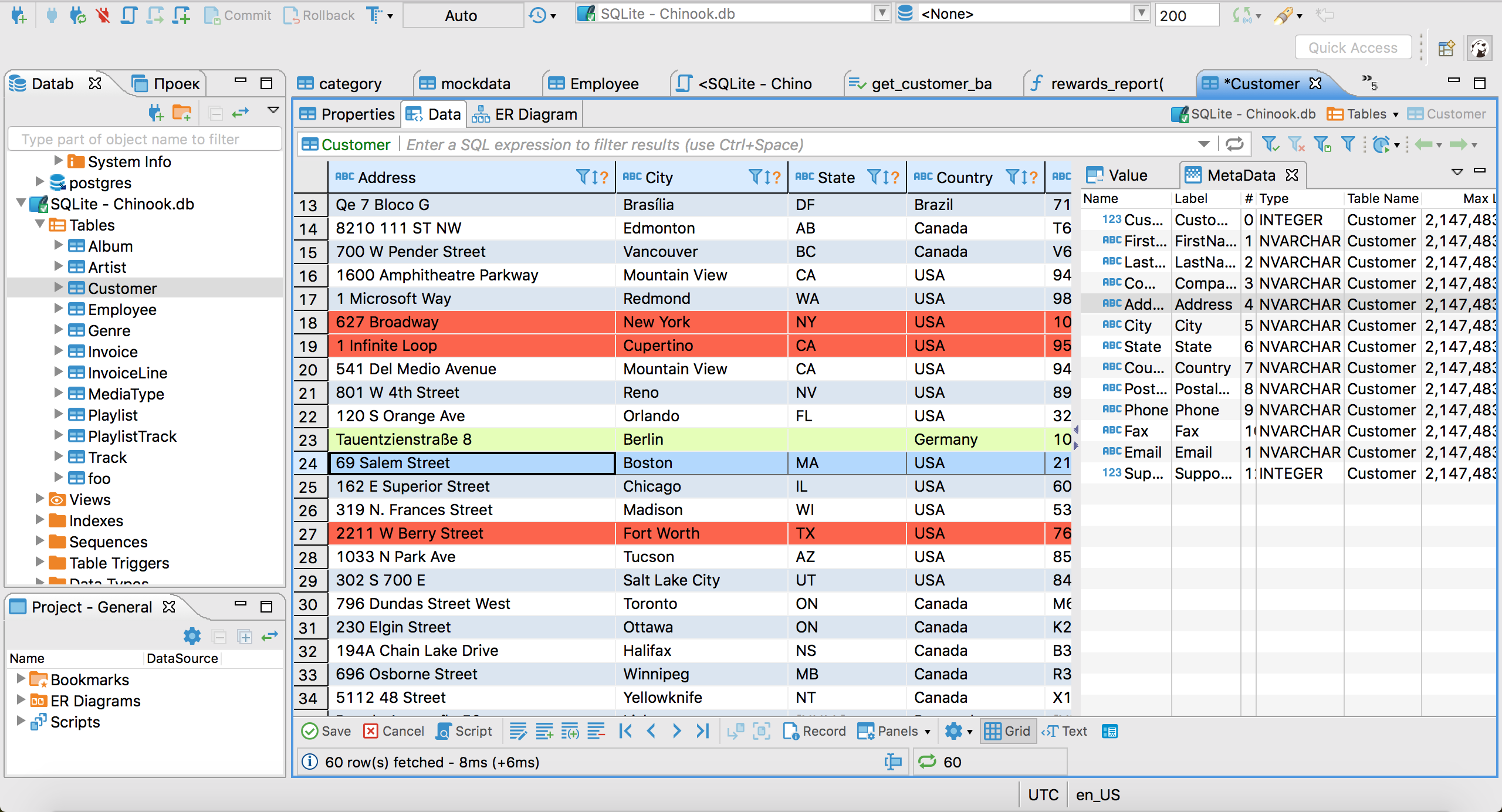
DBeaver Community est la recommandation classique pour qui a besoin de polyvalence. Il se connecte à pratiquement tous les moteurs de base de données qui comptent (PostgreSQL, MySQL, SQLite, Oracle, SQL Server, MongoDB et des dizaines d’autres via JDBC) et la Community Edition est vraiment gratuite et open source (Apache 2.0).
Pour PostgreSQL en particulier, DBeaver couvre bien l’essentiel : éditeur SQL avec autocomplétion et plans d’exécution, navigation et édition des tableaux, visualisation du schéma, diagrammes ER et import/export. Ça fait beaucoup d’outils dans un package gratuit.
La contrepartie, c’est l’interface. DBeaver repose sur la plateforme Eclipse, il en a donc la personnalité : puissant, configurable et visuellement chargé. Si tu quittes pgAdmin à cause de sa complexité, DBeaver déplace cette complexité plutôt qu’il ne la supprime. Mais si tu as besoin d’un vrai support multi-bases gratuitement, rien d’autre dans cette liste ne lui arrive à la cheville.
Liens DBeaver
HeidiSQL
Windows uniquement
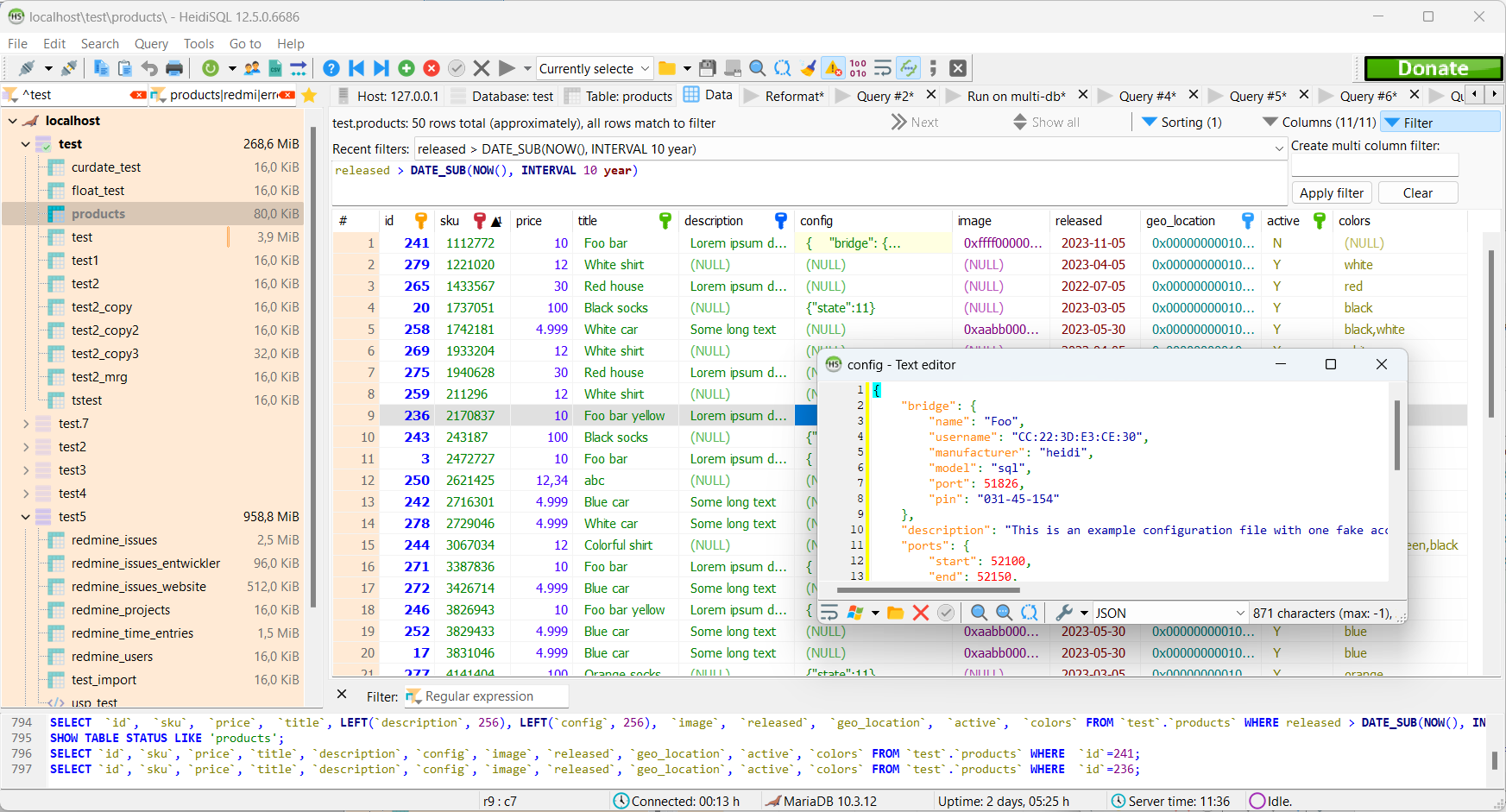
HeidiSQL est un client de base de données Windows solide et sans chichis depuis 2002. Il est gratuit, open source, et prend en charge MySQL, MariaDB, SQL Server et PostgreSQL, le tout dans une app Windows native à l’interface simple.
Si tu es sous Windows et que tu veux un outil léger qui se connecte et te laisse bosser, HeidiSQL fait le job. Il paraît moins moderne que certains outils plus récents, mais il est stable, activement maintenu, et il gère les cas particuliers depuis assez longtemps pour être soutenu par une bonne base de connaissances communautaire.
La limite évidente : il ne tourne que sous Windows. Si tu es sur macOS ou Linux, il ne te servira à rien.
Liens HeidiSQL
TablePlus
Disponible sur macOS, Windows et Linux
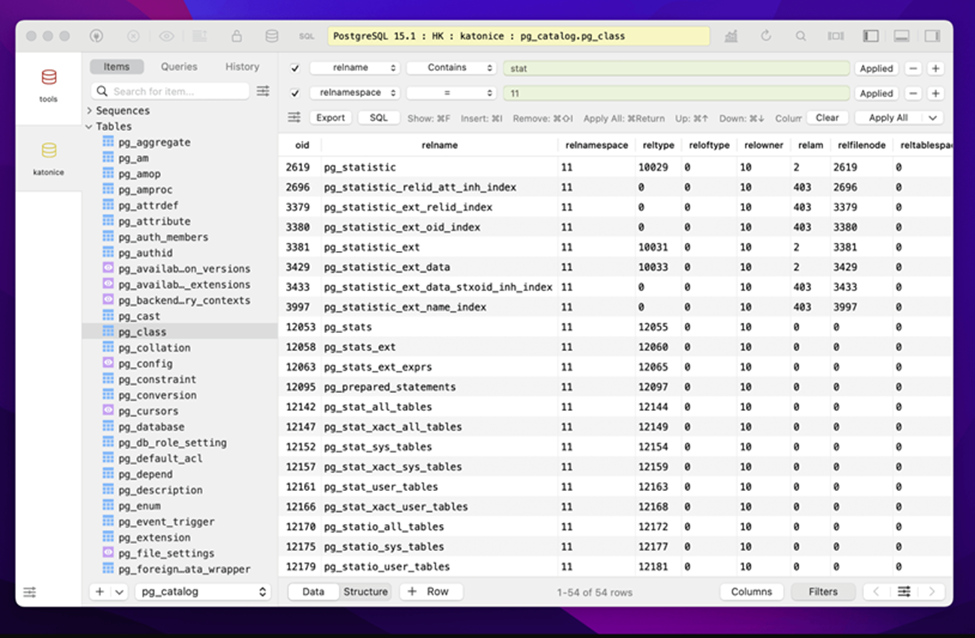
TablePlus est l’alternative soignée et au look natif pour ceux qui privilégient avant tout une interface épurée. Il est rapide, l’interface est dégagée, et il prend en charge PostgreSQL ainsi que MySQL, SQLite, SQL Server, Redis et d’autres.
Il n’est pas open source, ni entièrement gratuit : la version gratuite limite le nombre d’onglets et de connexions ouverts, ce qui suffit pour un usage ponctuel mais devient gênant au quotidien. L’accès complet nécessite une licence payante (achat unique ; consulte leur site pour les tarifs actuels). La version macOS est la plus aboutie ; le support Linux existe mais reste un peu brut.
Si tu veux un outil qui s’intègre parfaitement à ton OS et que la licence ne te dérange pas, TablePlus vaut le détour.
Liens TablePlus
Adminer
Web
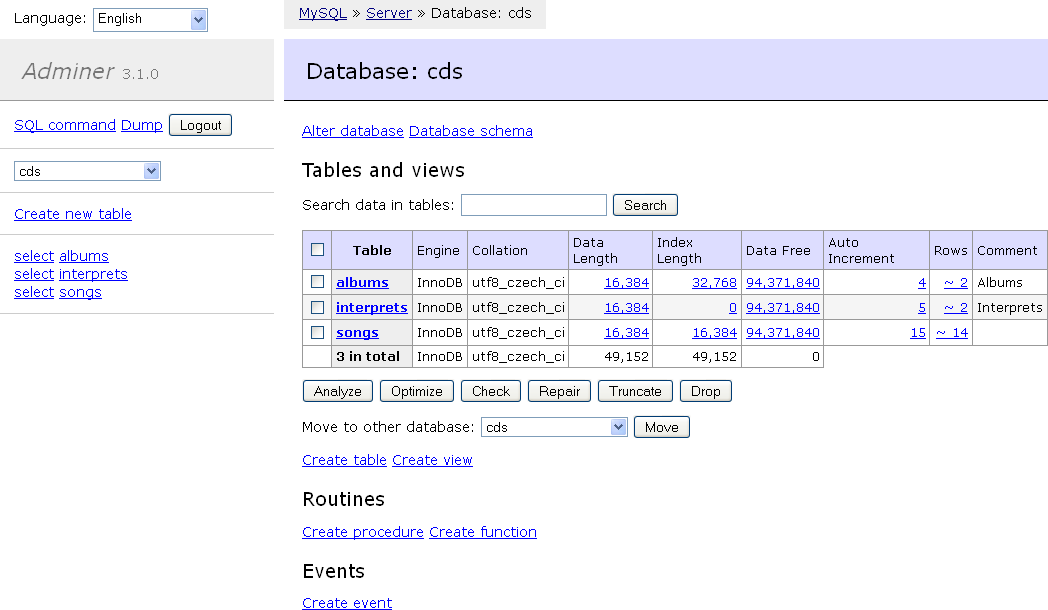
Adminer occupe une place intéressante : comme pgAdmin, il est basé sur le web, mais il est fourni sous forme d’un unique fichier PHP. Dépose-le sur un serveur web que tu fais déjà tourner, ouvre l’URL, et tu as un client graphique qui prend en charge PostgreSQL, MySQL, SQLite et d’autres.
L’interface est bien plus simple que celle de pgAdmin. Si tu travailles déjà dans un environnement PHP ou que tu as besoin d’accéder rapidement à une base de données sur un serveur distant sans installer d’app de bureau, Adminer est une option pratique. Il ne remplacera pas un client de bureau pour le développement au quotidien, mais pour un accès côté serveur, difficile de faire plus simple.
Adminer est gratuit et open source.
Liens Adminer
Un mot sur pgAdmin lui-même
pgAdmin n’est pas un mauvais outil entre de mauvaises mains, c’est un mauvais outil dans le mauvais contexte. Si tu es DBA et que tu passes vraiment du temps sur les rôles serveur, la configuration de la réplication, l’analyse du vacuum et les vues pg_stat_*, pgAdmin a la profondeur qu’il te faut, et rien dans cette liste ne le remplace complètement pour ce travail.
Mais si tu écris surtout des requêtes, parcours des données et modifies parfois un schéma, tu n’as probablement pas besoin de cette profondeur, et certains outils de cette liste rendront ton travail quotidien bien moins pénible.
Pour conclure
Le point commun de cette liste : tous ces outils sont gratuits pour commencer (ou ont une édition communautaire vraiment gratuite), et tous sont plus légers que pgAdmin pour les usages typiques d’un développeur.
Beekeeper Studio est celui qu’on a créé, donc oui, on n’est pas objectifs, mais c’est aussi celui qui se rapproche le plus de l’expérience « laisse-moi juste interroger ma base » que pgAdmin n’offre pas. Multiplateforme, open source, et pas besoin qu’un processus serveur tourne avant de pouvoir l’ouvrir.
À lire aussi
- Clients graphiques PostgreSQL gratuits
- Beekeeper Studio vs pgAdmin
- Guide des clients PostgreSQL
- Alternatives gratuites & open source à DBeaver
- Tarifs & éditions
 Beekeeper Studio est une interface de base de données gratuite & open source
Le meilleur outil de requêtes & éditeur SQL que j’aie jamais utilisé. Il m’offre tout ce dont j’ai besoin pour gérer ma base de données. - ⭐⭐⭐⭐⭐ Mit
Beekeeper Studio est rapide, intuitif et facile à utiliser. Beekeeper prend en charge plein de bases de données et fonctionne parfaitement sous Windows, Mac et Linux.
Ce que les utilisateurs disent de Beekeeper Studio
« Beekeeper Studio a complètement remplacé mon ancien workflow SQL. Il est rapide, intuitif, et rend le travail sur les bases de données à nouveau agréable. »
« J’ai essayé beaucoup de clients de base de données, mais Beekeeper trouve l’équilibre parfait entre fonctionnalités et simplicité. Ça marche, tout simplement. »