
When it comes to working with SQL Server, one of the most important steps you can take is to source control your database schema. Source control, also known as version control, allows you to track changes to your database code over time and keep a history of all modifications, making it easier to collaborate with other team members, troubleshoot issues, and ensure code consistency.
Reasons to use source control for SQL Server
Here are a few reasons why you should source control your SQL Server database:
Troubleshooting problems
When a problem arises with your database, source control can help you identify the source of the issue. Its version history allows you to quickly pinpoint what changed and roll back if necessary.
Consistency
With source control, you can review all changes to your database to ensure they are consistent and follow a standard process. This is especially important in large-scale development where multiple developers are working on the same database.
Collaboration
If you are working on a project with a team of developers, it can be difficult to manage multiple changes to the database without source control.
By using source control, each developer can work on their own copy of the database and then merge their changes back into the main branch after approval. This ensures that everyone is working on the latest stable version of the database, and that changes are tracked and documented.
Auditing
Source control provides a detailed audit trail of all changes to your database schema, which can be important for regulatory compliance and data security.
How to source control your SQL Server schema
I’ve used a lot of tools in the past, but I recommend VersionSQL.
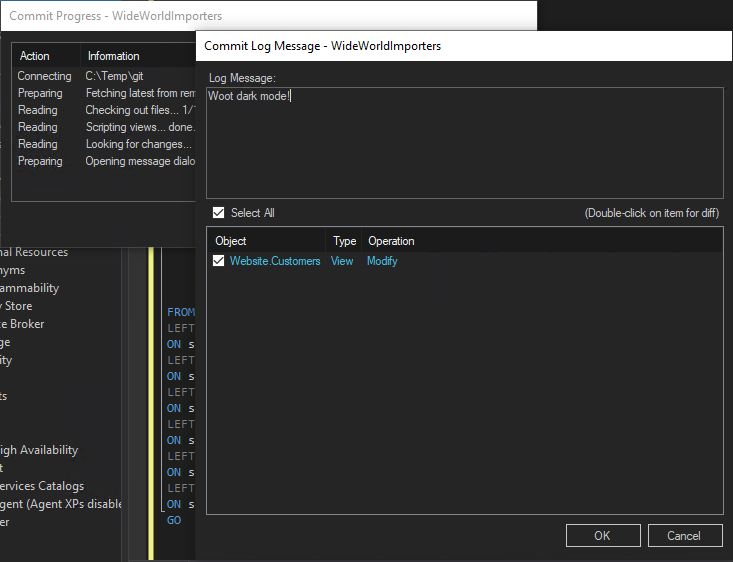
I’ve worked on a database schema with multiple team members before – it was a nightmare. VersionSQL makes it way less stressful, and like Beekeeper Studio it puts a lot of effort into making the tool easy to use (which I appreciate!).
Some things VersionSQL can do:
-
Integrate with SSMS - VersionSQL plugs directly into SQL Server Management Studio, adding zero-friction source control to your existing workflow.
-
Compare schemas - VersionSQL provides everything you need to discover and analyze your database’s changes super quick.
-
Generate migration and undo scripts - VersionSQL generates undo and deployment scripts, making it easy to roll back changes or deploy changes to your production environment.
-
Integrate with git (including GitHub) - Get started with just a repository URL.
Anyway, check out VersionSQL if you need a reliable and easy-to-use source control system for SQL Server. Michael, who runs the product is a de-facto SQL Server expert, and is also super friendly. It is way easier to get help from him than from a big faceless corporation.
(This is not a paid ad or anything. I just really like the tool)
 Beekeeper Studio는 무료 & 오픈 소스 데이터베이스 GUI입니다
제가 사용해 본 최고의 SQL 쿼리 & 편집기 도구입니다. 데이터베이스 관리에 필요한 모든 것을 제공합니다. - ⭐⭐⭐⭐⭐ Mit
Beekeeper Studio는 빠르고 직관적이며 사용하기 쉽습니다. Beekeeper는 많은 데이터베이스를 지원하며 Windows, Mac, Linux에서 훌륭하게 작동합니다.
사용자들이 Beekeeper Studio에 대해 말하는 것
"Beekeeper Studio는 제 예전 SQL 워크플로를 완전히 대체했습니다. 빠르고 직관적이며 데이터베이스 작업을 다시 즐겁게 만들어 줍니다."
"많은 데이터베이스 GUI를 사용해 봤지만, Beekeeper는 기능과 단순함 사이의 완벽한 균형을 찾았습니다. 그냥 작동합니다."