
Se você quer uma GUI desktop dedicada para Snowflake, aqui estão cinco opções que valem a pena, além de uma observação sobre o uso do VS Code.
Beekeeper Studio
Disponível para Windows, macOS e Linux - baixe aqui
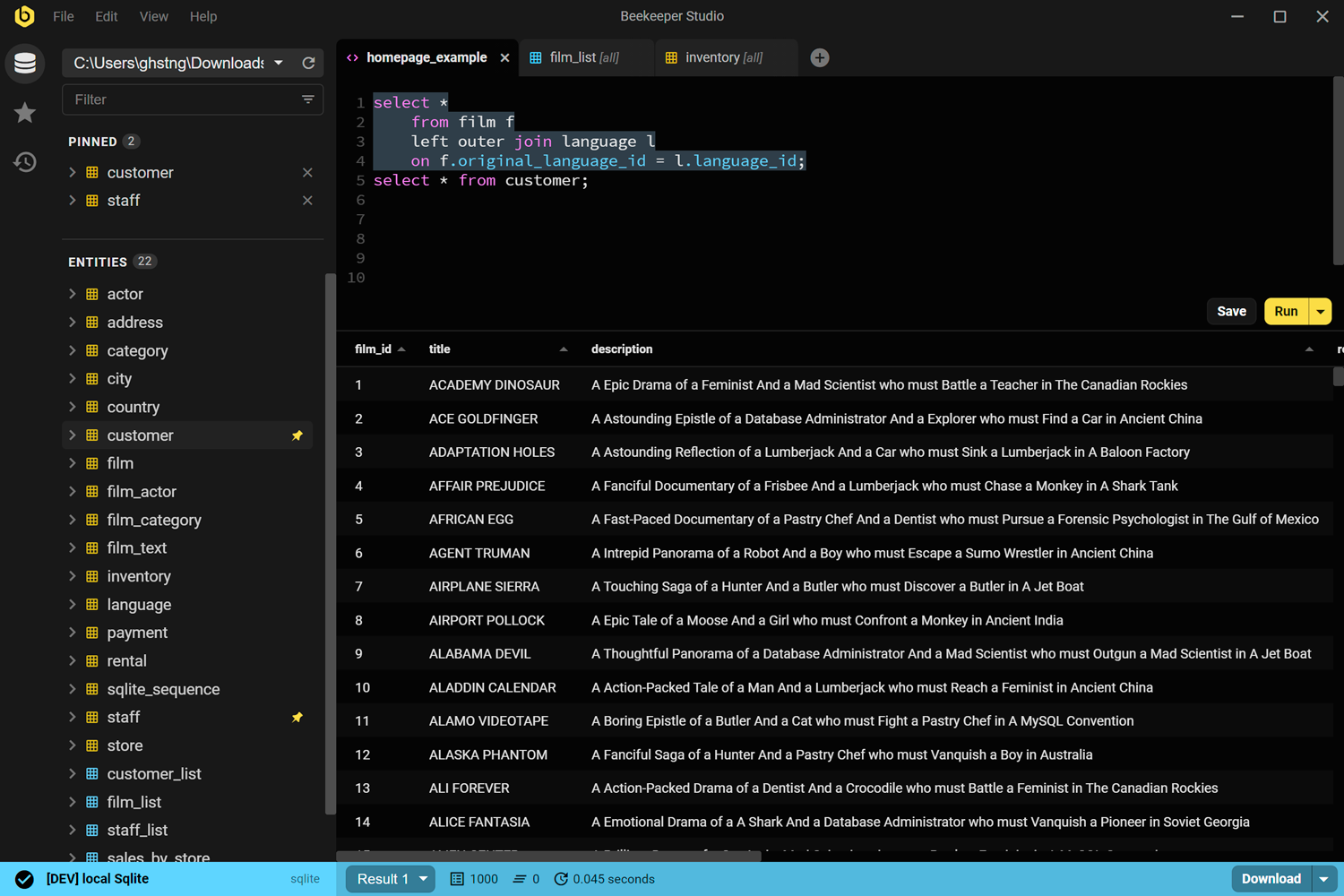
O Beekeeper Studio é um app de gerenciamento de banco de dados rápido, fácil de usar e intuitivo, disponível para Windows, Linux e MacOS.
O suporte do Beekeeper ao Snowflake é de primeira, e permite gerenciar sua instância Snowflake junto com outros bancos de dados como Postgres, SQL Server, Oracle ou MySQL.
Obviamente somos suspeitos, mas criamos o Beekeeper porque estávamos cansados de interfaces web que mudam o tempo todo e de apps desktop em Java Swing lentos pra caramba.
Depois de 6 anos e 3 milhões de downloads, pelo menos algumas pessoas gostam :-). Experimente você mesmo.
Links do Beekeeper Studio
- Baixar o Beekeeper Studio (download gratuito)
- Bancos de dados suportados
- Preços
- Código-fonte no GitHub
Snowsight
Baseado na web, gratuito com sua conta Snowflake
O Snowsight é a interface web do próprio Snowflake, incluída em todas as contas Snowflake. Você provavelmente já usou. Tem MUITOS botões; para ser sincero, acho um pouco sobrecarregado.
Para quem está começando com Snowflake, o Snowsight é a primeira parada óbvia. Nada para instalar, zero configuração, e ele conhece a estrutura da sua conta melhor do que qualquer ferramenta de terceiros.
As limitações são simples: funciona só no navegador, só com Snowflake, e se comporta como um app web, não como um cliente desktop. Você não pode abri-lo junto com uma conexão Postgres na mesma janela. Se o seu fluxo de trabalho envolve vários tipos de banco de dados, você vai sentir o atrito na hora.
Links do Snowsight
- Documentação do Snowsight
- Acesse pela sua conta Snowflake em app.snowflake.com
DBeaver Community
Disponível para Windows, macOS e Linux – gratuito e open source
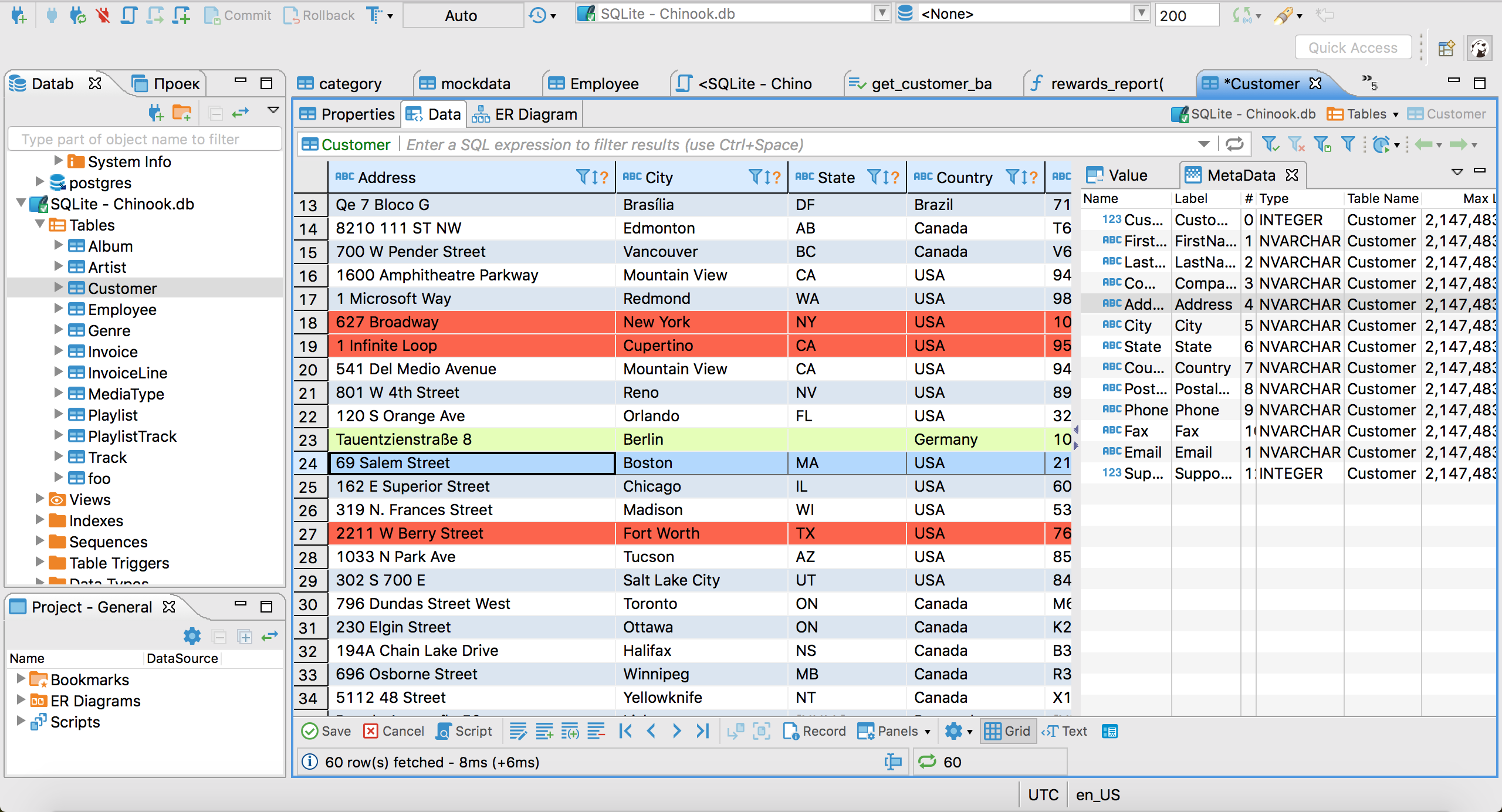
O DBeaver Community é o cliente desktop gratuito mais recomendado para Snowflake. Ele se conecta pelo driver JDBC do Snowflake, que baixa automaticamente quando você configura sua primeira conexão Snowflake. Depois de conectado, você tem um editor SQL com autocomplete, uma árvore de schemas, navegação e edição de dados de tabelas e exportação para CSV/JSON/Excel.
O DBeaver é muito poderoso e tem muitos recursos, mas o preço é a complexidade e a facilidade de uso. É um app Java lento baseado na engine do Eclipse (lembra do Eclipse!?). Se você curte uma interface estilo anos 90 cheia de botões, vai adorar o DBeaver.
Links do DBeaver
DataGrip
Disponível para Windows, macOS e Linux – pago, ~$229/ano individual
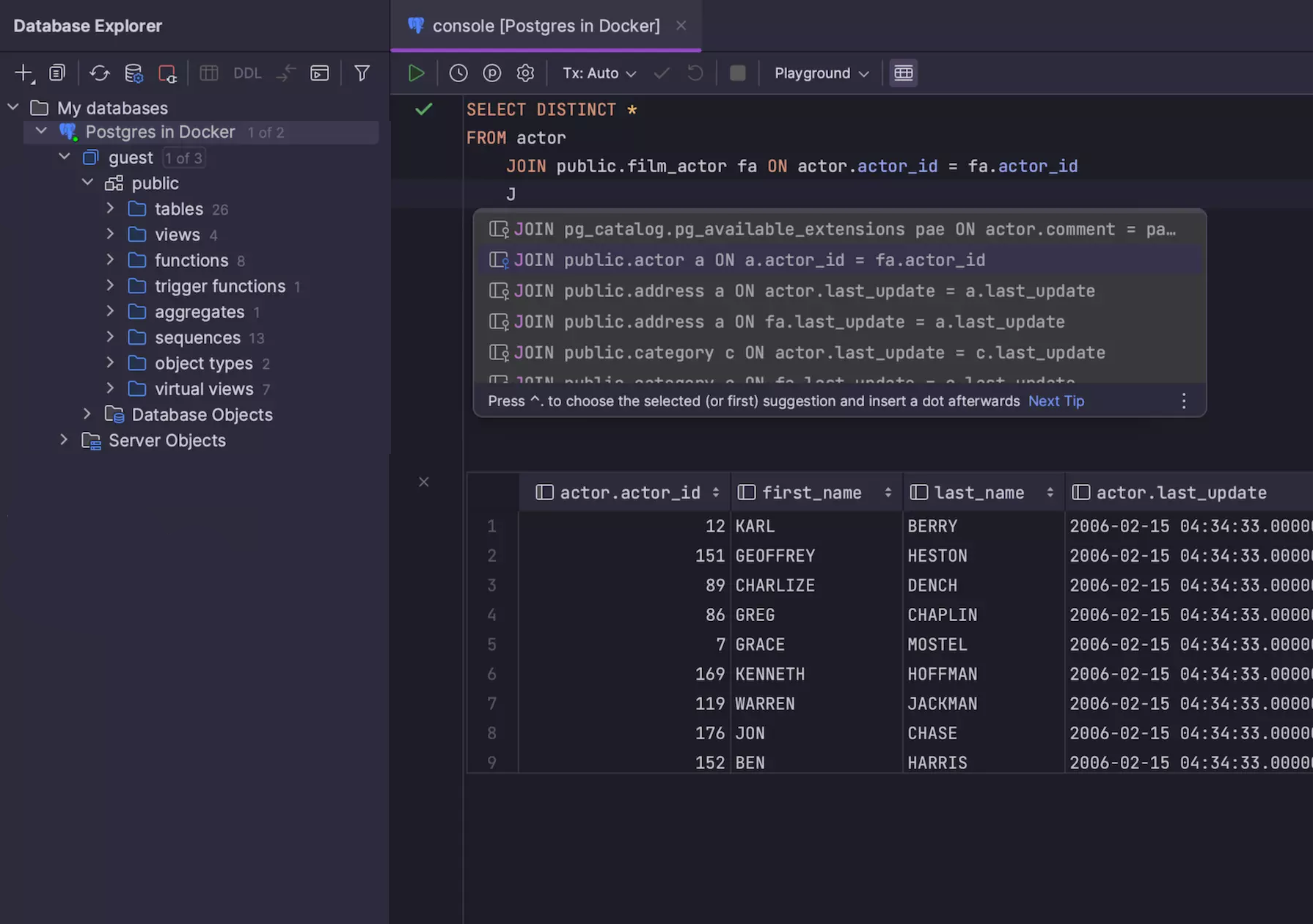
O DataGrip é a IDE SQL da JetBrains, e é o cliente Snowflake dedicado mais refinado desta lista. Ele se conecta via JDBC, entende o sistema de tipos do Snowflake (incluindo colunas VARIANT e ARRAY) e tem o melhor autocomplete SQL da categoria – sensível ao contexto e ao schema, e realmente útil, não só um completador de palavras-chave.
Se você já usa os produtos da JetBrains e gosta deles, provavelmente vai gostar do DataGrip. Provavelmente você já usa.
Se você não usa nenhum produto da JetBrains: o DataGrip é uma IDE à moda antiga, o que significa MUITOS recursos avançados, mas alto consumo de memória e uma interface pouco intuitiva para quem usa pela primeira vez. Se você gosta do Visual Studio, do XCode ou do IntelliJ, provavelmente vai gostar do DataGrip.
Links do DataGrip
- Baixar o DataGrip (teste de 30 dias)
- Preços da JetBrains
TablePlus
Disponível para macOS, Windows e Linux – freemium
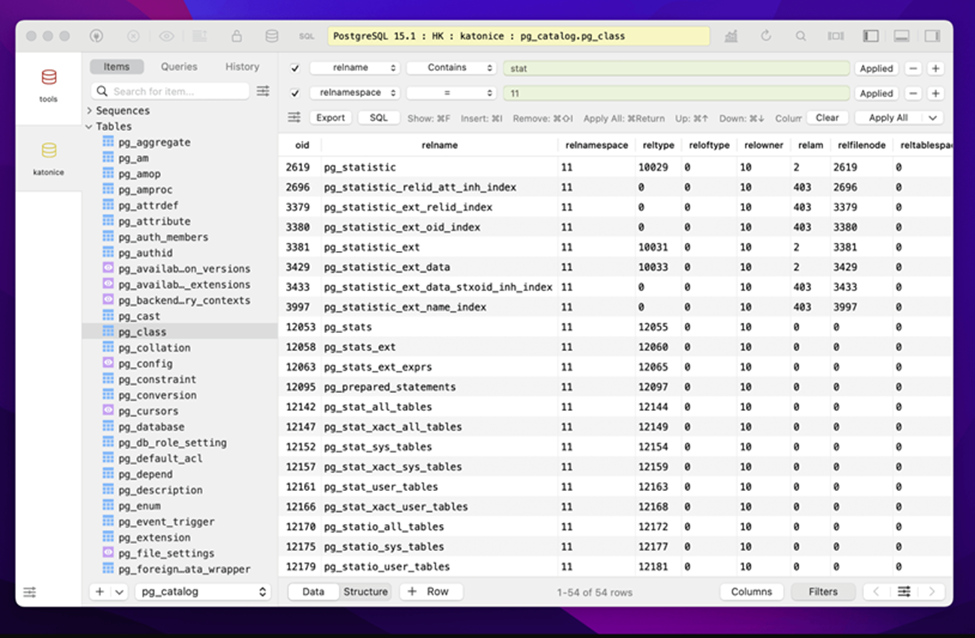
O TablePlus é uma GUI desktop nativa que prioriza uma interface limpa e minimalista. É popular entre usuários de Mac porque realmente parece um app de macOS – renderização nativa, fontes do sistema, atalhos de teclado padrão. Ele suporta Snowflake junto com PostgreSQL, MySQL, SQLite, Redis e outros.
A versão para macOS é a mais madura. O suporte a Windows e Linux existe, mas historicamente ficou um pouco atrás.
É um app bacana, mas só vale mesmo se você usa exclusivamente MacOS.
Links do TablePlus
Menção honrosa: VS Code com a extensão do Snowflake
O VS Code não é uma GUI de banco de dados, mas a extensão oficial do Snowflake para VS Code o transforma em um ambiente razoável para consultas no Snowflake. Você tem um explorador de objetos da sua conta, um editor SQL com autocomplete que entende Snowflake e execução de consultas com resultados inline.
Funciona só com Snowflake e é uma extensão de editor, não uma GUI feita para isso, então a navegação de dados e o gerenciamento de tabelas são mais limitados que nas ferramentas acima. Mas se você já escreve modelos dbt ou pipelines Python no VS Code, manter o SQL ad-hoc na mesma janela é a opção com menos atrito que existe.
Tl;dr
Sim, isso está no final. É claro que vou dizer para você simplesmente baixar o Beekeeper Studio. Está esperando o quê?
Leitura relacionada
- Clientes GUI gratuitos para PostgreSQL
- Clientes GUI gratuitos para MySQL
- Alternativas ao DBeaver
- Preços & edições
 Beekeeper Studio é um cliente de banco de dados gratuito e open source
A melhor ferramenta de consultas e edição de SQL que já usei. Tem tudo o que preciso para gerenciar meu banco de dados. - ⭐⭐⭐⭐⭐ Mit
O Beekeeper Studio é rápido, intuitivo e fácil de usar. Ele suporta vários bancos de dados e funciona muito bem no Windows, Mac e Linux.
O que os usuários dizem sobre o Beekeeper Studio
"O Beekeeper Studio substituiu completamente meu antigo fluxo de trabalho com SQL. É rápido, intuitivo e torna o trabalho com bancos de dados agradável de novo."
"Já testei muitas GUIs de banco de dados, mas o Beekeeper encontra o equilíbrio perfeito entre recursos e simplicidade. Simplesmente funciona."