
If you want a dedicated desktop GUI for Snowflake, here are five worth looking at, plus a note on using VS Code.
Beekeeper Studio
Available for Windows, macOS, and Linux - download here
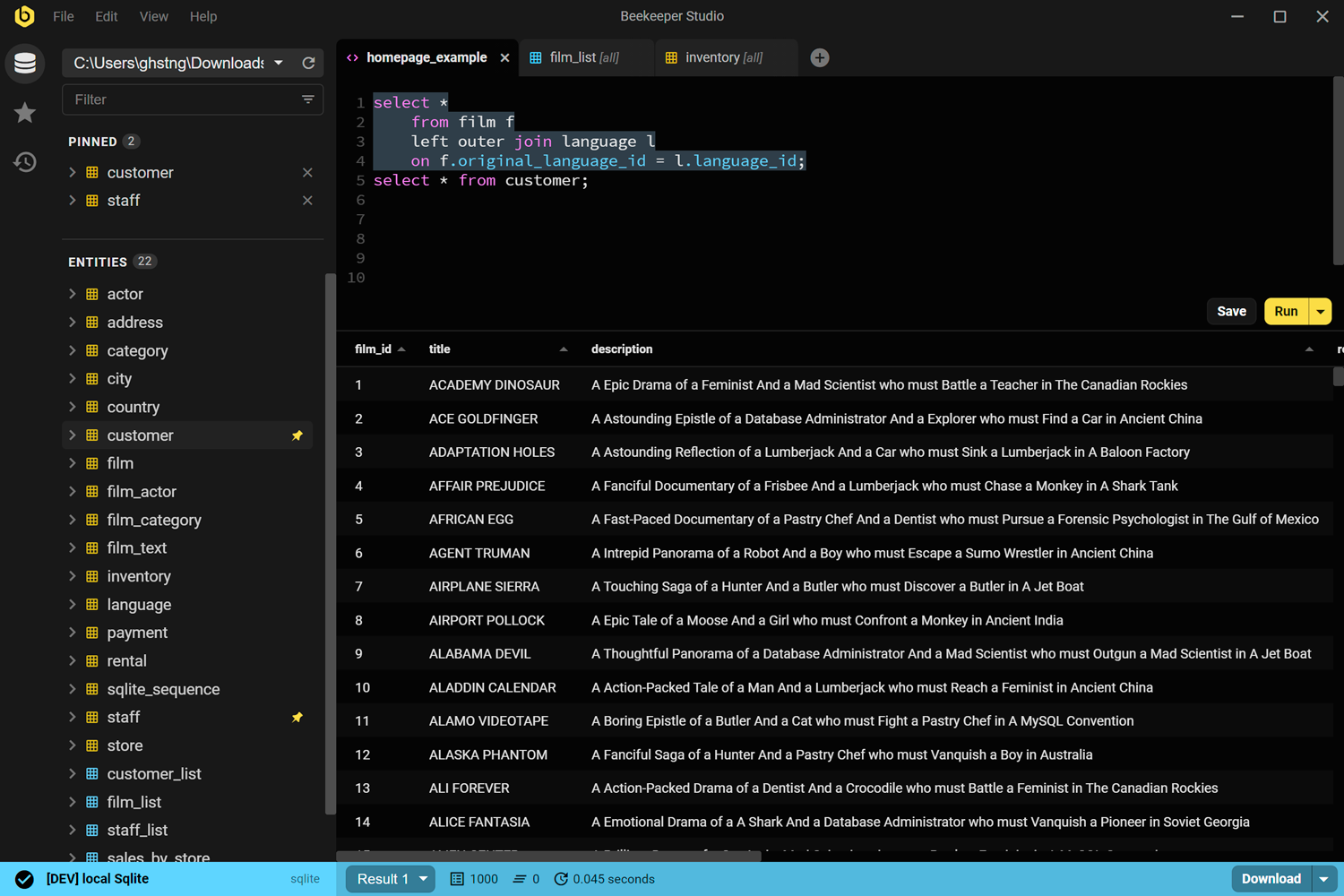
Beekeeper Studio is a fast, easy to use, and intuitive database management app available for Windows, Linux, and MacOS.
Beekeeper’s Snowflake support is top tier, and it allows you to manage your Snowflake instance alongside other databases like Postgres, SQL Server, Oracle, or MySQL.
Obviously we’re biased, but we built Beekeeper because we were fed-up with constantly-changing web interfaces, and slow-as-balls Java-swing desktop apps.
After 6 years and 3 million downloads, at least some folks like it :-). Try it yourself to see.
Beekeeper Studio Links
- Download Beekeeper Studio (free download)
- Supported databases
- Pricing
- Source code on GitHub
Snowsight
Web-based, free with your Snowflake account
Snowsight is Snowflake’s own web UI, and it’s included with every Snowflake account. You’ve probably used it. There are a LOT of buttons, I find it a big overwhelming to be honest.
For someone just getting started with Snowflake, Snowsight is the obvious first stop. Nothing to install, zero config, and it knows your account structure better than any third-party tool will.
The limitations are simple: it’s browser-only, Snowflake-only, and it works like a web app rather than a desktop client. You can’t open it alongside a Postgres connection in the same window. If your workflow involves multiple database types, you’ll feel the friction immediately.
Snowsight Links
- Snowsight documentation
- Access via your Snowflake account at app.snowflake.com
DBeaver Community
Available for Windows, macOS, and Linux – free and open source
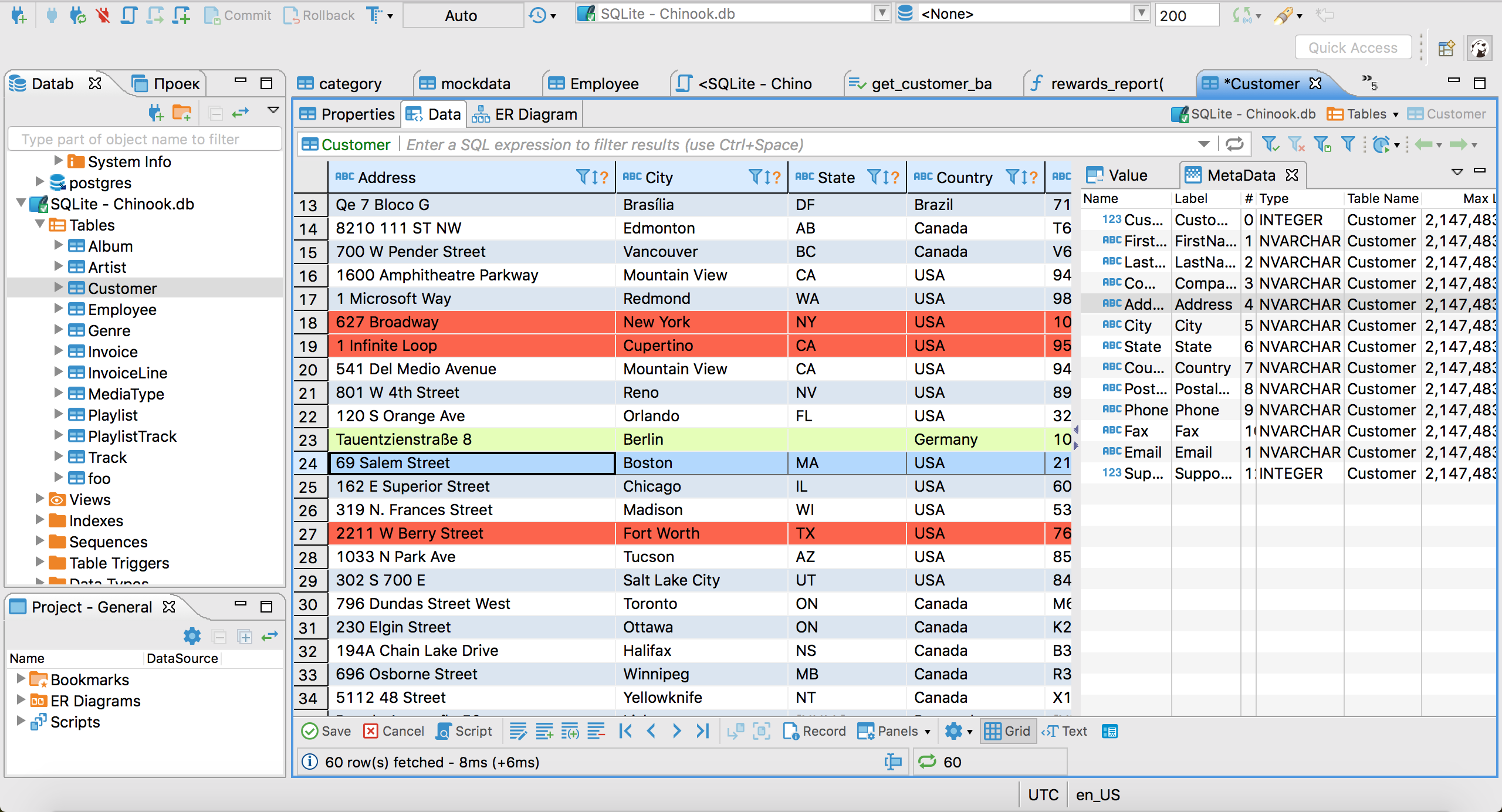
DBeaver Community is the most commonly recommended free desktop client for Snowflake. It connects via the Snowflake JDBC driver, which it downloads automatically when you set up your first Snowflake connection. Once connected, you get a SQL editor with autocomplete, a schema tree, table data browsing and editing, and export to CSV/JSON/Excel.
DBeaver is very powerful and has lots of features, but the trade-off is complexity and ease of use. It’s a slow Java app based on the Elipse engine (remember Eclipse!?). If you like a 90-s style UI with lots of buttons, you’ll love DBeaver.
DBeaver Links
DataGrip
Available for Windows, macOS, and Linux – paid, ~$229/year individual
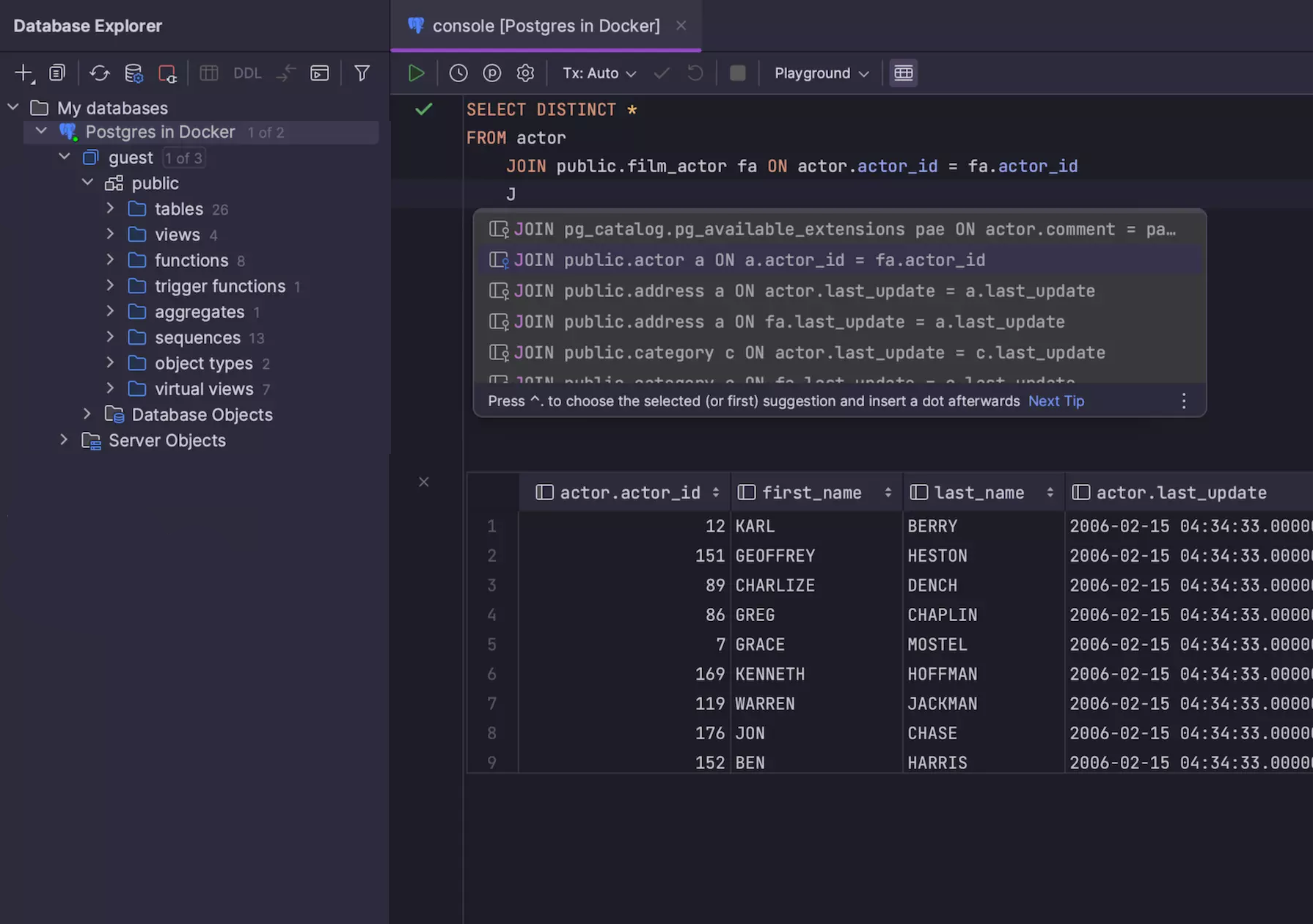
DataGrip is JetBrains’ SQL IDE, and it’s the most polished dedicated Snowflake client on this list. It connects via JDBC, understands Snowflake’s type system (including VARIANT and ARRAY columns), and has the best SQL autocomplete in this category – context-aware, schema-aware, and genuinely useful rather than just keyword completion.
If you already use JetBrains’ products and like them, you’ll probably like Datagrip. You probably already use it.
If you don’t use any JetBrains products - DataGrip is a old-school IDE, that means LOADS of power features, but a high memory footprint and unintuitive UI for first time users. If you like Visual Studio or XCode, or IntelliJ, you’ll probably like DataGrip.
DataGrip Links
- Download DataGrip (30-day trial)
- JetBrains pricing
TablePlus
Available for macOS, Windows, and Linux – freemium
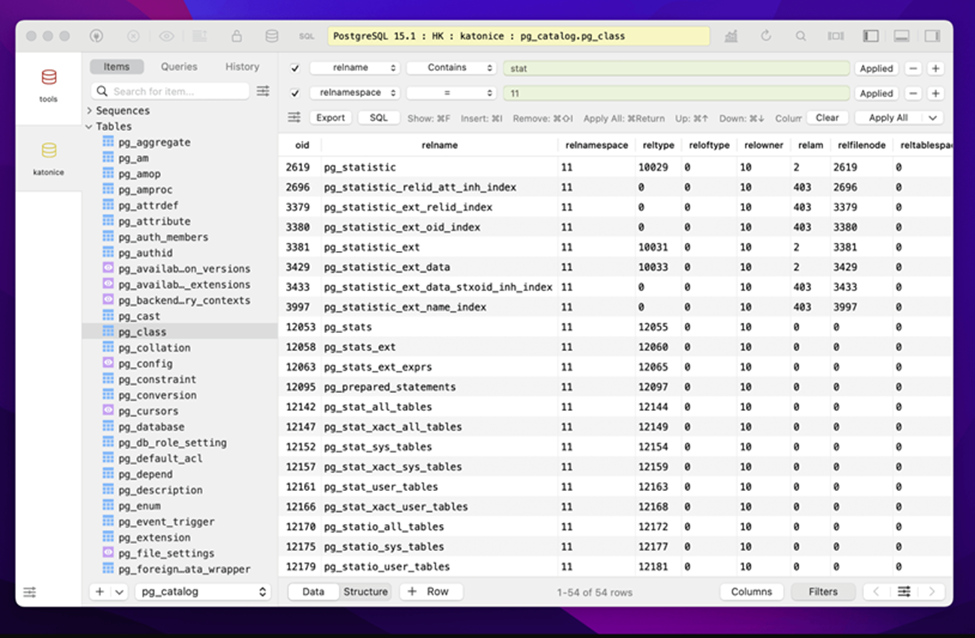
TablePlus is a native desktop GUI that prioritizes a clean, minimal interface. It’s popular with Mac users because it actually feels like a macOS app – native rendering, system fonts, standard keyboard shortcuts. It supports Snowflake alongside PostgreSQL, MySQL, SQLite, Redis, and more.
The macOS version is the most mature. Windows and Linux support exist but have historically lagged slightly behind.
It’s a cool app, but really only if you exclusively use MacOS.
TablePlus Links
Honorable mention: VS Code with the Snowflake Extension
VS Code isn’t a database GUI, but Snowflake’s official VS Code extension turns it into a reasonable Snowflake query environment. You get an object explorer for your account, a SQL editor with Snowflake-aware autocomplete, and query execution with inline results.
It’s Snowflake-only and it’s an editor extension rather than a purpose-built GUI, so data browsing and table management are thinner than the tools above. But if you’re already writing dbt models or Python pipelines in VS Code, keeping ad-hoc SQL in the same window is the lowest-friction option there is.
Tl;dr
Yes this is at the end. Of course I’m going to tell you to just download Beekeeper Studio. What are you waiting for?
Related reading
 Beekeeper Studio Is A Free & Open Source Database GUI
Best SQL query & editor tool I have ever used. It provides everything I need to manage my database. - ⭐⭐⭐⭐⭐ Mit
Beekeeper Studio is fast, intuitive, and easy to use. Beekeeper supports loads of databases, and works great on Windows, Mac and Linux.
What Users Say About Beekeeper Studio
"Beekeeper Studio completely replaced my old SQL workflow. It's fast, intuitive, and makes database work enjoyable again."
"I've tried many database GUIs, but Beekeeper strikes the perfect balance between features and simplicity. It just works."