
Se cerchi una GUI desktop dedicata per Snowflake, eccone cinque che vale la pena provare, più una nota sull'uso di VS Code.
Beekeeper Studio
Disponibile per Windows, macOS e Linux - scaricalo qui
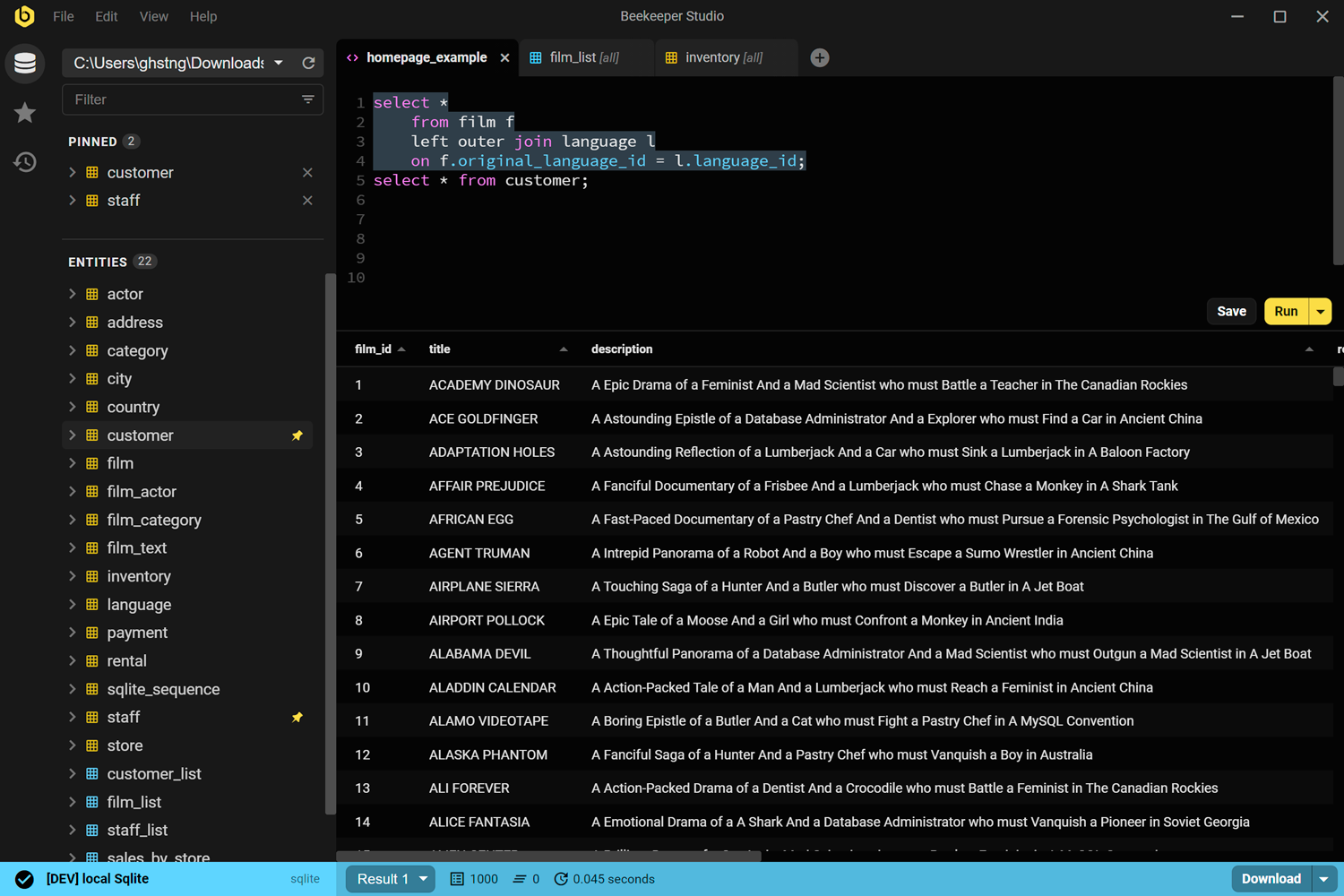
Beekeeper Studio è un'app di gestione database veloce, facile da usare e intuitiva, disponibile per Windows, Linux e MacOS.
Il supporto di Beekeeper per Snowflake è di prim'ordine e ti permette di gestire la tua istanza Snowflake insieme ad altri database come Postgres, SQL Server, Oracle o MySQL.
Ovviamente siamo di parte, ma abbiamo creato Beekeeper perché eravamo stufi di interfacce web che cambiano di continuo e di app desktop Java-swing lente da morire.
Dopo 6 anni e 3 milioni di download, almeno a qualcuno piace :-). Provalo e giudica tu.
Link di Beekeeper Studio
- Scarica Beekeeper Studio (download gratuito)
- Database supportati
- Prezzi
- Codice sorgente su GitHub
Snowsight
Basato sul web, gratuito con il tuo account Snowflake
Snowsight è la UI web di Snowflake, inclusa in ogni account Snowflake. Probabilmente l'hai già usata. Ci sono TANTISSIMI pulsanti: sinceramente la trovo un po' opprimente.
Per chi muove i primi passi con Snowflake, Snowsight è la prima tappa naturale. Niente da installare, zero configurazione, e conosce la struttura del tuo account meglio di qualsiasi strumento di terze parti.
I limiti sono semplici: funziona solo nel browser, solo con Snowflake, e si comporta come un'app web anziché come un client desktop. Non puoi aprirla accanto a una connessione Postgres nella stessa finestra. Se il tuo flusso di lavoro coinvolge più tipi di database, sentirai subito l'attrito.
Link di Snowsight
- Documentazione di Snowsight
- Accedi tramite il tuo account Snowflake su app.snowflake.com
DBeaver Community
Disponibile per Windows, macOS e Linux – gratuito e open source
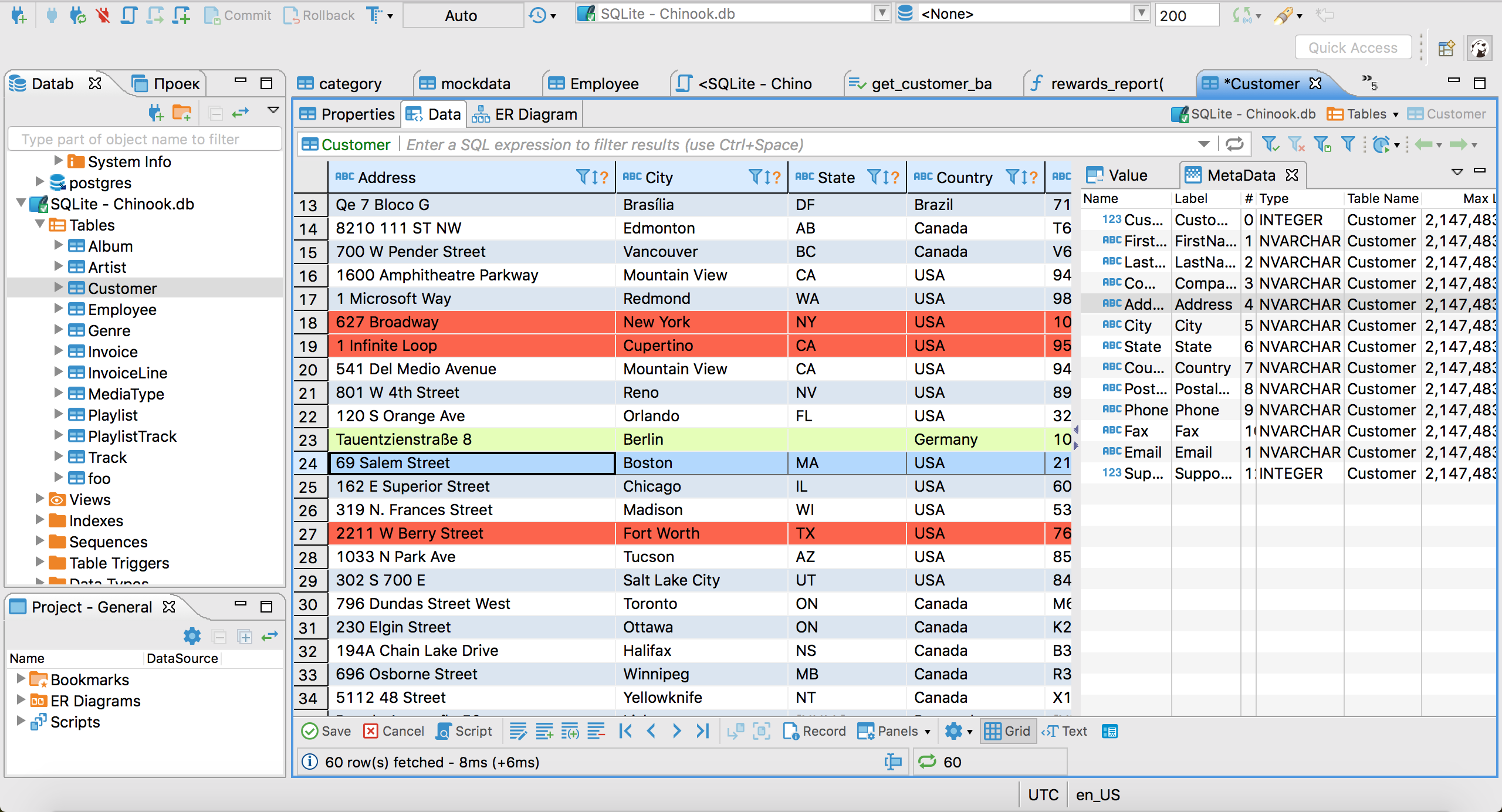
DBeaver Community è il client desktop gratuito più consigliato per Snowflake. Si connette tramite il driver JDBC di Snowflake, che scarica automaticamente quando configuri la tua prima connessione Snowflake. Una volta connesso, hai un editor SQL con autocompletamento, un albero dello schema, navigazione e modifica dei dati delle tabelle ed esportazione in CSV/JSON/Excel.
DBeaver è molto potente e ricco di funzionalità, ma il prezzo da pagare è la complessità e la scarsa facilità d'uso. È un'app Java lenta basata sul motore Eclipse (ti ricordi Eclipse!?). Se ami le UI stile anni '90 piene di pulsanti, adorerai DBeaver.
Link di DBeaver
DataGrip
Disponibile per Windows, macOS e Linux – a pagamento, ~$229/anno per utente singolo
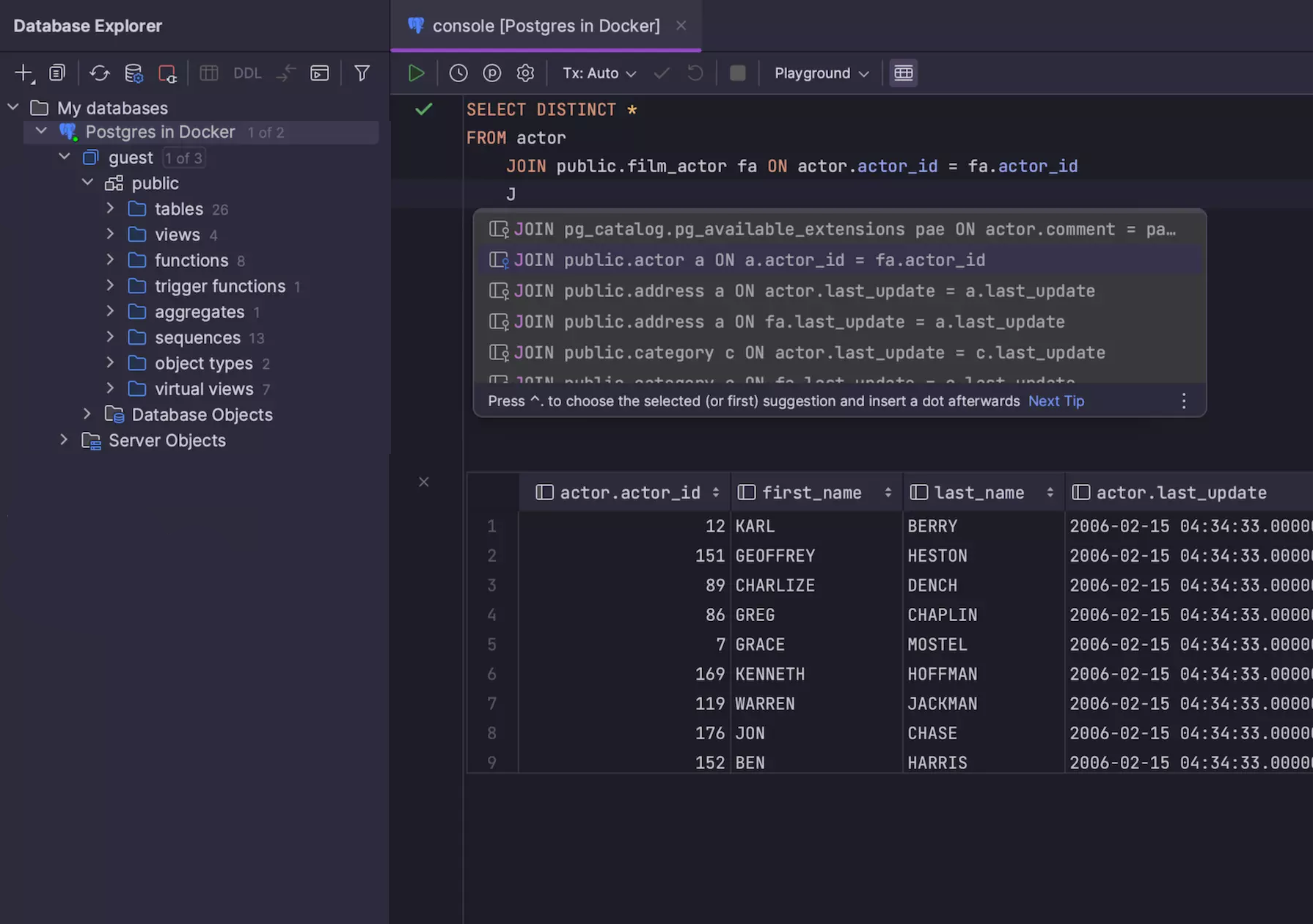
DataGrip è l'IDE SQL di JetBrains ed è il client Snowflake dedicato più rifinito di questa lista. Si connette tramite JDBC, comprende il sistema di tipi di Snowflake (comprese le colonne VARIANT e ARRAY) e ha il miglior autocompletamento SQL della categoria: sensibile al contesto e allo schema, e davvero utile, non un semplice completamento delle parole chiave.
Se usi già i prodotti JetBrains e ti piacciono, probabilmente ti piacerà DataGrip. Anzi, probabilmente lo usi già.
Se non usi nessun prodotto JetBrains: DataGrip è un IDE vecchia scuola, il che significa TANTISSIME funzionalità avanzate, ma anche un consumo di memoria elevato e una UI poco intuitiva per chi lo usa per la prima volta. Se ti piacciono Visual Studio, XCode o IntelliJ, probabilmente ti piacerà DataGrip.
Link di DataGrip
- Scarica DataGrip (prova di 30 giorni)
- Prezzi di JetBrains
TablePlus
Disponibile per macOS, Windows e Linux – freemium
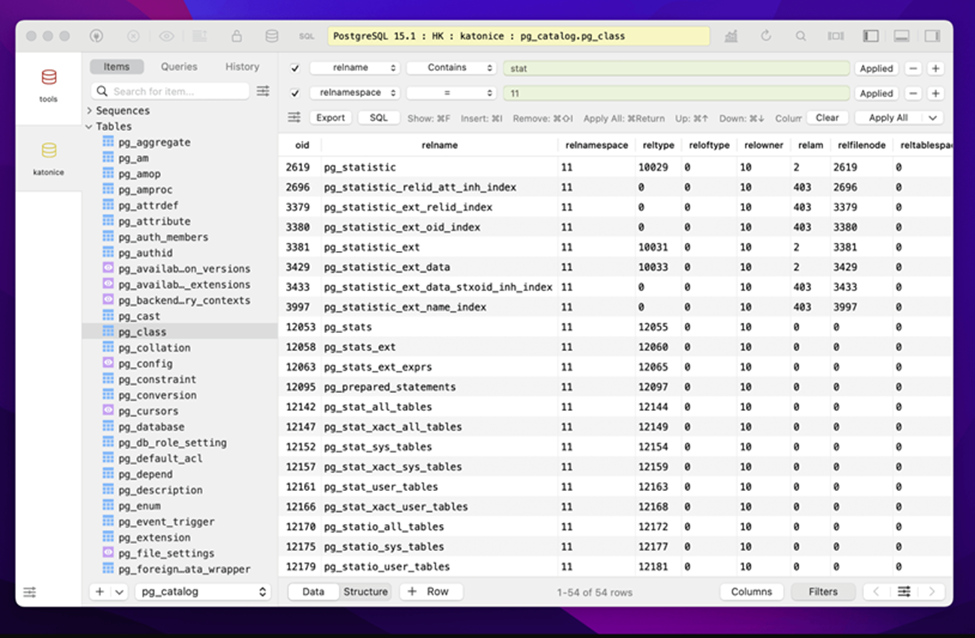
TablePlus è una GUI desktop nativa che punta su un'interfaccia pulita e minimale. È molto apprezzata dagli utenti Mac perché sembra davvero un'app macOS: rendering nativo, font di sistema, scorciatoie da tastiera standard. Supporta Snowflake insieme a PostgreSQL, MySQL, SQLite, Redis e altri.
La versione macOS è la più matura. Il supporto per Windows e Linux esiste, ma storicamente è rimasto un po' indietro.
È un'app interessante, ma solo se usi esclusivamente MacOS.
Link di TablePlus
Menzione d'onore: VS Code con l'estensione Snowflake
VS Code non è una GUI per database, ma l'estensione ufficiale di Snowflake per VS Code lo trasforma in un ambiente dignitoso per le query su Snowflake. Hai un esploratore di oggetti per il tuo account, un editor SQL con autocompletamento che conosce Snowflake ed esecuzione delle query con risultati inline.
Funziona solo con Snowflake ed è un'estensione dell'editor, non una GUI costruita ad hoc, quindi la navigazione dei dati e la gestione delle tabelle sono più limitate rispetto agli strumenti sopra. Ma se scrivi già modelli dbt o pipeline Python in VS Code, tenere le query SQL ad hoc nella stessa finestra è l'opzione con meno attrito in assoluto.
Tl;dr
Sì, è alla fine. Ovviamente ti dirò di scaricare Beekeeper Studio e basta. Cosa aspetti?
Letture correlate
- Client GUI gratuiti per PostgreSQL
- Client GUI gratuiti per MySQL
- Alternative a DBeaver
- Prezzi & edizioni
 Beekeeper Studio è una GUI per database gratuita & open source
Il miglior strumento per query & editor SQL che abbia mai usato. Offre tutto ciò che mi serve per gestire il mio database. - ⭐⭐⭐⭐⭐ Mit
Beekeeper Studio è veloce, intuitivo e facile da usare. Beekeeper supporta tantissimi database e funziona alla grande su Windows, Mac e Linux.
Cosa dicono gli utenti di Beekeeper Studio
"Beekeeper Studio ha sostituito completamente il mio vecchio flusso di lavoro SQL. È veloce, intuitivo e rende di nuovo piacevole lavorare con i database."
"Ho provato tante GUI per database, ma Beekeeper trova il perfetto equilibrio tra funzionalità e semplicità. Funziona e basta."