Easy To Use DB Browser for SQLite Alternative
A modern DB Browser for SQLite alternative that also handles MySQL, Postgres, SQL Server, and more. One tool for every database.

I don’t have to use DB Browser for SQLite, MySQL Workbench for MySQL, psql for PostgreSQL. Beekeeper works with them all. - George Wright
DB Browser for SQLite is a perfectly good single-purpose SQLite tool. The catch is right there in the name: it only does SQLite. Most developers who touch SQLite also touch Postgres, MySQL, or SQL Server, and end up running a different app for each one.
Beekeeper Studio is the one-tool version of that workflow. SQLite, Postgres, MySQL, SQL Server, Oracle, and more. Same modern UI, same keybindings, same saved queries, same tool.
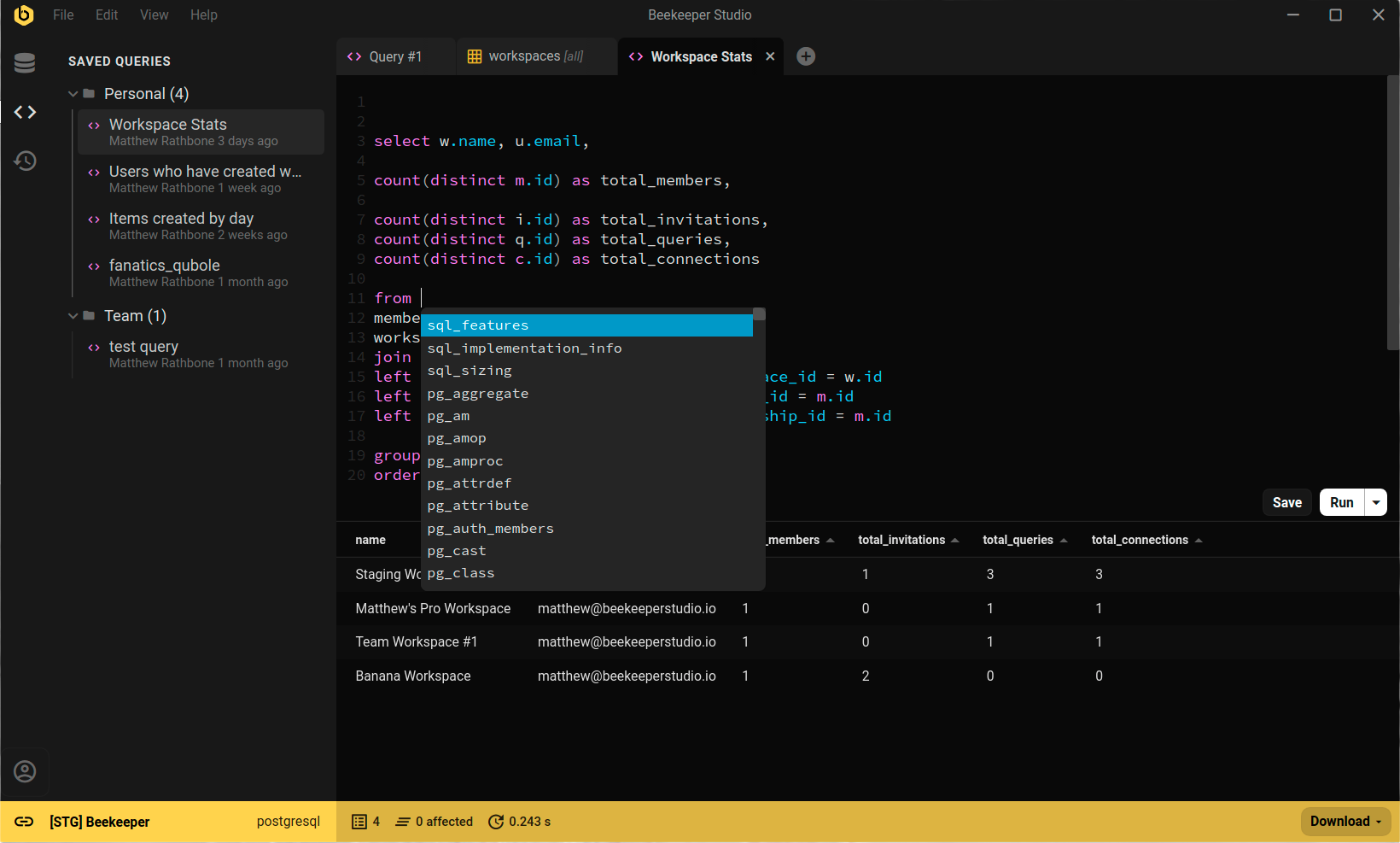
DB Browser for SQLite is built specifically around SQLite’s quirks: the visual schema editor maps cleanly to SQLite’s type system, and the import/export flow knows about SQLite-specific column affinities. If SQLite is the only database you’ll ever open, it’s a fine pick.
Beekeeper Studio is for everyone else: developers who use SQLite and something else. It opens .sqlite files with a double-click, gives you autocomplete and saved queries, and lets you switch to Postgres or MySQL in the same window without changing tools.
Use DB Browser for SQLite if SQLite is your only database and you want a tool tailored to it specifically.
Use Beekeeper Studio if you also work with other databases and want one consistent tool across all of them.
The UI is snappy and clean, works as I’d like and expect, and just gets the job done. It’s the perfect tool for working on my SQLite databases. - Andy, Stuff Andy Makes
I built Beekeeper Studio because I got fed up with overly complex database apps that I had to re-learn every time I used them. I wanted something fast and light that felt like VSCode or Sublime Text, but for SQL.
Spoiler: I couldn't find a good app that fit my criteria, so I built one. That's why Beekeeper Studio exists today.
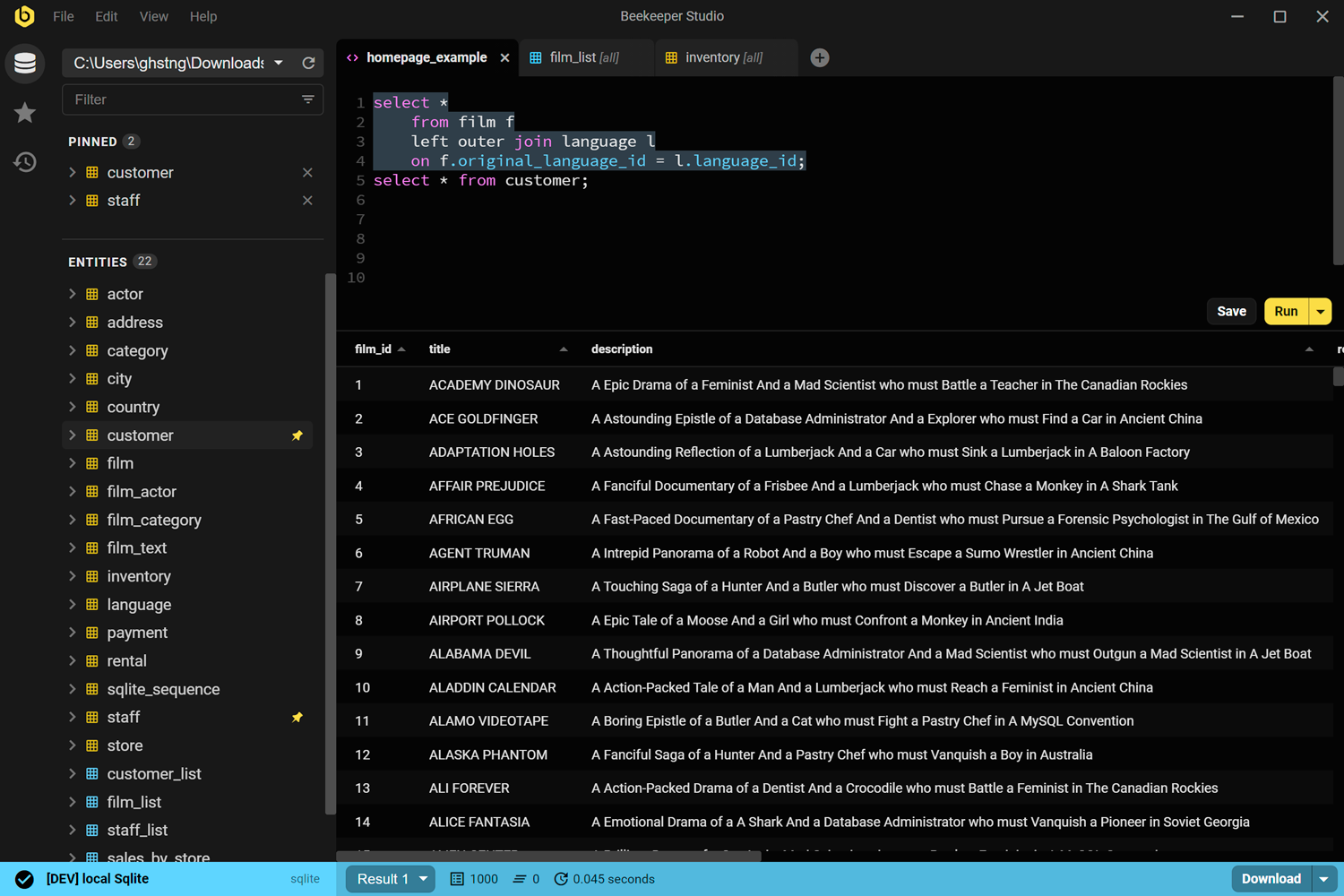
Beekeeper Studio has a fast, modern UI that feels like it was built this century. Open it, connect, and start running queries. No tutorial required.
Beekeeper Studio fits right in. I didn’t have to take hours to figure out how to properly use it, and it was a seamless addition to my toolkit. - CS (research)
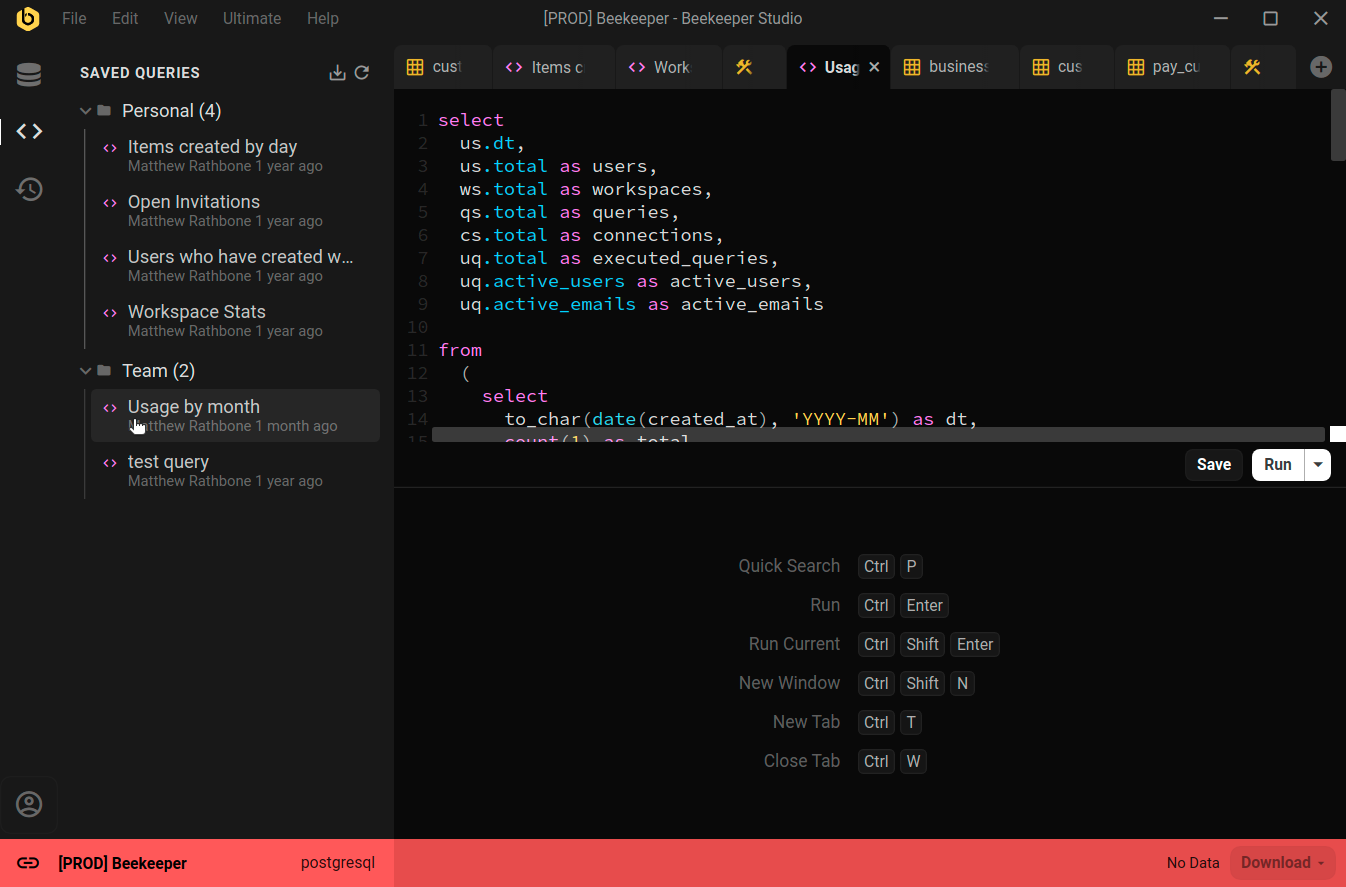
Beekeeper Studio supports a wide range of databases, such as SQLite, Postgres, and even Oracle. Easily identify different environments by color coding each connection, and the whole app will change to match when you connect.
Nice support for multiple environments (I label prod red, dev yellow, localhost green). - Chander, Motion
Beekeeper Studio works the same on MacOS, Windows, and Linux. Like you, we tinker with all types of computers, so we want our software to be top-notch, even especially on Linux.
I work on a combination of Mac and Linux and the ability to have feature parity and the same application on both platforms is outstanding. - Brian Loomis, Principal Engineer, Nikola Motor
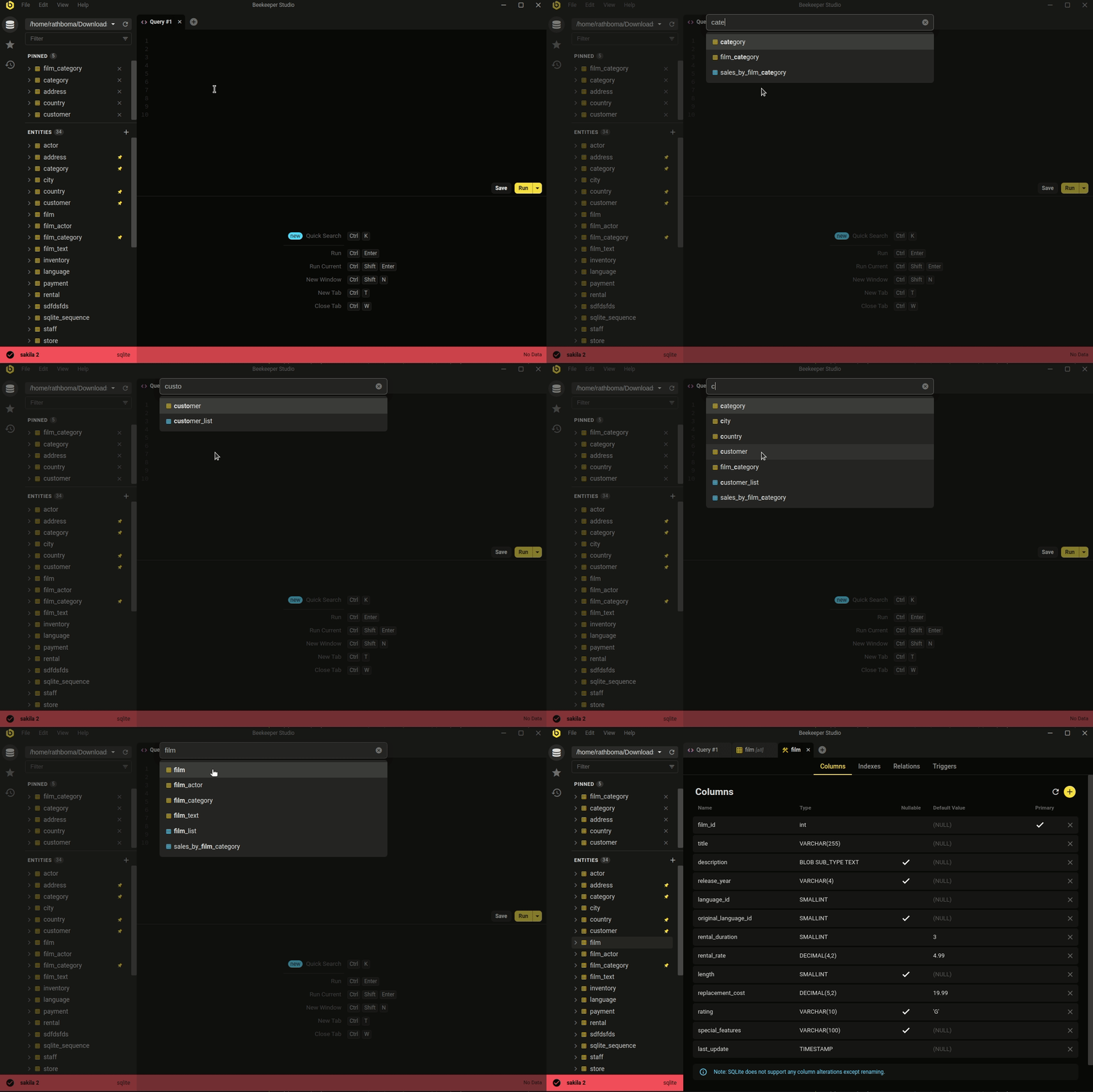 Ctrl/Cmd+P - quicksearch your database and saved queries
The minimal, modern aesthetic isn't the whole story. Beekeeper covers the day-to-day database work most developers actually do.
Whether you're looking to quickly and easily edit data, write SQL like a pro, create & modify tables, or even share queries with coworkers, Beekeeper Studio has you covered.
Beekeeper Studio’s attention to design (both visual and functionalities) helps ease the work. - Long
Free to download, no signup or credit card required.