Cloud Workspaces
Work across multiple devices or share your connections and queries with your team. Included with Professional and Business plans.

Workspaces provide an online storage area for connections and saved queries .
Simply switch from the 'Local Workspace' to an online workspace to start working online.
Oh, and you can easily import your existing local connections and queries with the click of a button.
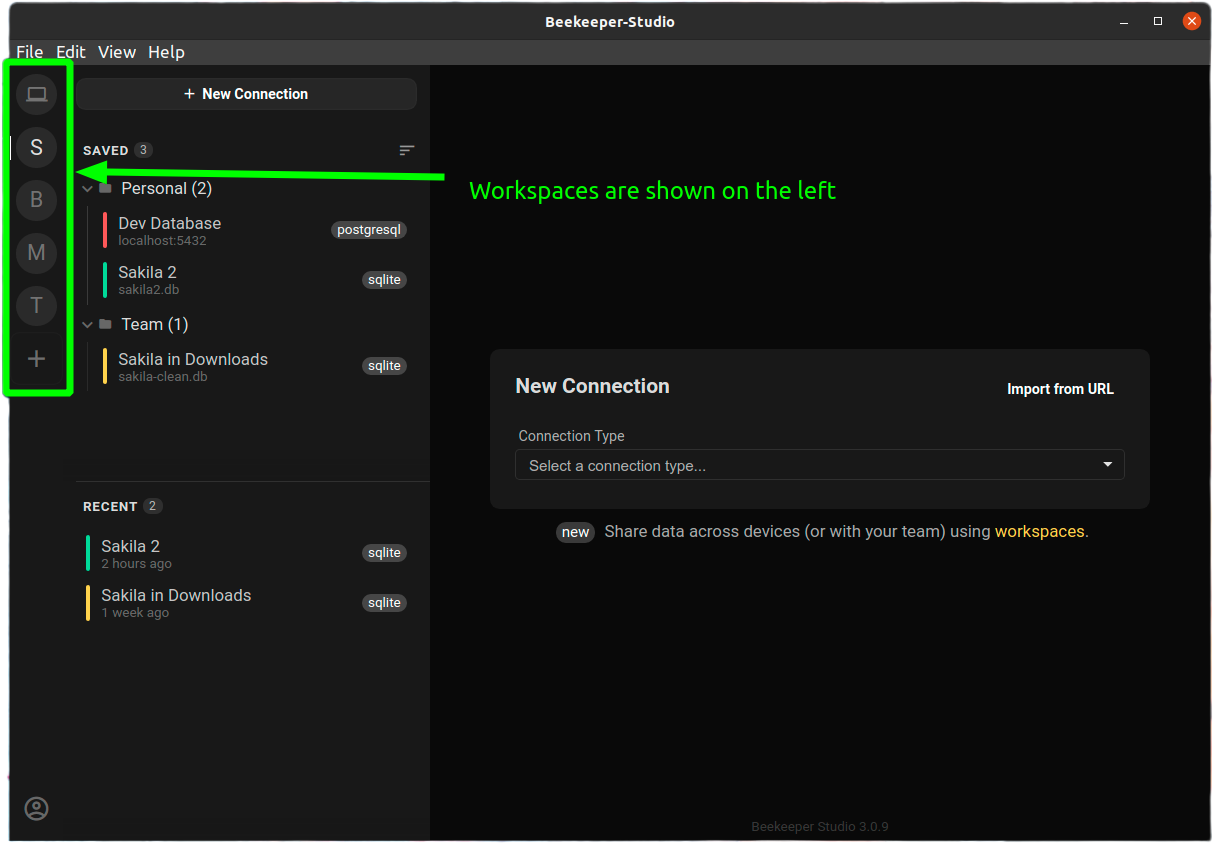
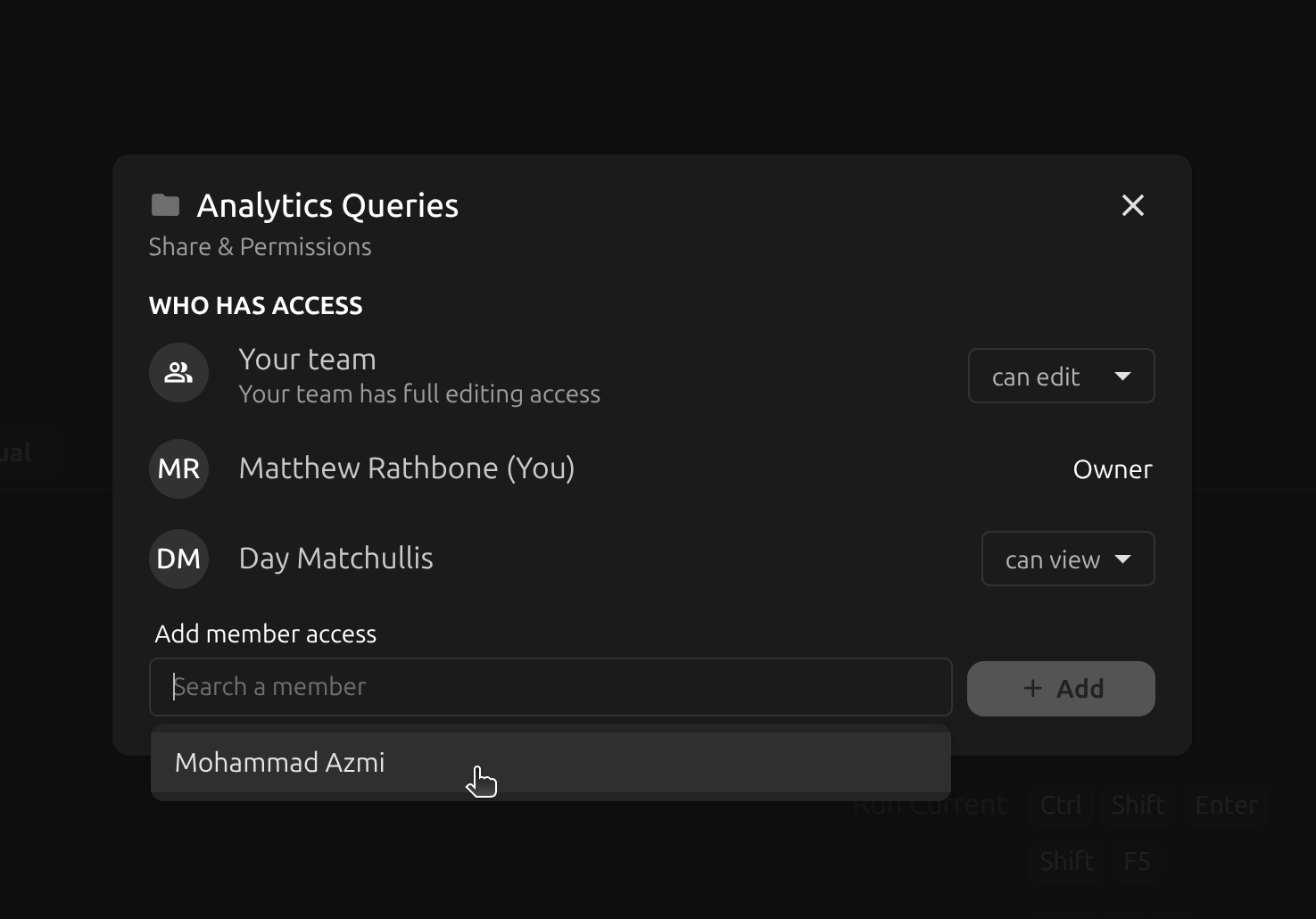
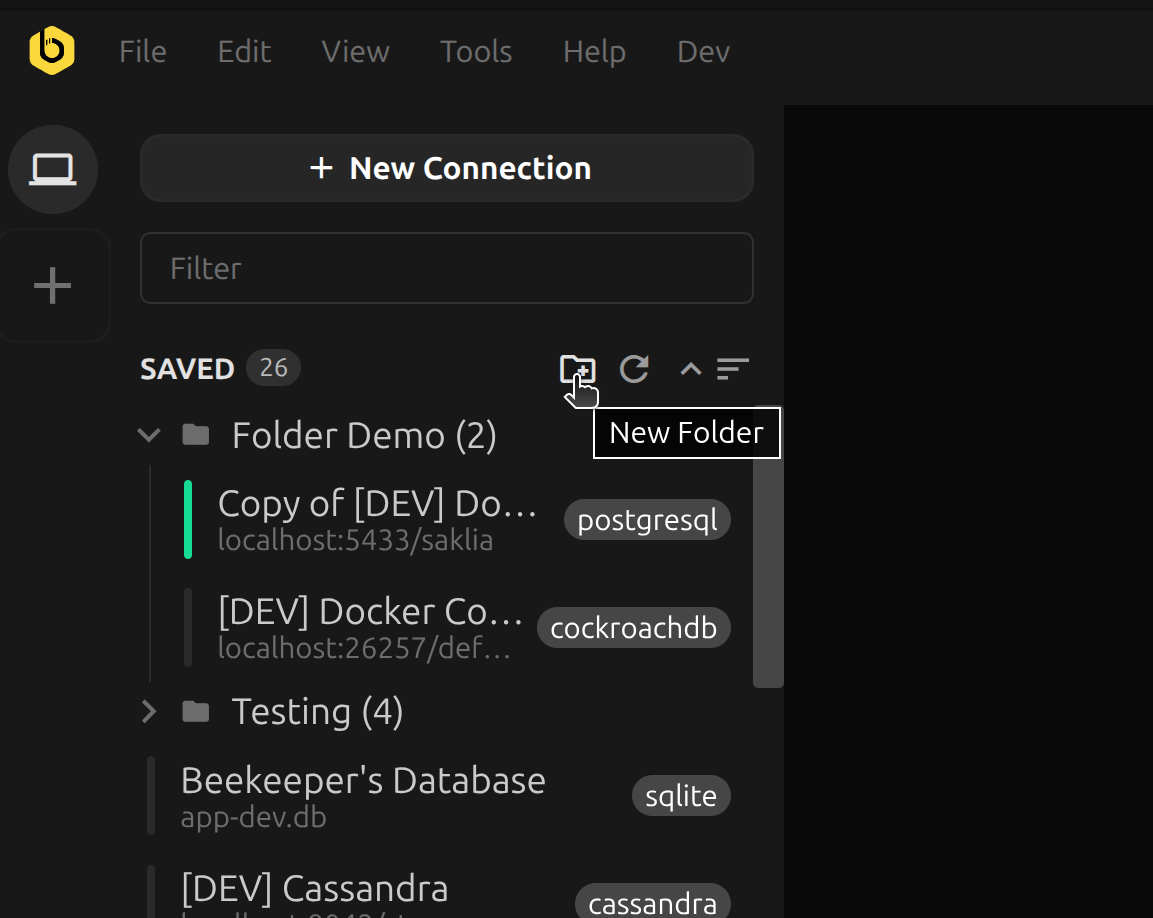
Every user in the workspace gets access to both their own personal folder, and a team folder which is shared between everyone.
Save connections or queries to the team folder to share them with the other workspace members.
Add as many members to your workspace as you like, no limits.
Group connections and saved queries into folders to easily organize access for different teams.
Folder contents sync in real time, so you can collaborate easily with your whole workspace.
The cloud workspace feature that lets me save my connections in different ‘Teams’ is actually huge and something almost no competitor has. - Craig
All workspace data is encrypted at rest, and sensitive fields (like passwords) are also encrypted at the field level using AES-GCM with a 256-bits key and a random initialization vector. All communication with the Beekeeper Studio workspace server is also encrypted with SSL.
Create a workspace and invite your whole team. Cloud Workspaces are included with every Professional and Business subscription — no extra fees.