Modern SQL Server Management Studio Alternative
A clean, cross-platform alternative to SSMS for developers who use SQL Server. Works on Mac, Linux, and Windows.

I’ve been looking for a SSMS-like clean interface for database work against AWS RedShift, and this is easily the best client I’ve found. - Andy Hooper, Director, IT Systems and Security
Beekeeper Studio is a SQL Server client built for developers, not DBAs. It opens fast, works on Mac and Linux as well as Windows, and gives you the day-to-day SSMS experience (write SQL, browse tables, edit data) without the heavyweight admin console wrapped around it.
If you’re tired of being stuck on Windows just to talk to your SQL Server instance, this is the fix.
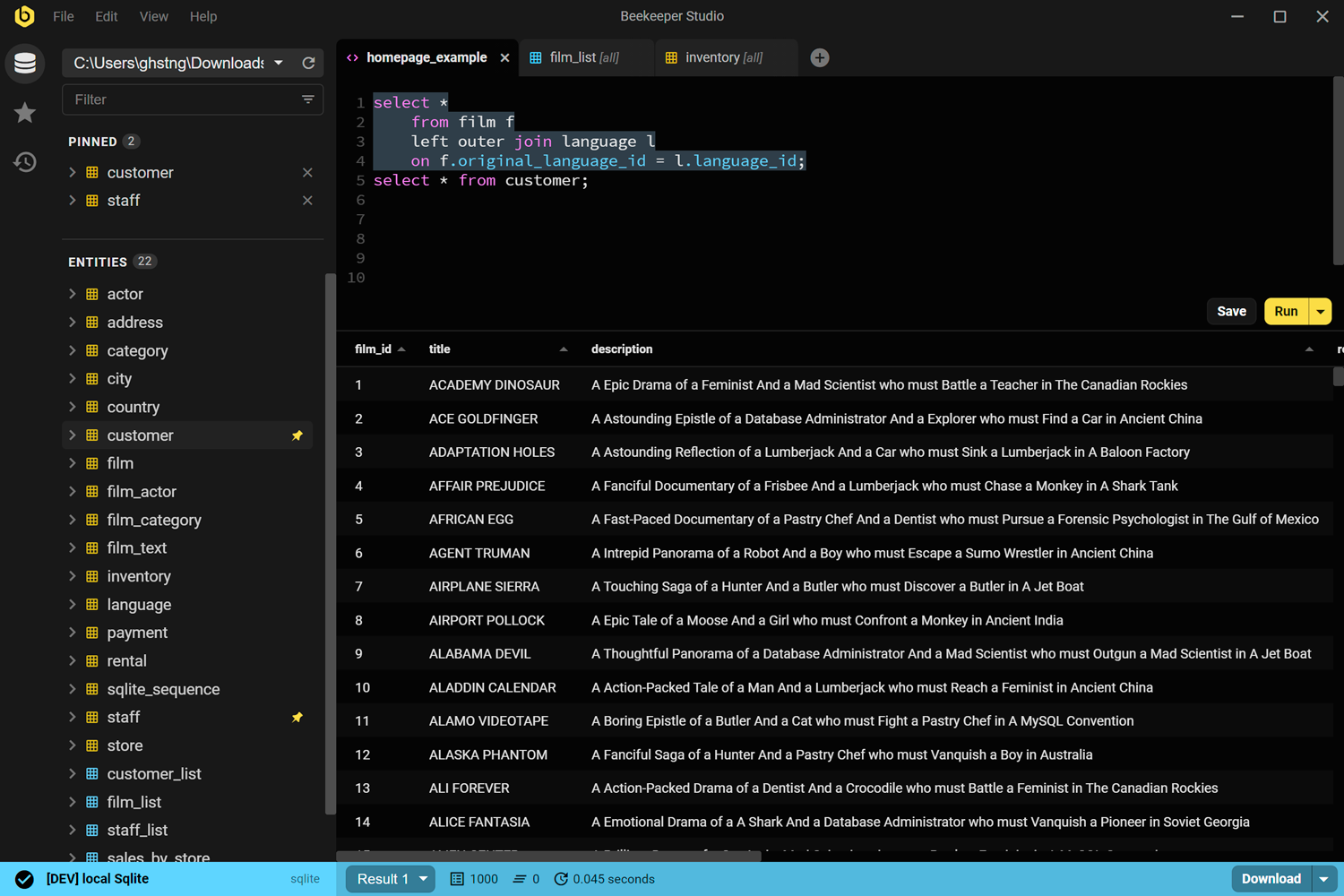
SSMS is Microsoft’s official SQL Server administration suite. It does an enormous amount: SQL Agent management, server performance tuning, replication, integration services, deep MSSQL-specific tooling. If you’re a SQL Server DBA on Windows, it’s the right tool.
Beekeeper Studio isn’t trying to replace that. It’s for the developers, analysts, and engineers who use SQL Server (often alongside Postgres or MySQL) and want a fast, modern client that runs everywhere.
Use SSMS if you administer SQL Server full-time on Windows and need its server-management features.
Use Beekeeper Studio if you write queries against SQL Server, want the same tool on Mac/Linux/Windows, and want it to launch in under a second.
Beekeeper has full SQL Server support: Windows authentication, SQL authentication, table editing, schema browsing, saved queries. Everything you need for daily work.
I use Beekeeper Studio with SQLite and SQL Server databases, both on Windows and Linux platforms. It’s the daily driver for my work. - Edward Madigan, Centersoft Corp
I built Beekeeper Studio because I got fed up with overly complex database apps that I had to re-learn every time I used them. I wanted something fast and light that felt like VSCode or Sublime Text, but for SQL.
Spoiler: I couldn't find a good app that fit my criteria, so I built one. That's why Beekeeper Studio exists today.
Beekeeper Studio has a fast, modern UI that feels like it was built this century. Open it, connect, and start running queries. No tutorial required.
Beekeeper Studio fits right in. I didn’t have to take hours to figure out how to properly use it, and it was a seamless addition to my toolkit. - CS (research)
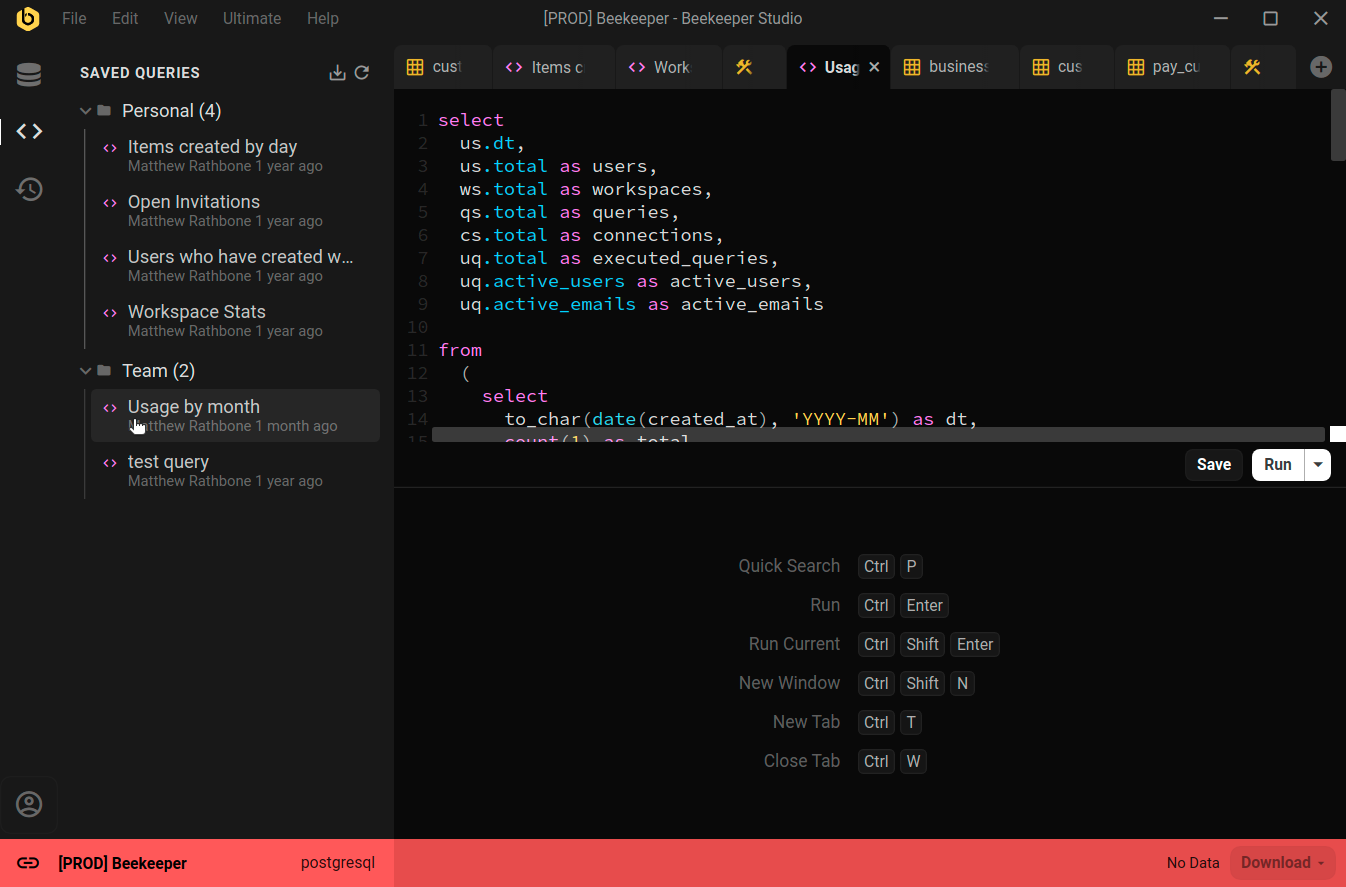
Beekeeper Studio supports a wide range of databases, such as SQLite, Postgres, and even Oracle. Easily identify different environments by color coding each connection, and the whole app will change to match when you connect.
Nice support for multiple environments (I label prod red, dev yellow, localhost green). - Chander, Motion
Beekeeper Studio works the same on MacOS, Windows, and Linux. Like you, we tinker with all types of computers, so we want our software to be top-notch, even especially on Linux.
I work on a combination of Mac and Linux and the ability to have feature parity and the same application on both platforms is outstanding. - Brian Loomis, Principal Engineer, Nikola Motor
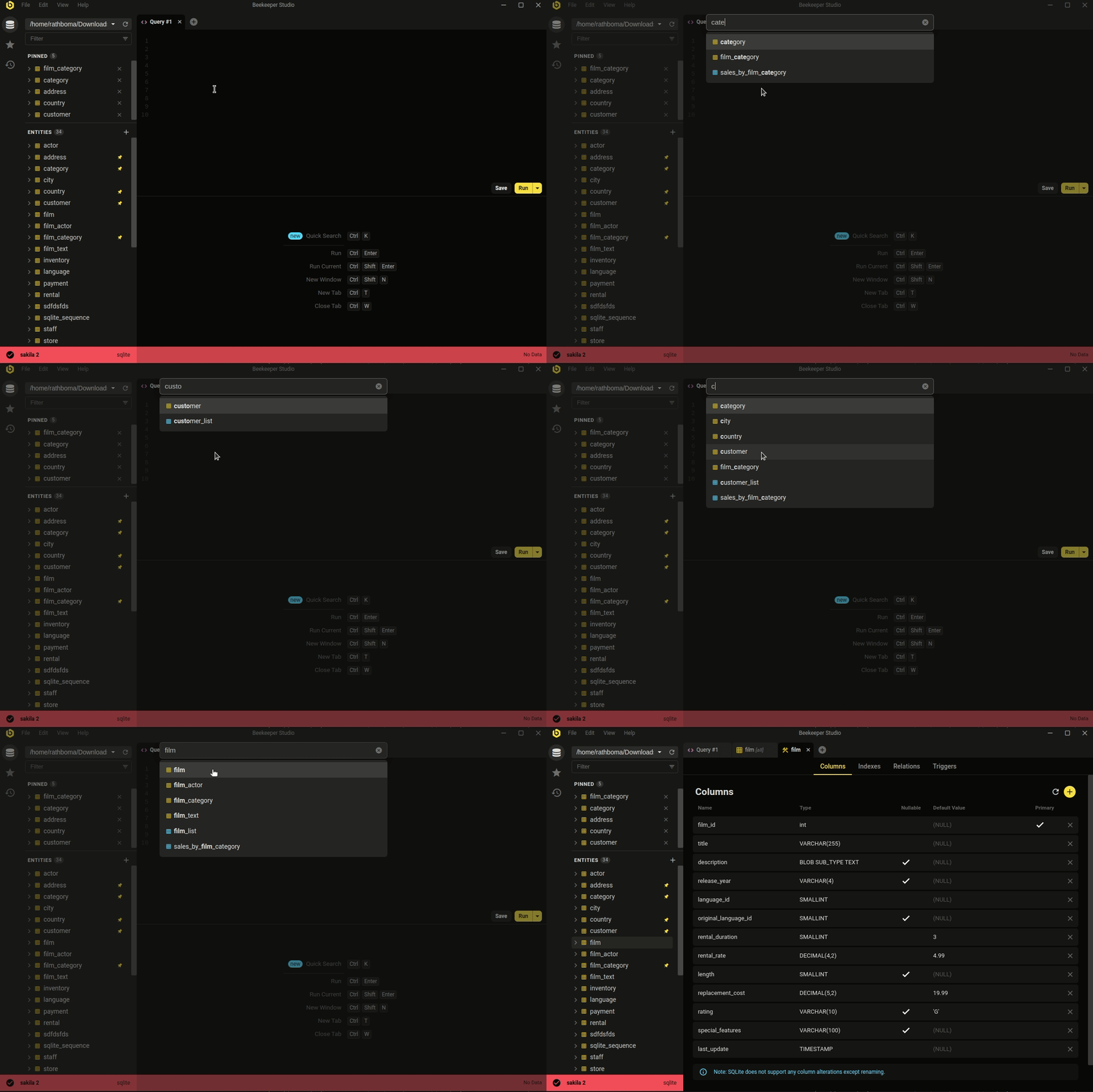 Ctrl/Cmd+P - quicksearch your database and saved queries
The minimal, modern aesthetic isn't the whole story. Beekeeper covers the day-to-day database work most developers actually do.
Whether you're looking to quickly and easily edit data, write SQL like a pro, create & modify tables, or even share queries with coworkers, Beekeeper Studio has you covered.
Beekeeper Studio’s attention to design (both visual and functionalities) helps ease the work. - Long
Free to download, no signup or credit card required.