
You’ve probably tried pgAdmin for PostgreSQL. If you’re looking for something more streamlined, here are seven GUIs that can make daily work easier. Five are free and open source, and two, DataGrip and TablePlus, are commercial tools with limited free options. We make Beekeeper Studio, so it’s first on the list, but we’ve tried to be fair about where the others are a better fit.
Beekeeper Studio
Available for Windows, MacOS, and Linux - download here
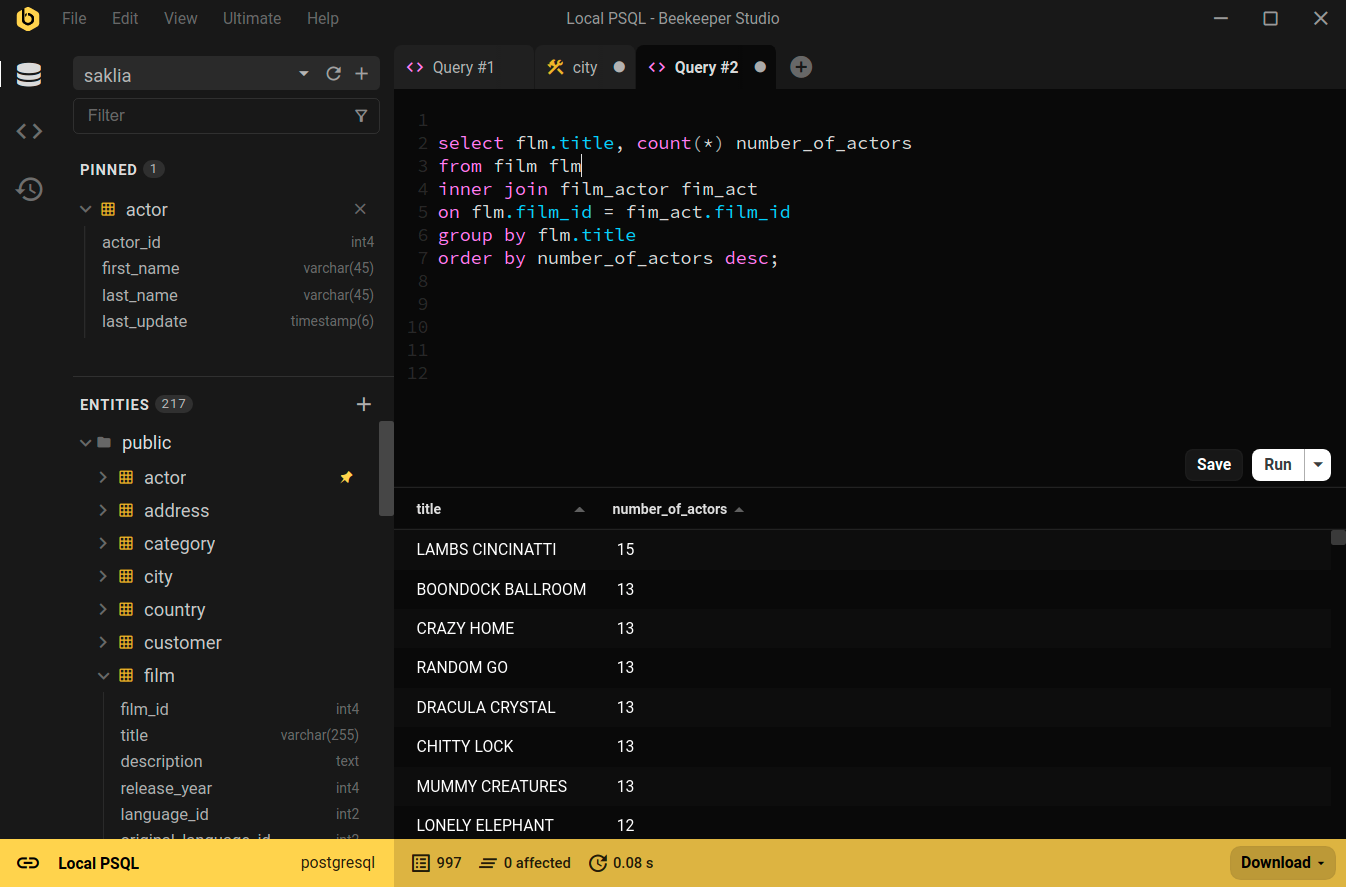
Beekeeper Studio is a cross-platform, open source SQL editor and database manager with a strong focus on PostgreSQL. It offers a clean, intuitive interface that feels instantly familiar: no cryptic icons, no “tabs within tabs,” and no learning curve. And you can also connect your favorite LLM to get a conversational interface to your database.
If you’ve struggled with slow or clunky Postgres GUIs, Beekeeper Studio is fast, focused, and built around the way you as a developer actually work: quick queries, tabbed results, easy edits, and none of the clutter that slows you down.
Free features for working with PostgreSQL
For PostgreSQL, Beekeeper Studio’s core features are completely free, including:
- SQL editor: Fast, clean editor with autocomplete, flexible execution (script, current query, or selection), query parameters, saved queries, history, CSV export, and optional Vim mode.
- Spreadsheet-style table view: Browse tables in an Excel-like grid. Filter using the GUI or SQL, stage edits in transactions, copy/paste to Sheets or Excel, and edit large values (like JSON) in a dedicated editor.
- Rich result formatting: Display query results as links, images, checkmarks, ratings, progress bars, currency, and more.
- Schema editor: View and edit table schemas — columns, data types, indexes, and foreign keys — without writing SQL.
- Saved queries: Store and organize frequently used SQL snippets to reuse across sessions.
- Data export: Export tables or filtered views to CSV, Excel, or JSON in a couple of clicks.
- Multiple connections: Manage databases with tabs, pinned tables, and color-coded connections.
- Secure connections: Connect with SSL or SSH tunnels, including to remote servers.
- Cross-platform and open source: Same features and performance across Windows, macOS, and Linux. The code is on GitHub, mostly under the GPLv3.
And it’s not just for PostgreSQL. The free version also supports MySQL, MariaDB, SQLite, SQL Server, Amazon Redshift, Google BigQuery, Redis, and more.
Beekeeper Studio features in paid plans
You can also unlock even more functionality to accelerate your data workflows, including:
- AI Shell: Ask questions in plain English and get runnable SQL from GPT-5, Claude, Gemini, or local models. It understands your Postgres schema to produce accurate queries, while you stay in control reviewing every statement and keeping your data private.
- CSV import: Bring external datasets straight into your tables without manual scripting.
- Multi-table export: Export multiple related tables in a single step for easier sharing.
- Backup and restore: Safely snapshot your database and restore it later from the UI.
- Cloud sync: Keep your connections, queries, and settings consistent across devices.
- Additional database support: Work with databases beyond PostgreSQL, including MongoDB, Oracle, Cassandra, and ClickHouse.
Where Beekeeper Studio falls short
Beekeeper Studio is built for developers rather than database administrators. It doesn’t have pgAdmin’s server monitoring dashboards or deep admin tooling, and it doesn’t try to be an enterprise suite with every bell and whistle. If Postgres administration is your day job, pgAdmin (below) is the better fit.
Beekeeper Studio is a fantastic SQL client that doesn’t overwhelm you with complex features. It’s sleek, fast, and just works - whether you’re using MySQL, PostgreSQL, or SQLite. Animesh, Technical Lead
Read more about how Beekeeper Studio makes it easier to work with real-world data in PostgreSQL and the rest of your database stack.
Beekeeper Studio Links
- Download Beekeeper Studio
- Beekeeper Studio for PostgreSQL
- Beekeeper Studio Documentation
- GitHub Repository
What makes a great Postgres GUI?
What makes the best PostgreSQL GUI? It really comes down to how smoothly it fits into the way you actually work with data.
Whether you’re debugging a production issue at 2 AM, prototyping queries for a new feature, or exploring a database you’ve just inherited on a new project, you want a tool that helps you think through the problem rather than fighting with the interface.
- Querying experience: Fast, keyboard-friendly SQL editor with autocomplete, history, and saved queries.
- Data editing and browsing: Clean tabular views with inline editing, filtering, and support for common Postgres data types.
-
Schema and table management: UI controls for adding or editing columns, indexes, and relationships — when you don’t feel like writing
ALTER TABLE. - Workflow and usability: Multi-tab support, pinned tables, color-coded connections to help you stay in the flow.
- Cross-platform consistency: Same experience on macOS, Windows, and Linux, so you can move between machines or work with your team.
- Open source and pricing: Transparent, developer-friendly licensing. Ideally, open source or reasonably priced for solo and team use.
With those criteria in mind, here’s how PostgreSQL GUI clients other than Beekeeper Studio stack up. The free and open source tools come first, then the paid ones.
pgAdmin
Available for Windows, macOS, and Linux – Download pgAdmin
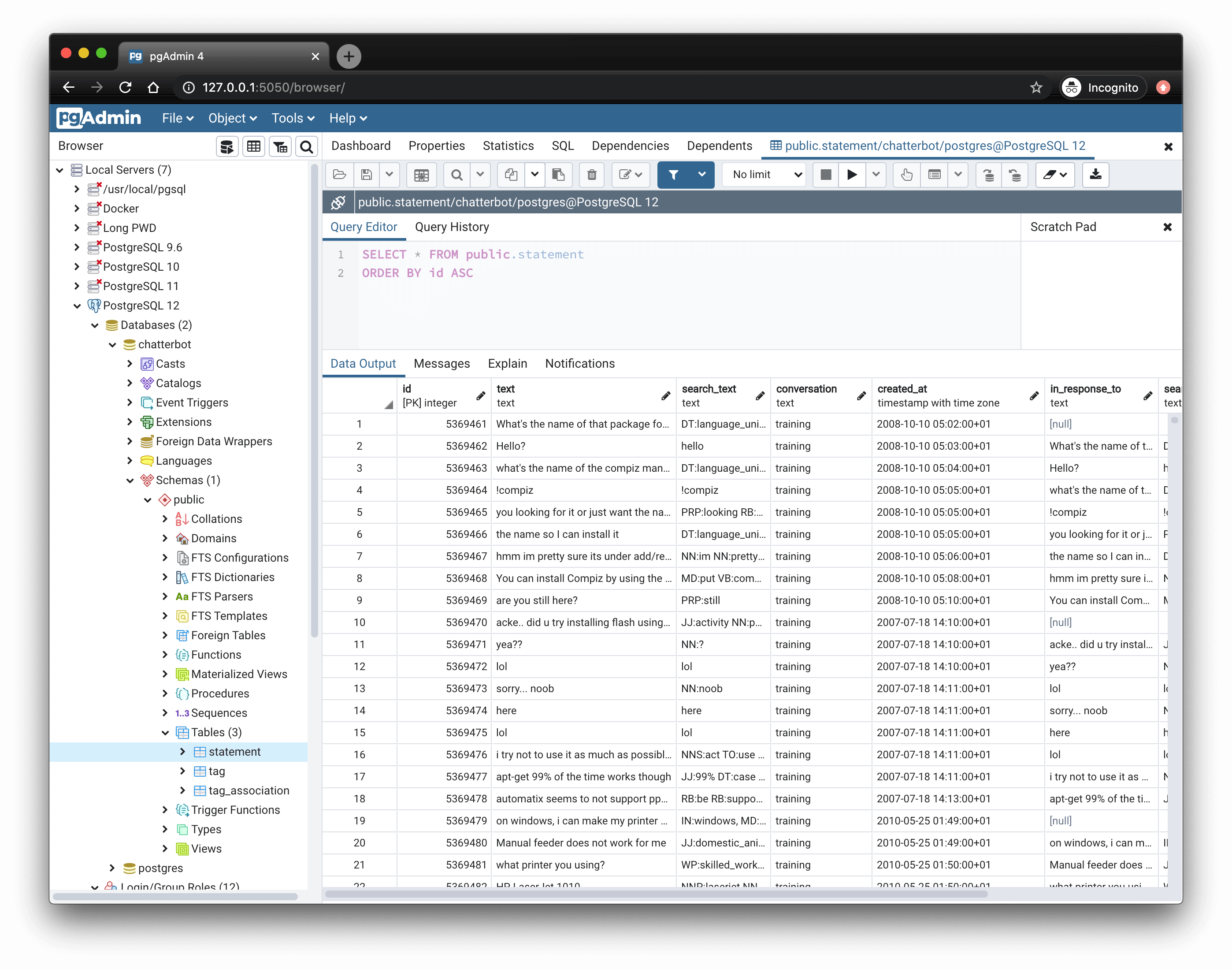
pgAdmin is the official PostgreSQL GUI, maintained by the PostgreSQL Global Development Group. It’s often the first GUI people encounter and it can be a useful starting point.
It offers a comprehensive feature list, with tooling for everything from user roles and backups to live server stats. But it’s also opinionated, admin-oriented, and noticeably slower than some modern GUIs. For developer workflows, it can feel cluttered or overly complex. It also only supports PostgreSQL, so if you work with other databases too you’ll need a second tool.
Key features for working with PostgreSQL
- SQL editor with autocomplete, syntax highlighting, and visual explain plans.
-
Visual query builder for building
SELECTstatements without typing SQL. - Role and permission management, server monitoring, and config editing.
- Schema and table editing, including constraints, indexes, and triggers.
- Dashboard and monitoring tools for real-time activity tracking.
- Cross-platform and open source, with regular updates.
Pros
- Official tool: maintained by a dedicated team within the PostgreSQL project.
- Open source: Released under the PostgreSQL Licence.
- Feature-complete for admins: Roles, replication, performance, configuration.
- Strong schema tools: Visual editing of tables, constraints, indexes, and more.
Cons
- Performance overhead: The desktop version wraps a web application in Electron, which can feel sluggish on startup and with large datasets.
- Cluttered UI: Lots of nested menus, modals, and inconsistent UX patterns.
- Developer ergonomics lag behind: Keyboard navigation, query workflow, and tab handling can feel clunky.
- Heavy for simple tasks: Feels like overkill if all you want to do is run a few queries or inspect some data.
- PostgreSQL only: No support for other databases.
pgAdmin Links
DBeaver
Available for Windows, macOS, and Linux – Download DBeaver
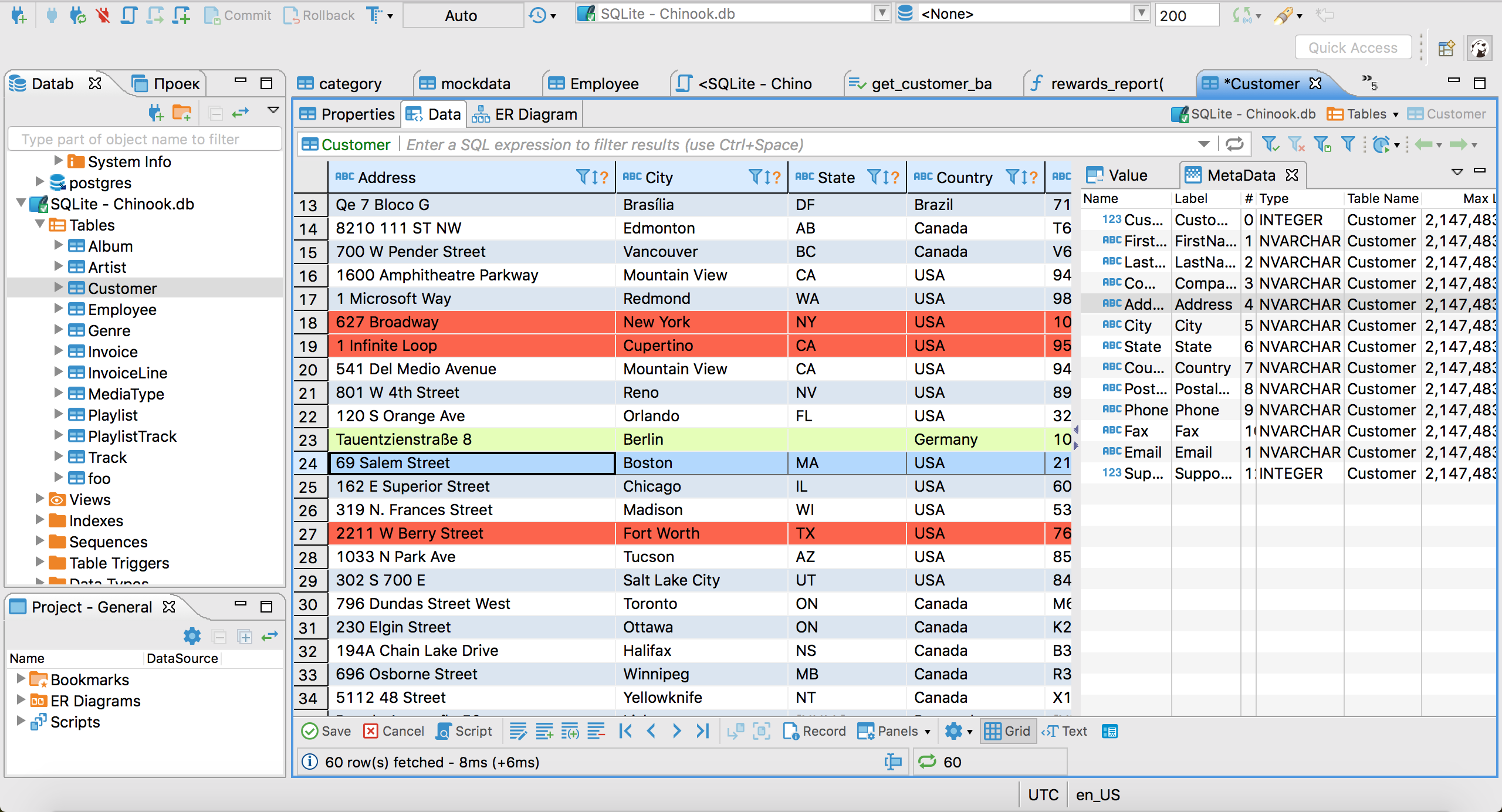
DBeaver is a popular, general-purpose database client that supports dozens of systems, including PostgreSQL. It offers a wide feature set and sees regular updates.
The Community Edition is free and open source, while paid versions add support for cloud services, NoSQL databases, and advanced ER diagrams. It’s a go-to for developers who need one tool for many databases.
That said, the interface can feel busy. For Postgres-specific tasks, it’s capable but not always the smoothest experience.
Key features for working with PostgreSQL
- SQL editor with autocomplete, saved queries, and query execution plans.
- Data browser with table filtering, inline editing, and result exports.
- ER diagrams, schema visualization, and metadata browsing.
- Schema editing via GUI — modify columns, keys, constraints, etc.
- Multi-database support for dozens of engines (SQL, NoSQL, cloud, embedded).
- Plugin architecture and extensive customization options.
- Cross-platform with open source and paid editions.
Pros
- Highly versatile: Works with many different database systems, not just Postgres.
- Strong schema tools: Good support for Postgres metadata, table structure, and ER diagrams, depending on the version you use.
- Extensible: Plugin system and Enterprise Edition add more features.
- Active development: Regular updates and strong community.
Cons
- Interface can feel cluttered: Many panels, buttons, and context menus competing for space.
- Steeper learning curve: Not always intuitive for new users or simple workflows.
- Memory usage: As a Java app, it can be heavy with large projects or many connections.
DBeaver Links
HeidiSQL
Available for Windows, Linux, and macOS (Apple silicon) – Download HeidiSQL
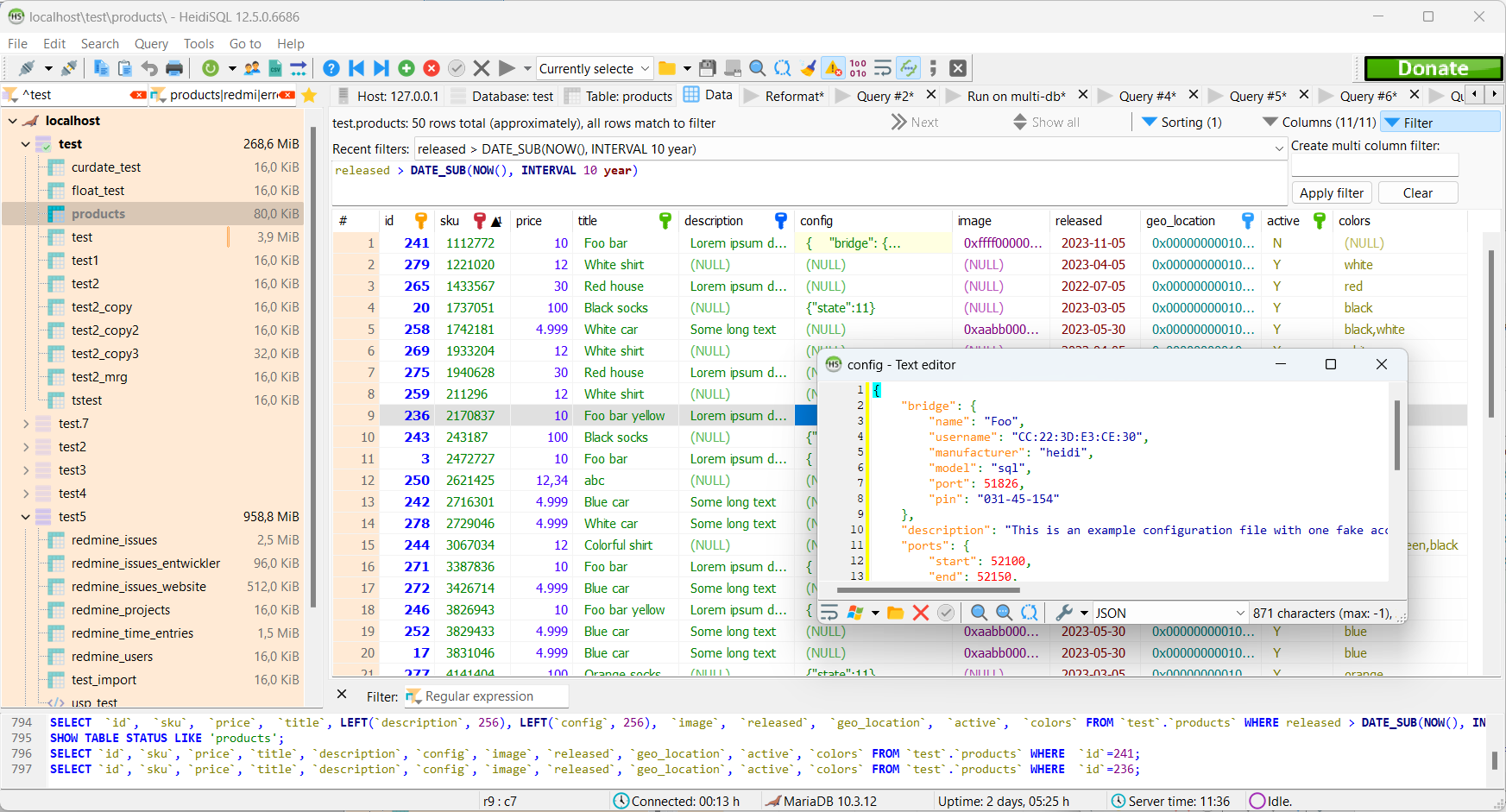
HeidiSQL has been around since 2002 and is a mature, free and open source client for MySQL, MariaDB, SQL Server, and PostgreSQL. It’s a compact native app that starts quickly and handles everyday browsing, editing, and querying well.
For most of its life HeidiSQL was Windows only. Native Linux packages and an Apple silicon macOS build, made with Lazarus and Free Pascal, are now on its download page, but Windows is still where it’s most at home. It’s also a MySQL tool first: its PostgreSQL support covers the basics, while MySQL and MariaDB get the most attention.
Pros
- Free and open source: GPL licensed, with no paid tier.
- Lightweight: A small native app that’s quick to start.
- Mature: More than two decades of development behind it.
Cons
- Windows first: The Linux and macOS builds are much newer than the Windows version.
- MySQL first: Postgres-specific features get less attention than MySQL and MariaDB.
- Dated interface: Functional, but it shows its age next to newer GUIs.
HeidiSQL Links
Adminer
Web based (PHP) – Download Adminer
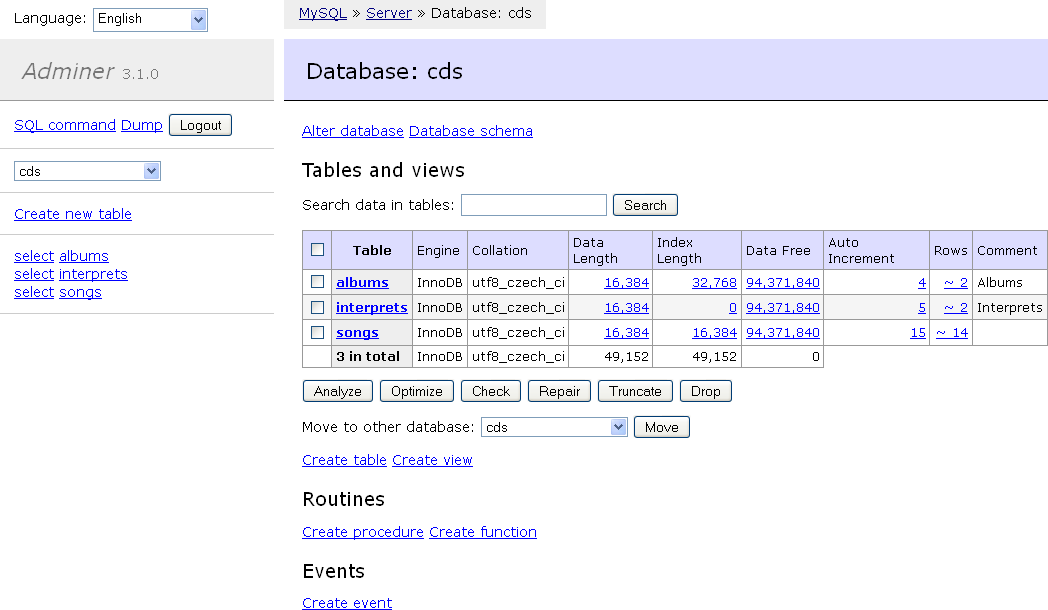
Adminer is different from everything else on this list: it’s a single PHP file that you drop onto a web server and open in a browser. That makes it handy on servers or shared hosting where you can’t install desktop software.
It’s simple to deploy if you already run PHP, and it covers the basics of browsing tables, editing rows, and running SQL. It isn’t as feature rich as a desktop GUI, and as a web app it’s slower than a native client. You also need to think about who can reach it: a database tool on a public web server should sit behind authentication or a VPN.
Pros
- Nothing to install locally: One PHP file, used from any browser.
- Free and open source: Licensed under Apache 2.0 or GPL 2.
- Multi-database: Works with MySQL, MariaDB, PostgreSQL, SQLite, SQL Server, and more.
Cons
- Needs a PHP web server to run.
- Basic feature set compared with desktop GUIs.
- Security exposure if it’s reachable from the internet.
Adminer Links
DataGrip
Available for Windows, macOS, and Linux – Download DataGrip
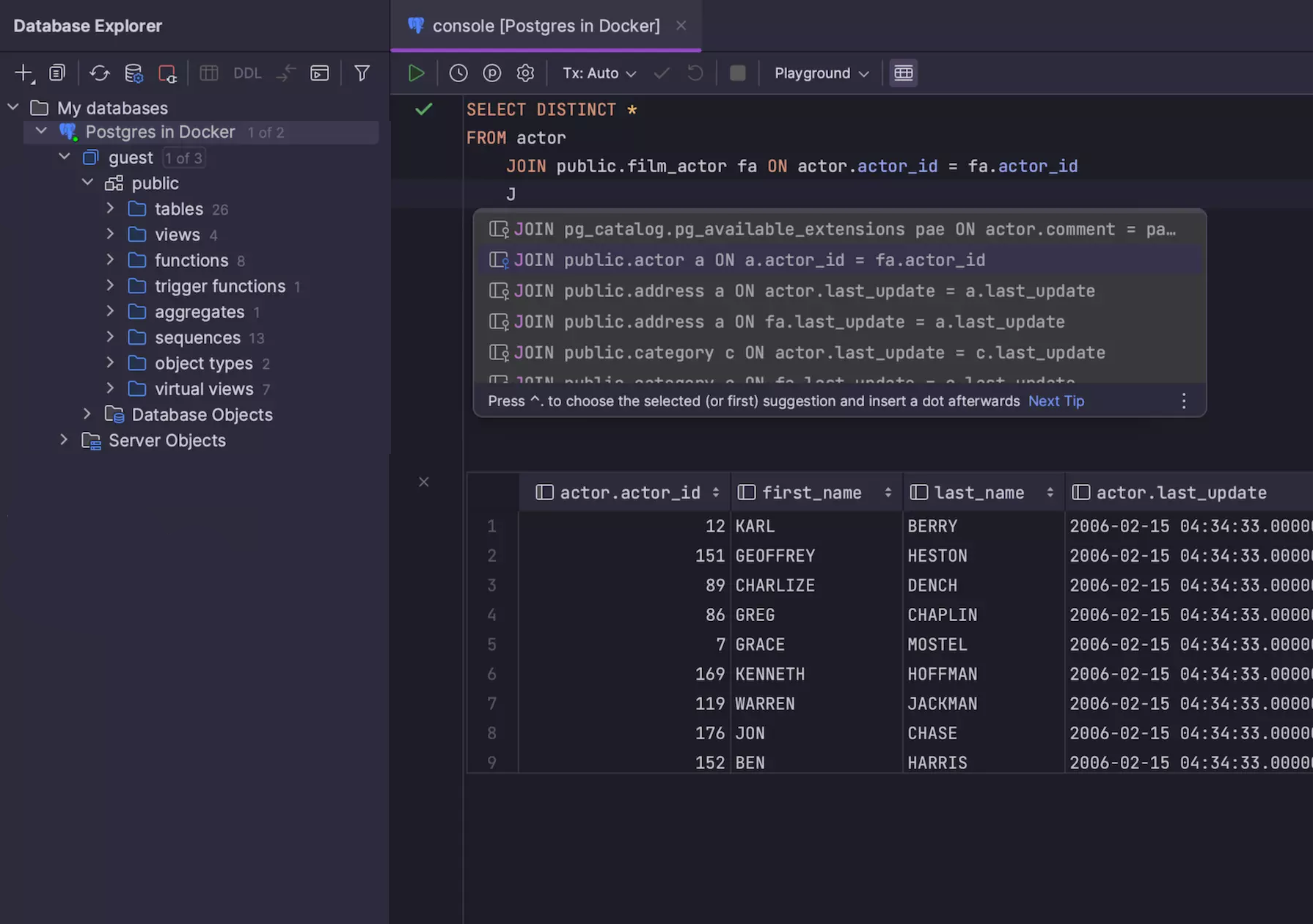
DataGrip is JetBrains’ SQL IDE aimed at developers who spend a lot of time writing and maintaining queries. It’ll be familiar to anyone who has worked previously with JetBrains tools, featuring good language tooling, support for multiple databases, and customization options.
What sets it apart is how deeply it treats SQL as code, with features like usage search, safe refactoring, and schema diffs that are rare in other GUIs. But it comes with the trade-offs of an IDE: more setup, higher resource usage, fewer admin tools, and no built-in dashboards or query visualization.
DataGrip has been free for non-commercial use (learning, hobby projects, and open source) since October 2025. Commercial work still needs a paid subscription.
Key features for working with PostgreSQL
- Smart SQL editor with context-aware autocompletion, refactoring, and usage search.
- Code navigation and inspections to help catch errors and improve query quality.
- Schema diff and migration tools for comparing structure and generating migration scripts.
- Data editing and filtering in spreadsheet-style views with support for complex types.
- VCS integration, task tracking, and local history.
- Support for multiple databases, including PostgreSQL, MySQL, SQL Server, Oracle, and MongoDB.
- Cross-platform and integrates well with other JetBrains tools.
Pros
- Powerful SQL tooling: Autocomplete, refactoring, and inspection features are some of the best available.
- Great for large projects: Helpful when working with lots of schemas, complex queries, and multiple environments.
- Postgres-specific support: Includes explain plans, function definitions, and extension awareness.
Cons
- Not lightweight: Slower to launch and heavier on resources than most GUIs.
- Paid for commercial use: The free license only covers non-commercial work.
- Less admin-focused: Prioritizes query development over database maintenance tasks.
- Takes time to learn: IDE-style complexity can be overkill for quick edits or ad hoc querying.
DataGrip Links
TablePlus
Available for macOS, Windows, and Linux – Download TablePlus
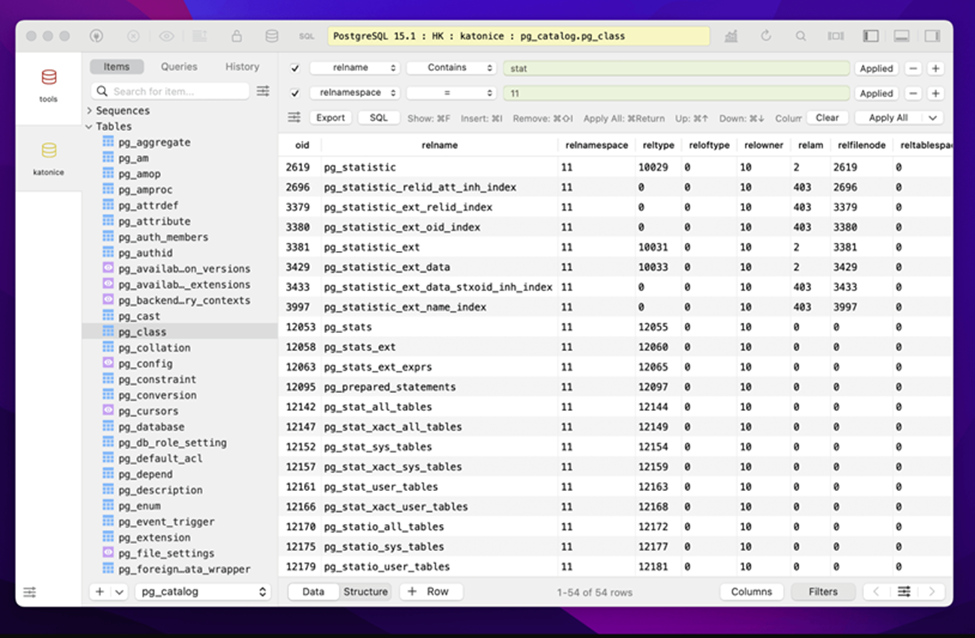
TablePlus is a lightweight, native GUI client that began as a macOS-first product and now offers varying levels of support for other platforms. It has a clean, minimal interface and prioritizes speed and simplicity over depth.
TablePlus covers the basics of PostgreSQL well (querying, browsing tables, editing rows) but skips advanced features like role management, dashboards, or visual explain plans. While the macOS version is the most polished, the Windows build is functional and regularly updated. Linux support remains limited, with development ongoing.
Key features for working with PostgreSQL
- Native SQL editor with autocomplete, syntax highlighting, and result history.
- Spreadsheet-style data view with inline editing, filtering, and quick export.
- Table and schema browsing with editing support for columns, indexes, and constraints.
- Multiple connections with tabbed UI, session restore, and saved queries.
- Cross-database support, including MySQL, SQLite, SQL Server, Redis, and more.
Pros
- Fast and lightweight: Quick to launch and smooth to use, especially on macOS.
- Clean, minimal UI: Prioritizes simplicity over clutter.
- Modern UX: Feels like a native app on macOS.
Cons
- Limited PostgreSQL depth: No support for roles, extensions, or server-level features.
- No visual query tools: Lacks dashboards, visual EXPLAIN plans, or a query builder.
- Linux version is underdeveloped: Linux version is functional but less mature than macOS and Windows, with some features still in progress.
- Closed source and paid: The free trial is limited to two open tabs, two windows, and two advanced filters, and a license costs $99 per device.
TablePlus Links
Choosing the right PostgreSQL GUI
The best Postgres GUI is the one that fits how you actually work.
If you’re switching between databases, writing a lot of SQL, or just want something that feels fast and intuitive then Beekeeper Studio gives you a clean, focused interface without getting in your way. It’s cross-platform, open source, and supports multiple databases, so it fits right into most real-world dev environments.
Tools like pgAdmin, DBeaver, or DataGrip have their place, especially if you’re deep into Postgres admin, working in a JetBrains IDE, or juggling legacy systems. Adminer is handy when you can only reach a database from a web server, and HeidiSQL suits Windows users who mostly work with MySQL. But if you want a modern GUI that is built for developers, get started with Beekeeper Studio today.
 Beekeeper Studio Is A Free & Open Source Database GUI
Best SQL query & editor tool I have ever used. It provides everything I need to manage my database. - ⭐⭐⭐⭐⭐ Mit
Beekeeper Studio is fast, intuitive, and easy to use. Beekeeper supports loads of databases, and works great on Windows, Mac and Linux.
What Users Say About Beekeeper Studio
"Beekeeper Studio completely replaced my old SQL workflow. It's fast, intuitive, and makes database work enjoyable again."
"I've tried many database GUIs, but Beekeeper strikes the perfect balance between features and simplicity. It just works."