
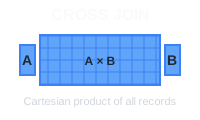
Ein CROSS JOIN in PostgreSQL kombiniert jede Zeile einer Tabelle mit jeder Zeile einer anderen Tabelle und erzeugt so ein kartesisches Produkt. Das ist praktisch, um Kombinationen zu generieren, Testdaten zu erstellen oder Elemente aus zwei Datensätzen miteinander zu paaren.
🔖 Kurzreferenz: Du brauchst einen schnellen Überblick über alle JOIN-Typen? Schau dir unser SQL JOIN Cheat Sheet mit anschaulichen Diagrammen und Codebeispielen an.
Grundlegende Syntax
SELECT column1, column2
FROM table1
CROSS JOIN table2;
Du kannst auch die implizite Syntax verwenden:
SELECT column1, column2
FROM table1, table2;
Beispiel: Kombinationen aus Produkten und Farben
Schauen wir uns zwei einfache Tabellen an, products und colors, um zu zeigen, wie ein CROSS JOIN funktioniert.
Tabelle products:
| product_id | product_name |
|---|---|
| 1 | T-Shirt |
| 2 | Jeans |
Tabelle colors:
| color_id | color_name |
|---|---|
| 1 | Red |
| 2 | Blue |
So erzeugst du alle möglichen Kombinationen aus Produkten und Farben:
SELECT product_name, color_name
FROM products
CROSS JOIN colors;
Erwartete Ausgabe:
| product_name | color_name |
|---|---|
| T-Shirt | Red |
| T-Shirt | Blue |
| Jeans | Red |
| Jeans | Blue |
Der CROSS JOIN kombiniert jedes Produkt mit jeder Farbe und ergibt insgesamt 2 Produkte × 2 Farben = 4 Kombinationen.
Typische Anwendungsfälle
Alle Kombinationen generieren: Erstelle Produktvarianten, indem du Größen und Farben kombinierst:
SELECT size, color
FROM sizes CROSS JOIN colors;
Testdaten erstellen: Erzeuge Beispieldaten zum Testen, indem du verschiedene Parameter kombinierst:
SELECT strategy, scenario
FROM strategies CROSS JOIN scenarios;
Berichtsvorlagen: Erstelle Platzhalterzeilen für alle möglichen Kombinationen in Berichten.
Wichtige Hinweise
Performance: CROSS JOIN kann sehr große Ergebnismengen erzeugen. Eine Tabelle mit 1.000 Zeilen, gekreuzt mit einer weiteren Tabelle mit 1.000 Zeilen, ergibt 1.000.000 Zeilen.
Filtern: Verwende WHERE-Klauseln, um die Ergebnisse einzugrenzen:
SELECT product_name, color_name
FROM products CROSS JOIN colors
WHERE product_name = 'T-Shirt';
Fazit
CROSS JOIN ist nützlich, um Kombinationen und Testdaten zu generieren, aber setze ihn bei großen Tabellen mit Bedacht ein, um Performance-Probleme zu vermeiden. Überlege dir immer, wie groß deine Ergebnismenge wird, bevor du die Abfrage ausführst.
 Beekeeper Studio ist eine kostenlose & quelloffene Datenbank-GUI
Das beste SQL-Abfrage- & Editor-Tool, das ich je benutzt habe. Es bietet alles, was ich zum Verwalten meiner Datenbank brauche. - ⭐⭐⭐⭐⭐ Mit
Beekeeper Studio ist schnell, intuitiv und einfach zu bedienen. Beekeeper unterstützt jede Menge Datenbanken und läuft hervorragend auf Windows, Mac und Linux.
Was Nutzer über Beekeeper Studio sagen
„Beekeeper Studio hat meinen alten SQL-Workflow komplett ersetzt. Es ist schnell, intuitiv und macht die Arbeit mit Datenbanken wieder richtig Spaß.“
„Ich habe schon viele Datenbank-GUIs ausprobiert, aber Beekeeper trifft genau die richtige Balance zwischen Funktionsumfang und Einfachheit. Es funktioniert einfach.“