
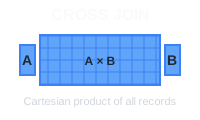
A CROSS JOIN in PostgreSQL combines every row from one table with every row from another table, creating a Cartesian product. This is useful for generating combinations, creating test data, or pairing elements from two datasets.
🔖 Quick Reference: Need a quick lookup for all JOIN types? Check out our SQL JOIN Cheat Sheet with visual diagrams and code examples.
Basic Syntax
SELECT column1, column2
FROM table1
CROSS JOIN table2;
You can also use the implicit syntax:
SELECT column1, column2
FROM table1, table2;
Example: Product and Color Combinations
Let’s consider two simple tables, products and colors, to demonstrate how a CROSS JOIN works.
products table:
| product_id | product_name |
|---|---|
| 1 | T-Shirt |
| 2 | Jeans |
colors table:
| color_id | color_name |
|---|---|
| 1 | Red |
| 2 | Blue |
To generate all possible combinations of products and colors:
SELECT product_name, color_name
FROM products
CROSS JOIN colors;
Expected Output:
| product_name | color_name |
|---|---|
| T-Shirt | Red |
| T-Shirt | Blue |
| Jeans | Red |
| Jeans | Blue |
The CROSS JOIN combines every product with every color, yielding a total of 2 products × 2 colors = 4 combinations.
Common Use Cases
Generating all combinations: Create product variants by combining sizes and colors:
SELECT size, color
FROM sizes CROSS JOIN colors;
Creating test data: Generate sample data for testing by combining different parameters:
SELECT strategy, scenario
FROM strategies CROSS JOIN scenarios;
Report templates: Create placeholder rows for all possible combinations in reports.
Important Considerations
Performance: CROSS JOIN can generate very large result sets. A table with 1,000 rows crossed with another 1,000-row table produces 1,000,000 rows.
Filtering: Use WHERE clauses to limit results:
SELECT product_name, color_name
FROM products CROSS JOIN colors
WHERE product_name = 'T-Shirt';
Conclusion
CROSS JOIN is useful for generating combinations and test data, but use it carefully with large tables to avoid performance issues. Always consider the size of your result set before running the query.
 Beekeeper Studio Adalah GUI Database Gratis & Open Source
Alat query SQL & editor terbaik yang pernah saya gunakan. Menyediakan semua yang saya butuhkan untuk mengelola database saya. - ⭐⭐⭐⭐⭐ Mit
Beekeeper Studio cepat, intuitif, dan mudah digunakan. Beekeeper mendukung banyak database dan berfungsi dengan baik di Windows, Mac, dan Linux.
Apa Kata Pengguna Tentang Beekeeper Studio
"Beekeeper Studio sepenuhnya menggantikan alur kerja SQL lama saya. Cepat, intuitif, dan membuat pekerjaan database menyenangkan lagi."
"Saya sudah mencoba banyak GUI database, tapi Beekeeper menemukan keseimbangan sempurna antara fitur dan kesederhanaan. Langsung berfungsi."