Alternatif DBVisualizer yang Modern dan Mudah Digunakan
Beekeeper Studio adalah alternatif DBVisualizer yang cepat dan ringan. UI modern, tanpa nuansa IDE Java, tanpa pelacakan penggunaan.

Beekeeper Studio mudah digunakan, ringan dari sisi CPU/RAM, dan cepat. - Vijay Mariadassou
Beekeeper Studio adalah database manager yang lebih mengutamakan kecepatan dan kemudahan penggunaan daripada segudang fitur yang tidak akan pernah Anda sentuh. Aplikasinya lengkap, dan Anda mungkin justru menikmati memakainya.
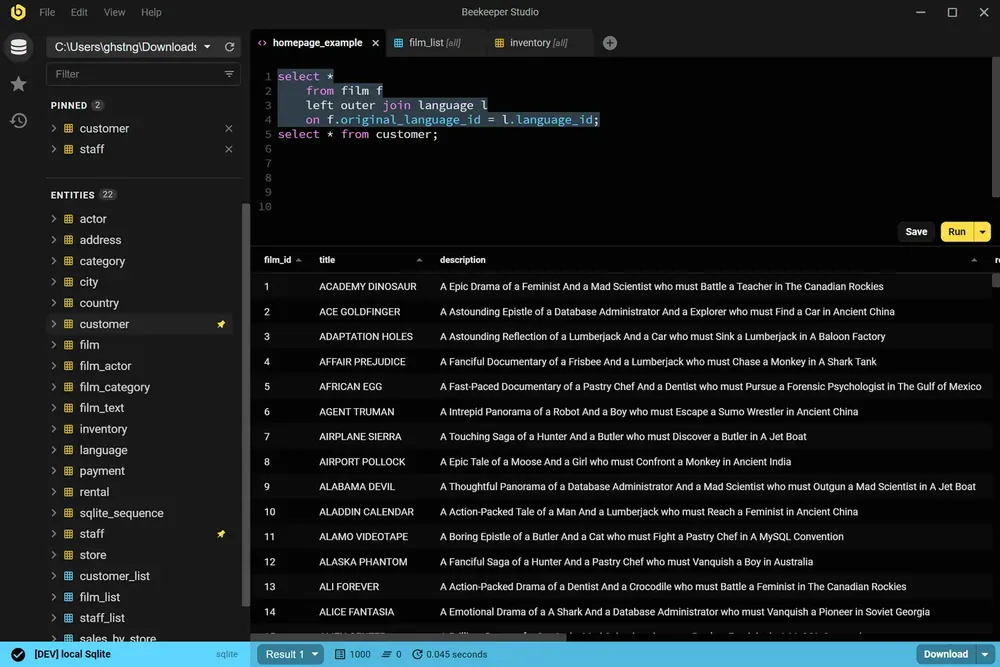
Seperti DBVisualizer, Beekeeper Studio terhubung ke beragam database dan berjalan di Mac, Linux, dan Windows. Berbeda dengan DBVisualizer, Beekeeper Studio punya Community Edition open source yang gratis dan tanpa pelacakan penggunaan sama sekali.
Saya membuat Beekeeper Studio karena muak dengan UI Java era 90-an yang kaku, tidak mendukung layar high-DPI, desainnya buruk, dan tombolnya kebanyakan. Kalau Anda merasakan hal yang sama, Anda mungkin akan menyukai Beekeeper Studio.
Saya memakai Beekeeper Studio karena antarmukanya yang nyaman, minim gangguan, dan punya tool yang pas. - R
Gunakan Beekeeper Studio jika Anda menginginkan aplikasi database dengan UX yang nyaman dan tanpa perlu belajar lama. Anda akan lebih menyukainya jika lebih suka tool seperti VSCode atau Sublime Text dibanding Eclipse dan IntelliJ.
Gunakan DBVisualizer jika Anda menginginkan SQL IDE yang lengkap dan tidak keberatan dengan UI yang lebih lambat, lebih kuno, dan lebih rumit. (Jika Anda menginginkan IDE lengkap, DataGrip dan DBeaver juga layak dilirik.) Kemungkinan besar perusahaan Anda sudah membeli DBVisualizer untuk semua orang dan Anda tidak punya pilihan. Psst, ceritakan saja tentang Beekeeper Studio ke mereka.
Saya membuat Beekeeper Studio karena muak dengan aplikasi database yang terlalu rumit sehingga harus dipelajari ulang setiap kali dipakai. Saya ingin sesuatu yang cepat dan ringan seperti VSCode atau Sublime Text, tetapi untuk SQL.
Spoiler: saya tidak menemukan aplikasi bagus yang sesuai kriteria saya, jadi saya membuatnya sendiri. Itulah alasan Beekeeper Studio ada sekarang.
Beekeeper Studio punya UI yang cepat dan modern yang terasa benar-benar dibuat di abad ini. Buka, hubungkan, lalu mulai jalankan query. Tanpa perlu tutorial.
Beekeeper Studio langsung cocok. Saya tidak perlu berjam-jam mencari tahu cara memakainya, dan aplikasi ini langsung menyatu dengan toolkit saya. - CS (riset)
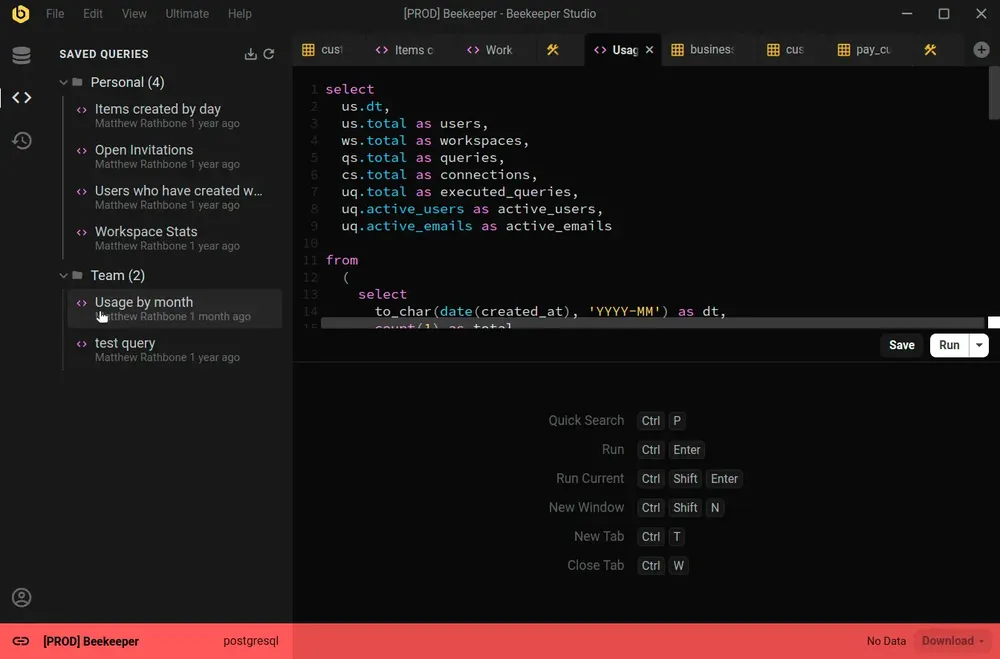
Beekeeper Studio mendukung beragam database, seperti SQLite, Postgres, bahkan Oracle. Bedakan environment dengan mudah lewat kode warna untuk setiap koneksi, dan seluruh aplikasi akan menyesuaikan warnanya saat Anda terhubung.
Dukungan yang bagus untuk banyak environment (saya memberi label prod merah, dev kuning, localhost hijau). - Chander, Motion
Beekeeper Studio bekerja sama baiknya di MacOS, Windows, dan Linux. Seperti Anda, kami juga mengutak-atik berbagai jenis komputer, jadi kami ingin software kami berkualitas terbaik, bahkan terutama di Linux.
Saya bekerja di Mac dan Linux, dan bisa memakai aplikasi yang sama dengan fitur yang setara di kedua platform itu luar biasa. - Brian Loomis, Principal Engineer, Nikola Motor
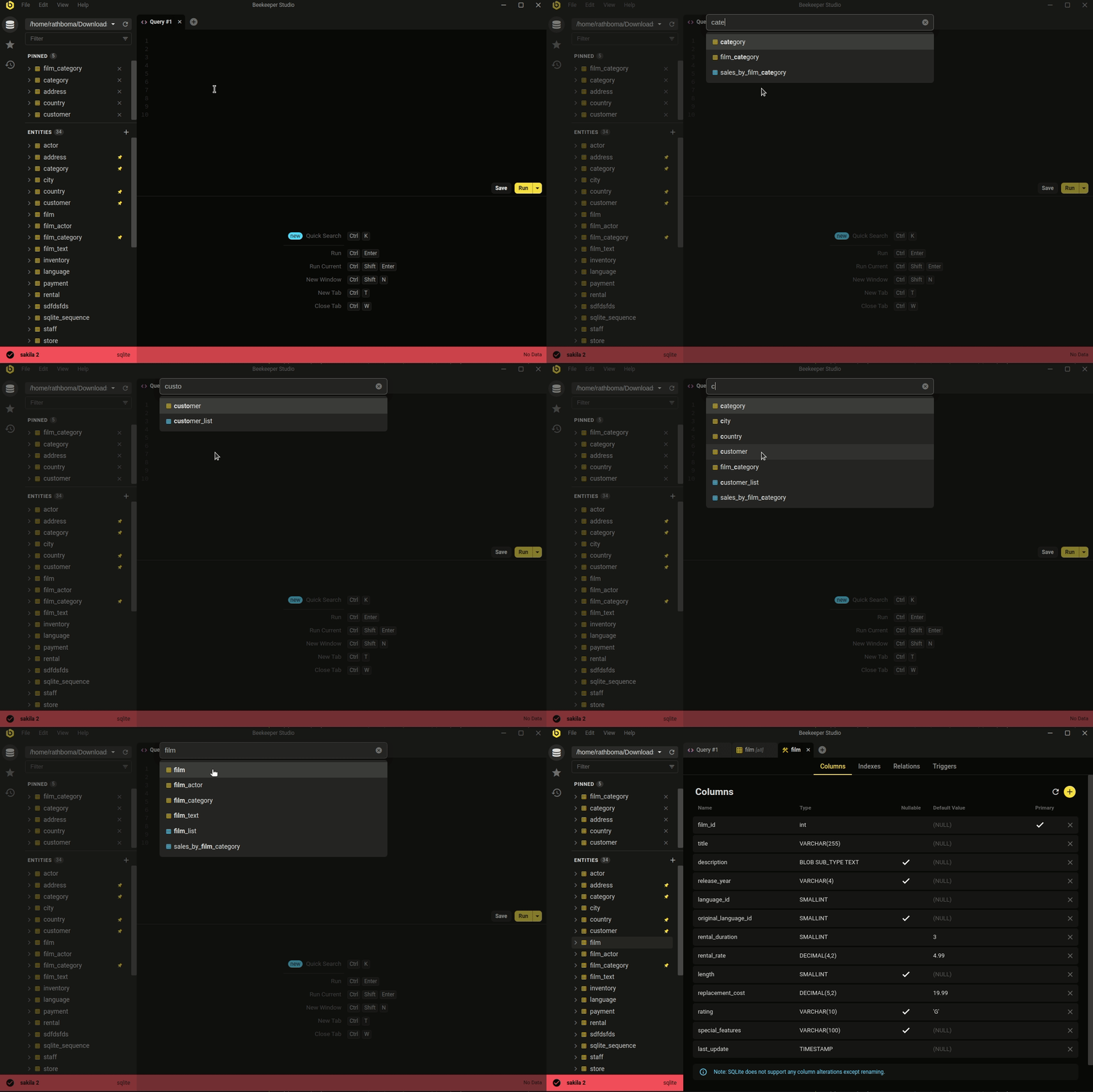 Ctrl/Cmd+P - cari cepat database dan query tersimpan Anda
Estetika yang minimalis dan modern bukan segalanya. Beekeeper mencakup pekerjaan database sehari-hari yang benar-benar dilakukan sebagian besar developer.
Entah Anda ingin mengedit data dengan cepat dan mudah, menulis SQL layaknya pro, membuat & mengubah tabel, atau bahkan berbagi query dengan rekan kerja, Beekeeper Studio siap membantu.
Perhatian Beekeeper Studio pada desain (baik visual maupun fungsionalitas) membuat pekerjaan lebih mudah. - Long
Gratis diunduh, tanpa daftar atau kartu kredit.