Alternatif MySQL Workbench - MySQL Client yang Mudah Digunakan
Kalau MySQL Workbench terasa kaku, membingungkan, atau sering freeze, coba Beekeeper Studio. GUI MySQL modern yang langsung jalan.

Dulu saya pakai MySQL Workbench, tapi rasanya kaku dan membingungkan. Pindah ke Beekeeper dan tidak pernah kembali. Database bukan keahlian saya, tapi Beekeeper membantu menghilangkan hambatan, mudah digunakan, dan membuat saya merasa mampu mengerjakan apa yang perlu saya kerjakan. - Ariana Rice, Mahasiswa
Beekeeper Studio adalah GUI MySQL yang cepat dan modern, bisa Anda buka dan pakai tanpa tutorial. Kalau MySQL Workbench sudah bikin Anda lelah (UI yang ketinggalan zaman, freeze saat hasil query besar, ribetnya koneksi SSL), Beekeeper akan terasa melegakan.
Seperti MySQL Workbench, Beekeeper punya dukungan MySQL yang solid. Bedanya, Beekeeper juga mendukung PostgreSQL, SQLite, SQL Server, dan belasan database lainnya, jadi cukup satu tool, bukan satu tool per engine.
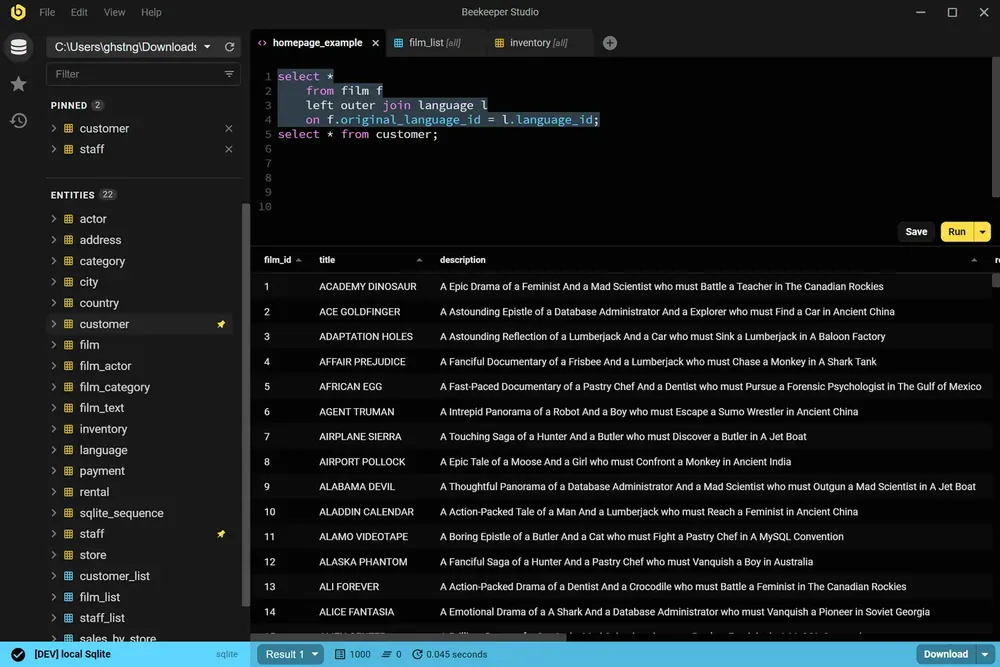
MySQL Workbench adalah MySQL client resmi dari Oracle, dengan fokus pada pemodelan database, administrasi server, dan migrasi. Memang powerful, tapi sudah terasa tua: antarmukanya padat, tugas sehari-hari butuh lebih banyak klik dari seharusnya, dan aplikasinya kewalahan menghadapi tabel besar.
Beekeeper Studio mengambil pendekatan berbeda. UI-nya dirancang untuk kerja query sehari-hari: menulis SQL, menjelajah tabel, mengedit baris, menyimpan query, memberi warna merah untuk prod dan kuning untuk dev agar Anda tidak menjalankan sesuatu di server yang salah. Tidak berlebihan; semuanya ada di tempat yang Anda harapkan.
Gunakan MySQL Workbench jika Anda memang membutuhkan fitur pemodelan data visual, administrasi server, atau wizard migrasinya.
Gunakan Beekeeper Studio jika Anda lebih banyak menulis query dan mengedit data, serta menginginkan GUI yang cepat, simpel, dan berjalan sama di Mac, Windows, dan Linux.
Lihat landing page-nya, coba selama 10 menit, dan saya langsung tahu, MySQL Workbench tidak ada apa-apanya dibanding karya seni ini. - Abdul Jaseem, Tech lead @ Tradebrains
Saya membuat Beekeeper Studio karena muak dengan aplikasi database yang terlalu rumit dan harus dipelajari ulang setiap kali dipakai. Saya ingin sesuatu yang cepat dan ringan seperti VSCode atau Sublime Text, tapi untuk SQL.
Spoiler: saya tidak menemukan aplikasi bagus yang sesuai kriteria saya, jadi saya membuatnya sendiri. Itulah kenapa Beekeeper Studio ada hari ini.
Beekeeper Studio punya UI yang cepat dan modern yang terasa dibuat di abad ini. Buka, hubungkan, dan mulai jalankan query. Tanpa perlu tutorial.
Beekeeper Studio langsung cocok. Saya tidak perlu berjam-jam mencari tahu cara memakainya dengan benar, dan ia menjadi tambahan yang mulus untuk toolkit saya. - CS (riset)
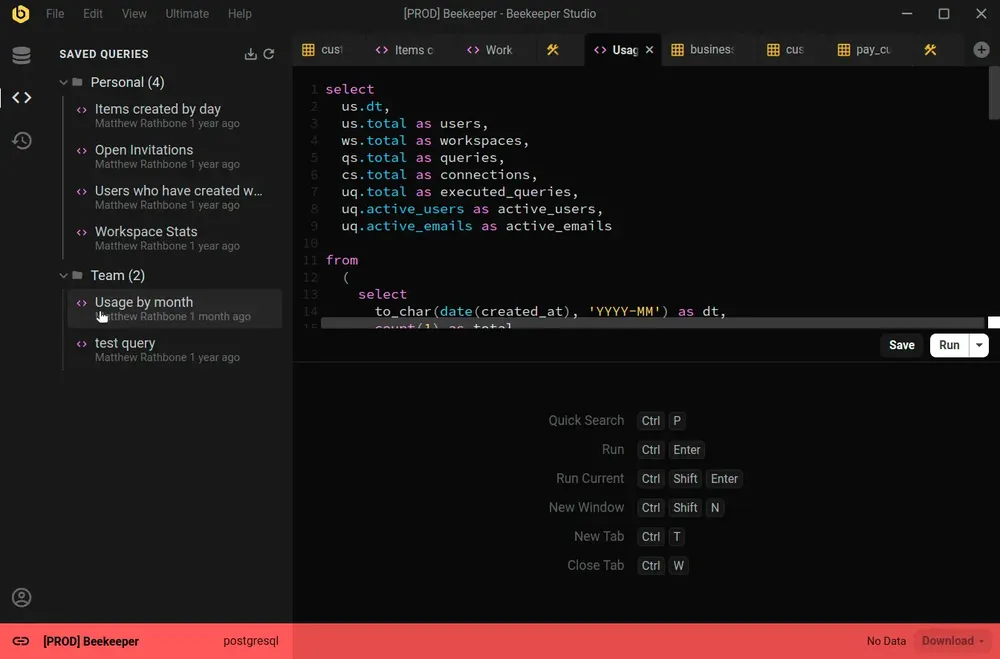
Beekeeper Studio mendukung beragam database, seperti SQLite, Postgres, bahkan Oracle. Bedakan environment dengan mudah lewat kode warna untuk setiap koneksi, dan seluruh aplikasi akan berubah warna saat Anda terhubung.
Dukungan yang bagus untuk banyak environment (saya beri label merah untuk prod, kuning untuk dev, hijau untuk localhost). - Chander, Motion
Beekeeper Studio berjalan sama di MacOS, Windows, dan Linux. Seperti Anda, kami suka mengutak-atik berbagai jenis komputer, jadi kami ingin software kami berkualitas terbaik, bahkan terutama di Linux.
Saya bekerja dengan kombinasi Mac dan Linux, dan bisa punya fitur yang setara dan aplikasi yang sama di kedua platform itu luar biasa. - Brian Loomis, Principal Engineer, Nikola Motor
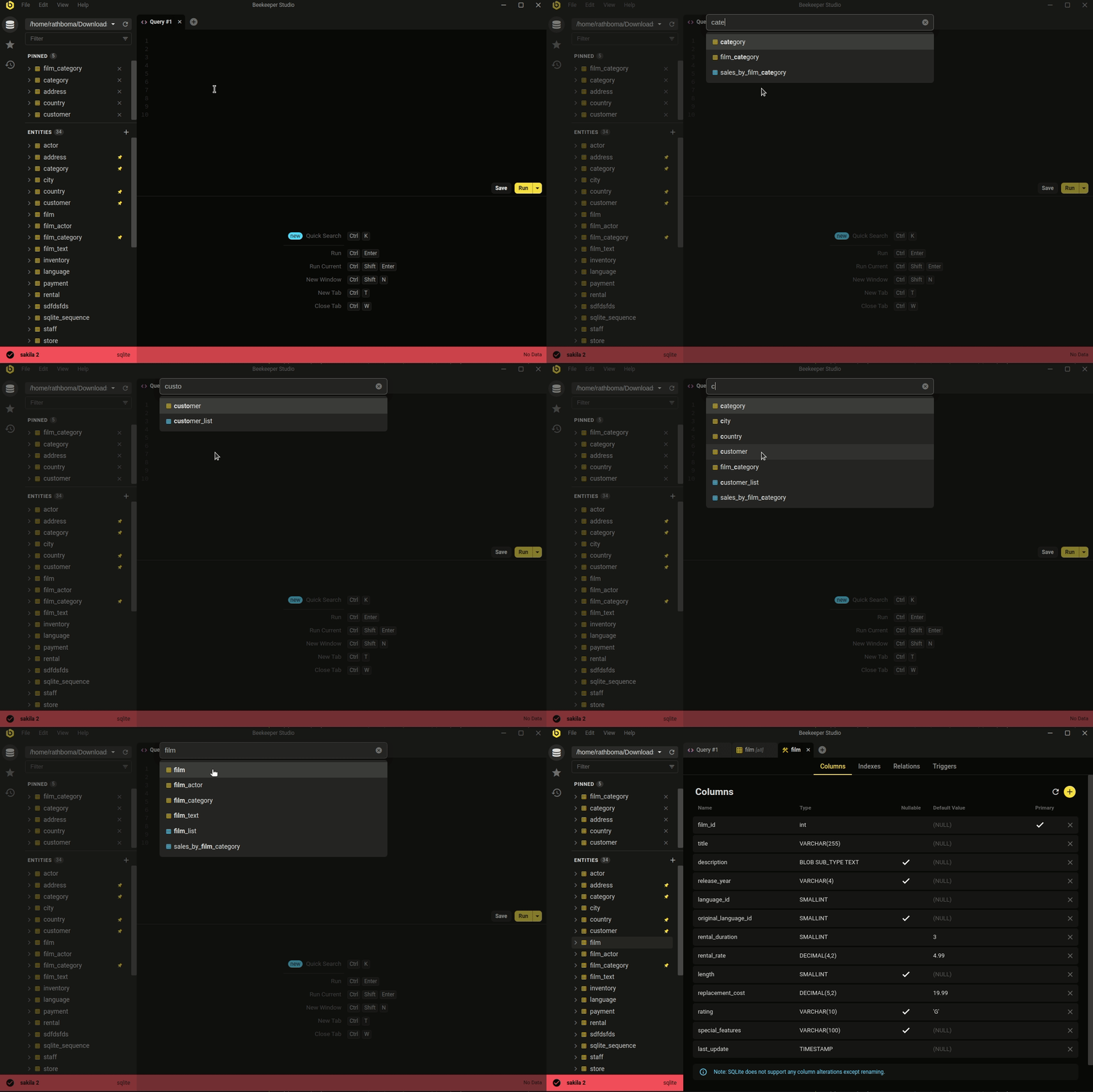 Ctrl/Cmd+P - cari cepat database dan query tersimpan Anda
Estetika minimalis dan modern bukan satu-satunya keunggulan. Beekeeper mencakup pekerjaan database sehari-hari yang benar-benar dilakukan sebagian besar developer.
Entah Anda ingin mengedit data dengan cepat dan mudah, menulis SQL seperti pro, membuat & mengubah tabel, atau bahkan berbagi query dengan rekan kerja, Beekeeper Studio siap membantu.
Perhatian Beekeeper Studio terhadap desain (baik visual maupun fungsionalitas) membantu meringankan pekerjaan. - Long
Gratis diunduh, tanpa daftar atau kartu kredit.