Alternatif RazorSQL Modern - Manajemen Database yang Intuitif
Alternatif RazorSQL yang modern dan ringan. UI bersih, cepat dibuka, dan fitur yang sama lengkapnya di Mac, Linux, dan Windows.

UI-nya jelas yang terbaik di industri ini dalam hal kesederhanaan, kemudahan, dan fleksibilitasnya. Saya melihat landing page-nya, mencobanya 10 menit, dan langsung yakin. Sebagai orang yang mengelola banyak db di cukup banyak environment, Beekeeper Studio jadi pengalaman yang sangat seru dan menyenangkan. - Abdul Jaseem, Tech lead @ Tradebrains
RazorSQL sudah ada sejak lama, dan itu terasa. Daftar fitur yang lengkap, dukungan database yang luas, dan UI yang seolah dirancang untuk monitor 1024×768. Kalau Anda sudah memakainya bertahun-tahun, kebiasaan itu memang sudah melekat. Tapi kalau Anda memilih tool hari ini, mungkin Anda lebih suka yang tidak terasa seperti tahun 2008.
Beekeeper Studio adalah alternatif modernnya. Dukungan database yang sama luasnya, sama-sama cross-platform (Mac, Linux, Windows, semuanya kelas satu), tetapi dengan UI yang bersih dan cepat sehingga Anda tidak perlu belajar dulu untuk memakainya.
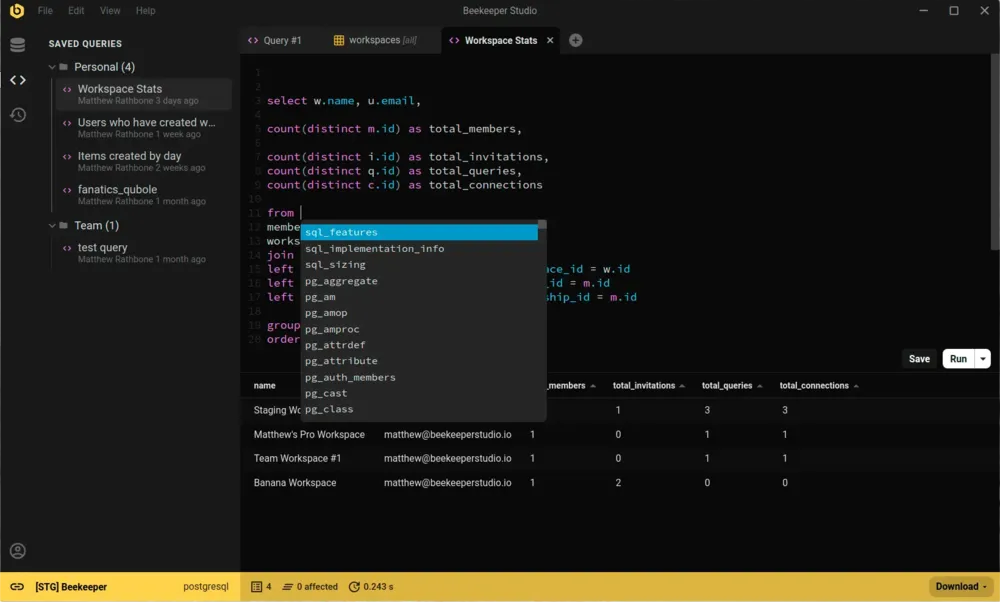
RazorSQL sudah matang dan kaya fitur. Kalau Anda bergantung pada konektor lama tertentu atau fitur admin khusus yang dibangunnya selama bertahun-tahun, itu alasan yang masuk akal untuk tetap memakainya.
Beekeeper menukar banyaknya fitur lama dengan kemudahan dan kenyamanan pakai. UI-nya rapi, query terbuka di tab (dengan autocomplete dan syntax highlighting), data tabel bisa diedit seperti spreadsheet, dan aplikasinya cepat dibuka di semua OS. Beekeeper aktif dikembangkan dan open source di GitHub, jadi Anda tidak bergantung pada satu vendor saja.
Gunakan RazorSQL jika Anda butuh konektor lama atau fitur admin tertentu yang disediakannya.
Gunakan Beekeeper Studio jika Anda ingin tool database yang modern, cepat, dan intuitif, yang berjalan sama di semua OS dan tidak menghalangi kerja Anda.
Kami sudah memakai banyak sekali IDE database selama bertahun-tahun. Memiliki antarmuka yang konsisten, bersih, dan elegan di sistem operasi apa pun menghemat waktu dan biaya di sepanjang proses pengembangan. - Dave Liotta, Founder & Developer, Shift Six Labs, Inc.
Saya membuat Beekeeper Studio karena sudah muak dengan aplikasi database yang terlalu rumit sampai harus dipelajari ulang setiap kali dipakai. Saya ingin sesuatu yang cepat dan ringan seperti VSCode atau Sublime Text, tapi untuk SQL.
Spoiler: saya tidak menemukan aplikasi bagus yang sesuai kriteria saya, jadi saya membuatnya sendiri. Itulah sebabnya Beekeeper Studio ada hari ini.
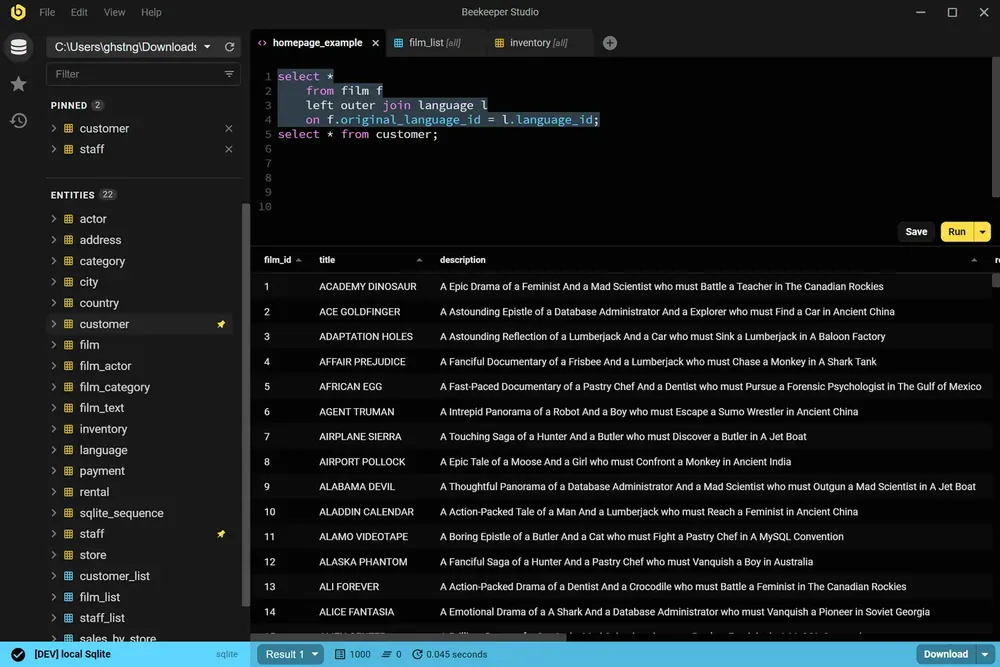
Beekeeper Studio punya UI yang cepat dan modern yang terasa dibuat di abad ini. Buka, hubungkan, dan mulai jalankan query. Tanpa perlu tutorial.
Beekeeper Studio langsung cocok. Saya tidak perlu berjam-jam mencari tahu cara memakainya dengan benar, dan ia langsung menyatu dengan perangkat kerja saya. - CS (riset)
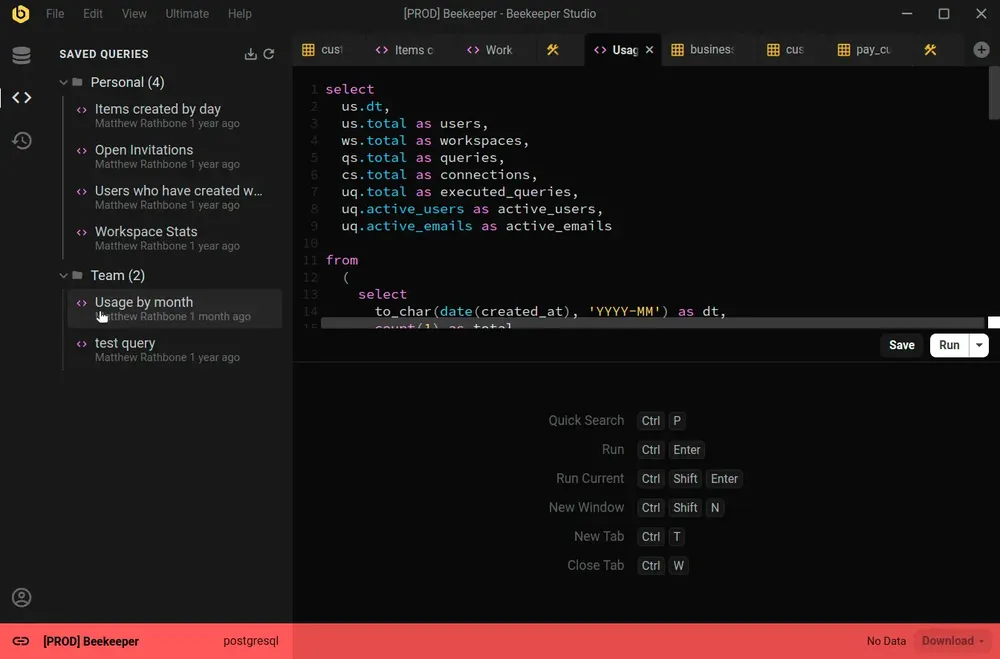
Beekeeper Studio mendukung berbagai macam database, seperti SQLite, Postgres, bahkan Oracle. Bedakan environment dengan mudah lewat kode warna di setiap koneksi, dan seluruh aplikasi akan berubah warna menyesuaikan saat Anda terhubung.
Dukungan multi-environment yang mantap (saya menandai prod merah, dev kuning, localhost hijau). - Chander, Motion
Beekeeper Studio bekerja sama persis di MacOS, Windows, dan Linux. Seperti Anda, kami suka mengutak-atik berbagai jenis komputer, jadi kami ingin software kami berkualitas terbaik, bahkan terutama di Linux.
Saya bekerja di Mac dan Linux sekaligus, dan bisa punya aplikasi yang sama dengan fitur yang setara di kedua platform itu luar biasa. - Brian Loomis, Principal Engineer, Nikola Motor
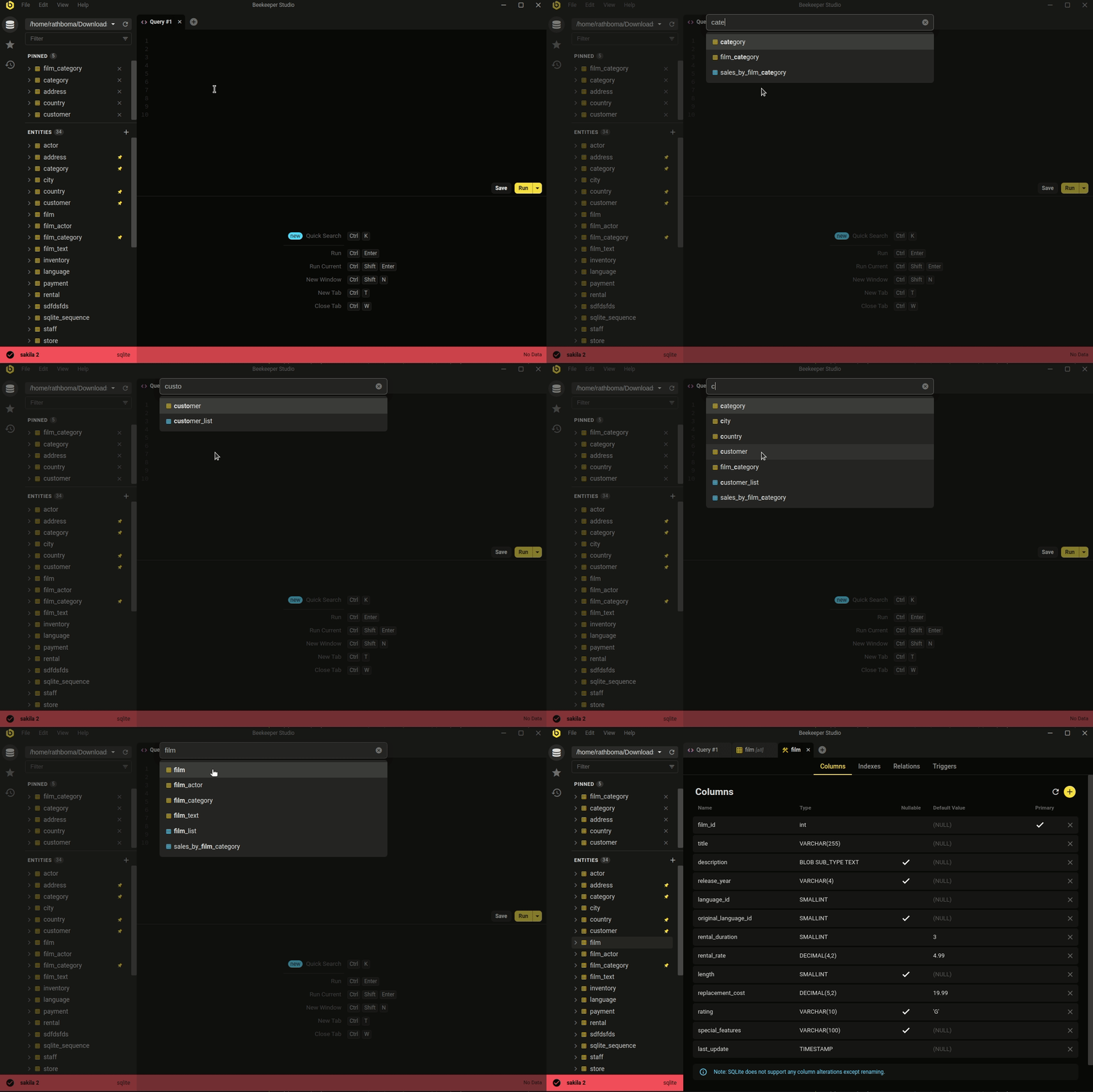 Ctrl/Cmd+P - cari cepat database dan query tersimpan Anda
Estetika minimalis dan modern bukan satu-satunya keunggulan. Beekeeper mencakup pekerjaan database sehari-hari yang benar-benar dilakukan kebanyakan developer.
Entah Anda ingin mengedit data dengan cepat dan mudah, menulis SQL layaknya pro, membuat & mengubah tabel, atau bahkan berbagi query dengan rekan kerja, Beekeeper Studio siap membantu.
Perhatian Beekeeper Studio terhadap desain (baik visual maupun fungsionalitas) membantu meringankan pekerjaan. - Long
Gratis diunduh, tanpa daftar akun atau kartu kredit.