Alternatif PSQL - GUI Postgres yang Mudah Digunakan
Saat psql mulai merepotkan untuk menjelajah tabel besar atau query Anda tercecer di berbagai file teks, Beekeeper Studio adalah GUI yang pas dengan alur kerja Anda.

Saya beralih ke Beekeeper Studio karena lelah dengan tampilan CLI untuk tabel besar. - Frank Kumro
psql itu luar biasa. Cepat, bisa di-script, dan menyatu rapi dengan alur kerja shell. Masalahnya muncul di dua momen yang bisa ditebak: saat query mengembalikan tabel lebar yang tidak muat di terminal, dan saat Anda sadar “query tersimpan” Anda hanyalah folder berisi file .sql yang tidak bisa dicari.
Beekeeper Studio adalah GUI yang menyelesaikan keduanya, tanpa membujuk Anda berhenti memakai psql untuk hal-hal yang memang paling cocok dikerjakan psql.
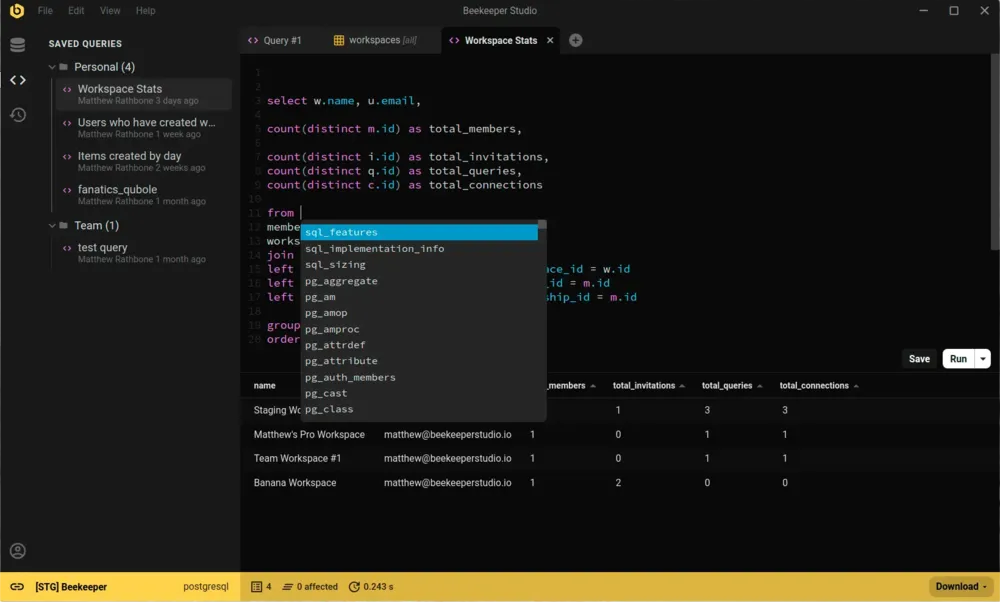
Keduanya bisa terhubung ke Postgres dan menjalankan query. GUI memberi Anda beberapa hal yang benar-benar mengurangi hambatan dalam pekerjaan sehari-hari:
ALTER TABLE yang benarSaat memakai psql, saya punya terlalu banyak query SQL yang disimpan di file teks. - JG
Kalau GUI sebagus itu, kenapa psql masih ada di terminal semua orang? Jujur saja: kebanyakan GUI database sulit dipelajari dan antarmukanya membingungkan, jadi lebih gampang mengetik psql -d mydb lalu lanjut bekerja. Saya membuat Beekeeper Studio karena frustrasi dengan tool yang membingungkan dan antarmuka yang ketinggalan zaman. Itulah sebabnya aplikasi ini langsung berfungsi dan tidak menghalangi kerja Anda.
Saya sendiri masih memakai psql untuk urusan scripting yang cepat. Tapi untuk apa pun yang menyentuh database production yang serius (menjelajah data, menjalankan migrasi, memperbaiki satu baris), saya butuh tool yang tepat.
Beekeeper Studio rapi, mulus, dan langsung berfungsi. - Mike Kelly, CTO MemberVault
Saya membuat Beekeeper Studio karena muak dengan aplikasi database yang terlalu rumit dan harus dipelajari ulang setiap kali dipakai. Saya ingin sesuatu yang cepat dan ringan seperti VSCode atau Sublime Text, tapi untuk SQL.
Spoiler: saya tidak menemukan aplikasi bagus yang sesuai kriteria saya, jadi saya membuatnya sendiri. Itulah alasan Beekeeper Studio ada hari ini.
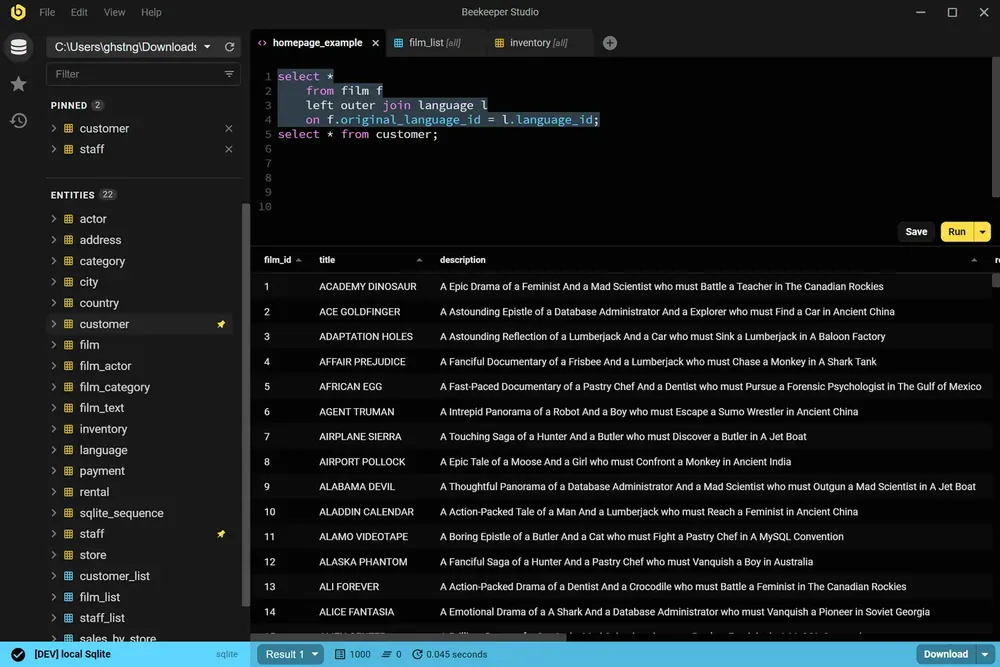
Beekeeper Studio punya UI yang cepat dan modern yang terasa seperti dibuat di abad ini. Buka, hubungkan, dan mulai jalankan query. Tanpa perlu tutorial.
Beekeeper Studio langsung cocok. Saya tidak perlu berjam-jam mencari tahu cara memakainya, dan aplikasi ini langsung menyatu dengan perkakas saya. - CS (riset)
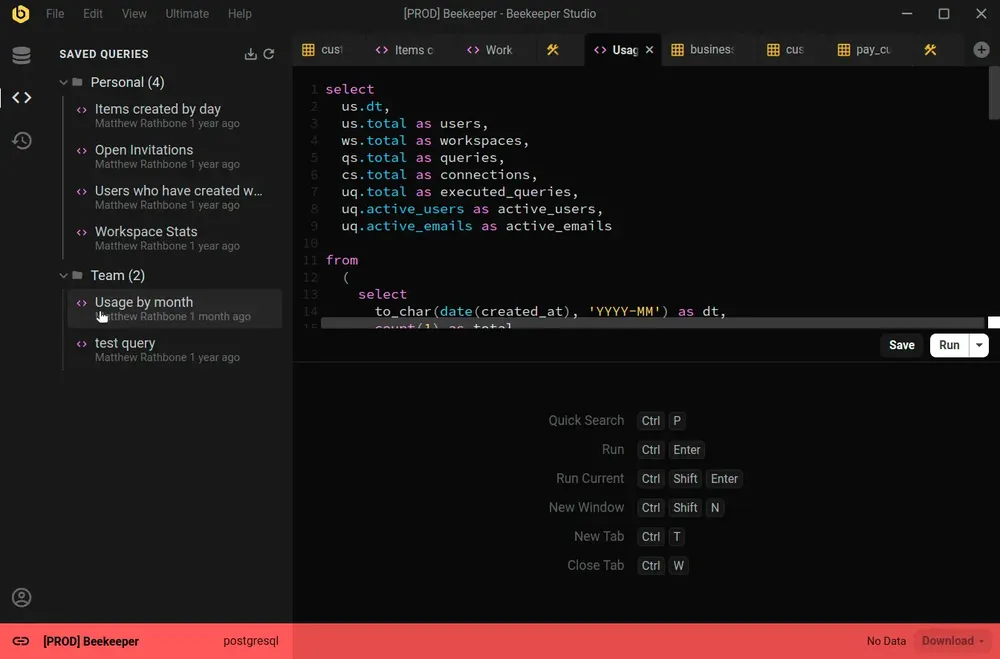
Beekeeper Studio mendukung beragam database, seperti SQLite, Postgres, bahkan Oracle. Bedakan environment dengan mudah lewat kode warna untuk setiap koneksi, dan seluruh aplikasi akan berubah warna menyesuaikan saat Anda terhubung.
Dukungan yang bagus untuk banyak environment (saya beri label prod merah, dev kuning, localhost hijau). - Chander, Motion
Beekeeper Studio bekerja sama baiknya di MacOS, Windows, dan Linux. Seperti Anda, kami suka mengutak-atik berbagai jenis komputer, jadi kami ingin software kami berkualitas terbaik, bahkan terutama di Linux.
Saya bekerja dengan kombinasi Mac dan Linux, dan bisa memakai aplikasi yang sama dengan fitur yang setara di kedua platform itu luar biasa. - Brian Loomis, Principal Engineer, Nikola Motor
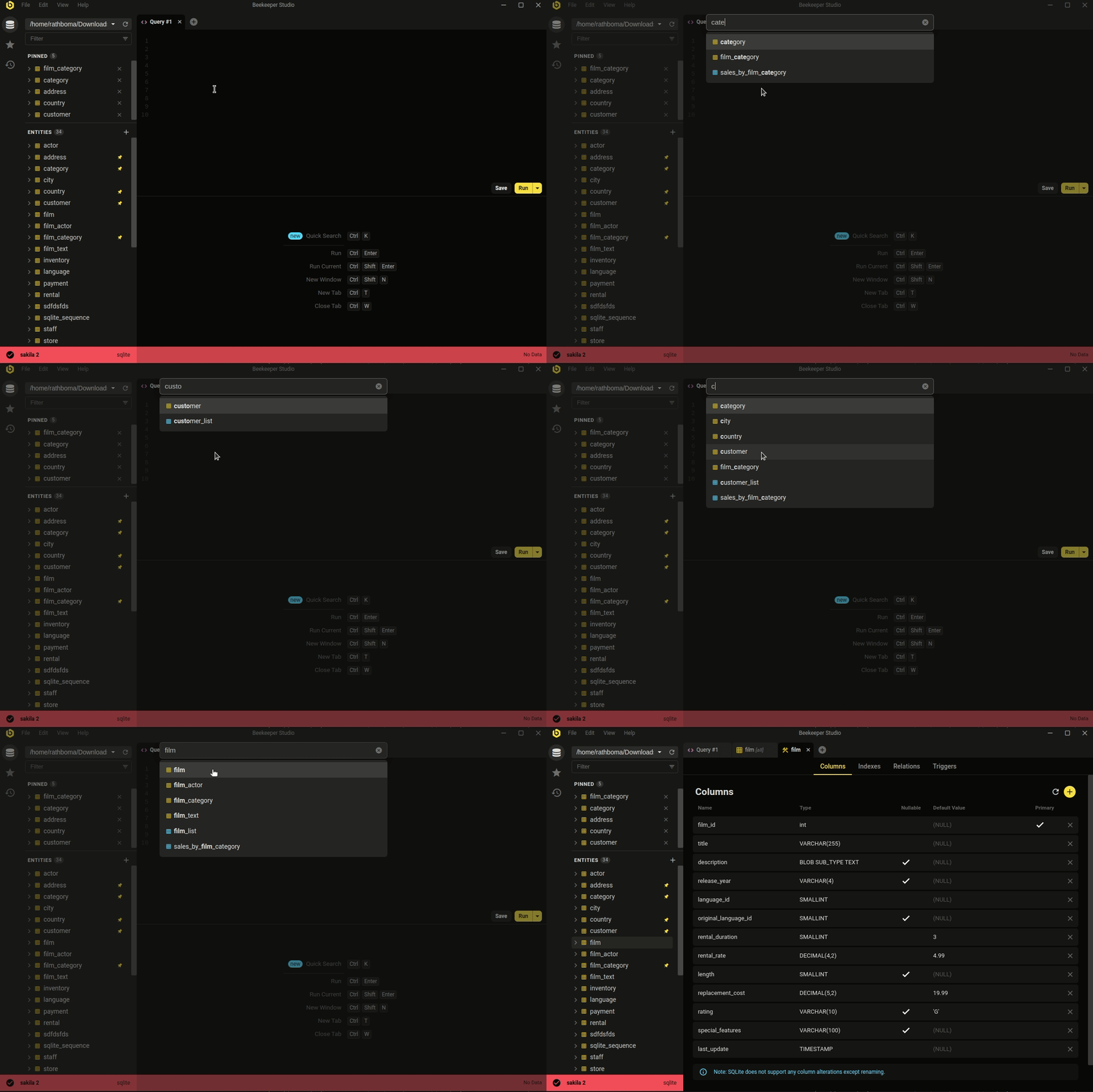 Ctrl/Cmd+P - cari cepat database dan query tersimpan Anda
Estetika minimalis dan modern bukan satu-satunya keunggulan. Beekeeper menangani pekerjaan database sehari-hari yang benar-benar dilakukan sebagian besar developer.
Baik Anda ingin mengedit data dengan cepat dan mudah, menulis SQL layaknya pro, membuat & mengubah tabel, atau bahkan berbagi query dengan rekan kerja, Beekeeper Studio siap membantu.
Perhatian Beekeeper Studio pada desain (baik visual maupun fungsionalitas) membuat pekerjaan jadi lebih ringan. - Long
Gratis untuk diunduh, tanpa daftar atau kartu kredit.