
Wenn du Sequel Pro schon länger nutzt, kennst du das Spiel: nur macOS, nur MySQL, und seit 2020 kein nennenswertes Release mehr. Sequel Ace hat als Community-Fork die Fackel übernommen und hält alles auf aktuellen macOS-Versionen am Laufen, ist aber weiterhin nur für macOS und nur für MySQL.
Das passt, solange deine Welt für immer aus Mac + MySQL besteht. Aber sobald ein zweites Betriebssystem dazukommt, du zu PostgreSQL wechselst oder dein Setup mit Kollegen unter Windows oder Linux teilen willst, gehst du auf die Suche.
Hier sind fünf wirklich kostenlose Alternativen, die einen Blick wert sind.
Beekeeper Studio
Verfügbar für Windows, MacOS und Linux - hier herunterladen
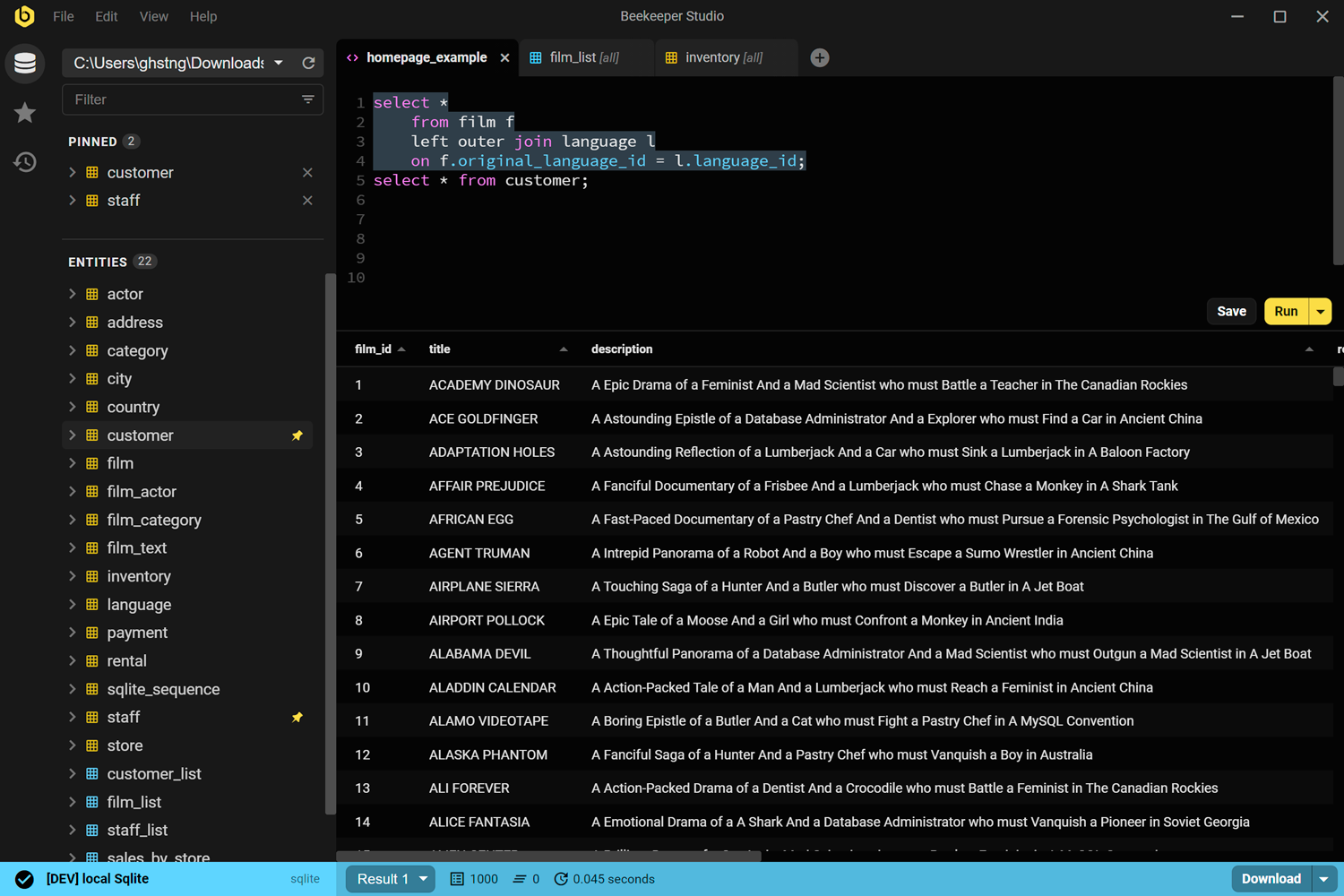
Das Offensichtliche zuerst: Beekeeper Studio ist unser Tool, also nimm das, wie du willst. Aber es wurde tatsächlich gebaut, um die Lücke zu füllen, die Sequel Pro hinterlassen hat – Open Source, auf Benutzerfreundlichkeit ausgelegt, ohne Ballast. Anders als Sequel Pro unterstützt es alle großen Desktop-Betriebssysteme und viel mehr als nur MySQL.
Ich habe buchstäblich MacBooks nur behalten, um Sequel Pro zu nutzen, bis ich endlich Beekeeper gefunden habe. Damit bin ich die Macs wirklich losgeworden. - Craig
Beekeeper Studio herunterladen
Der MySQL-Client funktioniert super, genauso wie PostgreSQL, SQLite, SQL Server, Oracle und mehr – alles in derselben App. Du bekommst Autovervollständigung, Abfragen in Tabs, Bearbeitung von Tabellendaten und farbcodierte Verbindungen. Null Telemetrie, Quellcode auf GitHub unter GPLv3.
Die kostenlose Community Edition deckt alles ab, was die meisten Entwickler im Alltag brauchen. Bezahlte Pläne bieten zusätzlich Import/Export, Backup & Wiederherstellung sowie Team-Workspaces.
Klar, wir sind voreingenommen. Probier es trotzdem aus.
Beekeeper Studio Links
- Beekeeper Studio vs. Sequel Pro im Vergleich
- Beekeeper Studio herunterladen (kostenlos, ohne Anmeldung)
- MySQL-GUI-Client
- Preise
- Quellcode auf GitHub
DBeaver Community
Verfügbar für Windows, MacOS und Linux
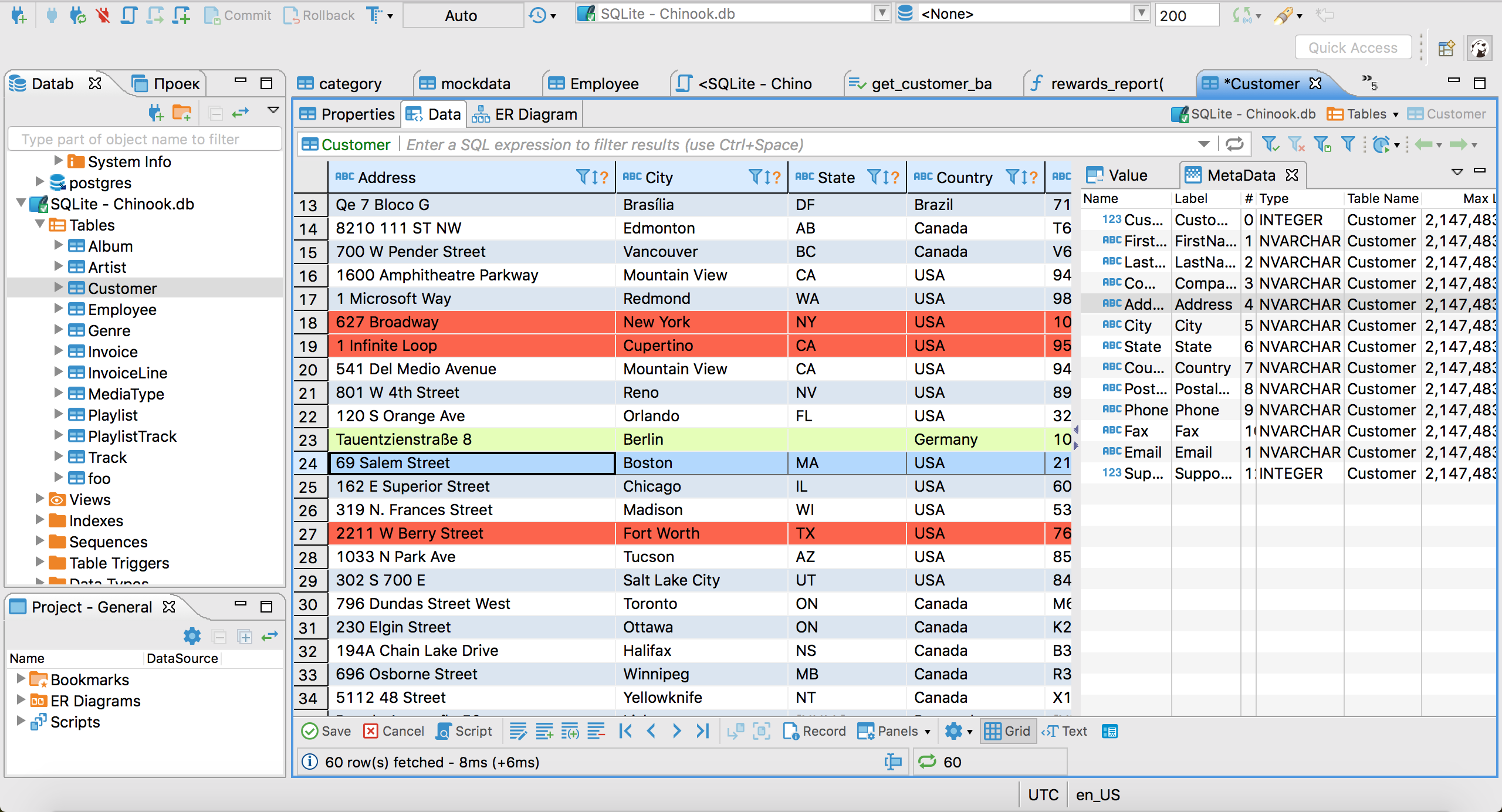
DBeaver Community ist das Open-Source-Arbeitstier unter den SQL-GUIs. Es verbindet sich mit so ziemlich jeder Datenbank-Engine, von der du je gehört hast – MySQL, PostgreSQL, SQLite, Oracle, SQL Server, MongoDB und Dutzenden weiteren über JDBC.
Es ist wirklich kostenlos und Open Source (Apache 2.0), wird aktiv gepflegt und erscheint regelmäßig in neuen Versionen. Wenn du mit einer Datenbank arbeiten musst, die sonst nichts unterstützt, hat DBeaver wahrscheinlich ein Plugin dafür.
Der Haken ist die Oberfläche. DBeaver basiert auf der Eclipse-Plattform und fühlt sich entsprechend an: funktionsreich, konfigurierbar, manchmal überwältigend. Wenn du von Sequel Pro kommst, ist der Sprung in der UI deutlich spürbar. Aber wenn du echte Breite über Datenbanken und Plattformen hinweg brauchst, ist es kostenlos kaum zu schlagen.
DBeaver Links
HeidiSQL
Nur Windows
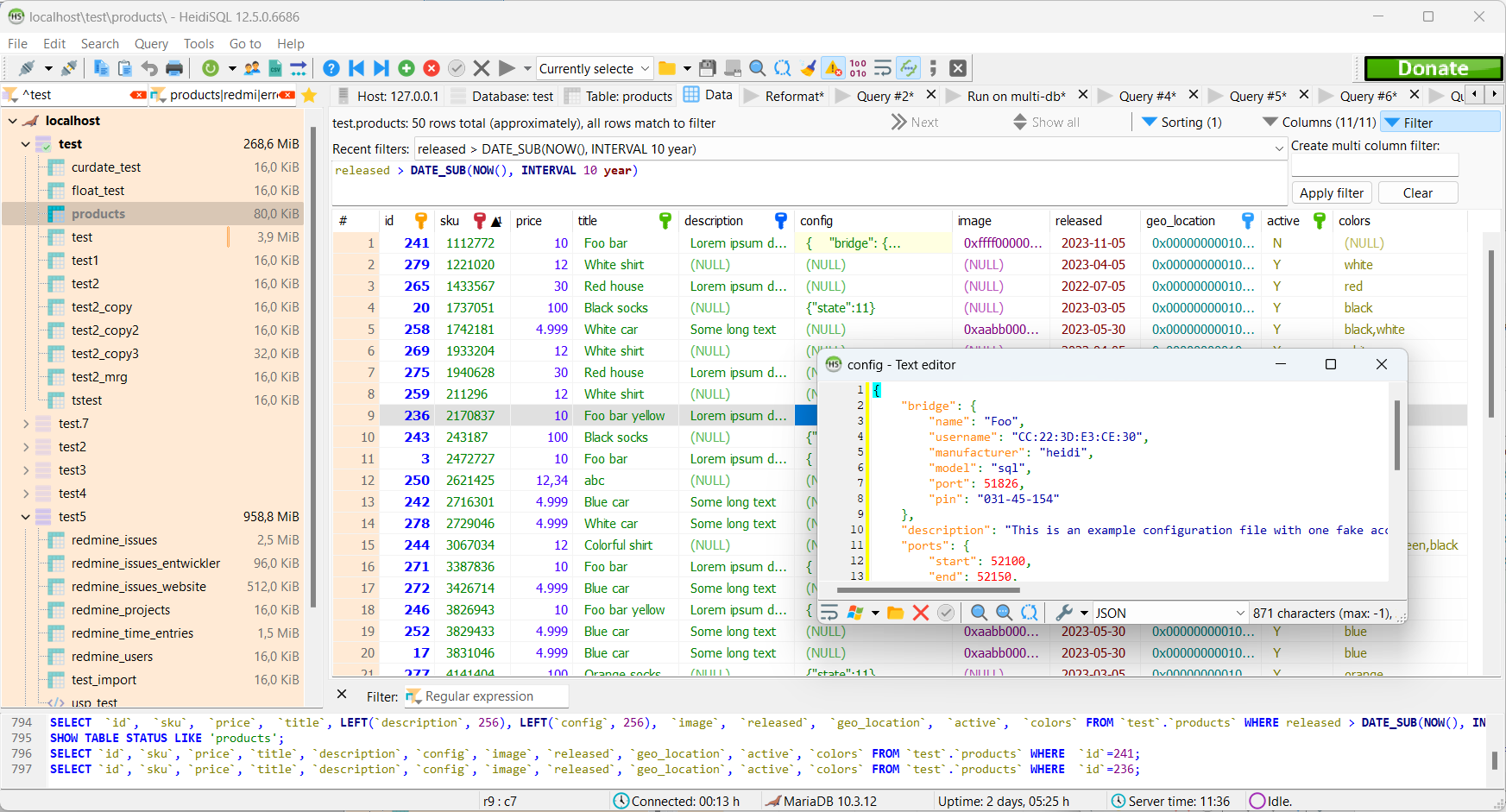
HeidiSQL ist seit 2002 eine solide MySQL-GUI für Windows. Kostenlos, Open Source und aktiv gepflegt – es unterstützt MySQL, MariaDB, SQL Server und PostgreSQL.
Auf einem Mac oder Linux-Rechner hilft es dir nicht, aber wenn du unter Windows etwas Leichtgewichtiges und Schnelles mit einer schnörkellosen Oberfläche willst, ist HeidiSQL eine bewährte Wahl. Es gibt es schon lange genug, um Sonderfälle gut zu meistern, und es hat eine große Community.
HeidiSQL Links
MySQL Workbench
Verfügbar für Windows, MacOS und Linux
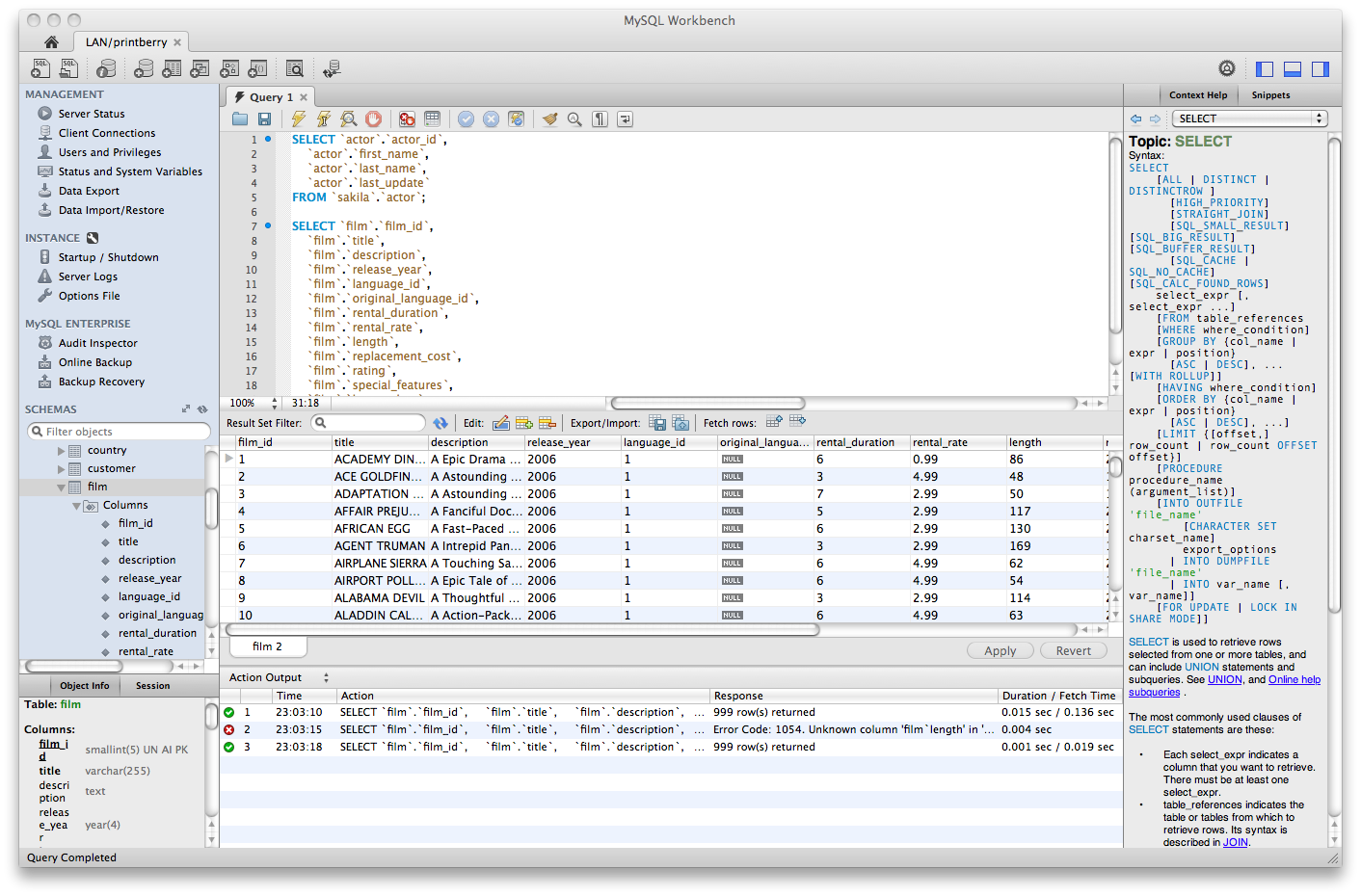
MySQL Workbench ist Oracles offizielle GUI für MySQL. Sie ist kostenlos, plattformübergreifend und deckt Datenbankdesign, Abfrageentwicklung, Serveradministration und Datenmigration in einem Tool ab.
Sie kann viel. Vielleicht zu viel. Die Oberfläche ist vollgepackt, bei großen Ergebnismengen kann die Performance einbrechen, und sie ist MySQL-spezifisch – für PostgreSQL oder SQLite wirst du sie nicht nutzen. Aber wenn du ein kostenloses, offizielles, gut unterstütztes Tool speziell für MySQL auf jedem Betriebssystem brauchst, erledigt sie den Job.
Hinweis: Die Entwicklung von MySQL Workbench verlief zeitweise unregelmäßig, und ältere Versionen können auf neueren macOS-Versionen Stabilitätsprobleme haben. Lies vor einem Upgrade die Release Notes.
MySQL Workbench Links
TablePlus
Verfügbar für Windows, MacOS und Linux
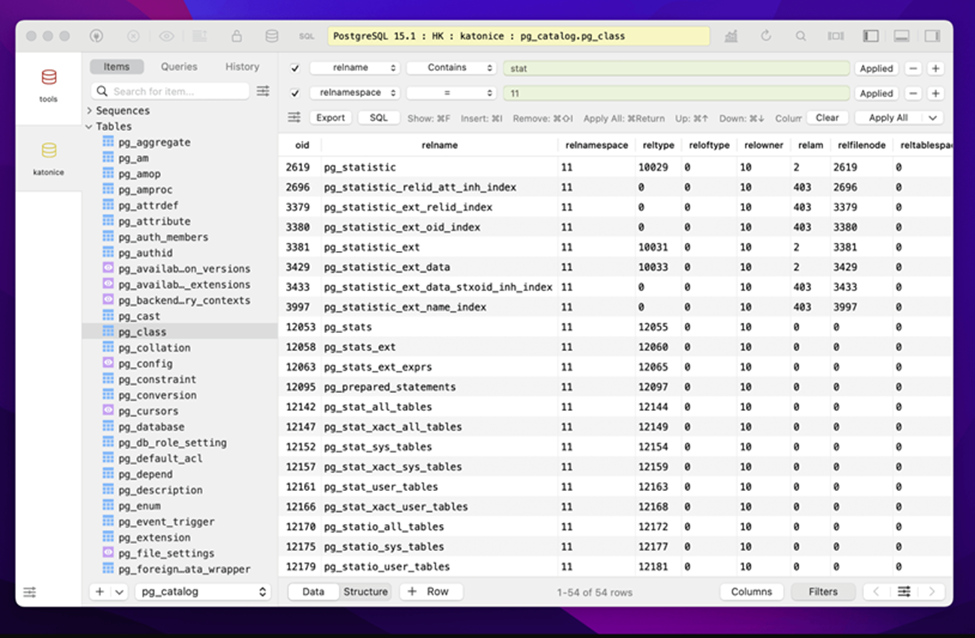
TablePlus ist eine ausgefeilte Datenbank-GUI, die sich nativ anfühlt. Sie ist schnell, die UI ist aufgeräumt, und sie unterstützt viele Datenbanken, darunter MySQL, PostgreSQL, SQLite, SQL Server, Redis und mehr.
Die kostenlose Version ist echt, aber eingeschränkt – offene Tabs und Verbindungen sind begrenzt. Für gelegentliche Nutzung reicht das, als tägliches Werkzeug wird es aber schnell eng. Für vollen Zugriff brauchst du eine kostenpflichtige Lizenz (Einmalkauf; aktuelle Preise findest du auf der Website).
Es ist nicht Open Source, und die Linux-Version hat im Vergleich zu macOS ein paar Ecken und Kanten. Für Mac-orientierte Teams, die eine moderne, schlanke GUI für mehrere Datenbanken wollen, ist es aber eine beliebte Wahl.
TablePlus Links
Ein Wort zu Sequel Ace selbst
Wenn du auf macOS bist und nur MySQL brauchst, ist Sequel Ace nach wie vor eine absolut vernünftige Wahl. Das Projekt wird aktiv gepflegt, kommt mit modernen MySQL-8-Verbindungen korrekt klar (inklusive Fix für die caching_sha2_password-Authentifizierungsprobleme, die Sequel Pro geplagt haben) und ist kostenlos und Open Source. Sobald du ein zweites Betriebssystem, eine andere Datenbank oder ein gemischtes Team unterstützen musst, lohnt sich ein Blick auf die Tools oben.
Fazit
Sequel Pro hat viele Entwickler auf den Gedanken gebracht: „Eine Datenbank-GUI sollte einfach sein und nicht nerven.“ Alle Tools auf dieser Liste tragen diese Fackel auf ihre eigene Weise weiter.
Beekeeper Studio setzt diesen Gedanken am konsequentesten um – plattformübergreifend, für mehrere Datenbanken, Open Source, gebaut für Entwickler, die einfach ihre Arbeit erledigen wollen. Aber je nach deinen konkreten Anforderungen ist jedes Tool hier einen Blick wert.
Wenn du Beekeeper ausprobieren willst, hol dir die kostenlose Community Edition und schau, ob sie dir gefällt:
Beekeeper Studio herunterladen
Weiterlesen
- Kostenlose MySQL-GUI-Clients
- Beekeeper Studio vs. Sequel Pro
- Kostenlose & Open-Source-Alternativen zu DBeaver
- Preise & Editionen
 Beekeeper Studio ist eine kostenlose & quelloffene Datenbank-GUI
Das beste SQL-Abfrage- & Editor-Tool, das ich je benutzt habe. Es bietet alles, was ich zum Verwalten meiner Datenbank brauche. - ⭐⭐⭐⭐⭐ Mit
Beekeeper Studio ist schnell, intuitiv und einfach zu bedienen. Beekeeper unterstützt jede Menge Datenbanken und läuft hervorragend auf Windows, Mac und Linux.
Was Nutzer über Beekeeper Studio sagen
„Beekeeper Studio hat meinen alten SQL-Workflow komplett ersetzt. Es ist schnell, intuitiv und macht die Arbeit mit Datenbanken wieder zum Vergnügen.“
„Ich habe viele Datenbank-GUIs ausprobiert, aber Beekeeper trifft die perfekte Balance zwischen Funktionsumfang und Einfachheit. Es funktioniert einfach.“