

Beekeeper Studio is a fast and easy to use DB browser for SQLite. It is available for MacOS, Linux, and Windows.
 Beekeeper Studio는 무료 & 오픈 소스 데이터베이스 GUI입니다
제가 사용해 본 최고의 SQL 쿼리 & 편집기 도구입니다. 데이터베이스 관리에 필요한 모든 것을 제공합니다. - ⭐⭐⭐⭐⭐ Mit
Beekeeper Studio는 빠르고 직관적이며 사용하기 쉽습니다. Beekeeper는 많은 데이터베이스를 지원하며 Windows, Mac, Linux에서 훌륭하게 작동합니다.
How to Open a DB File
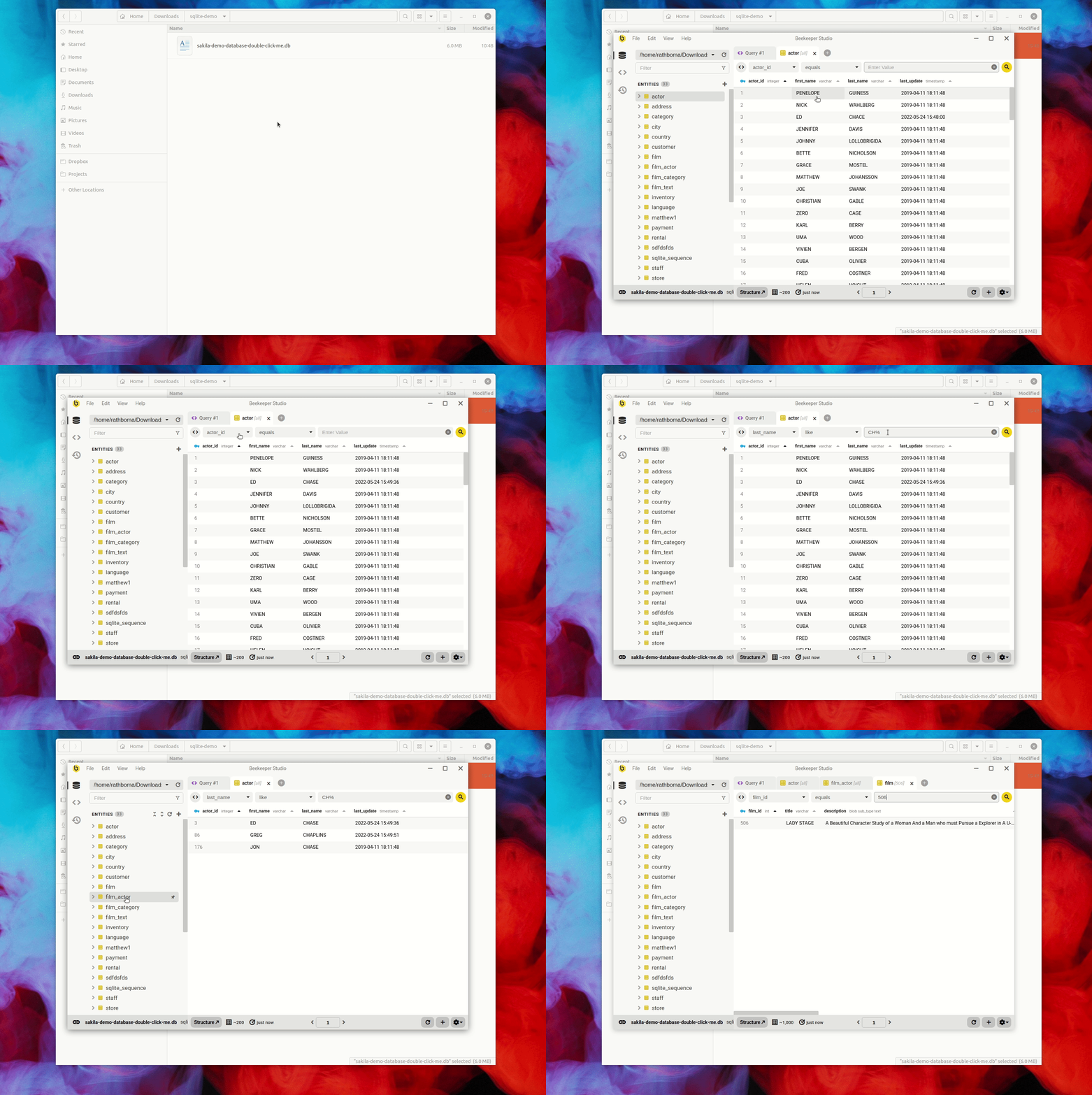
With Beekeeper Studio installed simply double click a .db file to open it. You can also open it from the command line:
- MacOS
open finances.db - Linux
xdg-open finances.db
How To Show Tables in SQLite
With your database opened, you can see all of your tables in the left sidebar.
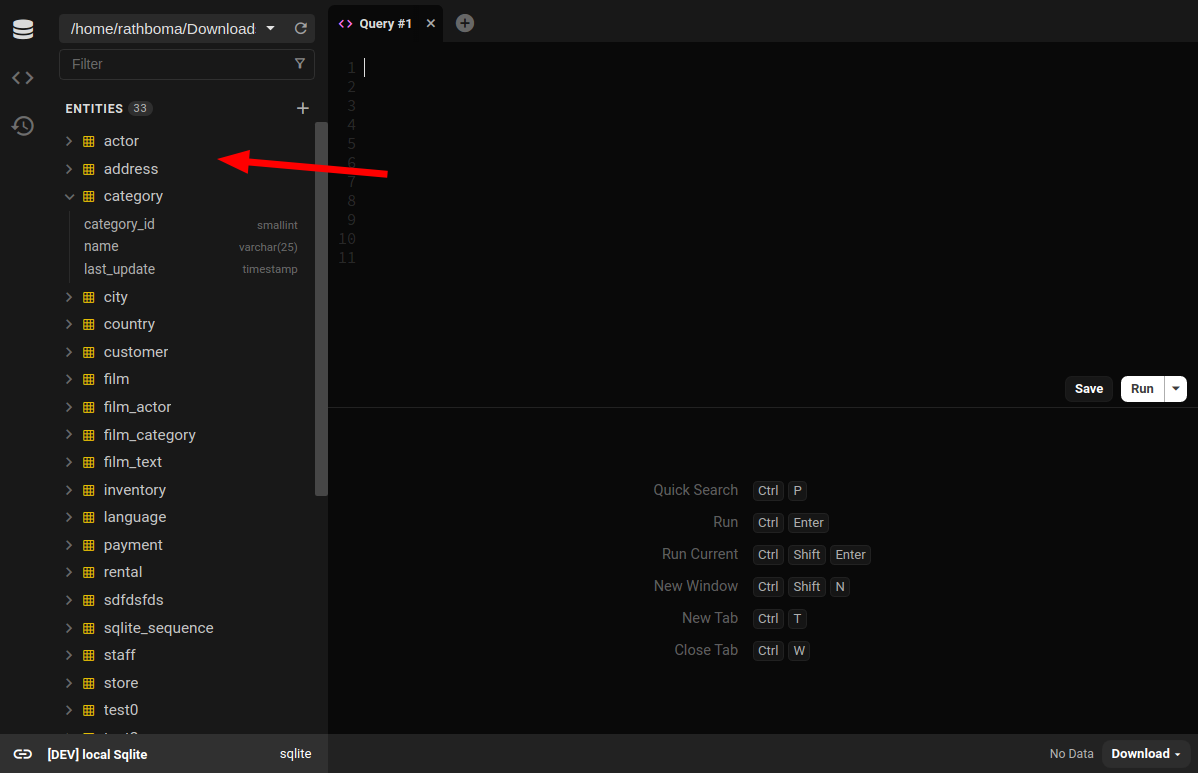
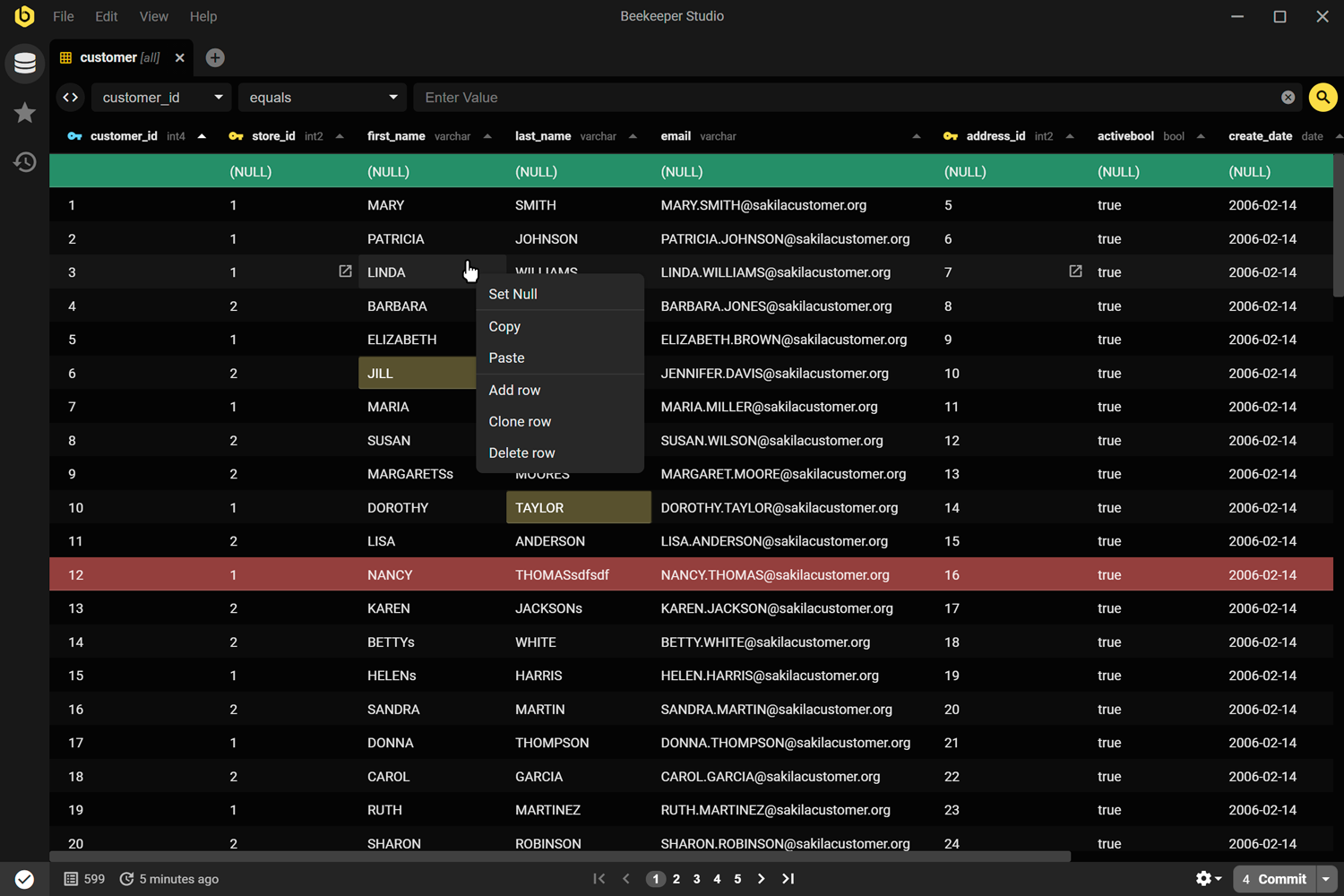
- Double click the table to open it and edit the table data in the UI.
- Right click the table and choose
structureto see the table structure and alter column types, indexes, and relations
Create Table for SQLite
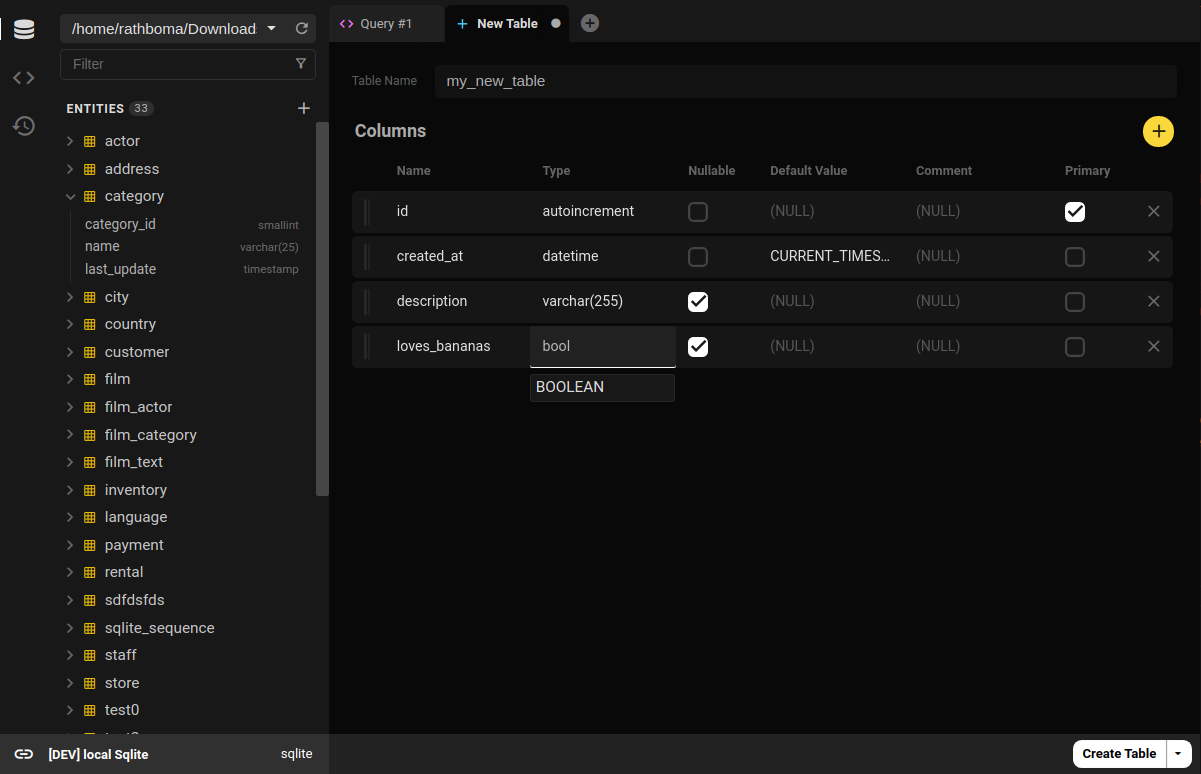
Beekeeper Studio also provides a full featured visual table builder, so no need to remember SQLite create table syntax. Simply click the (+) button at the top of the table list to create a table using the table creation UI.
Execute SQLite Scripts
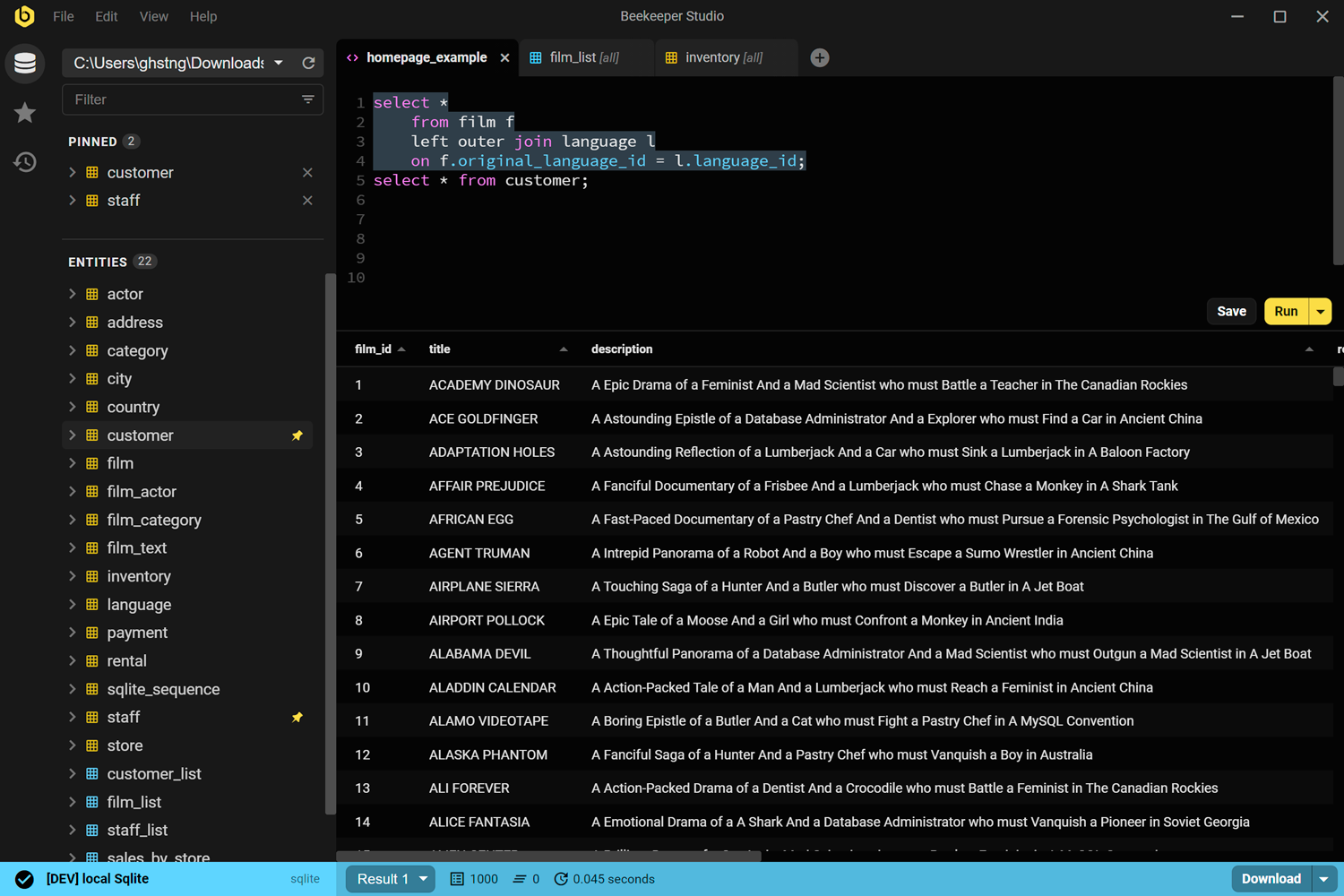
Pop open a new table and easily execute SQL, tab back and forth with your other views quickly and easily.
SQLite Browser
Browse, edit, and update your SQlite database in realtime with Beekeeper Studio, the cleanest and easiest to use SQLite DB Browser available. Oh, Beekeeper Studio is also open source and free 🎉.
Learn more about Beekeeper Studio for SQLite, or download for free


