
Cassandra는 Postgres나 MySQL만큼 GUI의 사랑을 받지 못해요. 많은 작업 흐름에서 cqlsh로도 충분한 게 한 가지 이유이고, Cassandra가 범용 데이터베이스 도구의 지원 대상으로 그리 흔하지 않다는 것도 이유예요. 막상 GUI를 찾아보면 선택지가 생각보다 적고, 유료인 경우도 생각보다 많아요.
2026년 현재 실제로 Cassandra를 지원하는 도구를 찾아보고, 마케팅 문구가 아닌 각 프로젝트의 공식 문서로 확인했어요. 어떤 도구가 무료이고 어떤 도구가 아닌지까지 솔직하게 정리했어요. 대부분의 "베스트" 목록이 알려주는 것보다 이 부분이 훨씬 중요하니까요.
Beekeeper Studio
Windows, macOS, Linux 지원 - 여기서 다운로드
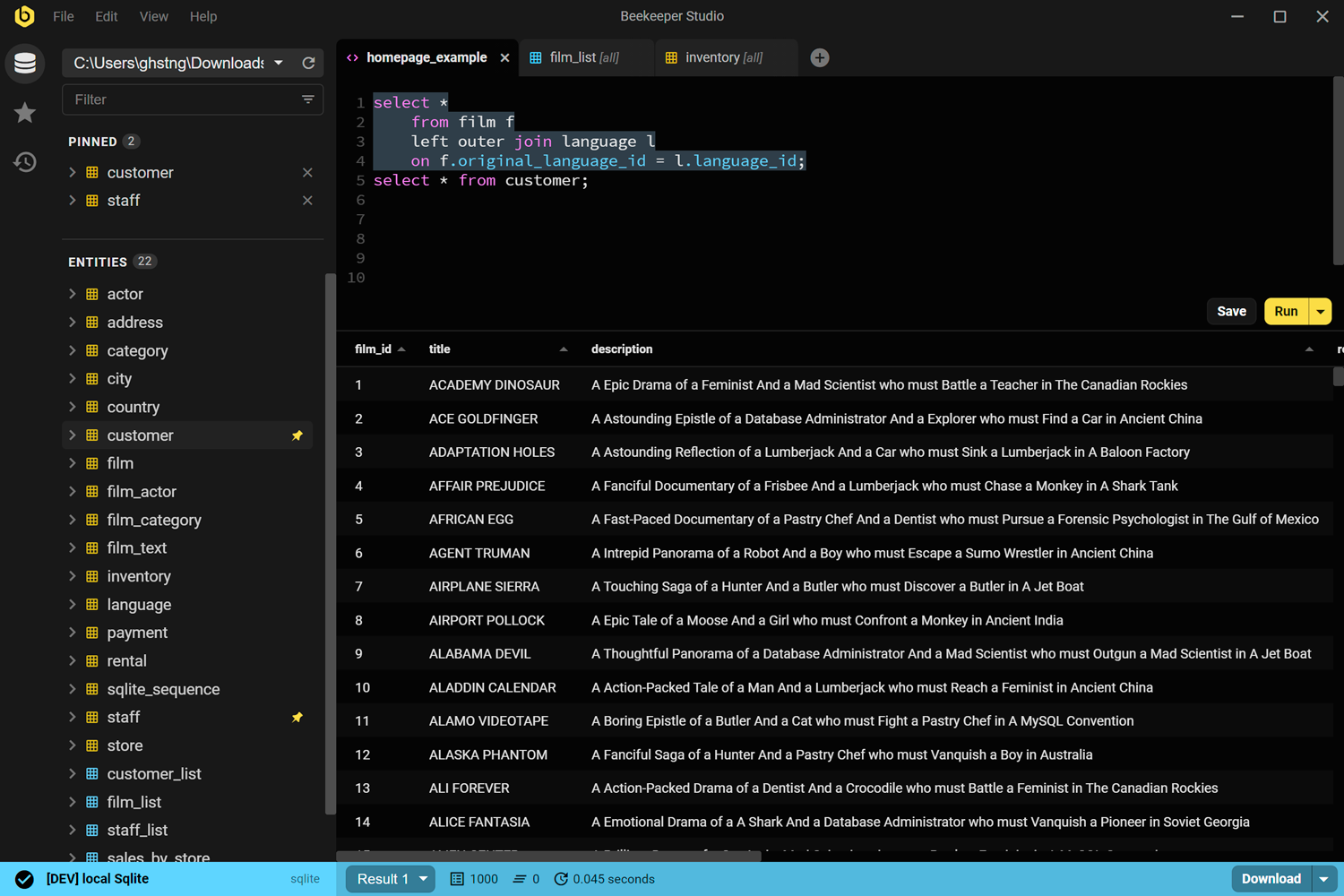
미리 밝혀두자면, Beekeeper Studio는 저희가 만든 제품이니 그 점을 감안해서 읽어주세요. 다른 일부 데이터베이스 연동과 달리, Cassandra 지원은 무료 Community 에디션에 포함되어 있지 않아요. Indie 플랜 이상이 필요해요. 충분히 가치 있다고 생각하지만, 무료인 줄 알고 기대했다가 실망하지 않도록 미리 알려드려요.
그 대신 얻는 것: 자동 완성과 저장된 기록을 갖춘 제대로 된 CQL 쿼리 편집기, 키스페이스와 테이블을 둘러볼 수 있는 스프레드시트 스타일의 브라우저, 그리고 CQL DDL을 직접 작성하지 않고도 테이블과 컬럼을 만들고 편집할 수 있는 GUI예요. 데이터는 인라인으로 편집할 수 있어서 UPDATE 문을 작성하지 않고도 행을 수정할 수 있어요. Postgres, MySQL 등 다른 데이터베이스에 쓰는 것과 같은 앱이라는 점이 진짜 장점이에요. Cassandra만 쓰는 팀이 아니라면 도구 5개 대신 하나로 충분해요.
여러 데이터베이스(MySql, Postgre, MS SQL)를 써야 하는데 Beekeper는 정말 최고예요! UI가 깔끔하고 딱 필요한 기능만 있어요.
Beekeeper Studio의 Cassandra 지원 자세히 보기.
Beekeeper Studio 링크
cassandra-web
셀프 호스팅 웹 앱 (Docker) - github.com/orzhaha/cassandra-web
이 목록에서 Cassandra 전용으로 만들어진 유일한 완전 무료 오픈 소스 도구예요. MIT 라이선스이고, Docker 이미지로 배포되며, 키스페이스와 테이블 탐색, 데이터 편집, CQL 직접 실행을 위한 브라우저 기반 UI를 제공해요.
사용하기 전에 알아둘 점이 두 가지 있어요. 첫째, README에는 Cassandra 2.1.x부터 3.x.x까지가 대상으로 명시되어 있고, Cassandra 4.x나 5.x의 CQL에서 테스트되었는지는 프로젝트에서 확인되지 않아요. 그러니 사용하기 전에 실제 클러스터에서 테스트해 보세요. 둘째, 마지막 커밋이 2024년 중반이라 활발히 개발 중이라기보다는 유지보수가 뜸한 상태로 보는 게 좋아요. 여전히 잘 작동하고 저희가 찾은 무료 전용 도구 중에서는 가장 좋지만, 버그를 제보해도 빠른 대응은 기대하기 어려워요.
cassandra-web 링크
TablePlus
Windows, macOS, Linux 지원 - tableplus.com
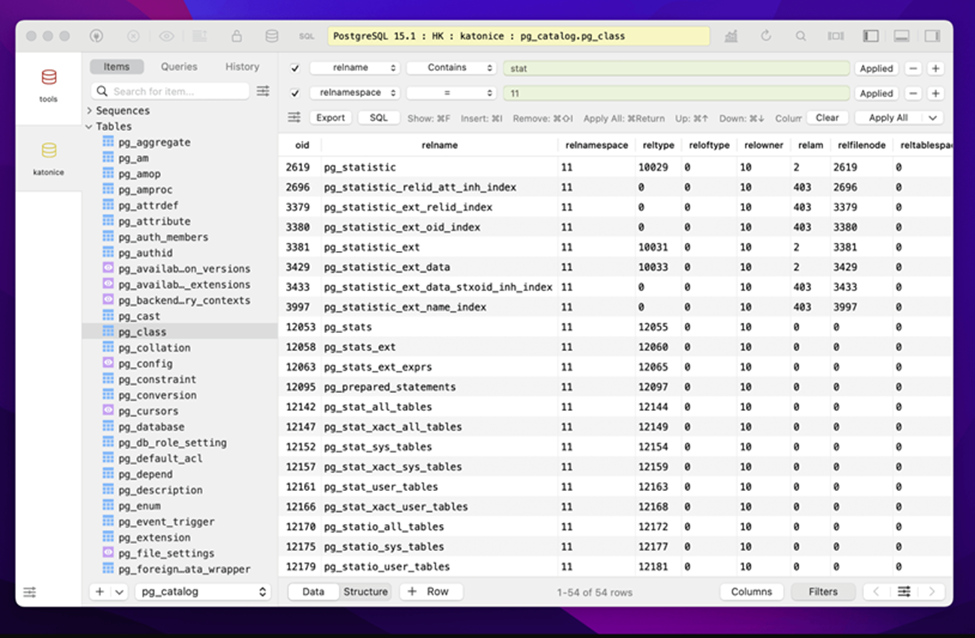
TablePlus는 2018년부터 Cassandra를 지원해 왔기 때문에 여기서 소개하는 도구 중 오래된 편이에요. 깔끔한 쿼리 편집기와 스프레드시트 스타일의 데이터 브라우저를 갖춘 빠른 네이티브 앱이고, 이미 Postgres나 MySQL용으로 쓰고 있다면 Cassandra 연결을 추가해도 새로 배울 게 없어요.
단점은 모든 TablePlus 리뷰에서 나오는 것과 같아요. 무료도 아니고 오픈 소스도 아니에요. 체험 모드에서는 탭 2개, 창 2개, 고급 필터 2개까지만 동시에 쓸 수 있어요. 기간 제한은 없지만 가볍게 둘러보는 수준을 넘어서면 꽤 불편해요. 라이선스는 기기 1대에 $99부터 시작하며 1년간 업데이트가 포함돼요.
TablePlus 링크
DBeaver (유료 에디션 전용)
Windows, macOS, Linux 지원 - dbeaver.io
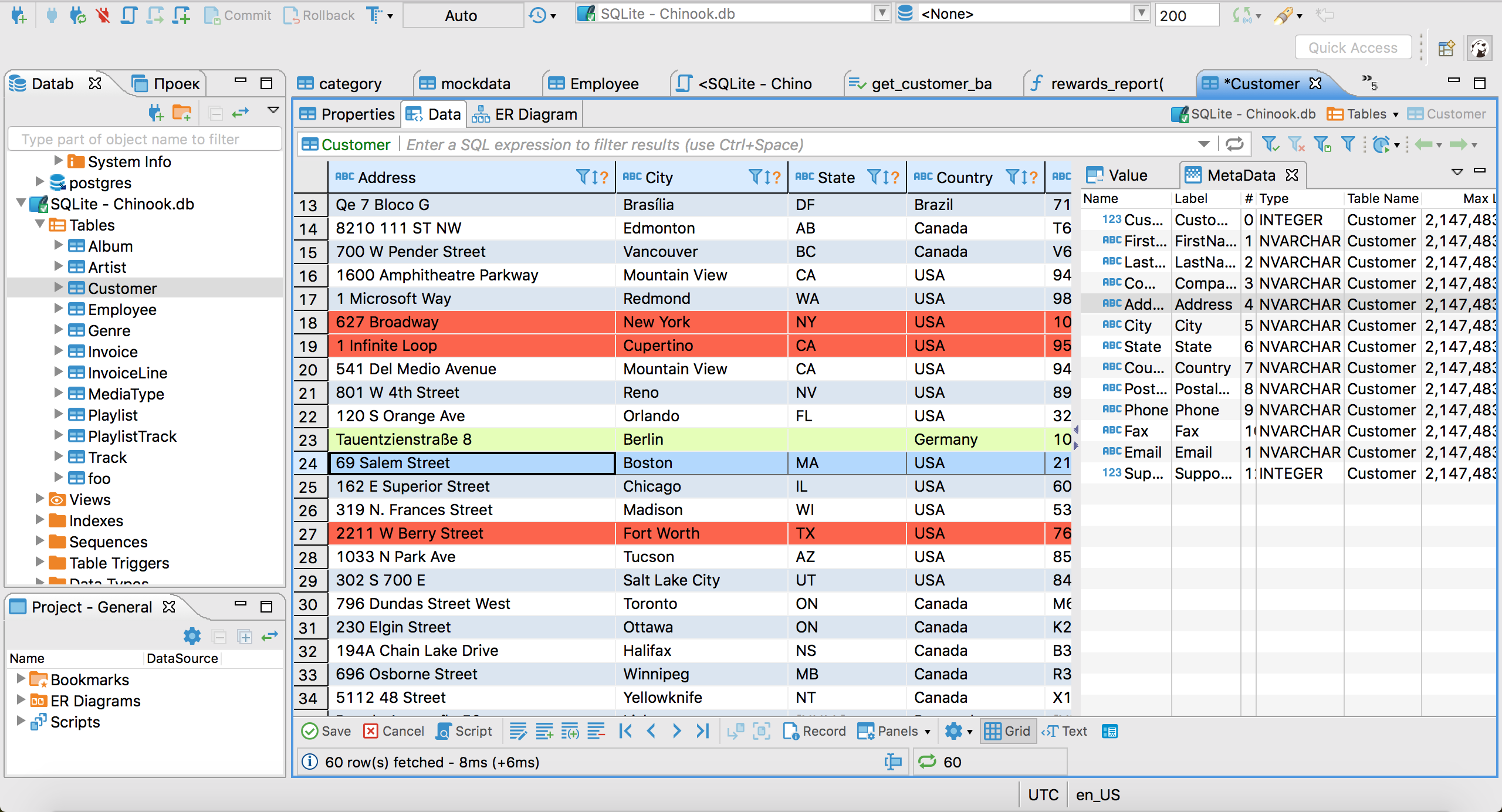
많은 분들이 헷갈리는 부분이라 확실히 짚고 넘어갈게요. 대부분의 사람들이 "DBeaver"라고 할 때 떠올리는 무료 오픈 소스 버전인 DBeaver Community Edition은 Cassandra를 지원하지 않아요. DBeaver 공식 문서에 따르면 Cassandra 드라이버는 유료 Lite, Enterprise, Ultimate 에디션에서만 제공되며, 등급에 따라 연간 약 $113에서 $510 이상이에요.
이미 다른 데이터베이스용으로 유료 DBeaver 라이선스를 갖고 있다면 Cassandra 지원도 함께 제공되고, DBeaver의 다른 데이터베이스 연동과 비슷한 수준으로 작동해요. 탄탄한 스키마 탐색, 쓸 만한 SQL 편집기, 데이터 전송 도구를 갖추고 있어요. 하지만 무료 DBeaver CE에 Cassandra를 추가하고 싶었다면, 공식 지원되지 않는 JDBC 드라이버를 수동으로 설정하는 우회 방법 말고는 방법이 없어요.
DBeaver 링크
DataStax Astra DB CQL Console
웹 기반, Astra 호스팅 데이터베이스 전용 - astra.datastax.com
Cassandra를 직접 호스팅하지 않고 DataStax의 관리형 Astra DB에서 운영하고 있다면, 설치가 필요 없는 완전 무료 옵션이 있어요. Astra는 모든 Serverless 데이터베이스에 브라우저 내장 CQL 콘솔을 제공해요. 터미널을 열지 않고도 접속할 수 있는 호스팅된 cqlsh라고 보면 돼요.
이름에서 알 수 있듯이 Astra에서 호스팅되는 데이터베이스에서만 작동한다는 게 명확한 한계예요. 자체 하드웨어나 일반 클라우드 VM에서 클러스터를 운영한다면 쓸 수 없어요. DataStax의 예전 데스크톱 도구인 DevCenter는 시간 낭비하지 않도록 언급만 해둘게요. DataStax가 공식적으로 아카이브하고 "지원 안 함"으로 표시했으며, 직접적인 후속 제품도 없어요.
Astra DB 링크
그 밖에 언급할 만한 도구
cqlsh는 모든 Cassandra 설치에 포함된 CLI로, GUI를 선호하는 사람들조차 대부분의 Cassandra 작업을 실제로 여기서 해요. 그래픽 도구는 아니지만 무료이고 항상 있으니, 다른 걸 설치하기 전에 알아둘 만해요.
IBM의 cassandra-admin은 활발히 유지보수되는 작은 MIT 라이선스 웹 도구지만, 설계상 읽기 전용이에요. 데이터 편집도, 검색이나 필터링도 안 되고, 클러스터가 아닌 단일 노드용으로 만들어졌어요. 키스페이스에 뭐가 있는지 잠깐 확인할 때는 유용하지만 매일 쓰는 도구로는 부족해요.
Cassandra 대신 ScyllaDB를 쓰고 있다면 좋은 소식이 있어요. 같은 CQL 와이어 프로토콜을 쓰기 때문에 Cassandra용 도구가 대체로 그대로 작동해요. 이 페이지의 모든 도구를 실제 ScyllaDB 클러스터에서 확인하지는 않았으니 사용 환경에서 테스트해 보세요. 그래도 무리한 가정이 아니라 합리적인 출발점이에요.
어떤 Cassandra GUI를 써야 할까요?
다른 데이터베이스와 함께 Cassandra도 다룰 수 있는 도구 하나를 원하고 비용을 지불해도 괜찮다면, Beekeeper Studio나 TablePlus 모두 탄탄하고 완성도 높은 선택이에요. 이미 DBeaver 상위 등급을 결제하고 있다면 Cassandra 지원도 포함되어 있어요.
무료이면서 Cassandra 전용인 도구를 원한다면 cassandra-web이 가장 완성도 높은 오픈 소스 옵션이에요. 다만 활발히 유지보수되지 않으니 먼저 사용 중인 Cassandra 버전에서 작동하는지 확인하세요. 그리고 DataStax Astra를 쓰고 있다면 내장 CQL 콘솔은 무료이고 설치도 필요 없어요.
현실적으로 많은 Cassandra 작업은 여전히 cqlsh에서 이뤄지고, 그게 부끄러운 일도 아니에요. 하지만 GUI가 필요할 만큼 작업량이 많다면, 이제 실제로 어떤 선택지가 있고 각각 비용이 얼마인지 알게 되셨을 거예요.
관련 글
 Beekeeper Studio는 무료 오픈 소스 Apache Cassandra GUI예요
Beekeeper Studio는 빠르고 직관적이며 사용하기 쉬운 Apache Cassandra 클라이언트예요. 다른 데이터베이스도 많이 지원하고, Windows, Mac, Linux에서 모두 잘 작동해요.
Apache Cassandra 사용자들의 Beekeeper Studio 후기
와, 여러분 대박이에요.
오늘 AI로 데이터베이스를 다뤄 봤는데 정말 감탄했어요.
어떻게 이렇게 빠르고 정확하게 쿼리를 생성하게 만드셨는지 진심으로 궁금해요.
꽤 복잡한 질문도 했는데 모든 질문에 답을 받았어요. 완전 끝내줘요
Beekeeper Studio는 단연코 가장 사용하기 편한 DB GUI예요! 1년 전에 쓰기 시작했는데 지금은 팀 전체가 라이선스를 구매했어요. 저는 평소에 4가지 종류의 데이터베이스를 쓰기 때문에 멀티 DB 지원이 정말 최고예요. 게다가 Windows와 Mac에서 모두 작동해요.