
The Redis CLI is genuinely fine for quick lookups, but once you’re hunting through a production keyspace with 50,000 keys or debugging why a certain hash is missing a field, a GUI saves real time. Here are five free Redis GUI clients worth knowing about in 2026.
Beekeeper Studio
Available for Windows, macOS, and Linux - download here
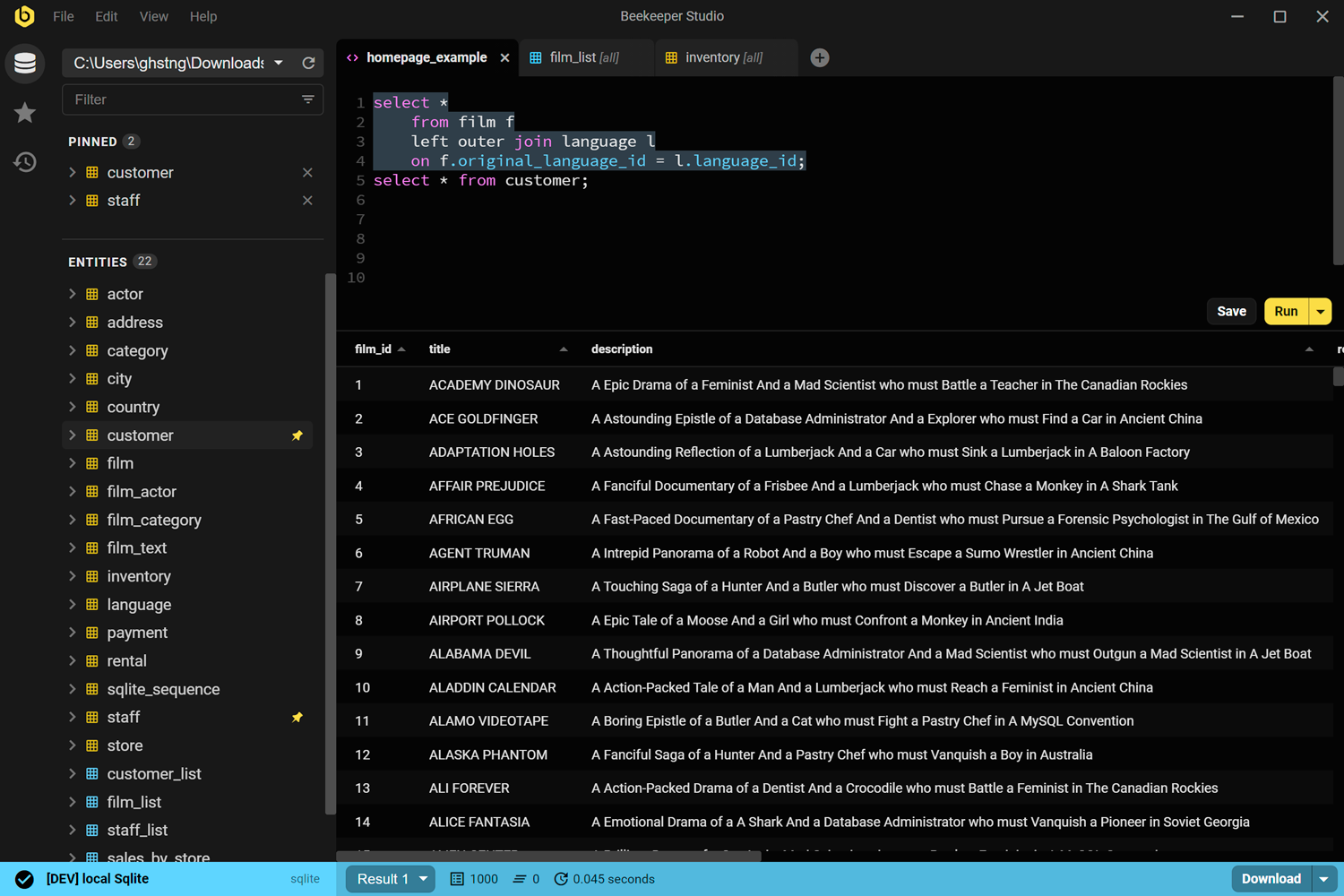
Full disclosure: we make Beekeeper Studio, so weigh this accordingly. That said, Redis support is free for every plan (Community edition included) and has been since we shipped it in 5.4.
For a Redis GUI, Beekeeper gives you a command runner with autocompletion and saved history, a spreadsheet-style key browser for scanning through keyspaces, TTL display and editing per key, and rename/delete workflows that don’t require you to remember the exact command syntax. It handles strings, hashes, lists, sets, sorted sets, streams, and JSON (via modules).
The broader appeal is that it’s the same app for your Postgres, MySQL, and SQLite connections. If you’re already using it for SQL databases, you don’t need a separate Redis-specific tool.
Beekeeper Studio is an enjoyable product due to the clean user interface/user experience. The navigation is easy, the connections are simple, and I love that it supports Redis for free as well. - Aniket Dutta
Beekeeper Studio links
RedisInsight
Available for Windows, macOS, and Linux - redis.io/redis-insight
RedisInsight is the official Redis GUI from Redis Ltd. (the company behind Redis). It’s free to download and use, with no meaningful limitations for everyday work.
It covers the bases you’d expect from an official tool: a built-in browser for exploring keys by pattern, a workbench for running commands with syntax highlighting, and views for inspecting specific data structures. It also bundles some Redis-specific features you won’t find in multi-database GUIs: a slow log viewer, memory analysis to help you understand where keyspace size is going, and a profiler that shows commands being executed in real time.
RedisInsight also supports Redis Cluster and Redis Sentinel out of the box, which matters if you’re running a production setup rather than a single-node local instance.
The main constraint is that it’s Redis-only. If you work across multiple database types, you’ll need a separate tool for everything else.
RedisInsight links
Another Redis Desktop Manager (ARDM)
Available for Windows, macOS, and Linux - github.com/qishibo/AnotherRedisDesktopManager
ARDM was built as an open-source alternative after the original Redis Desktop Manager (RDM) went commercial. It’s MIT-licensed, actively maintained on GitHub, and has picked up a large user base among developers who don’t want to pay for a Redis GUI.
Feature-wise, it’s a solid desktop app: key browser with tree-view organization by prefix, a command console, cluster and Sentinel support, SSH tunnel support, and a dark theme that doesn’t look like it was designed in 2011. It handles multiple connections and tabs.
The interface is familiar for anyone who used the old RDM. It’s not as polished as commercial tools, but for a free open-source Redis GUI it’s well-maintained and does the job.
ARDM links
Redis Commander
Web-based (Node.js) - github.com/joeferner/redis-commander
Redis Commander is a different kind of tool: a web UI you run locally or host on a server, not a desktop app. It’s built with Node.js and MIT-licensed.
Install it via npm (npm install -g redis-commander) and then access it in a browser. It gives you a key browser, command execution, and basic editing through a web interface. This makes it a reasonable choice for environments where you can’t install a desktop app: a CI container, a shared server, or a Docker setup where your Redis instance lives alongside other services.
The trade-off is that the UI is minimal and the project doesn’t move quickly. For casual exploration it’s fine. For daily interactive use, a native desktop app will feel faster and more capable.
Redis Commander links
TablePlus
Available for Windows, macOS, and Linux - tableplus.com
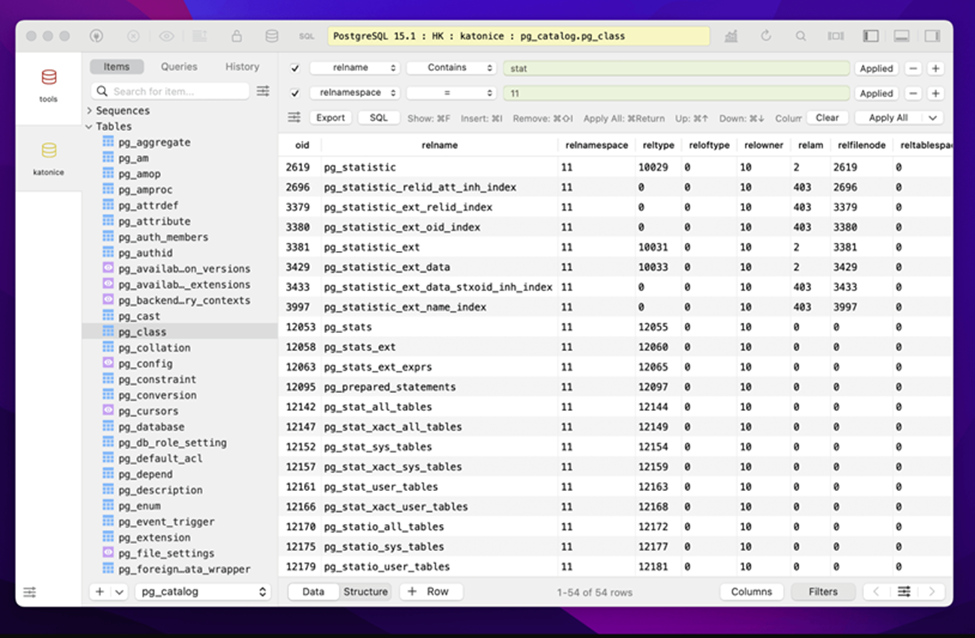
TablePlus is a multi-database GUI that includes Redis alongside its SQL database support. If you already have it for Postgres or MySQL, getting Redis access without installing another tool is genuinely convenient.
The Redis support in TablePlus covers key browsing, value editing, and basic command execution. It’s not as Redis-focused as RedisInsight, but it’s a clean, fast native app and good enough for standard key inspection and editing tasks.
One caveat: TablePlus has a limited free tier, and full access requires a paid license. The free version is functional for casual use, but if you’re hitting its limits regularly it becomes a paid decision. It’s also not open source.
TablePlus links
Which Redis GUI should you use?
For most developers, the choice comes down to what you’re already running and what you need Redis for:
- If you work with multiple databases: Beekeeper Studio handles Redis alongside your SQL databases and is free for the Redis features. TablePlus does the same but the free tier is more limited.
- If Redis is your primary database: RedisInsight is purpose-built for it and has the deepest feature set (slow log, memory analysis, cluster/sentinel support). Hard to beat for Redis-heavy workloads.
- If you want open-source with no strings: ARDM is the best-maintained free desktop option and the natural successor to the old RDM.
- If you’re working in a containerized environment: Redis Commander runs in a browser and requires no local desktop install.
Redis CLI will always be there when you need to run a quick command, but for anything involving browsing, debugging, or editing keyspaces, a GUI pays for itself quickly. And since these are all free, there’s no reason not to try a few.
Download Beekeeper Studio for free
Related posts
 Beekeeper Studio Is A Free & Open Source Database GUI
Best SQL query & editor tool I have ever used. It provides everything I need to manage my database. - ⭐⭐⭐⭐⭐ Mit
Beekeeper Studio is fast, intuitive, and easy to use. Beekeeper supports loads of databases, and works great on Windows, Mac and Linux.
What Users Say About Beekeeper Studio
"Beekeeper Studio completely replaced my old SQL workflow. It's fast, intuitive, and makes database work enjoyable again."
"I've tried many database GUIs, but Beekeeper strikes the perfect balance between features and simplicity. It just works."