
MySQL Workbench is Oracle’s official GUI tool for MySQL databases, offering database design, development, and administration capabilities in one package.
However, many users find MySQL Workbench to be resource-heavy, slow to start, and sometimes frustrating to use with its complex interface. If you’re looking for alternatives that are both free and open source, there are several excellent options available.
1. Beekeeper Studio
Available for Windows, MacOS, and Linux - download here
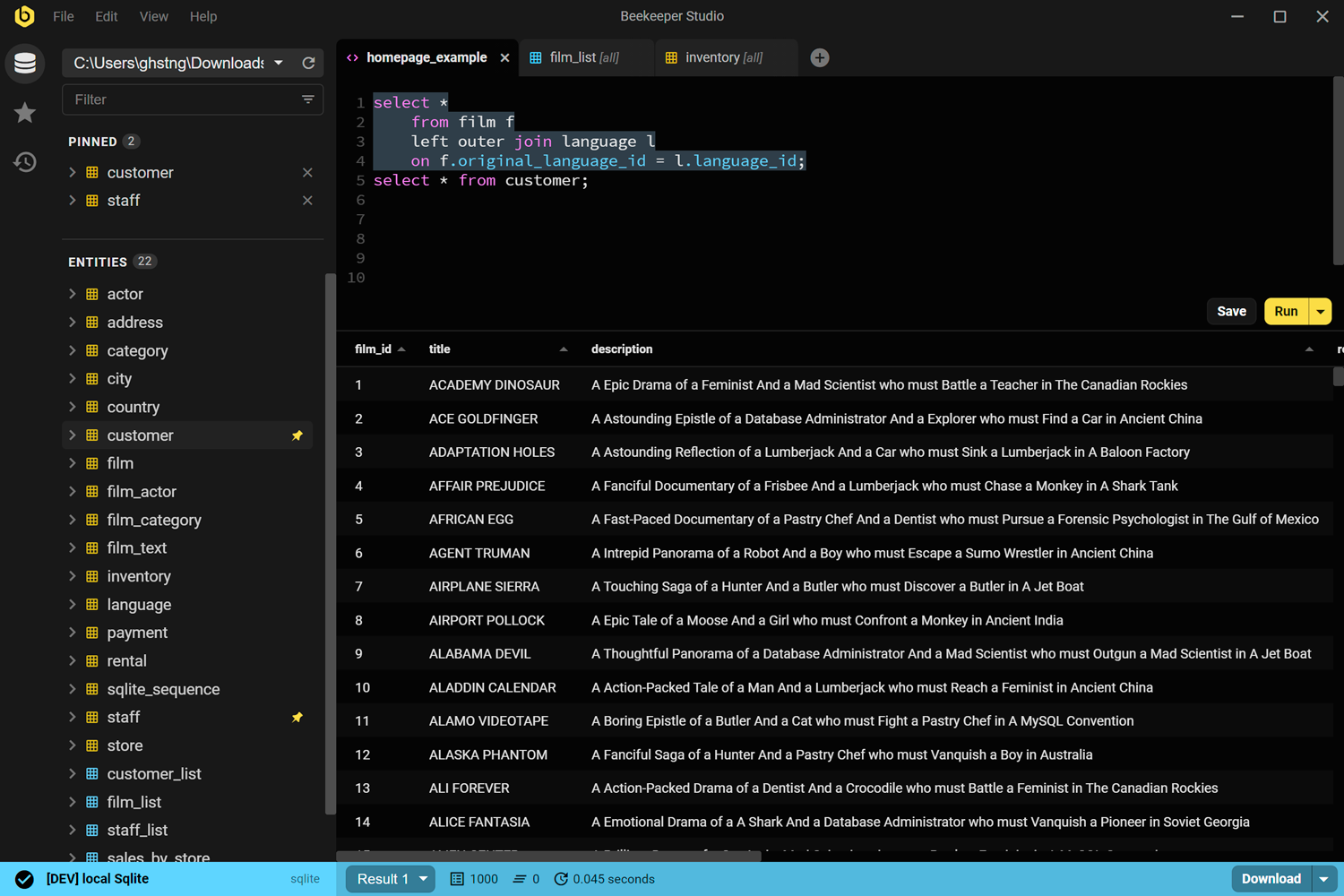
Beekeeper Studio is the Workbench alternative most ex-Workbench users land on. It’s open source, cross-platform, and built around the day-to-day work of writing SQL and editing data, not around server administration.
Used to use MySQL Workbench but it was so clunky and intimidating. Switched to Beekeeper and never went back. - Ariana Rice, Student
It supports MySQL plus PostgreSQL, SQLite, SQL Server, and more. One tool, one UI, no learning curve. Autocomplete, tabbed queries, color-coded environments, an inline JSON viewer, and zero telemetry or tracking (why).
Free to use with no signup or credit card. Paid plans add full import/export, backup & restore, and a few more databases like Oracle and Cassandra. The source is on GitHub under GPLv3, and every purchase keeps our small indie team shipping open source.
If MySQL Workbench’s UI feels clunky or it freezes on bigger result sets, Beekeeper is the fix. We’re obviously biased, but try it and decide for yourself.
Beekeeper Studio Links
- Compare Beekeeper Studio and MySQL Workbench
- Download Beekeeper Studio (free, no signup)
- Pricing
- Source code on Github
2. HeidiSQL
Windows Only
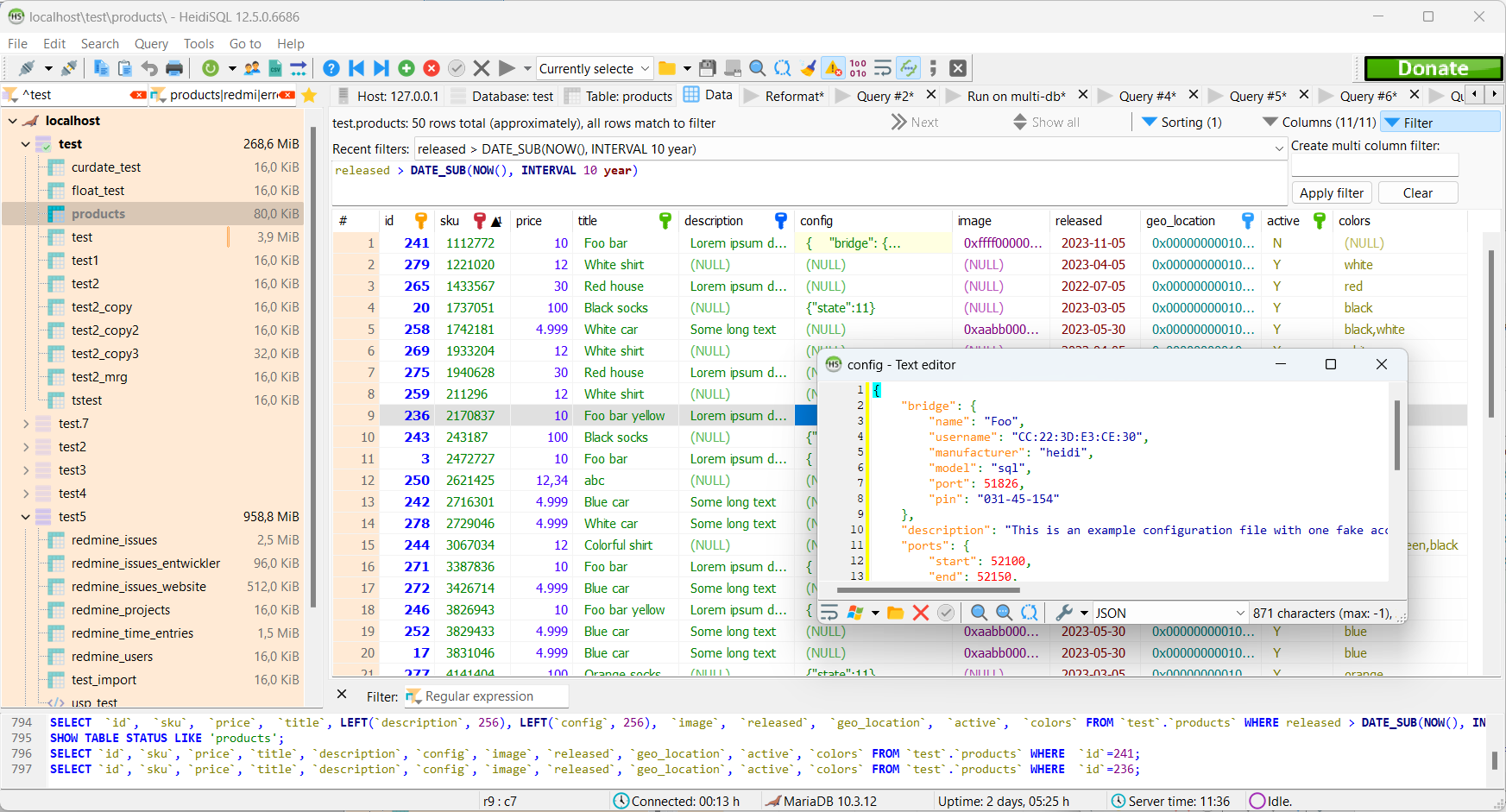
Created in 2002, HeidiSQL is a well-respected and mature GUI specifically designed for managing MySQL and MariaDB databases on Windows, though it now also supports PostgreSQL and SQL Server. It’s often cited as one of the most lightweight and efficient alternatives to MySQL Workbench.
HeidiSQL offers a comprehensive set of features including a clean interface for browsing and editing data, running queries, importing and exporting data, and managing user permissions. Its speed and efficiency make it a favorite among Windows users who need a straightforward MySQL management tool.
HeidiSQL Links
3. Sequel Ace (formerly Sequel Pro)
MacOS Only
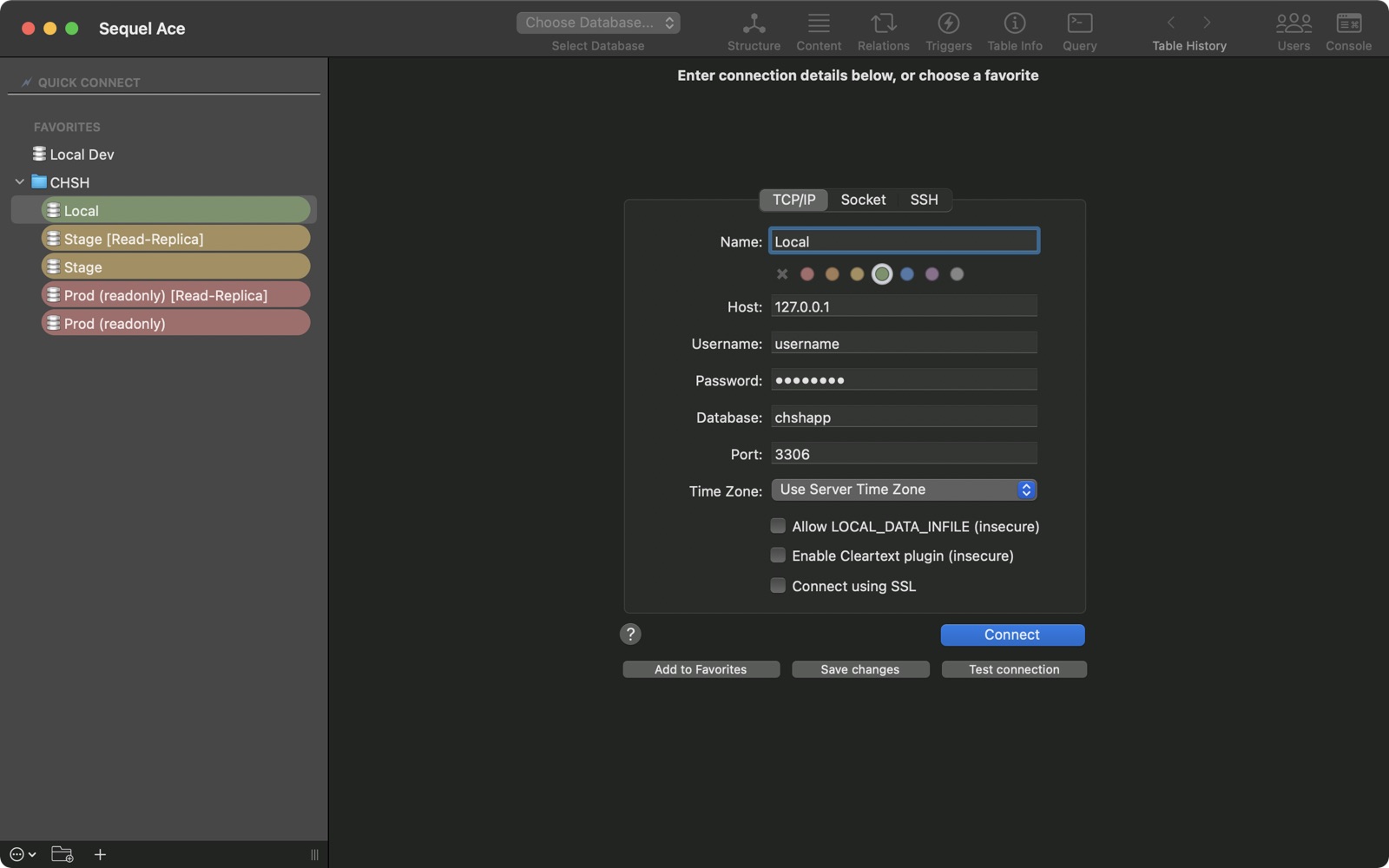
Sequel Ace is a fork of the popular Sequel Pro, designed exclusively for macOS users. While MySQL Workbench offers a cross-platform solution, Sequel Ace provides a native macOS experience that many Mac users prefer for its simplicity and speed.
It focuses specifically on MySQL and MariaDB, offering a streamlined interface with features like direct data editing, query autocompletion, syntax highlighting, and simple import/export capabilities. For Mac users who just need to work efficiently with MySQL databases, Sequel Ace often proves to be a faster and more pleasant experience than MySQL Workbench.
Sequel Ace Links
4. DBeaver Community Edition
Available for Windows, MacOS, and Linux
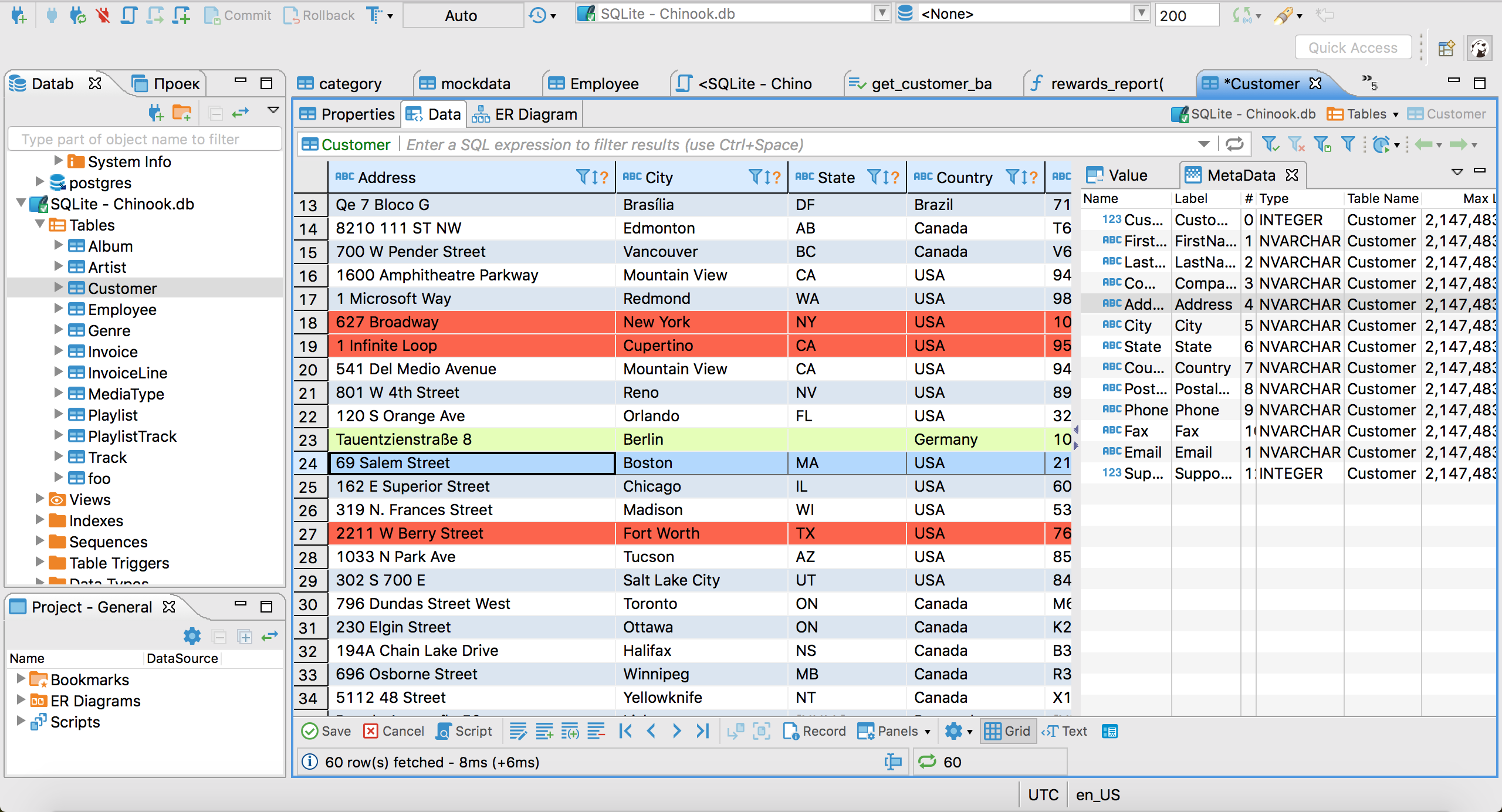
DBeaver Community Edition is a powerful, free, open source universal database tool that supports virtually all database systems. While it offers the same kind of broad database support as MySQL Workbench, it generally provides a more consistent experience across different database types.
DBeaver is built on the Eclipse platform and offers features like SQL editing with syntax highlighting and autocompletion, data viewing and editing, ERD diagrams, and database structure comparison. Like MySQL Workbench, it can be somewhat resource-intensive, but many users find its interface more consistent and its performance more reliable.
DBeaver Links
5. Adminer
Web based
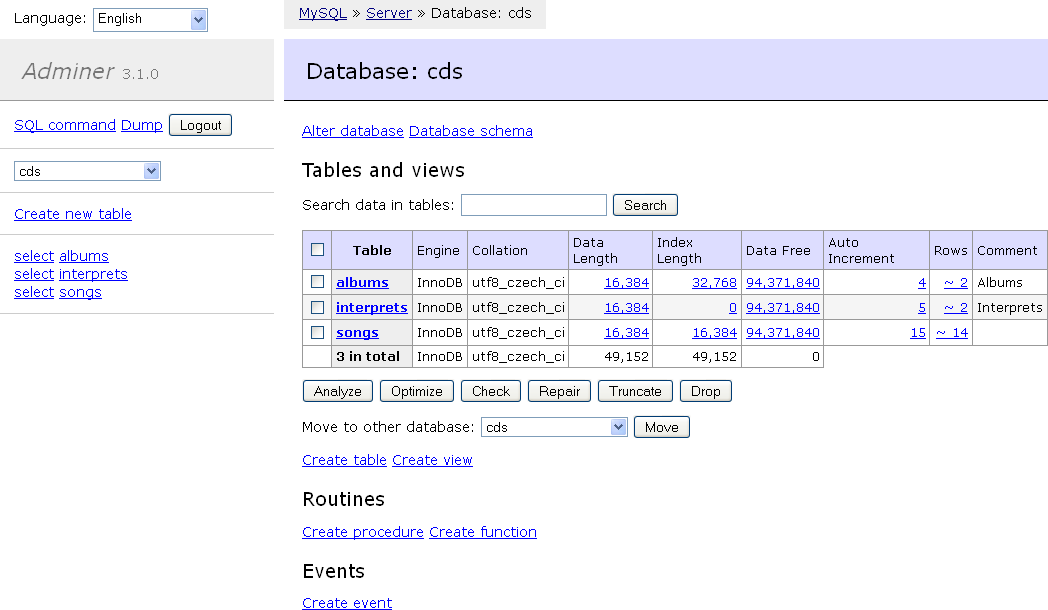
Adminer offers a dramatically different approach compared to MySQL Workbench. While MySQL Workbench is a desktop application, Adminer is a single PHP file that you can deploy to manage your databases through a web browser.
Despite its simplicity, Adminer supports MySQL, PostgreSQL, SQLite, MongoDB, and more. It’s incredibly lightweight yet provides essential features for database management including running queries, editing data, creating and modifying tables, and managing users. For users who need a quick way to access their databases without installing desktop software, or those who work across multiple devices, Adminer provides an elegant solution.
Adminer Links
Wrap-up
Beekeeper Studio was created out of frustration with other open source tools and their lack of focus on usability. We think that this makes Beekeeper Studio the best open source SQL GUI on the market, although obviously we’re biased 🙃.
MySQL Workbench remains popular as Oracle’s official tool, but each of these alternatives offers something unique - whether it’s Beekeeper Studio’s clean modern interface, HeidiSQL’s Windows-optimized performance, Sequel Ace’s Mac-native experience, DBeaver’s breadth of database support, or Adminer’s web-based simplicity.
Regardless of what you want out of an open source GUI, all of the projects listed are mature, quality pieces of software built by passionate and talented developers. You can’t really go wrong.
 Beekeeper Studio Is A Free & Open Source Database GUI
Best SQL query & editor tool I have ever used. It provides everything I need to manage my database. - ⭐⭐⭐⭐⭐ Mit
Beekeeper Studio is fast, intuitive, and easy to use. Beekeeper supports loads of databases, and works great on Windows, Mac and Linux.
What Users Say About Beekeeper Studio
"Beekeeper Studio completely replaced my old SQL workflow. It's fast, intuitive, and makes database work enjoyable again."
"I've tried many database GUIs, but Beekeeper strikes the perfect balance between features and simplicity. It just works."