Plugins
Extend the app with your own code, or community developed plugins.

Every team works with their data a little differently. Plugins let you add the tools you need, without waiting for us to build them.
A plugin is a small app that runs inside Beekeeper Studio. It can open as its own tab, and it works with your existing database connections, so there’s nothing extra to set up.
Install with a click - Open Tools > Manage Plugins, find a plugin and click Install. That’s it.
Read-only by default - Don’t want to give your plugin the power to make changes? Plugins are read-only by default, the user must confirm they want it to be able to make changes.
Always up to date - Plugins update automatically when Beekeeper Studio starts. Prefer to stay on a specific version? Turn off auto-update for that plugin.
Free for everyone - The plugin system is available on every plan, including the free version. Some plugins from our team, like the AI Shell, need a paid plan.
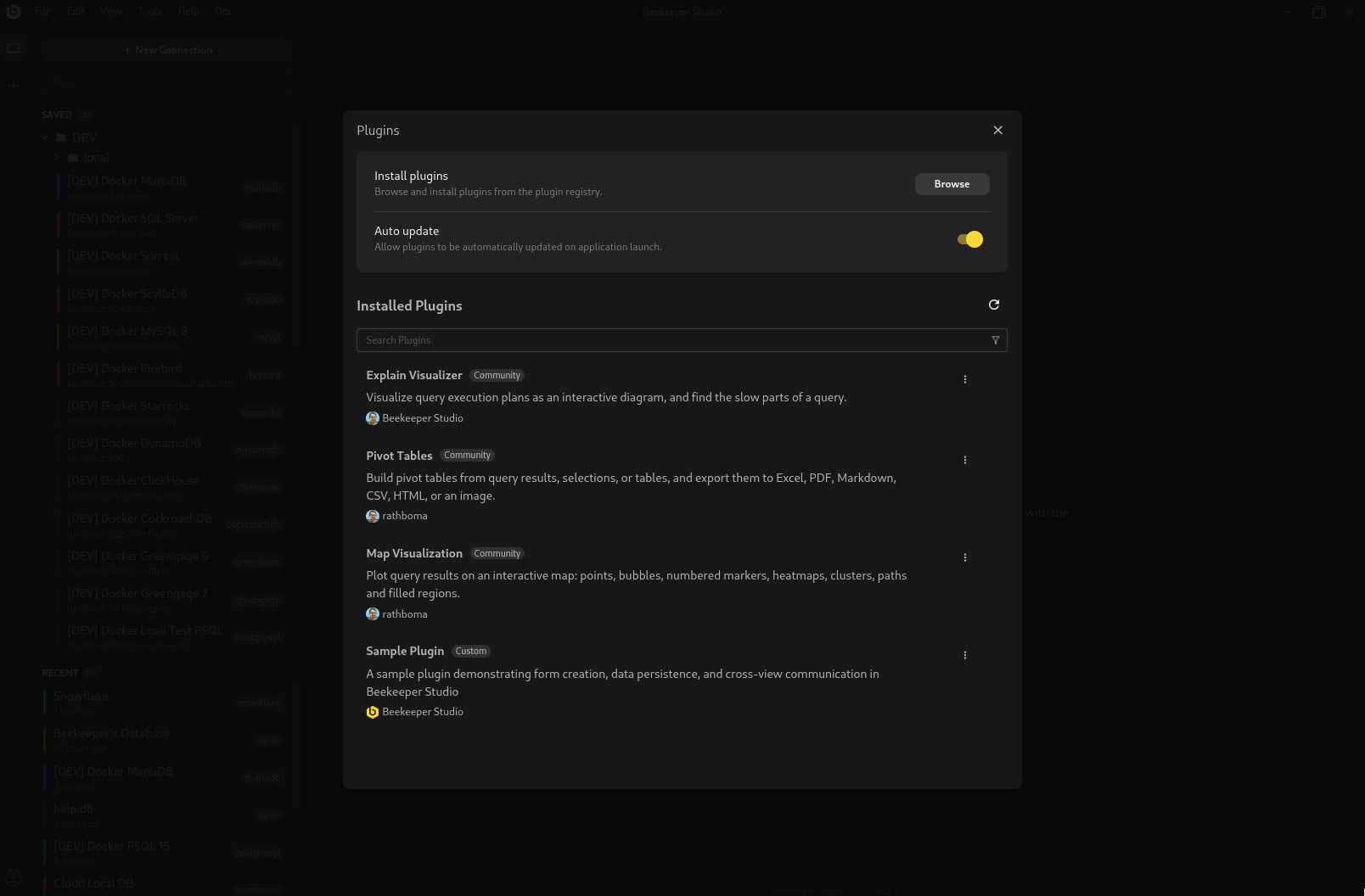
Some of Beekeeper Studio’s own features ship as plugins, built on the same system that’s open to everyone.
AI Shell - Ask questions about your data in plain English. The AI Shell writes and runs the queries for you, and shows the results right in the tab.
ER Diagram - View your database as an Entity Relationship Diagram, modify exactly what is shown in the diagram, and export to help with documentation or design.
Need something specific for your workflow? Write it yourself. Plugins are built with regular web technologies, and the plugin API gives them access to your connections, tables and queries.
Add new tabs and panels - Build custom views for your data, right next to the rest of your work.
Hook into menus - Add your plugin’s actions to Beekeeper Studio’s menus, and bind them to your own keyboard shortcuts.
Run safely - Each plugin runs in its own sandbox and only reaches your database through a controlled API.
Share with the community - Publish your plugin so other Beekeeper Studio users can install it from the app.
Get started with the plugin development docs.
Running Beekeeper Studio across a team? Admins can configure the plugin system to suit their security needs: turn plugins off entirely, allow only official plugins, or approve a specific list of plugins.
If you need a bunch of custom domain specific logic/views for your team, Business License holders can set up their own custom registries for plugins. All you need is a GitHub repo and optionally a GitHub token set in the app if you’d prefer the repo to remain private. Learn how to set these up here.
This feature and more included with any active Beekeeper Studio license. Download Beekeeper Studio to get started.