

A draconic theme for Beekeeper Studio.
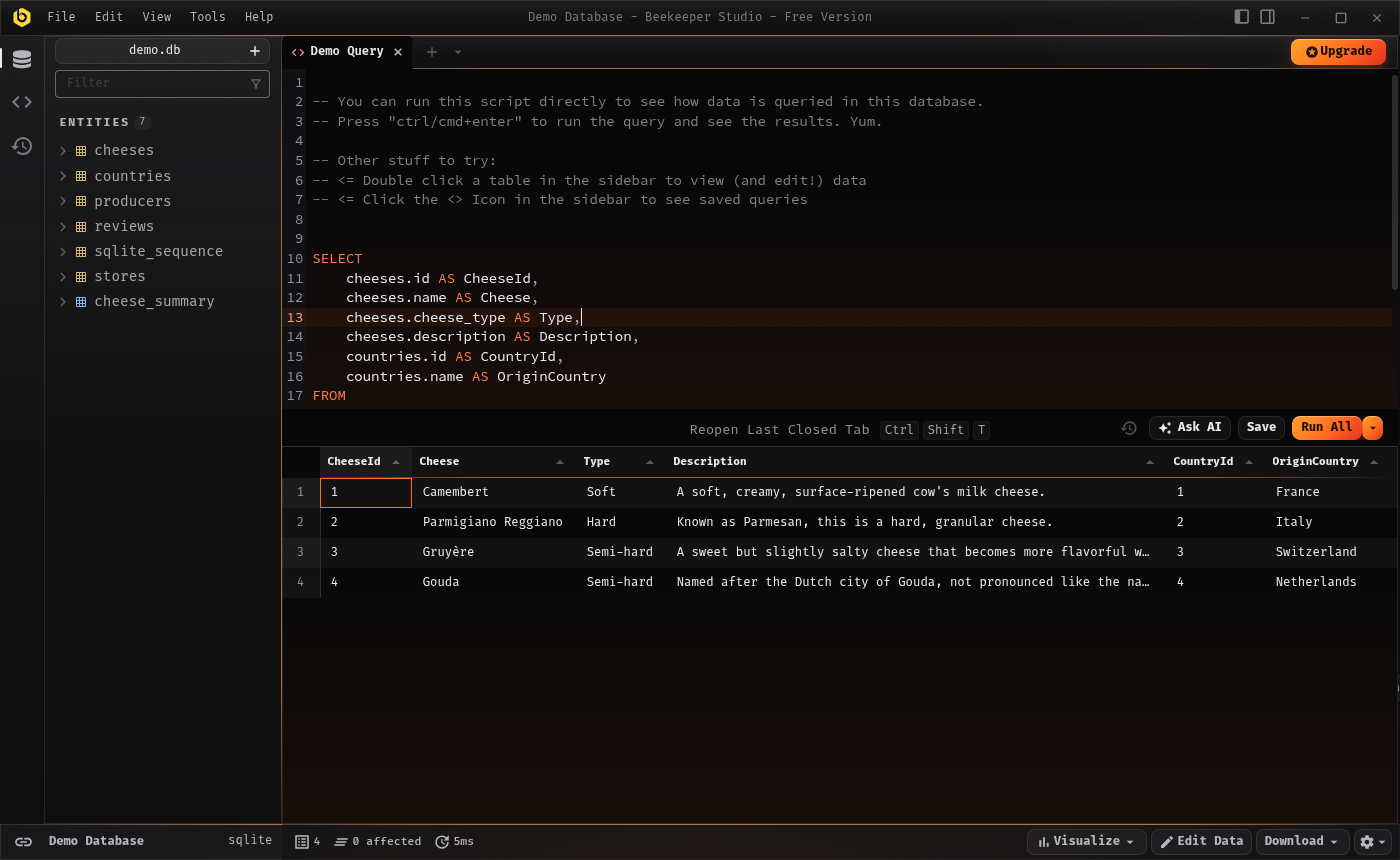
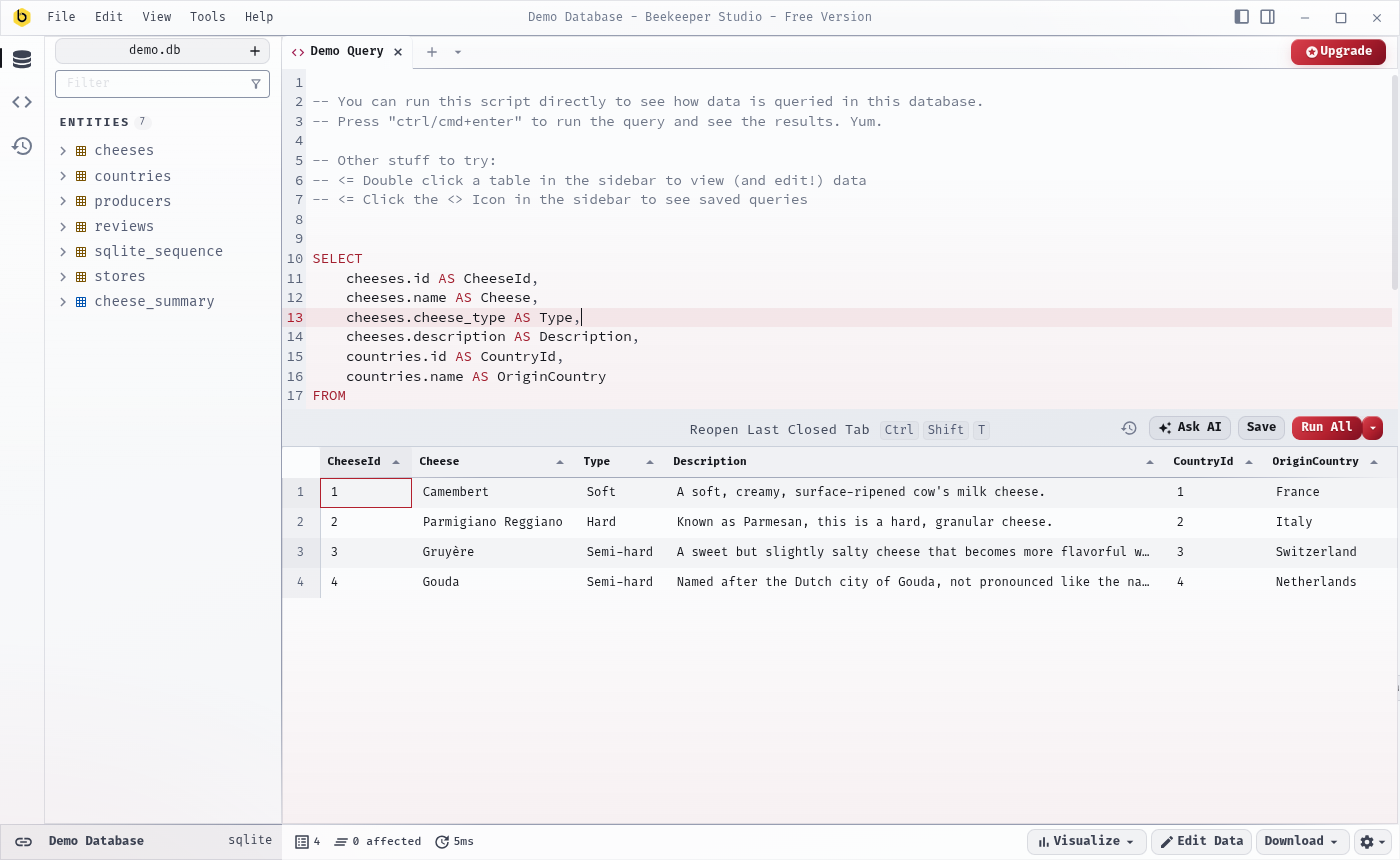
Drakon is dragonglass. At night it is obsidian glass lit from below by a single molten accent, with warm hairlines and a faint film grain. By day it is platinum glass with ink-dark text and blood red, in the spirit of Valyrian silver. Panels are translucent over a fixed backdrop, with luminous hairlines and floating menus in the style of Warp and Raycast.
The two modes are designed separately. They do not share syntax colors, and the gray scale is pinned in both: neutral obsidian in the dark, cool platinum in the light.
Screenshots
Palette
| Role | Dark | Light |
|---|---|---|
| Background | #0a0a0b |
#eef0f4 |
| Surface | #111113 |
#e7eaef |
| Panel | #18181a |
#fbfcfd |
| Text | #b4b4ba |
#3c4252 |
| Text contrast | #ececee |
#14161c |
| Accent | #ff6a1f |
#b3202e |
| Danger | #ff4d5e |
#a8142f |
| Success | #6fd1b5 |
#1d6b5e |
| Info | #7fb6ff |
#234f8a |
Install
Beekeeper Studio loads unlisted themes from its themes directory. Link this folder into it and restart the app:
mkdir -p ~/.config/beekeeper-studio/themes
ln -s "$(pwd)" ~/.config/beekeeper-studio/themes/drakon
On macOS the directory is ~/Library/Application Support/beekeeper-studio/themes;
on Windows it is %APPDATA%\beekeeper-studio\themes.
Then open View → Appearance → Configure…, enable Unlisted Themes, and pick Drakon under View → Appearance.
During development, edits to style.css reload without restarting.
Publish
The theme follows the standard registry flow:
- Push this repository to GitHub.
- Create a release tagged
v1.0.0withmanifest.jsonanddrakon-1.0.0.zipattached. - Add an entry to
community-themes.jsonin beekeeper-studio-plugins and open a pull request.
The included workflow builds the zip and opens a draft release when a v* tag
is pushed.
License
MIT. See LICENSE.