

Pure black and phosphor lime green, with a terminal grid and CRT glow. Wake up, Neo.
A free community theme for Beekeeper Studio.
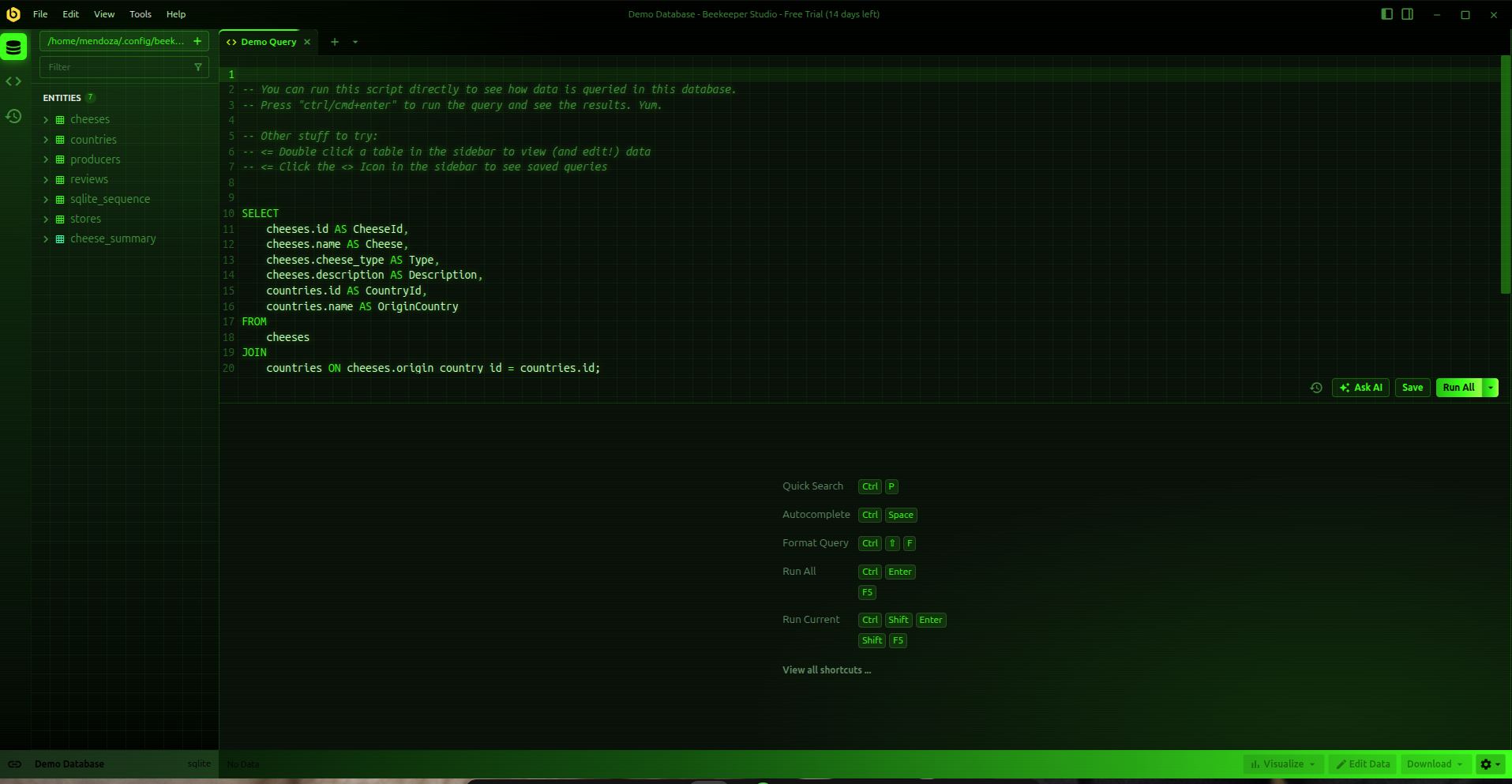
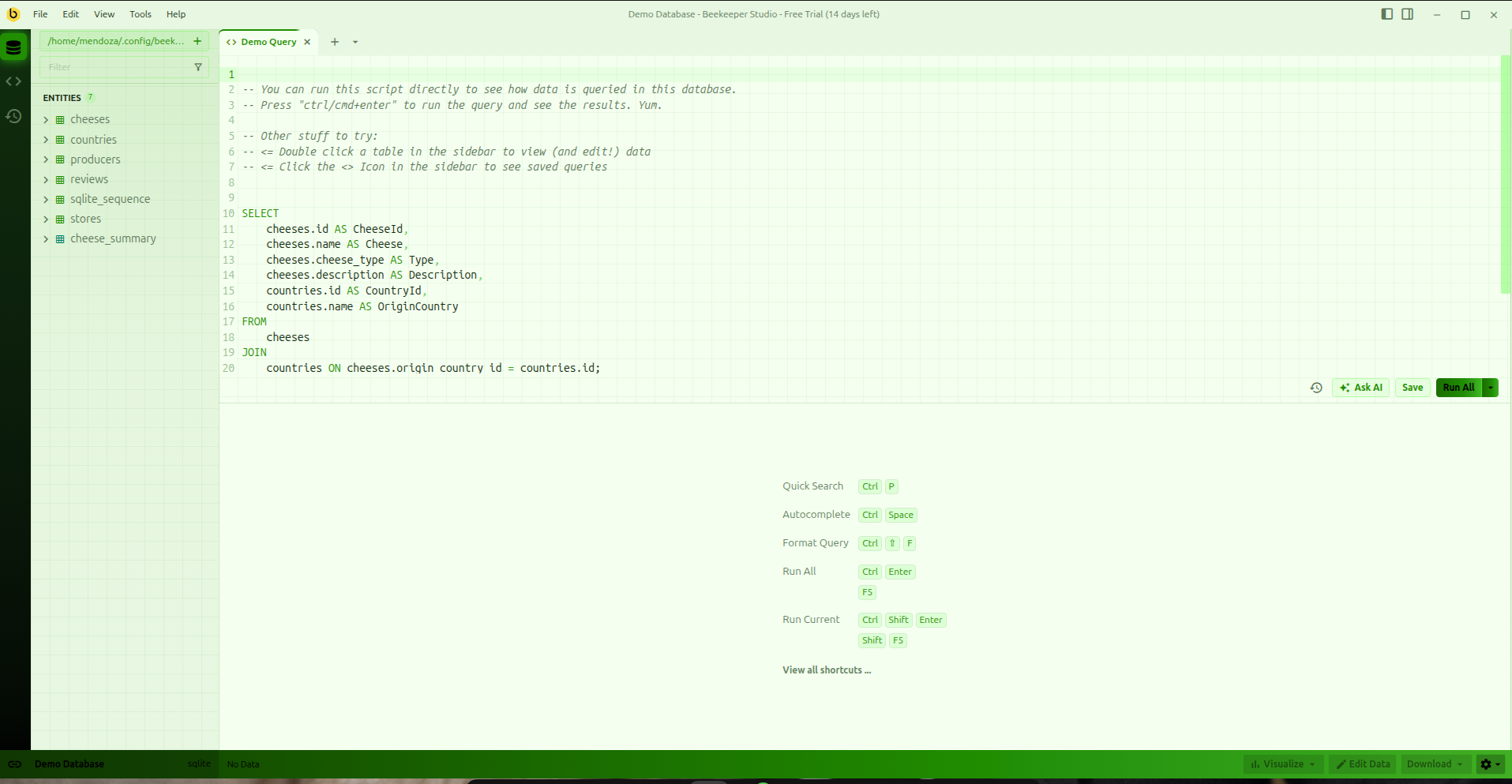
Features
- Dark mode (the main one): pure
#000000background, lime#39ff14accents, green-only syntax highlighting with subtle hue shifts so keywords, strings, functions and comments stay distinguishable. - Light mode (“terminal paper”): dark green on a pale green-cream background.
- Terminal grid behind the sidebar and query editor.
- Phosphor glow on editor text, glowing primary button, active cell and sidebar icon.
- Gradient column headers in the results table.
- CRT scanline overlay (dark mode only).
Tested with Beekeeper Studio 6.3.x.
Installation
From Beekeeper Studio (recommended)
Once the theme is listed in the community registry, open Appearance settings in Beekeeper Studio, find Matrix among the community themes and install it.
Manual
- Download
matrix-<version>.zipfrom the latest release. - Extract it into a folder named
matrixinside your Beekeeper Studio themes directory, so you end up withthemes/matrix/manifest.jsonandthemes/matrix/style.css. On Linux that is~/.config/beekeeper-studio/themes/matrix/. - Restart Beekeeper Studio and pick Matrix in Appearance.
Customization
- Performance: the CRT scanline overlay is a full-window decorative layer. If you notice any slowdown, delete the
body.dark-theme::afterblock at the end ofstyle.css. - Colors: all theme colors are CSS variables prefixed with
--mx-at the top ofstyle.css(.dark-themeand.light-theme).
Releasing (maintainers)
- Bump
versioninmanifest.json(semver). - Commit, then tag and push with a matching tag:
git tag v1.0.0 git push origin main --tags - The GitHub Action builds
matrix-<version>.zipand publishes a release with that zip andmanifest.jsonattached.
License
MIT — free to use, modify and share.