 Beekeeper Studio
Beekeeper Studio is a modern and friendly PostgreSQL GUI client. Our users tell us that Beekeeper Studio is the most intuitive, and easy to use PostgreSQL GUI client available.
Beekeeper Studio cares about the details, for example, if you paste a PostgreSQL url into Beekeeper Studio it will just work (tm)
This is the PostgreSQL client I’ve been looking for! The UI is what sets it apart: Clean, intuitive, powerful. Goodbye clunky PGAdmin.
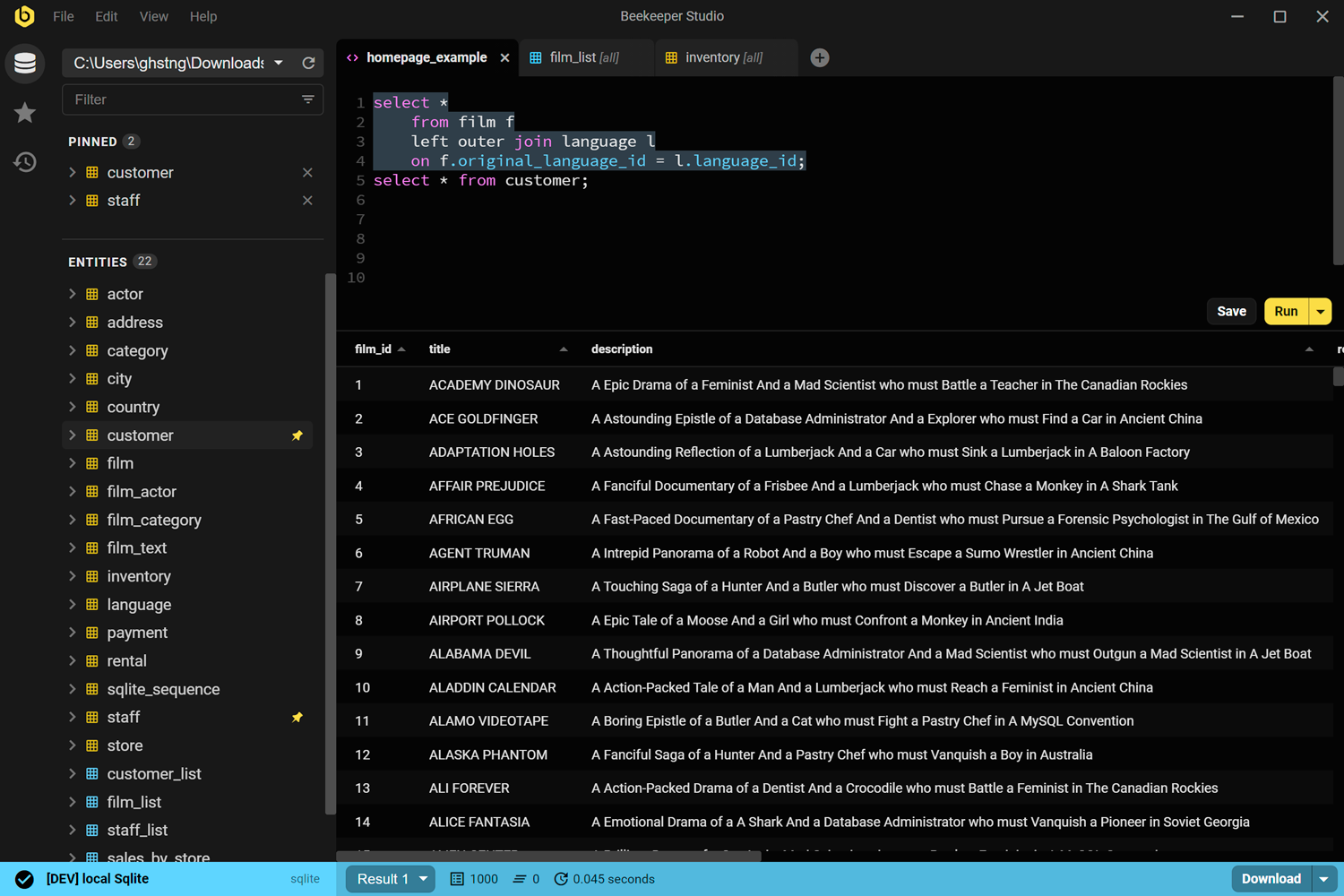
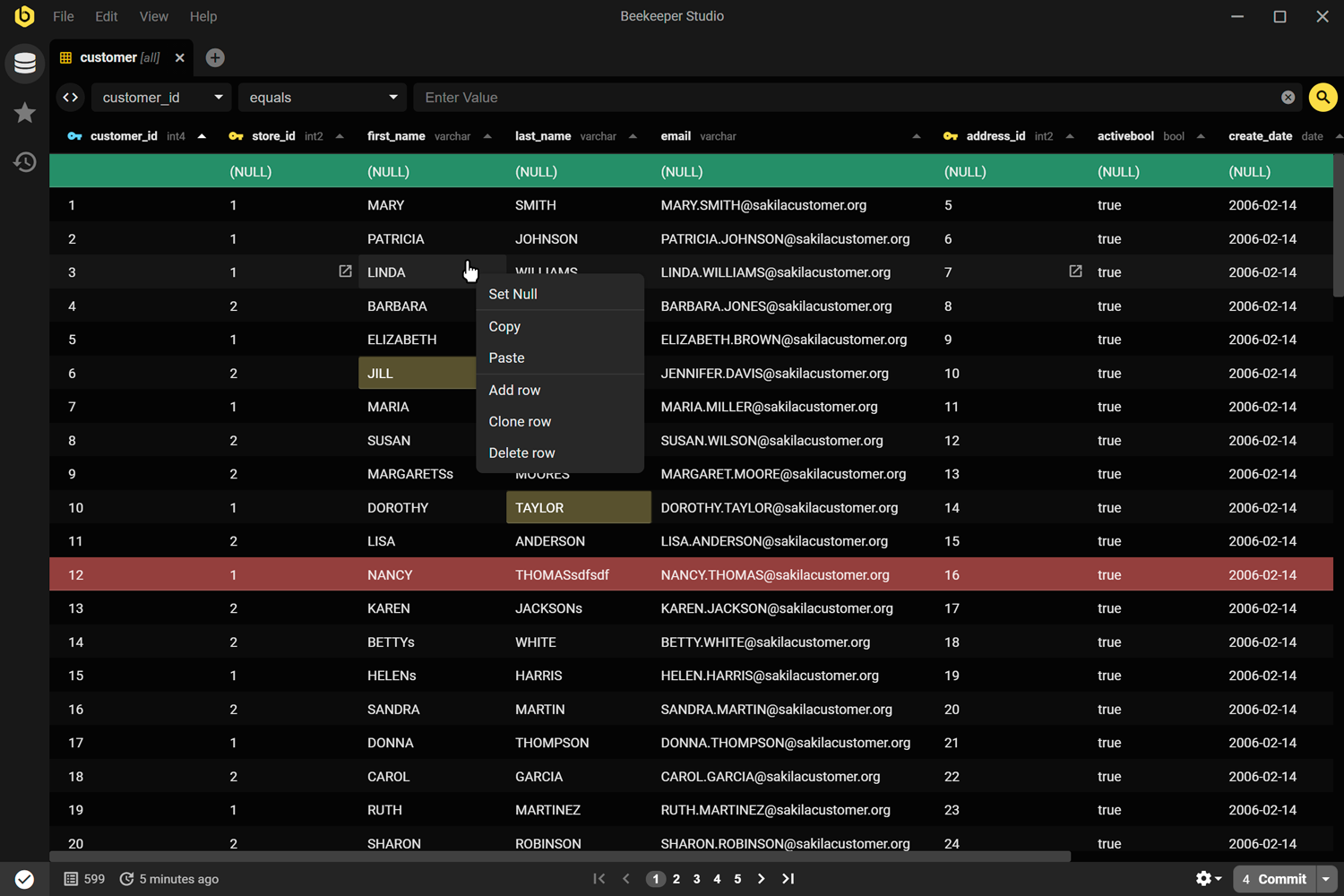
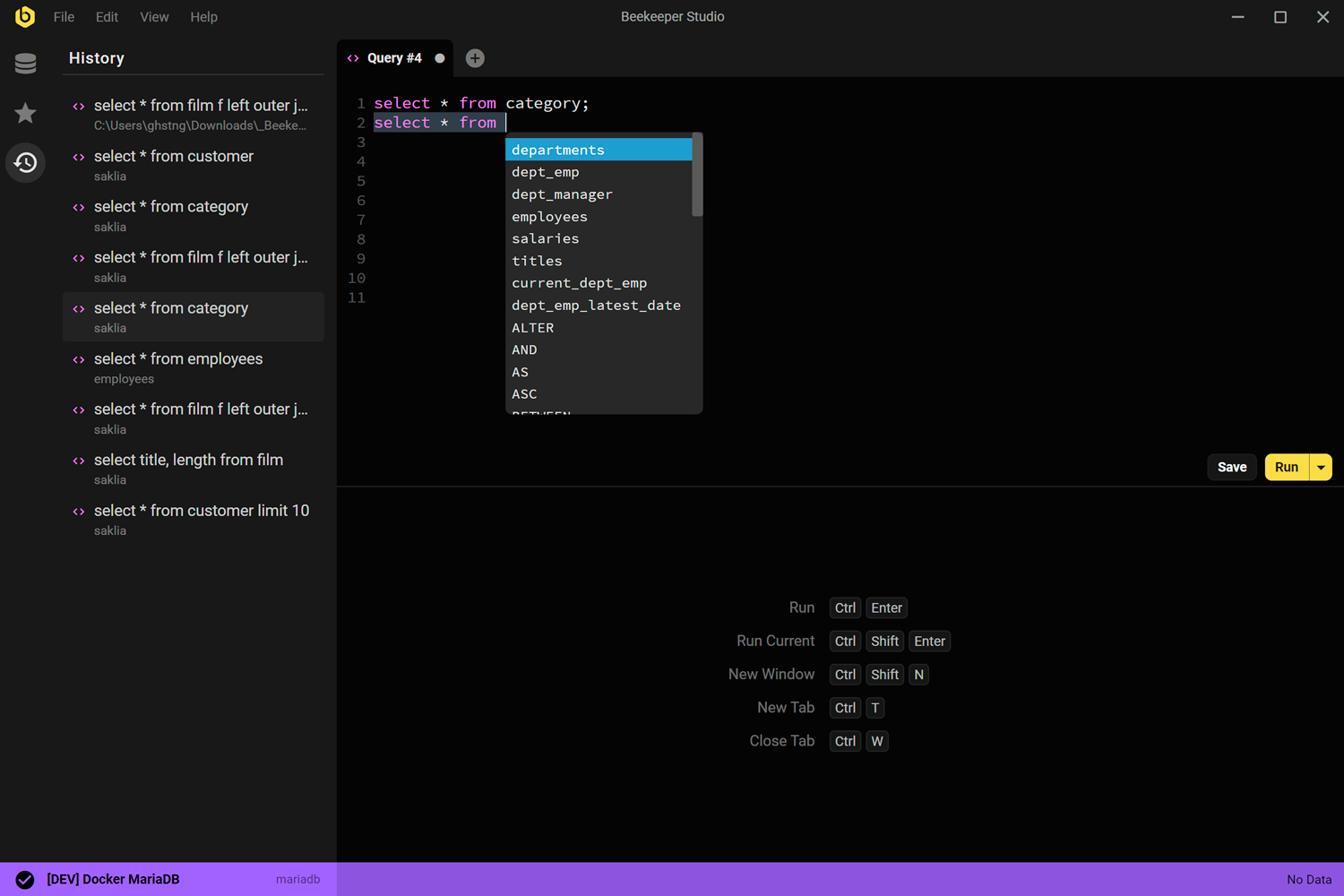
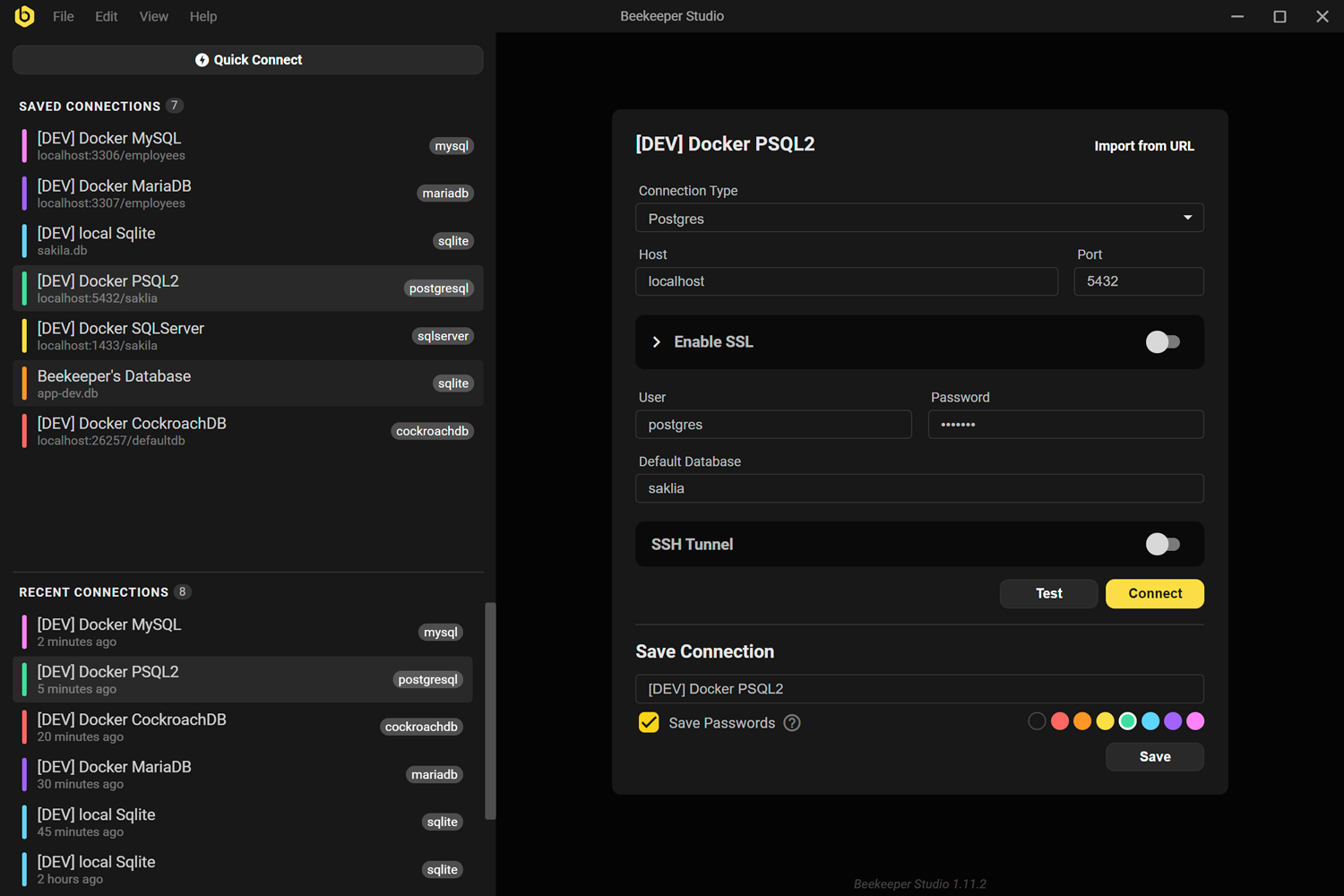
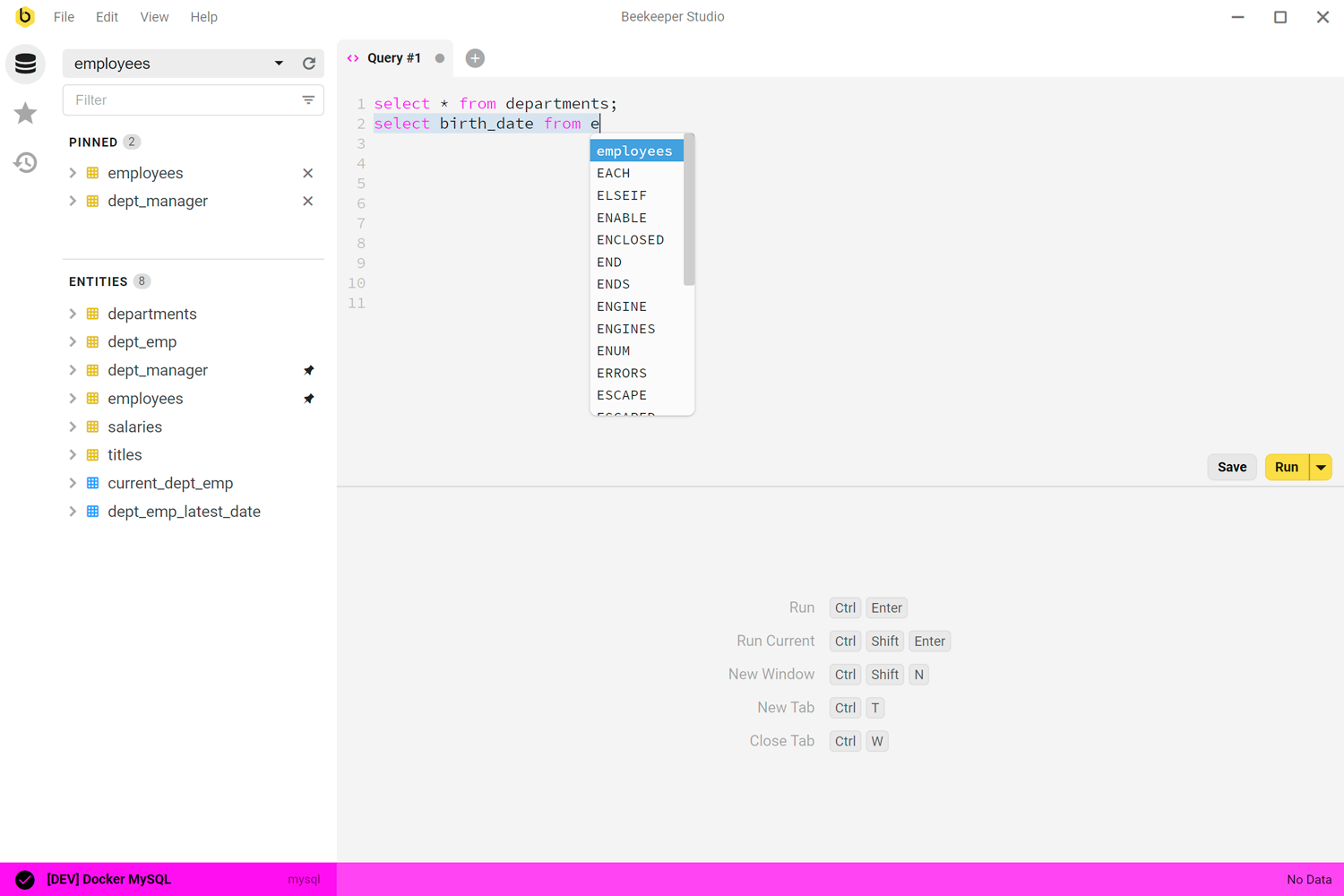
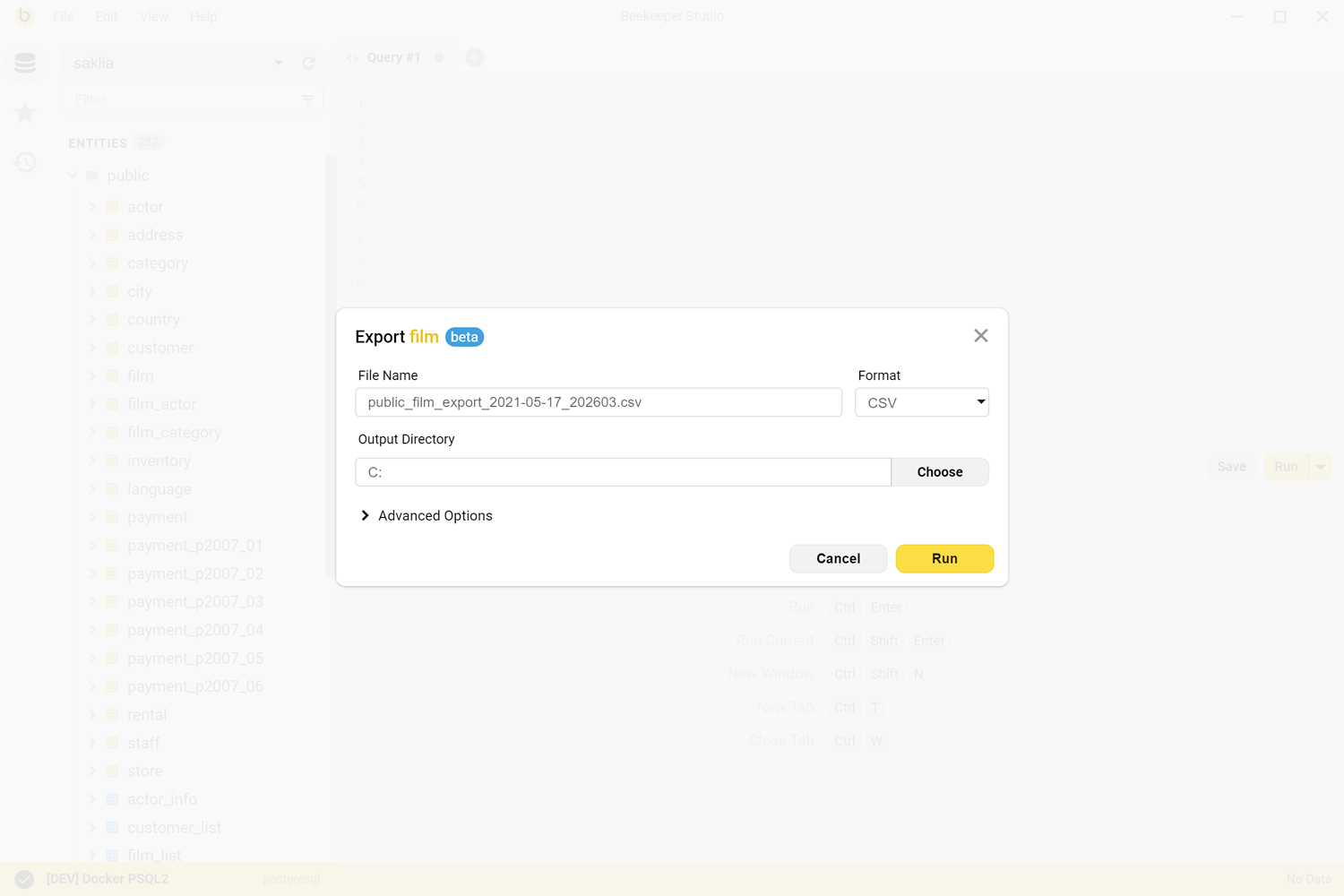
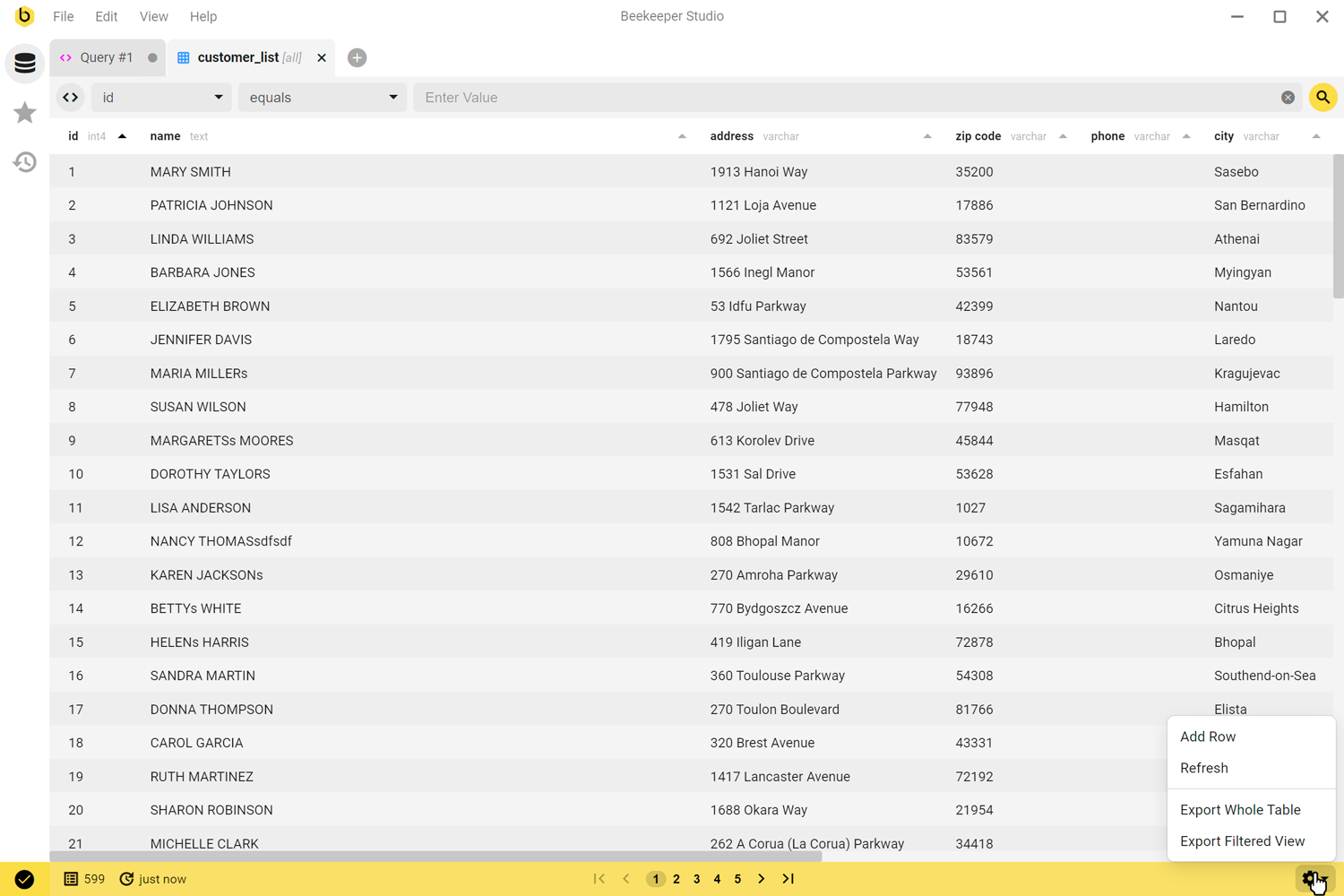
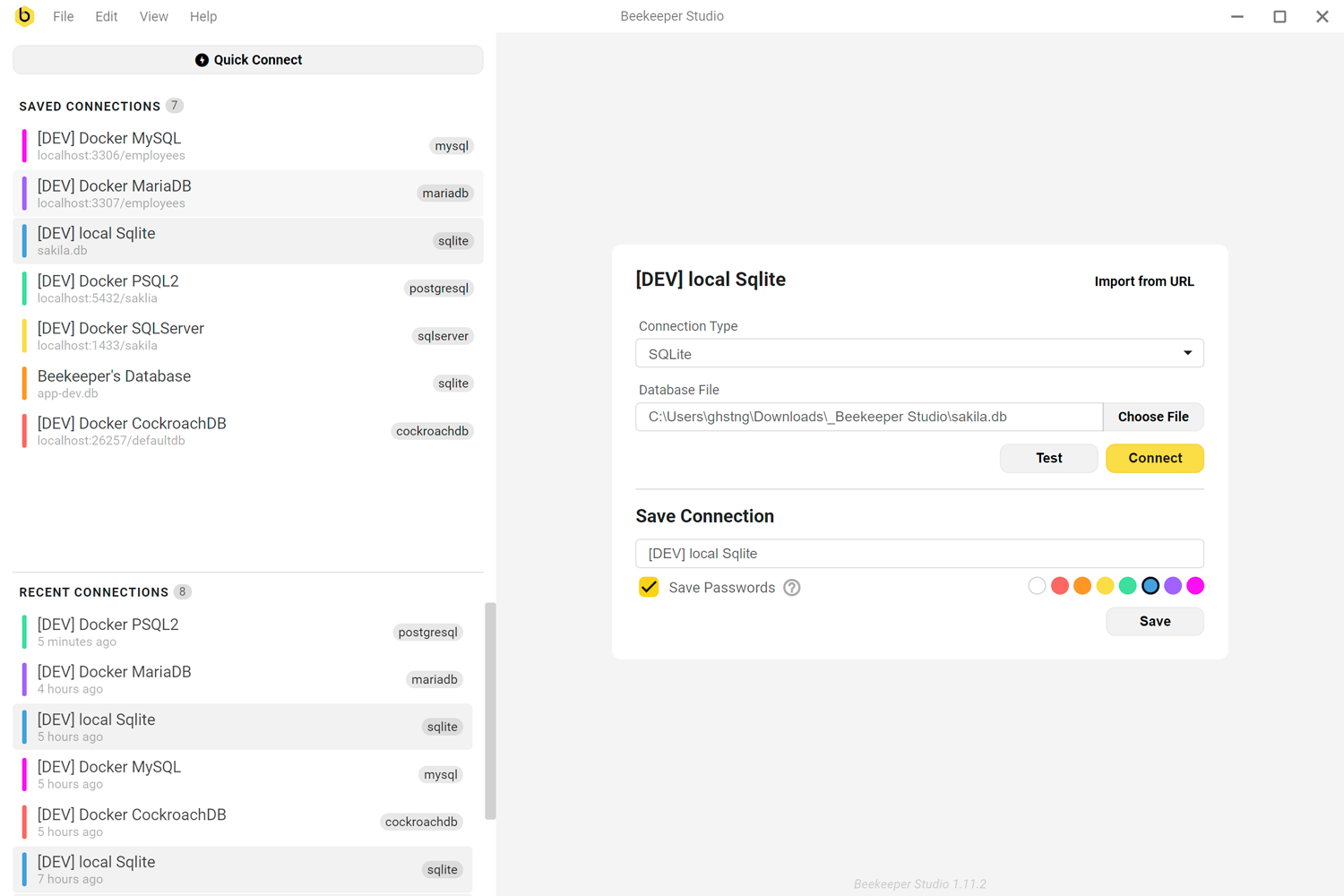
Beekeeper Studio is designed primarily to be an easy to use database GUI. We really sweat the details to make the app as intuitive as possible.
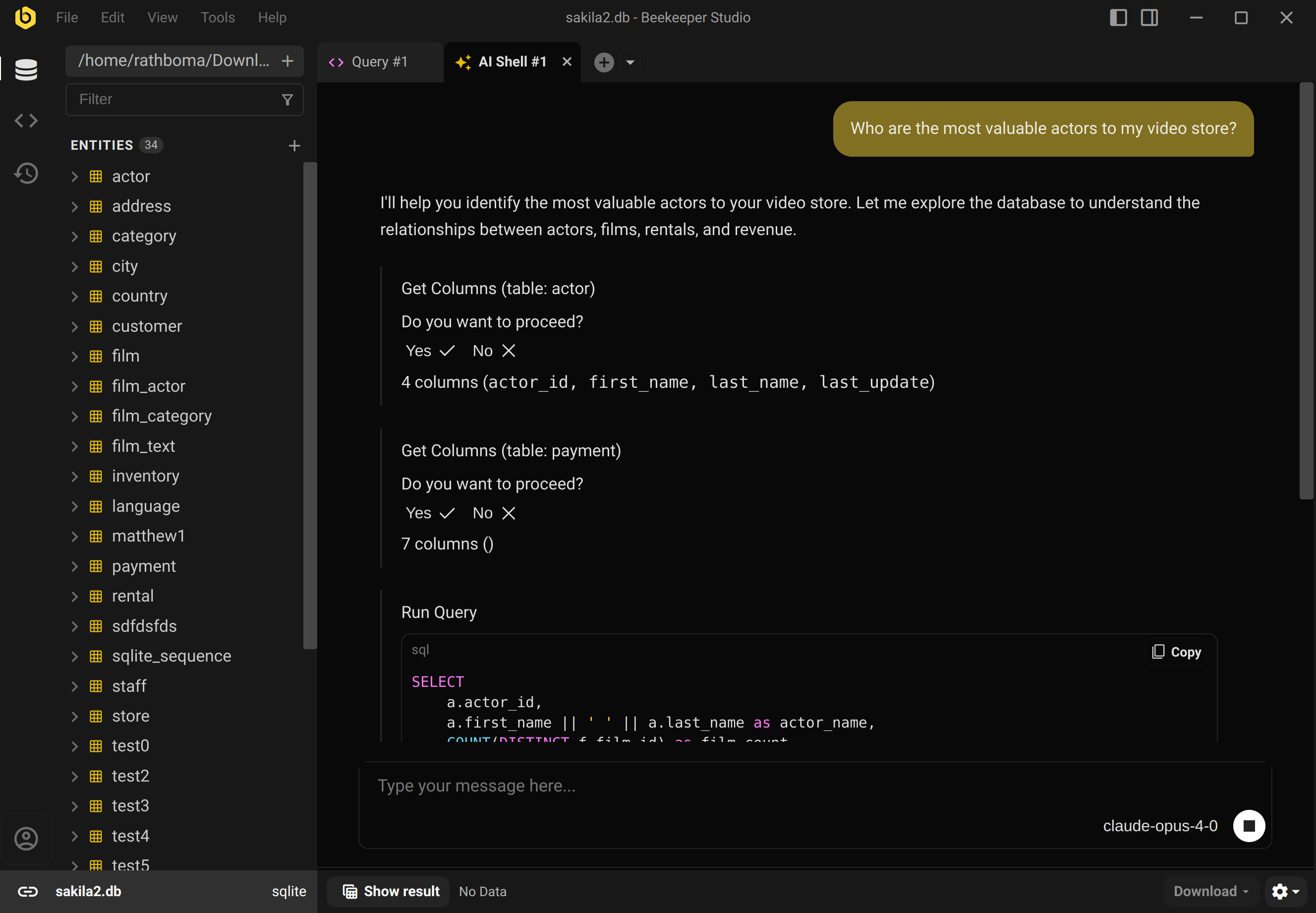
Simply ask questions about your data and Beekeeper’s AI Shell will answer them. The AI shell is smart - it can explore your database, run queries (with permission) and double check its work using real data. No hand holding or futzing around required. Learn more.
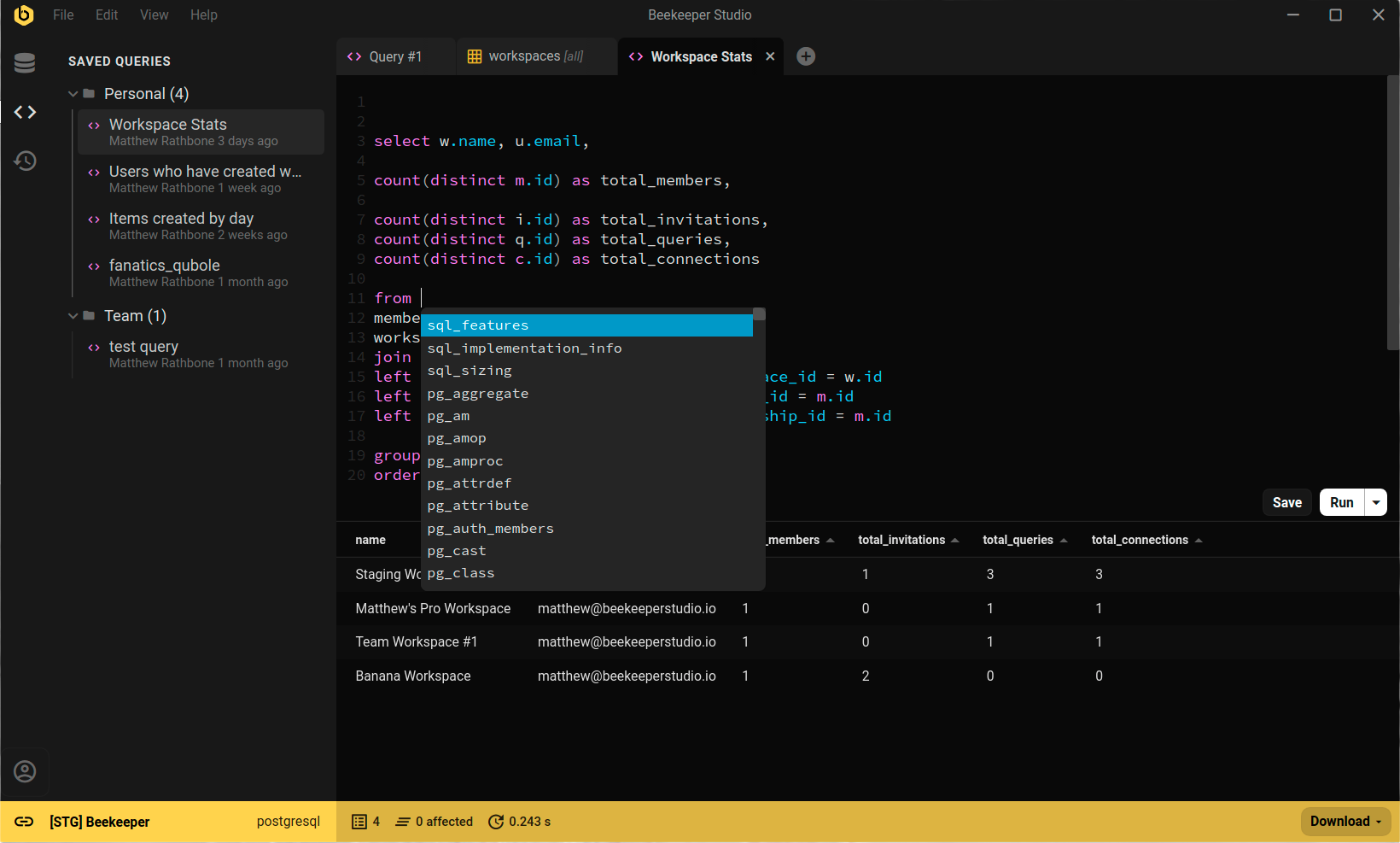
Beekeeper Studio’s query editor is powerful, but easy to use. To start writing SQL, pop open a new tab and begin typing – just like in your regular text editor. Learn more.
Open any table in a spreadsheet that makes it quick and easy to navigate, filter, edit, and delete your table data. Also included: clickable foreign keys, data export, and syntax-highlighted editors. Learn more
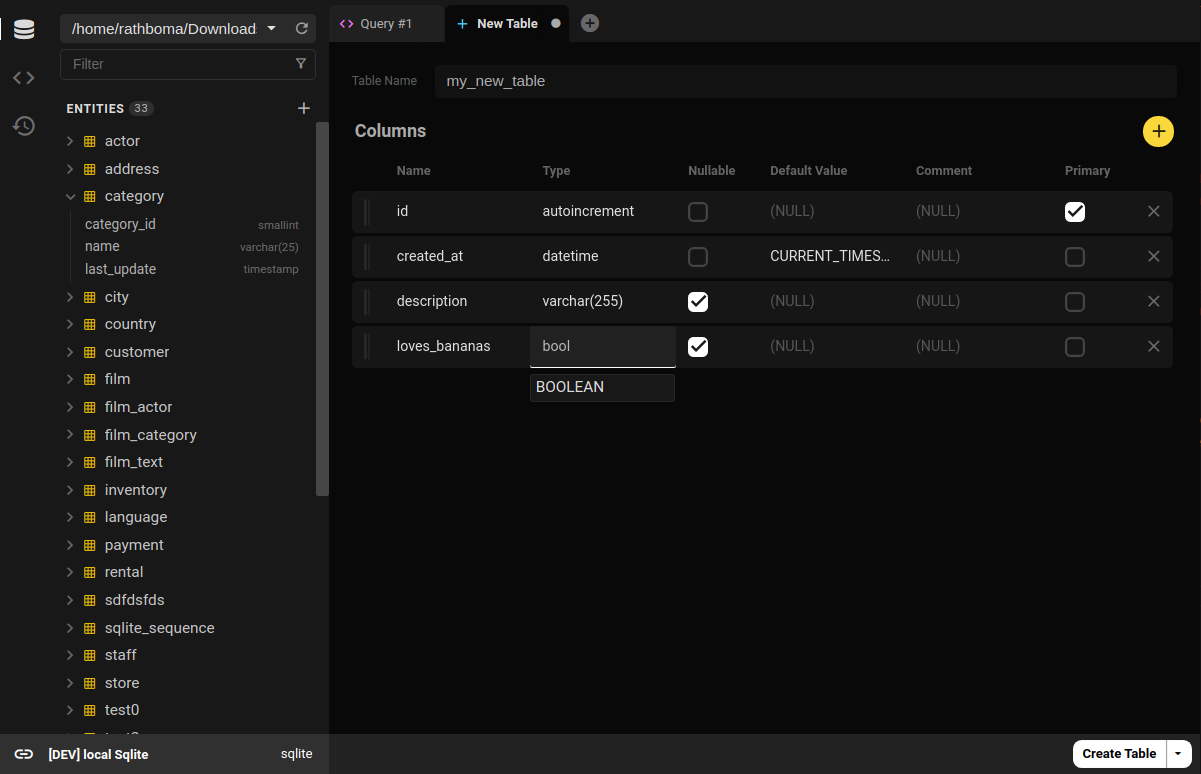
Right click any table to modify its schema. Easily change column names, types, defaults, and nullability. Plus add relations and indexes, all without writing any SQL. Learn more
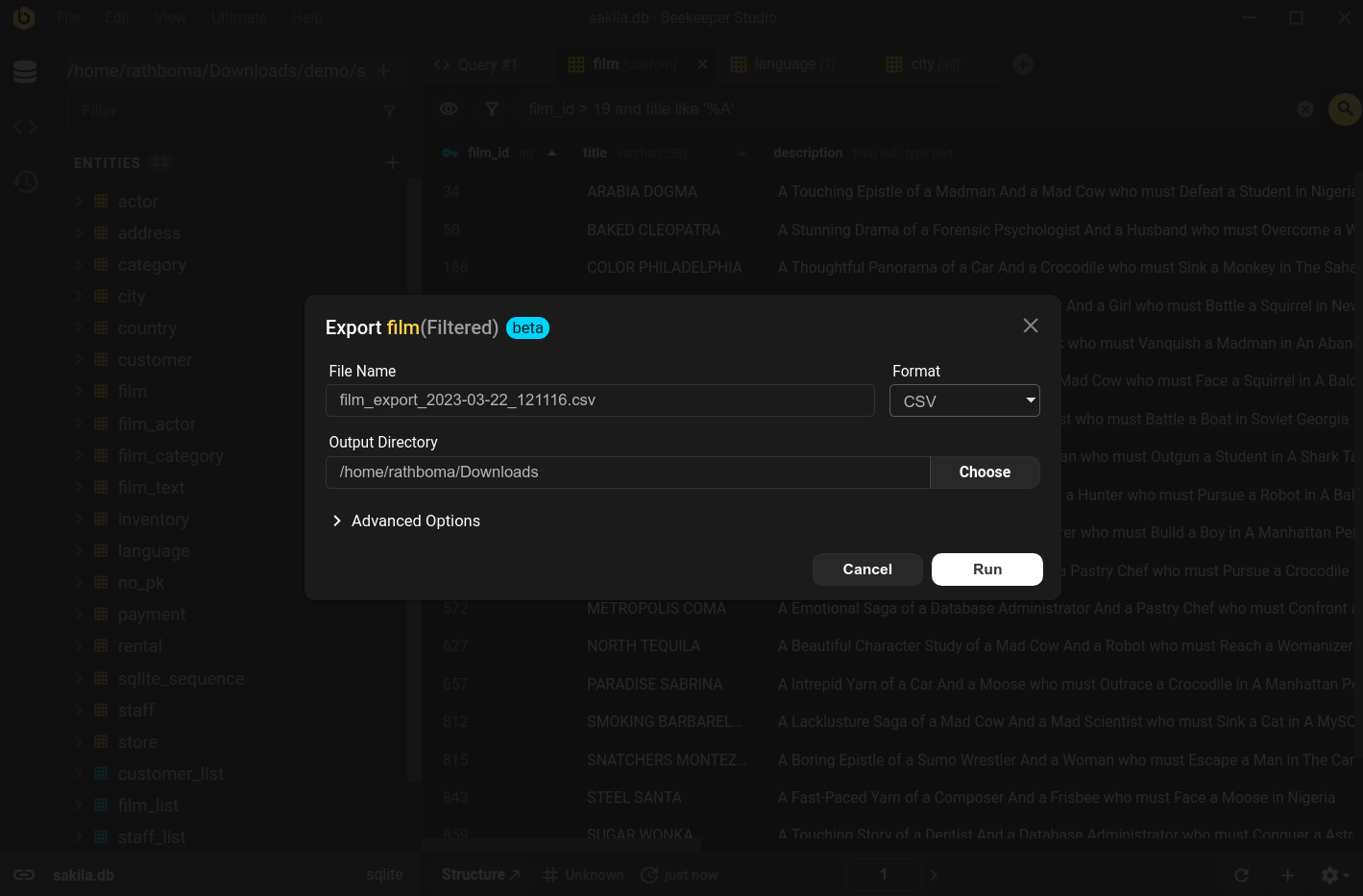
Take any table, view, or query result and export it to CSV, Excel, or JSON in two clicks. Plus import your own CSVs into PostgreSQL in two clicks. Learn more
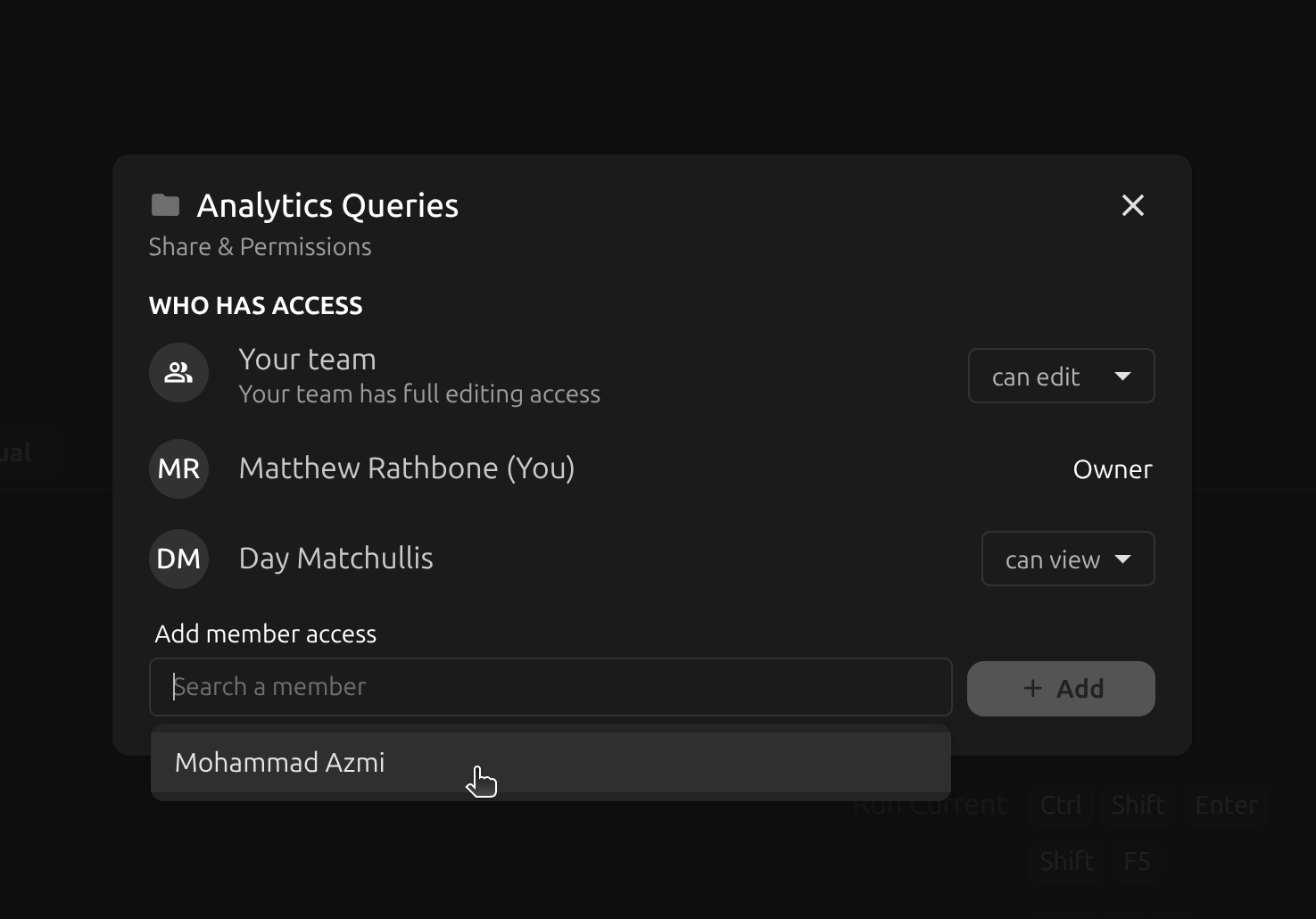
Beekeeper’s Team Workspaces let you easily work across multiple machines and share connections and queries with your colleagues. All data is encrypted at rest and in transit, so your information always stays secure. Learn more.
Easily set up different sharing groups by organizing data into folders and sharing each folder with a different group.
Beekeeper Studio was clean, smooth and just worked.
Beekeeper Studio has 100% feature parity across Linux, MacOS, and Windows. So no matter which operating system you work (or play) from, you can use all of our PostgreSQL features with complete cross-platform compatibility, no compromises. We use a cross-platform app development framework to make sure that you get the best PostgreSQL GUI client experience, regardless of whether you use MacOS, Windows, or Linux.
Beekeeper Studio also works great on Chromebooks, Raspberry Pi 3+, and maybe even the odd toaster or fridge (if they run Linux).
When I switched to using Linux full time from Mac, the hardest thing was finding replacement apps. Beekeeper has been a breath of fresh air, and not only works on Linux, but feels like a first class citizen!
Beekeeper Studio is available for Windows, so you can easily query, edit, and manage your PostgreSQL databases. Beekeeper Studio's Windows download is available from our download page as an installer, a portable .exe file, or an MSI package for IT teams. Beekeeper Studio supports Windows 10+ on both x64 and ARM64 PCs, more information is available in our Windows documentation.
Beekeeper Studio integrates seamlessly into the MacOS environment for querying, editing, and managing PostgreSQL. Beekeeper Studio's MacOS app is available the downloads page. Beekeeper Studio supports both Intel and Apple silicon Macs. More information is available on our MacOS documentation page.
Beekeeper Studio's PostgreSQL GUI has full feature parity on Linux. Linux is a first-class OS to the Beekeeper Studio team, and we think it's the best way to edit, query, and manage your PostgreSQL database. Beekeeper Studio works great on all major distributions, including Ubuntu, Fedora, and Arch. You can get Beekeeper Studio's linux client on our download page. Learn more on our Linux docs.
Beekeeper Studio is built by me, Matthew Rathbone and a small team of part-time developers. We build software we care about. We're not part of a big corporation, and we don't have a large investor in the background writing checks. Unlike many of our well-funded competitors, all of Beekeeper Studio's code is available on GitHub, and we also publish a full-featured free version of Beekeeper Studio for those who can't afford the paid editions. We're on a mission to make good software available to everyone. Every purchase directly supports us and our ongoing commitment to open source.
I hope you enjoy using Beekeeper Studio as much as we enjoy making it.
PostgreSQL is an open source relational database. It is used for storing transactional data for a rage of use cases, and is used heavily by software developers building web applications. Learn more about Postgres on the official website
Our users tell us that Beekeeper's clean and intuitive interface makes using databases fun again.
translate This text was written by a third party and translated automatically. Read the original in English
Unlike pgAdmin, Beekeeper is remarkably simple to use yet not lacking in features–and the price is right! The database backup feature is particularly useful. Just great software.
I had been using the free version of Beekeeper studio for a while, but when I needed to work with some MongoDB databases I upgraded to the paid version. And honestly, I was up and running in no time. Beekeeper is slick, fast, and it just works. Very intuitive, very easy to use. I work with MongoDB, Postgresql, SQL Server, and other databases in my job, and having one tool that can talk to them all is just wonderful.
Thank you, Matthew and team!
I do love the ability to preview data as a JSON.
Before I used two separated apps: “MySQL Workbench” and “pgAdmin 4”.
Can’t say for sure, but it really saves time
Beekeeper Studio has become my go-to SQL editor across Postgres, MySQL, and SQLite workflows. It offers a clean interface, intuitive query editing, and hassle-free connection management without the heavy footprint of many enterprise tools. Results are fast, exports are simple, and the UI stays out of the way so I can focus on the data.
Open source software quality varies, but Beekeeper Studio consistently delivers polish with active development and responsive updates. For developers and analysts who appreciate speed, usability, and transparency, this is one of the best database tools available.
Beekeeper Studio is my go to tool for Database GUI operations - MySQL, Postgres, SQLite - one tool for the job. I also appreciate the shared queries for workspaces in the ultimate edition - makes it quick and easy to stand up connections on a new computer. Mac & Windows work feature for feature, so that’s nice too!
Besides the clean UI and the dark mode of course, probably what I like the most is the copy options available for query results and how easily I connect to and switch between databases. This makes work effortless and distraction-free. I migrated from pgAdmin. Beekeeper Studio is easily a thousand times better. It’s so much lighter, faster, and more enjoyable to use.
Fabulous tool, the most practical IDE I’ve found to date for Postgres and MySql db admin - it just works, no fuss :-)
It is extremely fast and lightweight. It does what it says it does quite well and quickly. I migrated from PgAdmin cos after I upgraded to latest version, it was hanging and freezing a lot that it was easier to go back to version 4 or just move on.
I would say I save nearly an hour (at least) running queries and checking db changes mainly.
What is your favorite feature?
The interface is clean and fast. Writing queries, browsing tables, and inspecting results all feel smooth and straightforward. When you spend a lot of time working directly with Postgres during development, that kind of workflow really matters.
Did you migrate from another tool?
Yes. I used pgAdmin before switching. It works, but it feels heavy for everyday development. Beekeeper Studio is much lighter and easier to work with.
How much time do you save by using Beekeeper Studio?
A few hours every week. When you are constantly iterating on queries and inspecting data during development, having a tool that stays out of your way makes a real difference.
I appreciate Beekeeper’s user-friendly interface, which allows me to explore my PostgreSQL database tables effortlessly, without requiring manual queries.
- My favourite feature is its free community edition, then its ability to connect seamlessly with so many different types of Clients.
- I have used DBeaver, TablePlus, Sequel Ace. I still found Beekeeper to be having best UI, supporting MySQL and PostreSQL, and has sufficient features in community edition.
- For each week, it saves approx 4-8 hours of effort. (As otherwise I had to use different app for my different DBs)
I love it. Knocks spots off PGAdmin. Fast, easy to use, and powerful.
In my role i cover all legacy code, and brand new code, using MSSQL/Mariadb/Oracle/Postgres and sqlite, i think i have now found the tool that cover all my needs in one tool
So far the most comprehensive DB admin GUI out there. The only reason I haven’t given 5 stars is I cannot claim to have used it exhaustively only having discovered it two weeks ago. But so far, mySQL, MSSQL and Postgres in one tool is simply incredible.
Planning to purchase once pay day hits.
I was searching for a good solution for accessing PostgreSQL on Windows, Claude recommended Beekeeper, good choice :)
Two key things. First, connectivity. I don’t have to use DB Browser for SQLite, MySQL Workbench for MySQL, psql for PostgreSQL. Beekeeper works with them all. Second: AI. The AI feature compiles English into SQL.
Migrated from pgAdmin, felt like moving from teams to slack
What is your favorite feature?
What caught my attention the most were the project organization tools.
Did you migrate from another tool?
Yes, from the native PostgreSQL tool.
How much time do you save using Beekeeper Studio?
I save a lot of time, I have easy access, I have several accounts and databases ready to be accessed, worked on and updated, and all new projects are already organized.
I truly feel at home with the UI and UX, even in the free version! Transitioning from Postico was a significant upgrade for me. The autocompletions, sorting by values, and filtering features—all available for free—are fantastic! It’s impressive how feature-rich it is while still being intuitive and fluid to use.
I am a noob/ novice to programming with an ambitious project of developing a service delivery management tool for my community using only open source software. I identified postgresql as our database but were unable to find a simple tool that would be a desktop client while also helpinv visualize my table and make small corrections easily. Honestly I have been through the entire gamut from nocodb, to pgadmin to appsmith to dbeaver. I found beekeeper to be the simplest and easiest to work with. Being a novice, i cannot talk about other major technical features but the simplest manner and easiest to use.