
DbVisualizer has been around since 1999, which is either comforting (battle-tested) or concerning (Java UI from 1999), depending on your tolerance for that sort of thing.
The free edition exists, but it’s genuinely limited: no table management, no query builder, no import/export, no explain plans, no charts. You can connect to databases and run SQL, and that’s about it. The full-featured Pro license runs $199 for the first year and $89 to renew annually. For a tool you use every day, that’s a defensible spend - but it’s a lot if you’re just looking for a solid database GUI.
Here are five free alternatives worth considering.
Beekeeper Studio
Available for Windows, MacOS, and Linux - download here
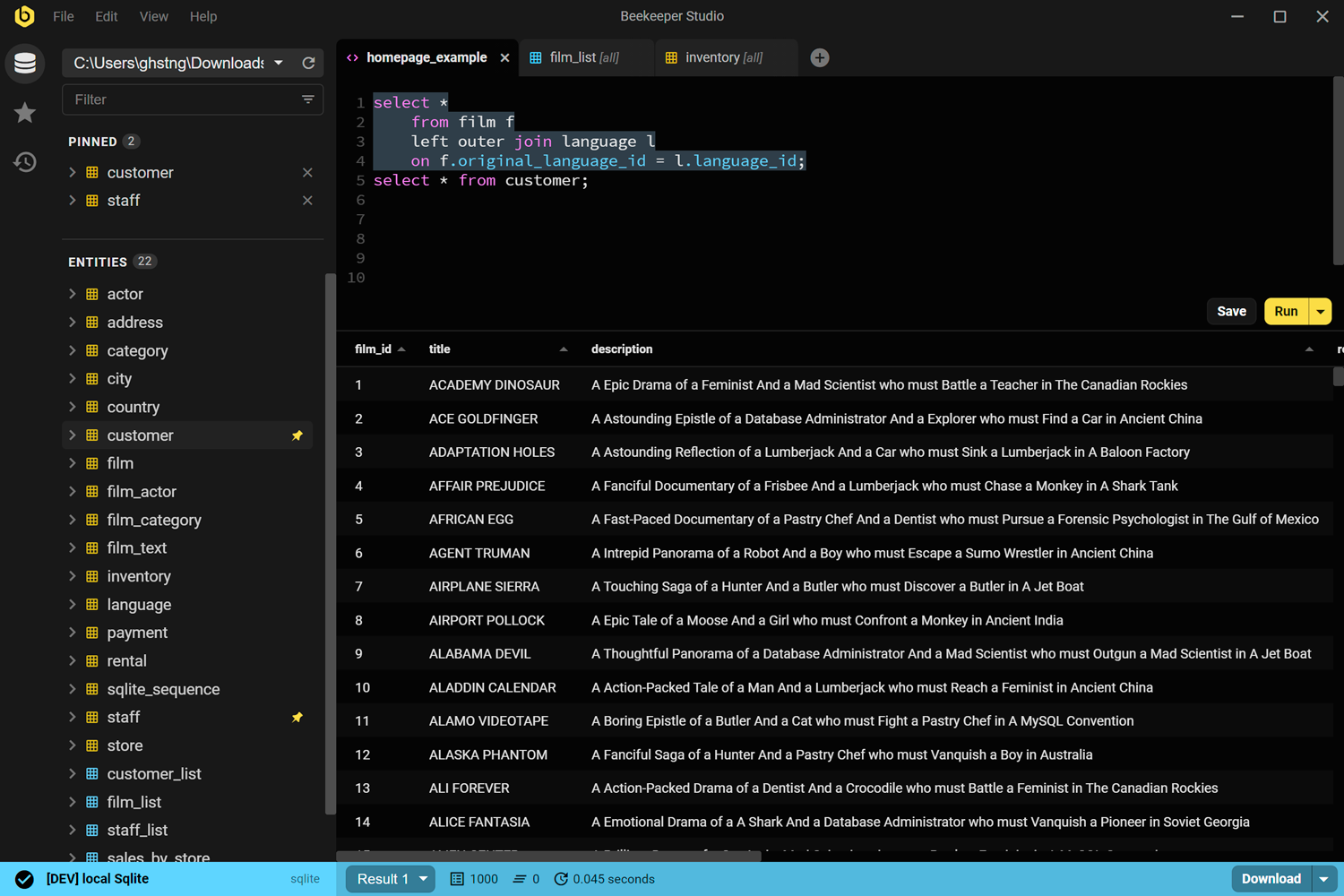
We built Beekeeper Studio, so file this under “obviously biased.” That said, it was built specifically because the existing options (including DbVisualizer) felt like they prioritized feature count over usability.
Beekeeper Studio is simple to use, lightweight in terms of CPU/RAM and fast. - Vijay Mariadassou
It connects to all the major databases - PostgreSQL, MySQL, SQLite, SQL Server, Oracle (paid plan), and more. The free Community Edition includes autocomplete, tabbed queries, table data editing, and connection color-coding for environment management. Zero telemetry, source on GitHub under GPLv3.
Where DbVisualizer locks features behind a $199/year paywall, Beekeeper’s free tier covers what most engineers actually use day-to-day. Paid plans add import/export, backup & restore, team workspaces, and additional databases like Oracle and Cassandra.
If DbVisualizer’s Java-era UI is grating, this is the lighter, more modern version. Try it and see.
Beekeeper Studio Links
- Compare Beekeeper Studio vs DbVisualizer
- Download Beekeeper Studio (free, no signup)
- PostgreSQL client
- Oracle client
- Pricing
- Source code on GitHub
DBeaver Community
Available for Windows, MacOS, and Linux
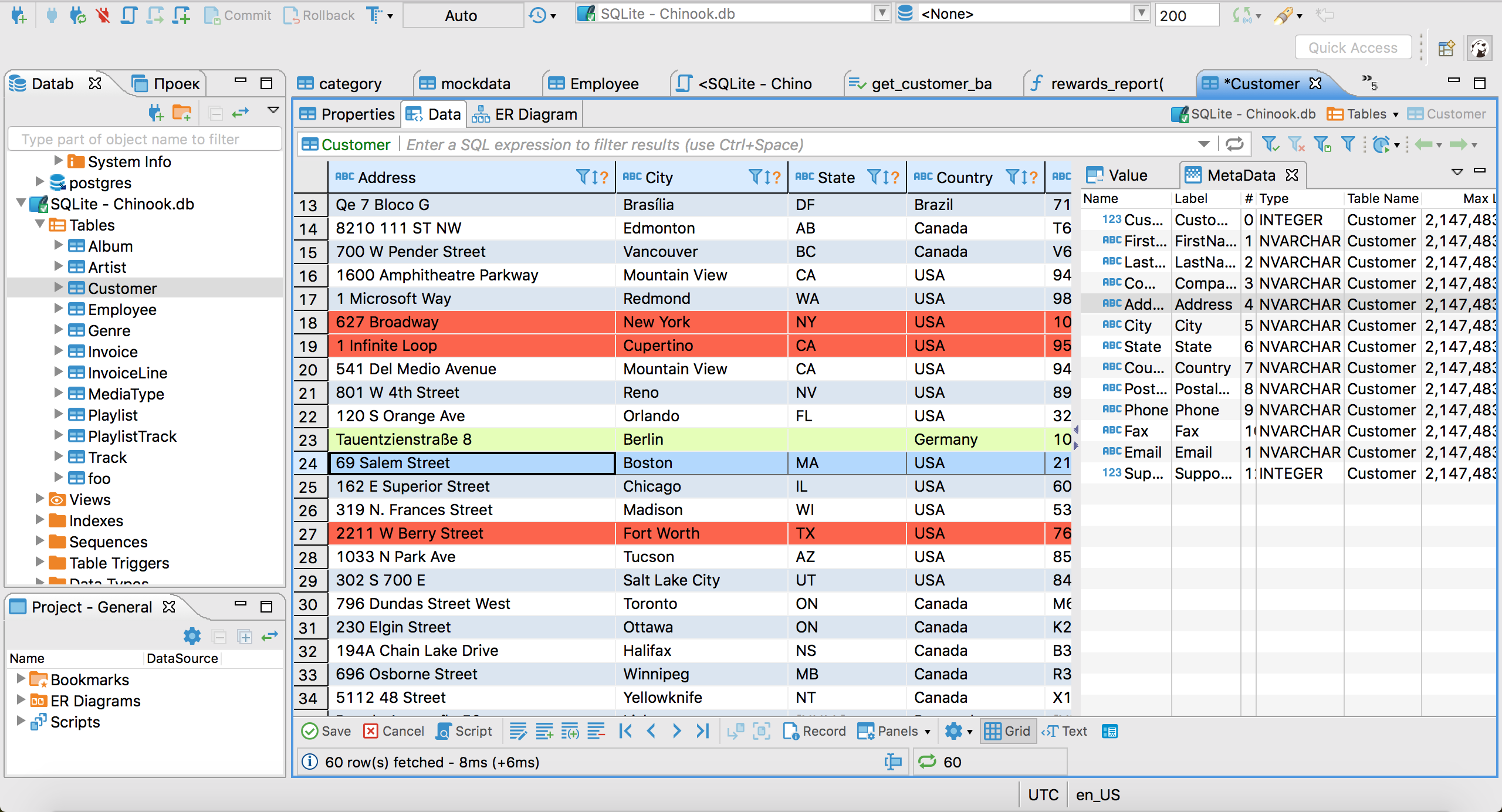
DBeaver Community is the most feature-complete free alternative to DbVisualizer. It covers basically every database you’ve heard of - MySQL, PostgreSQL, Oracle, SQL Server, DB2, SQLite, and dozens more via JDBC. ER diagrams, explain plans, data import/export, query history, and database schema browsing are all included at no cost.
The catch is the interface. DBeaver is built on the Eclipse platform, so if you find DbVisualizer’s UI old-fashioned, DBeaver won’t feel like a step up aesthetically. It’s functional, highly configurable, and actively maintained under Apache 2.0, but it’s not exactly “opinionated toward simplicity.”
If you’re switching from DbVisualizer specifically because of the cost and want to keep the same rough feature set, DBeaver Community is the obvious landing spot.
DBeaver Links
HeidiSQL
Windows only
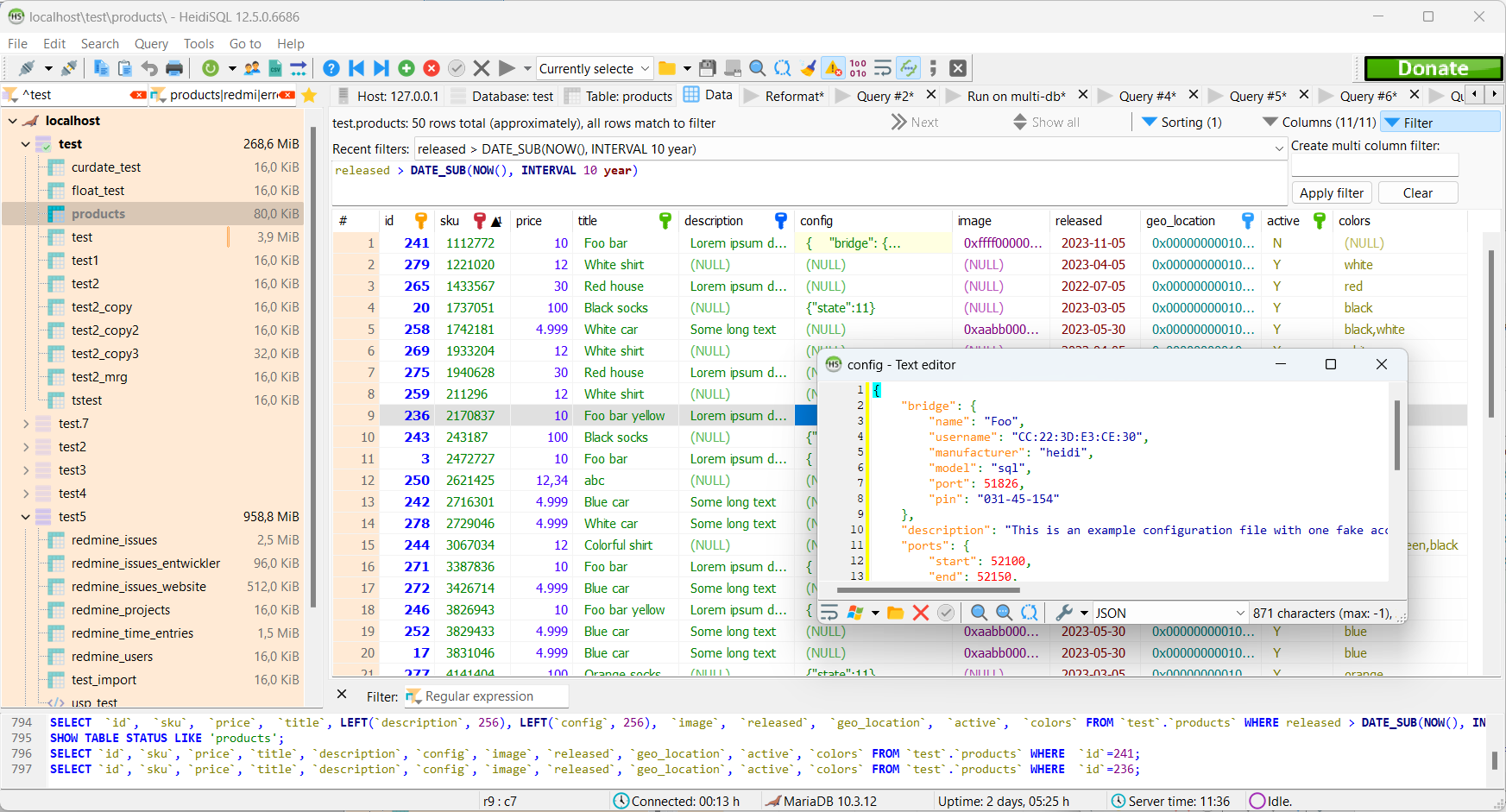
HeidiSQL has been a reliable Windows MySQL GUI since 2002. It supports MySQL, MariaDB, SQL Server, and PostgreSQL - free, open source (GPLv2), and actively maintained.
It won’t replace DbVisualizer if you work with Oracle or DB2, but if your databases are MySQL or PostgreSQL and you’re on Windows, HeidiSQL is fast, lightweight, and covers the essentials without asking for a credit card. The UI is functional rather than beautiful, but it’s never felt slow or heavy.
HeidiSQL Links
TablePlus
Available for Windows, MacOS, and Linux
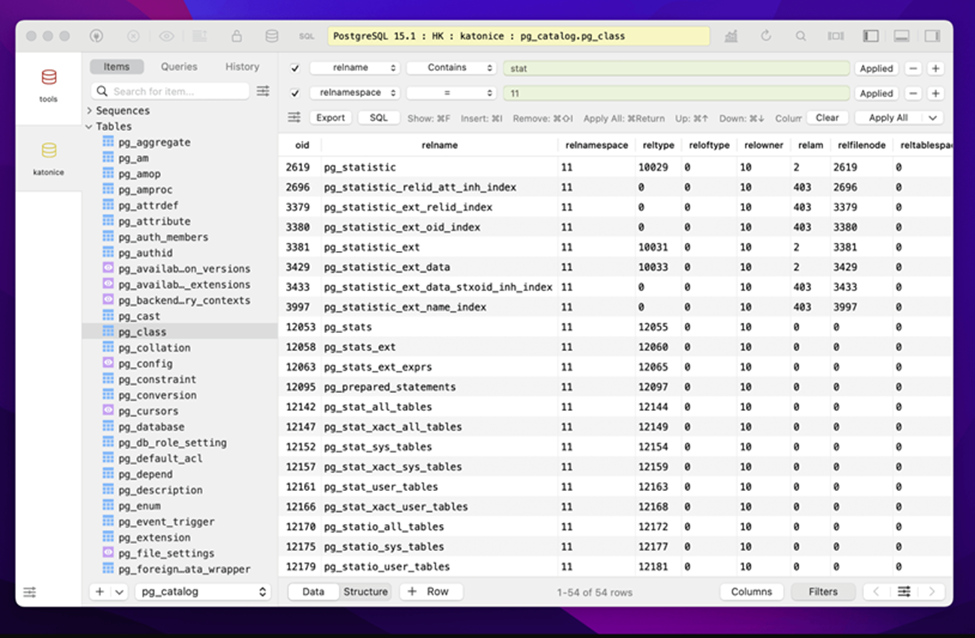
TablePlus is the opposite of DbVisualizer in terms of UI philosophy: native, clean, and fast. It supports MySQL, PostgreSQL, SQLite, SQL Server, Redis, and more - all with a consistent, modern interface that feels like a real desktop app rather than something ported from 2002.
The free tier is real but limited - there are caps on open tabs and connections that make it awkward as a primary daily driver. Full access requires a paid license (check their site for current pricing, it’s a one-time purchase rather than a subscription). Not open source, and the Linux version is less polished than macOS.
If the reason you’re leaving DbVisualizer is specifically the dated UI, TablePlus is worth evaluating even with the free-tier constraints.
TablePlus Links
SQuirreL SQL
Available for Windows, MacOS, and Linux
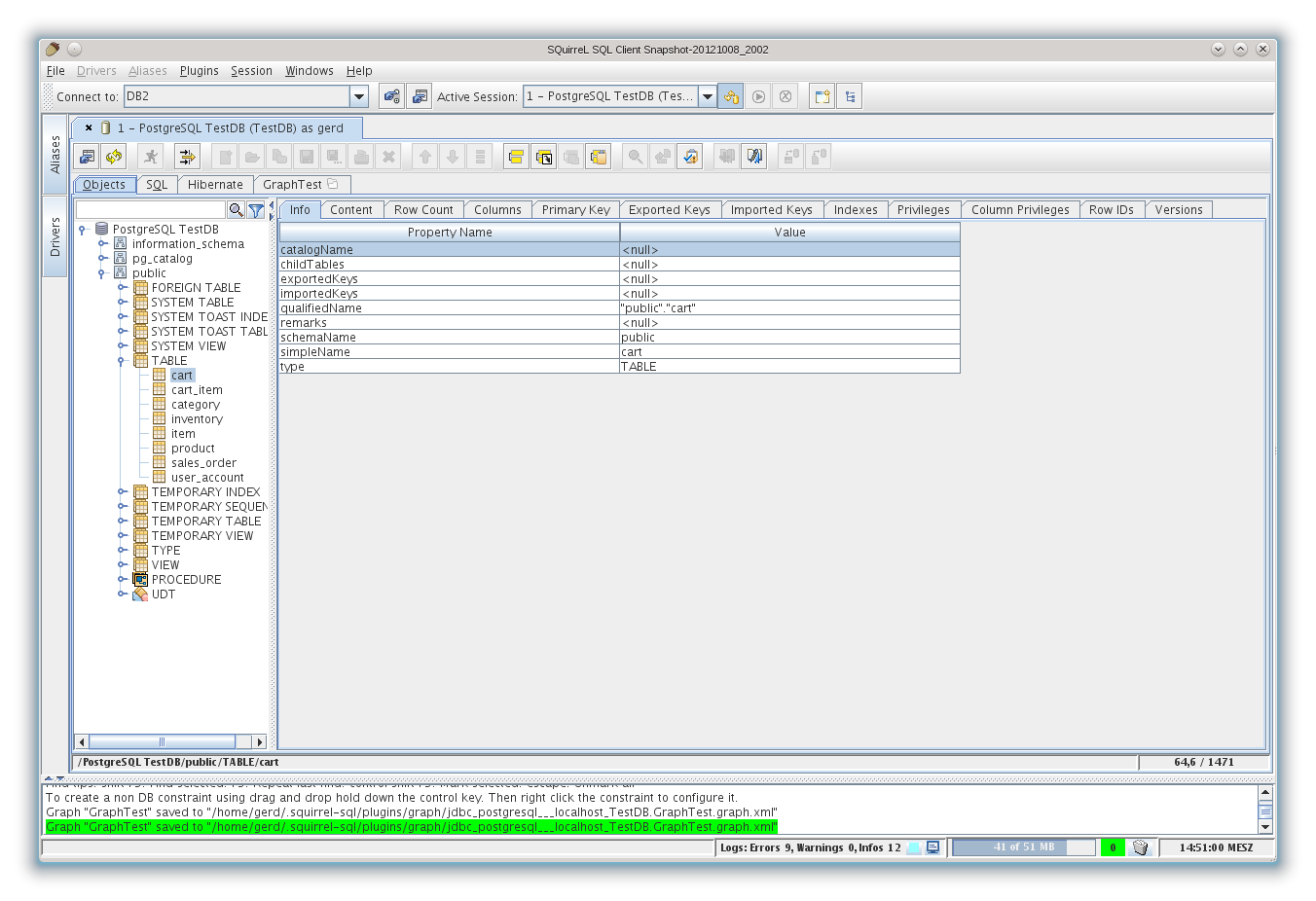
SQuirreL SQL is an open-source Java SQL client that connects to databases via JDBC - so if DbVisualizer’s broad database compatibility is the main thing keeping you there, SQuirreL covers similar ground at zero cost.
Being Java-based, it has the same startup overhead and general feel as DbVisualizer, so don’t expect a dramatic UX upgrade. But if cost is the issue and you need Oracle, DB2, or other JDBC-only databases, SQuirreL gives you that without the annual bill. It’s been around since 2001 and is actively maintained as an open-source project.
SQuirreL SQL Links
A note on DbVisualizer itself
If you’re on DbVisualizer Pro and it’s working for you, the tool is genuinely capable. It has visual query building, explain plans, ER diagrams, and broad database support including Oracle and DB2 - things that not every free alternative covers. The $89/year renewal for individuals isn’t outrageous for a daily-use tool.
The frustration most people hit is the free edition, which is limited enough to feel like a demo more than an actual free tier. If you need the full feature set and don’t want to pay for it, DBeaver Community is the closest functional match at no cost. If you want something lighter and more modern, Beekeeper Studio is worth a look.
Wrap-up
DbVisualizer was built for a different era of database tooling, and if you’re shopping for something newer, the free options have gotten genuinely good.
Beekeeper Studio leans into the “modern and focused” direction - cross-platform, open source, no Java overhead, and free for most use cases. If you want to try it:
Related reading
- Compare Beekeeper Studio vs DbVisualizer
- PostgreSQL GUI clients
- Oracle SQL clients
- Free & Open Source DBeaver Alternatives
- Pricing & editions
 Beekeeper Studio Is A Free & Open Source Database GUI
Best SQL query & editor tool I have ever used. It provides everything I need to manage my database. - ⭐⭐⭐⭐⭐ Mit
Beekeeper Studio is fast, intuitive, and easy to use. Beekeeper supports loads of databases, and works great on Windows, Mac and Linux.
What Users Say About Beekeeper Studio
"Beekeeper Studio completely replaced my old SQL workflow. It's fast, intuitive, and makes database work enjoyable again."
"I've tried many database GUIs, but Beekeeper strikes the perfect balance between features and simplicity. It just works."