
Another month, another killer release for Beekeeper Studio.
The highlights of this release are:
- Snowflake Support - including all common enterprise auth methods
- Kerberos Support for SQL Server - fully cross-platform via the MSSQL ODBC driver.
- SSH auto-mode commpatibility improvements for SSH config
Snowflake Support
Snowflake is an enterprise ‘Big Data’ analytics warehouse (read: Expensive). It uses a columnar storage format to make sparse analytics queries very fast, even if you have petabytes of data.
These types of databases are not the core competancy of Beekeeper Studio, but Snowflake is very popular and was one of our most requested features.
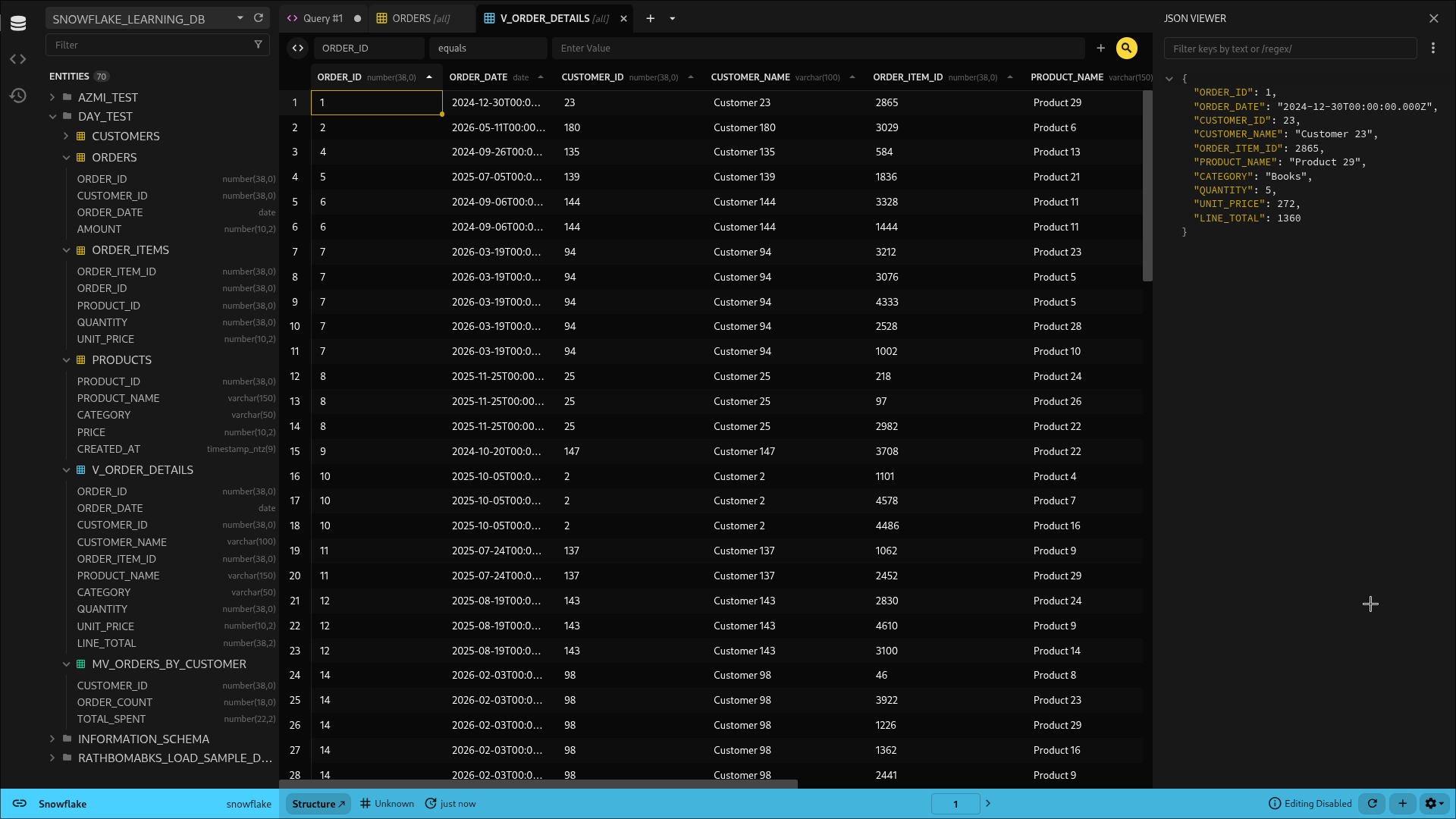
Enterprise authentication included
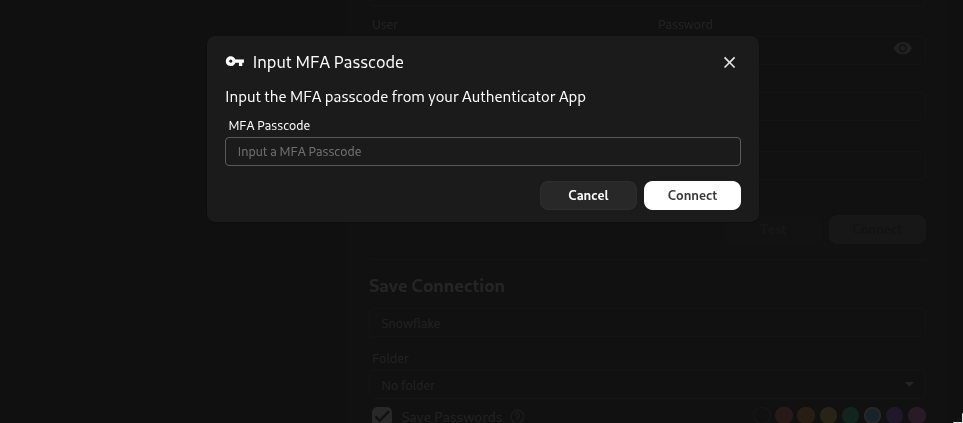
In addition to username & password login, Beekeeper Studio supports both serverless SSO authentication and MFA authentication (code or Duo) out of the box, so you can easily adhere to your organization’s information security policies.
Kerberos for SQL Server
While we already support SQL Server, v5.9 includes support for both Kerberos and Windows integrated auth (NTLM).
We’ll be following this up with Kerberos support for other databases, because devs at big enterprises also deserve access to a fast, modern, and easy to use database GUI. :-).
SSH Automatic mode enhancements
Oh man, I gotta tell you that integrating properly with ssh-config files was harder than expected.
The good news is that v5.9 fixes a bunch of issues we had with automatic SSH mode:
- The app now follows the same resolution logic used by openssh to determine which key to use (when multiple are in the ssh-agent and ssh-config)
- Beekeeper now properly skips keys that are listed in ssh-config, but are not present on disk
- The app now evaluates Match/exec blocks in SSH config for host matching, but includes a security config option to disable this (see disableSshConfigMatchExec)
Also in this release
-
Paste data as new rows. Copy a block of data from anywhere and paste it into a table as new rows instead of overwriting the cells you’ve selected — the quick way to port a chunk of data between tables without setting up a full import. There’s a dedicated keybinding, and backspace now clears a selected range as you’d expect.
-
Pick enum values from a dropdown. Enum columns now offer their valid values in a dropdown right in the table and result grids, so you don’t have to remember or retype them. Works on PostgreSQL, CockroachDB, MySQL/MariaDB, DuckDB, and ClickHouse.
-
One move-to dialog for everything. The move-to modal now handles saved queries and (sub)folders as well as connections, so you can reorganize the whole sidebar from one consistent dialog instead of a scatter of context-menu entries.
-
Inline renaming in the sidebar. Rename queries, connections, and folders inline, right where they live.
-
Plugin keyboard shortcuts. Plugin menu items can now be bound to custom keyboard shortcuts via the config file.
-
New “unix timestamp” query magic. Convert a Unix timestamp (seconds, milliseconds, microseconds, or nanoseconds) to a readable date string, with timezone and ISO formatting options — e.g.
columnname__format__unixtime__ms__utc. -
SSH tunneling for more engines. Fixed SSH tunneling for ClickHouse and Firebird, and added bastion/jump-host support for MongoDB (forcing
directConnectionso it actually works). -
ClickHouse custom SSL certificates. ClickHouse connections now support custom SSL certificates for encrypted connections. Thanks @mastercactapus!
-
Sidebar remembers where you were. The last-open sidebar tab persists across restarts, and the default sidebar tab is configurable.
Full Change List
New Features
- Snowflake driver: connections, schema browsing, views/materialized views, keys, indexes, DDL retrieval, table cloning, transactional writes, streaming and cancellation (#4323)
- SQL Server integrated (Windows/Kerberos) authentication, with Encrypt toggle and optional SPN override (#4416, #4430)
- Paste copied data as new rows, with a dedicated keybinding; backspace clears a selected range (#4450)
- Select enum values from a dropdown — PostgreSQL, CockroachDB, MySQL/MariaDB, DuckDB, ClickHouse (#4444)
- Unified move-to dialog for connections, saved queries, and (sub)folders (#4448)
- Inline renaming of queries, connections, and folders in the sidebar (#4250)
- Plugin menu items support configurable keyboard shortcuts (#3837)
- New unix-timestamp query magic (#4401). Thanks @Squidysquid1!
- ClickHouse custom SSL certificate support (#4343). Thanks @mastercactapus!
- DynamoDB beta support and connection docs (#4298)
- Persist last-open sidebar tab across restarts; configurable default sidebar selection (#4440, #4447)
Bug Fixes
- Restoring the edited text of a saved query was broken (#4443)
- Auto-refresh now works when making table alterations from the query editor (#4442)
- BigQuery NUMERIC/BIGNUMERIC (and other custom-type) values now display correctly (#4391)
- SQL Server autocomplete handles bracket-quoted
[identifiers]correctly (#4437) - Editing a PostgreSQL array of enums no longer throws a JSON error (#4238)
- Newly added columns no longer become invisible when dragged to reorder (#4418). Thanks @aanthoonyy!
- Team subfolders show their own name instead of the parent’s (#4403)
- Query import clears the folder ID for correct personal-folder placement (#4406)
- Fixed two import bugs: a
generateColumnTypesFromFileTypeError and a CSV error message (#4244) - Paste a single value across all selected cells (#3972). Thanks @anabdsantos!
- Proper string escaping in the TableMenu copy actions (#4421). Thanks @Squidysquid1!
- Simplified delete context-menu wording (#4386)
- Reverted AppImage to the default runtime for AppImageLauncher compatibility
SSH
- Surface invalid/untrusted ssh config and missing identity files as non-blocking warning toasts (#4378 and related)
- Use ssh-config’s native
Match execsupport instead of stripping Match blocks - New
[security] allowSshConfigMatchExecoption to control execution ofMatch execdirectives - Skip SSH tunnel entries with a missing
IdentityFile(#4368) - Fixed SSH tunneling for MongoDB, ClickHouse, and Firebird (#4435)
Security
- Fixed a plugin-manifest path-traversal vulnerability (GHSA-3wfm-5rhc-mg5c) that could trigger arbitrary recursive directory deletion on uninstall; plugin IDs are now validated and must match their install directory (#4393)
- Misc dependency vulnerability fixes (#4392)
Packaging & Platform
- Migrated Snap builds to electron-builder’s native core24 snapcraft config to fix broken snap builds (#4427)
- Switched Windows code signing from Azure to Google Cloud KMS (#4424)
- Upgraded electron-builder to 26.11.1 and configured the AppImage toolset (#4315), with follow-up toolset config cleanup (#4432)
- Fixed desktop-environment window association on Linux (#4429)
Internal / Tooling
- Migrated the TableSchemaValidation editor to the shared UI Kit text editor (#4327)
- Upgraded Vite to v8 (#4394)
- Upgraded the ERD library (#4364)
- Updated the Tabulator data-grid library (#4400)
- Structured plugin error classes/codes for better diagnostics (#3316)
- Extracted folder-tree logic into reusable utilities (#4408)
- Test/CI: pinned the ClickHouse Docker image to stop timeouts, static ed25519 SSH fixture, lightweight none-auth tunnel harness, dockerized Samba AD + SQL Server Kerberos stack, and regression tests for several utility bugs
- Dependency bumps: @babel/core, dompurify, fast-xml/builder, form-data, @grpc/grpc-js, protobufjs, qs, shell-quote, tmp, @tootallnate/once, typeorm, undici, vitest, ws
New Contributors
- @mastercactapus made their first contribution in https://github.com/beekeeper-studio/beekeeper-studio/pull/4343
- @anabdsantos made their first contribution in https://github.com/beekeeper-studio/beekeeper-studio/pull/3972
- @SuperCowProducts made their first contribution in https://github.com/beekeeper-studio/beekeeper-studio/pull/4409
- @aanthoonyy made their first contribution in https://github.com/beekeeper-studio/beekeeper-studio/pull/4418
- @Squidysquid1 made their first contribution in https://github.com/beekeeper-studio/beekeeper-studio/pull/4401
Full Changelog: https://github.com/beekeeper-studio/beekeeper-studio/compare/v5.8.1…v5.9.0
 Beekeeper Studio Is A Free & Open Source Database GUI
Best SQL query & editor tool I have ever used. It provides everything I need to manage my database. - ⭐⭐⭐⭐⭐ Mit
Beekeeper Studio is fast, intuitive, and easy to use. Beekeeper supports loads of databases, and works great on Windows, Mac and Linux.
What Users Say About Beekeeper Studio
"Beekeeper Studio completely replaced my old SQL workflow. It's fast, intuitive, and makes database work enjoyable again."
"I've tried many database GUIs, but Beekeeper strikes the perfect balance between features and simplicity. It just works."